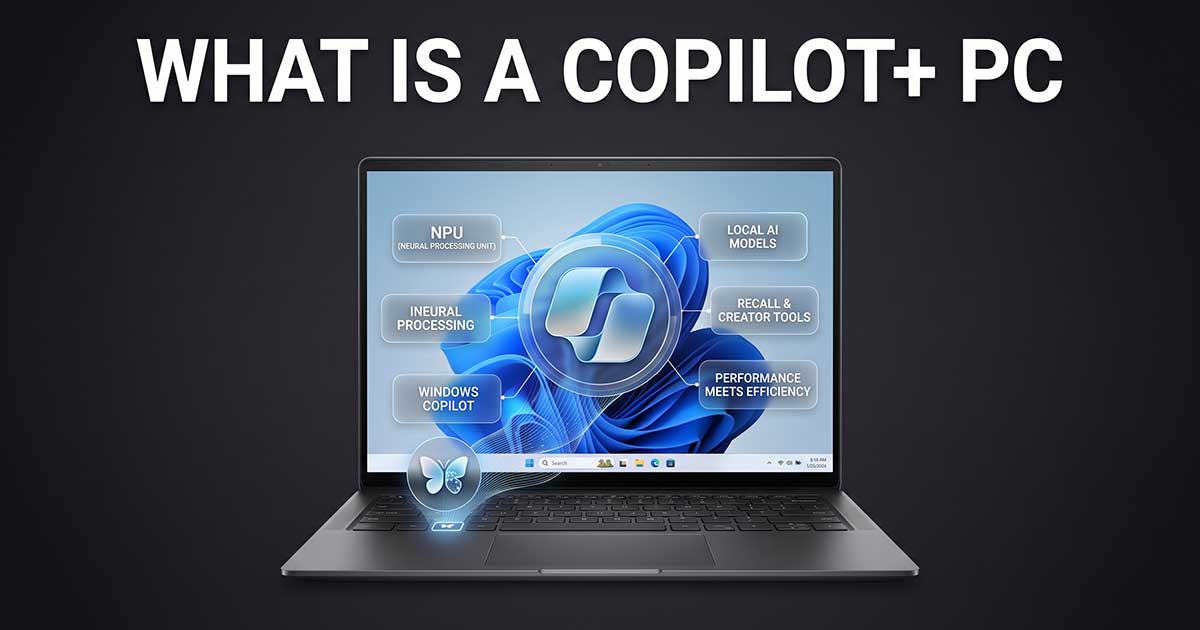
Every laptop listing seems to say “AI” somewhere now, and “Copilot+ PC” gets thrown around like it’s just another spec bullet point. It isn’t. It’s a strict hardware certification from Microsoft, and whether it’s actually worth paying for depends entirely on what you do with a computer — not on whether the box has an AI badge on it.
What’s Inside
What Copilot+ PC Actually Means
A Copilot+ PC is a specific hardware category, not a software update or a marketing label a manufacturer can slap on anything. Microsoft’s certification requires a Neural Processing Unit (NPU) capable of at least 40 TOPS — trillions of operations per second — plus a minimum of 16GB of RAM and a 256GB SSD (no hard drives allowed at all). A laptop either meets every one of those thresholds or it doesn’t qualify, regardless of how the listing markets it.
Three chips share the work inside a Copilot+ PC: the CPU handles general computing, the GPU accelerates graphics and heavier AI models, and the NPU — the piece that actually defines the category — runs sustained AI features efficiently without draining the battery the way asking the CPU or GPU to do the same work would.
What a Copilot+ PC Can Do That a Regular Laptop Cannot
The features genuinely exclusive to Copilot+ hardware run locally, on-device, rather than round-tripping to the cloud: Recall (a searchable history of your own activity, built from periodic local screenshots), real-time live captions and translation, AI-powered image generation inside Paint, and enhanced video call effects like background blur and eye contact correction. Because these run locally, they work offline and don’t send your data to a server to function — a real, meaningful difference from cloud-based AI features on a standard laptop.
The Common Misconception: The Copilot Chatbot Still Needs the Cloud
Here’s the part most buyers get backwards: the main Copilot assistant — the chatbot you launch with the dedicated keyboard key — still relies on Microsoft’s cloud servers and needs an active internet connection to answer general questions or write code. Copilot+ certification doesn’t make the chatbot itself run offline. It unlocks a specific set of separate, genuinely local features (Recall, live translation, and the others above) — not a fully offline version of Copilot chat.
Do You Actually Need One?
Run yourself through this honestly: if you specifically want Recall, real-time offline translation, or on-device image generation, the answer is straightforward — buy a Copilot+ PC, since those features simply don’t exist on standard hardware. If you mainly want a laptop for web browsing, Office work, and video calls, a Copilot+ badge isn’t a must-buy — the AI-specific benefits are narrow for that use case, and by 2026 essentially every current Windows laptop worth buying ships with a qualifying NPU anyway, so you’re rarely paying a large standalone premium just for “AI” as a label.
There’s also a genuine calendar pressure pushing this decision for a lot of people regardless of AI interest: Microsoft ended all support for Windows 10 on October 14, 2025, so anyone still running an older machine is already being pushed toward Windows 11 hardware — and most current Windows 11 laptops happen to qualify for Copilot+ anyway.
Watch Out for This Before You Buy
“Has an NPU” is not automatically the same as “Copilot+ certified.” Confirm the exact configuration lists all three requirements together — 40+ TOPS NPU, 16GB RAM, and a 256GB-or-larger SSD — since some budget listings pair a capable NPU with only 8GB of RAM, which disqualifies the machine from Copilot+ features entirely even though the NPU itself is real.
If the laptop uses a Snapdragon X-series chip specifically (one of the three qualifying platforms alongside Intel Core Ultra and AMD Ryzen AI), it’s running on ARM architecture rather than traditional x86 — mainstream software runs fine, but a specialized program you rely on is worth checking for compatibility first, the same caveat that applies to any ARM Windows laptop regardless of Copilot+ status.
If you’re shopping for a current laptop and want picks organized by actual use case rather than AI marketing, our buying guides cover current options across budgets.