Two years after Docker brought Docker Desktop to Windows on Arm, the download is still labeled Early Access in Docker’s own installation docs. Google’s Drive for Desktop, meanwhile, has no ARM-native build and won’t run under Windows’ Prism emulator at all. Neither fact appears on a spec sheet, and both decide whether a given laptop can run a given developer’s toolchain.
Operating system and stack narrow this category before core counts and clock speeds do — whether you’re compiling Swift, running Docker containers on Windows, or building for Android across three emulators at once. Those three workloads pull in different directions across the eight current laptops matched to different kinds of development work in 2026.
Editor’s Pick
Last update on 2026-09-24 / Affiliate links / Images from Amazon Product Advertising API
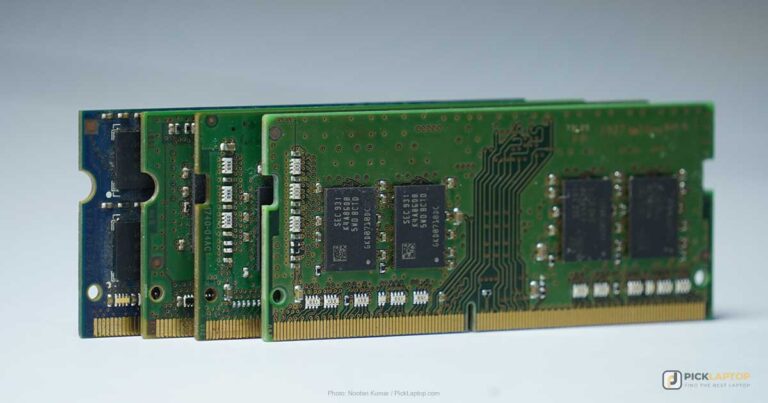
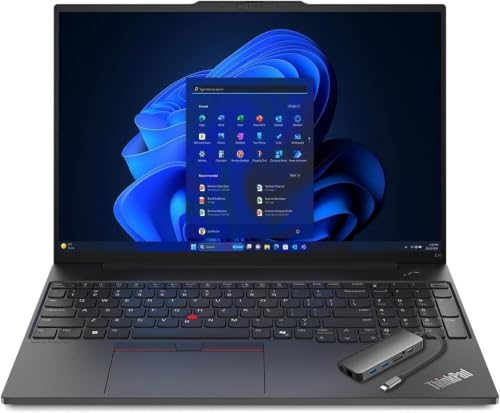
Two DDR5 SODIMM slots and two M.2 slots, so the 32GB most development work wants is an upgrade you make yourself rather than a configuration you have to buy up front.
- AMD Ryzen 7 7735HS
- 16GB DDR5, upgradeable to 64GB
- 16-inch WUXGA IPS
- MIL-STD-810H tested
What’s Inside
- 1 – Best Laptops for Software Development Buyer's Guide
- 2 – Software Development Laptop Comparison Table
- 3 – Best Laptops for Software Development in 2026 — Reviews
- 3.1 – 1. Lenovo ThinkPad E16 Gen 2 (Best Overall)
- 3.2 – 2. Apple MacBook Air 13-inch (M5, 2026) (Best for macOS/iOS Development)
- 3.3 – 3. Dell 14 Laptop (Best Budget)
- 3.4 – 4. Lenovo ThinkPad X1 Carbon Gen 13 Aura Edition (Best Premium / Heavy Multitasking)
- 3.5 – 5. Acer Nitro V 16 (Best for Game Dev / ML — Dedicated GPU)
- 3.6 – 6. Framework Laptop 13 (Best for Linux Development)
- 3.7 – 7. Lenovo Yoga 9i 2-in-1 (Best Convertible)
- 3.8 – 8. Lenovo Yoga Slim 7x (Best Ultraportable — ARM)
- 4 – Recommended Accessories
- 5 – Which Software Development Laptop Should You Buy?
- 6 – Software Development Laptop FAQ
- 7 – Final Thoughts on Software Development Laptops
Best Laptops for Software Development Buyer’s Guide
Choosing Your OS: macOS vs. Windows vs. Linux
This decision shapes the laptop choice more than any single spec. macOS is the only realistic option for iOS and Xcode development, and it gives you a Unix environment for web and backend work. Windows carries the broadest software compatibility and runs Linux natively through WSL2 for anyone who wants both. Modern .NET runs on all three: it builds and executes on macOS and Linux for console, web, API and cloud work. Windows becomes a hard requirement for a narrower set: legacy .NET Framework 4.x apps, WPF and Windows Forms, which remain Windows-only even on current .NET, and the full Visual Studio IDE — Microsoft retired Visual Studio for Mac on 31 August 2024 and hasn’t replaced it.
Linux itself is preferred by many backend and DevOps engineers for its customization and its closer match to production server environments — if that’s you, the hardware-compatibility side of that choice is worked through in our Arch Linux laptop guide. Plenty of developers end up running more than one of these through virtualization, which is its own argument for prioritizing RAM over raw CPU speed.
Processor
Multi-file compilation parallelizes well — C/C++ builds under make -j, Rust’s codegen phase, decoupled Gradle subprojects — so core count does the work there. It doesn’t help everywhere. Linking stays largely single-threaded, and the Rust team puts roughly half of a debug build of ripgrep in the linker; Rust’s compiler front end is serial too, as is any sequential dependency chain. So extra cores shorten the parallel phases of a full build, while an incremental build recompiles a handful of files and then links the whole thing anyway — which leans on single-core speed.
A current-generation Core i7 or Ultra 7, a Ryzen 7, or an Apple M-series chip gives you eight or more cores for the parallel phases without conceding single-core speed on the serial ones.
Memory
As a practical rule of thumb, budget 32GB rather than the older 16GB figure. Containers are what moved it, and for a reason specific to how a local stack behaves: a database, a cache, a message broker and an app server all sit resident in memory for the whole session while spending most of it idle on CPU. Their CPU demand comes and goes with what they’re actually doing; the memory they hold does not. On macOS and Windows, Docker Desktop’s Linux VM adds its own fixed claim on host RAM on top of that. 16GB still runs an IDE with extensions, a browser and light scripting. A VM or a second container on top of that is what pushes past it. Count what runs at the same time rather than how large the project is.
Storage
An NVMe SSD is the baseline here, and capacity is the specification to prioritize. 512GB is a livable minimum, and 1TB gives room once Xcode, Android Studio system images, node_modules folders and project archives start piling up.
Display
A 14- to 16-inch screen in 16:10 rather than 16:9 puts more lines of code on screen before you scroll, and resolution decides how much of that text stays sharp once UI scaling is applied.
Panel type is a weaker signal than the numbers behind it. IPS describes viewing-angle behavior and off-axis consistency; it says nothing about how bright or how accurate a given screen is. The E16 below offers a 300-nit 45% NTSC panel and a 400-nit 100% sRGB panel, and both are IPS. For eight-plus hours a day of reading text, check the measured brightness, the gamut figure, and whether the finish is matte or glossy. For reading text, glare matters more than refresh rate.
Do You Need a Dedicated GPU?
Most software development doesn’t need one, and buying a discrete GPU as insurance usually spends money that RAM or storage would put to better use. Web development, backend engineering, mobile app development and general programming run on integrated graphics. Game development, GPU-accelerated ML training and CUDA work are what a dedicated GPU is for — outside those, that budget does more as RAM or storage.
Keyboard and Build Quality
This part of the spec sheet never shows up in a benchmark. Stick with a keyboard layout you already know — full-size with a number pad if that’s your habit, TKL if you’ve adapted to compact layouts — since retraining muscle memory costs time in the first few weeks.
Software Development Laptop Comparison Table






Last update on 2026-09-24 / Affiliate links / Images from Amazon Product Advertising API
Best Laptops for Software Development in 2026 — Reviews
Eight machines, each for a different kind of development work — from a fanless Mac for Xcode to a modular Linux laptop you can rebuild a piece at a time.
1. Lenovo ThinkPad E16 Gen 2 (Best Overall)
Best Overall
Last update on 2026-09-24 / Affiliate links / Images from Amazon Product Advertising API
- ProcessorAMD Ryzen 7 7735HS (8-core)
- GPUAMD Radeon 680M (integrated)
- RAM16GB DDR5 (two slots, up to 64GB)
- Storage512GB PCIe Gen 4 SSD
- Display16-inch WUXGA IPS
- OSWindows 11 Pro
Lenovo’s spec sheet lists two DDR5 SODIMM slots supporting up to 64GB, plus two PCIe Gen 4 M.2 slots — one 2242 and one 2280. So a 16GB machine bought now becomes a 32GB or 64GB machine later for the price of memory — an option the MacBook Air, X1 Carbon and Yoga 9i below don’t give you at all, since all three ship their memory soldered.
It is MIL-STD-810H tested, the keyboard is spill-resistant, and key travel is 1.5mm across the main rows.
The entry 16-inch WUXGA panel is rated 300 nits at 45% NTSC coverage — dim and washed-out next to the 400-nit 100% sRGB WUXGA and WQXGA options in the same spec sheet, so check which panel a listing actually ships before ordering.
Pros
- Two SODIMM slots to 64GB — RAM you can add yourself
- Two PCIe Gen 4 M.2 slots for a second drive
- MIL-STD-810H tested, spill-resistant keyboard
Cons
- 16GB base configuration needs an upgrade to hit the 32GB mark
- Entry panel is dim at 300 nits and 45% NTSC
2. Apple MacBook Air 13-inch (M5, 2026) (Best for macOS/iOS Development)
Best for macOS/iOS

Last update on 2026-09-24 / Affiliate links / Images from Amazon Product Advertising API
- ProcessorApple M5 (10-core)
- GPUApple M5 (10-core, integrated)
- RAM16GB unified
- Storage512GB SSD
- Display13.6-inch Liquid Retina
- BatteryUp to 18 hours
Xcode requires macOS, so iOS work starts and ends on a Mac. Past that requirement, the M5 handles web, backend and mobile development in a fanless chassis that makes no noise at all.
The fanless design has measurable costs under sustained load. Tom’s Hardware watched the Air’s chip open a Cinebench 2026 stress loop at 3,415 and settle in the low 2,300s, and on a video transcode the air-cooled M5 MacBook Pro finished over a minute ahead. Its Xcode compile of a large codebase took 165 seconds against the Pro’s 145 — a gap the review reports without tying it to heat.
Bursty work — editing, running a dev server, an occasional build — rarely runs long enough to reach the throttling point. Back-to-back builds on a large codebase reach it repeatedly, and that’s when the fan-cooled Pro starts buying time back.
Pros
- The only option for Xcode and iOS development
- Fanless and silent for typical bursty dev work
- Up to 18 hours rated battery life
Cons
- Throttles measurably under sustained heavy compilation
- 16GB unified memory, not user-upgradeable
3. Dell 14 Laptop (Best Budget)
Best Budget
Last update on 2026-09-12 / Affiliate links / Images from Amazon Product Advertising API
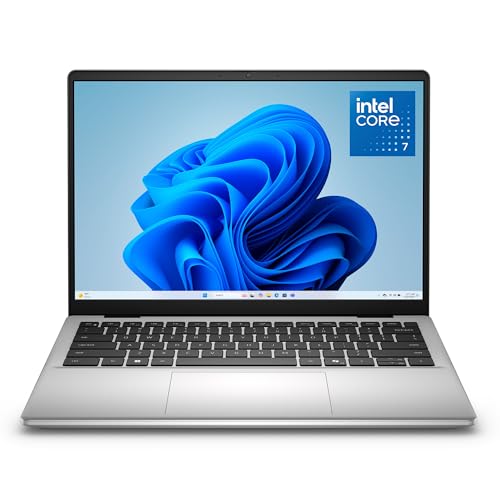
- ProcessorIntel Core 7 150U
- GPUIntel integrated
- RAM16GB DDR5
- Storage512GB SSD
- Display14-inch IPS
- OSWindows 11
Learning to code doesn’t take workstation hardware. 16GB of DDR5 and a Core 7 150U run a code editor, a browser and coursework-scale projects without feeling cramped.
Dell’s own product brief is the only published documentation of this configuration — no independent lab has tested it. Heavy containerized workflows sit outside what it’s built for, which is a fair boundary at this price — this is the machine to learn on before you know what your workflow actually needs, not the one you’re still running a dozen local microservices on five years into a career.
Pros
- Core 7 150U and 16GB DDR5 at the entry tier
- 16GB DDR5 — enough for an editor, a browser and coursework projects
Cons
- Not built for heavy multi-container workflows
- No independent lab testing published for this configuration
4. Lenovo ThinkPad X1 Carbon Gen 13 Aura Edition (Best Premium / Heavy Multitasking)
Best Premium

Last update on 2026-09-24 / Affiliate links / Images from Amazon Product Advertising API
- ProcessorIntel Core Ultra 7 258V
- GPUIntel integrated
- RAM32GB LPDDR5X (soldered)
- Storage1TB SSD
- Display14-inch 2.8K OLED, 120Hz
- OSWindows 11 Pro
32GB ships as standard here, so several VMs, a stack of Docker containers and a full IDE can sit in memory at once without an upgrade first.
Tom’s Hardware recorded 379 nits and 82.4% DCI-P3 coverage on the 2.8K OLED, 1.5mm of key travel, and 11 hours 28 minutes on its web-browsing battery test. For eight hours of reading code, that panel and that keyboard are the parts you’ll notice.
The processor is the weak spot. Laptop Mag called the Ultra 7 258V’s multi-core result a letdown for a laptop at this price. Lunar Lake also packages memory with the CPU, which caps this machine at 32GB — the Gen 12 it replaces offered 64GB, so the ceiling moved down rather than up.
Pros
- 32GB standard — VMs and containers without upgrading memory first
- 379-nit OLED and 1.5mm key travel, measured
- 11.5 hours on Tom’s Hardware’s battery test
Cons
- Multi-core performance is weak for the price
- 32GB is the hard ceiling — memory is packaged with the CPU
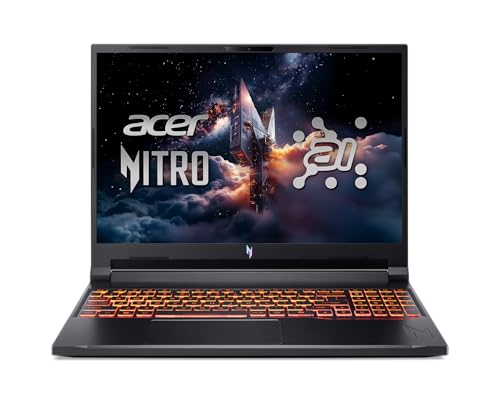
5. Acer Nitro V 16 (Best for Game Dev / ML — Dedicated GPU)
Best with GPU
Last update on 2026-09-24 / Affiliate links / Images from Amazon Product Advertising API
- ProcessorAMD Ryzen AI 5 340
- GPUNVIDIA GeForce RTX 5060 (8GB)
- RAM16GB DDR5
- Storage512GB PCIe SSD
- Display16-inch WUXGA IPS, 180Hz
- Battery76Wh
Most developers reading this guide can skip this pick. Game development, CUDA work and local GPU-accelerated ML training are the exceptions, and the RTX 5060 runs the Unity and Unreal editors and trains small models locally in PyTorch, without workstation pricing, and Acer lists a 76Wh battery.
LaptopMedia measured 301 nits at the center of the panel on the same ANV16-61 chassis, short of the 350 to 400 nits typical of this class — fine indoors, dim near a window.
16GB is the other constraint if GPU work runs alongside heavy containers, so budget for a memory upgrade or a different pick if that describes your setup.
Pros
- RTX 5060 for game dev, CUDA and local ML training
- 76Wh battery in a discrete-GPU chassis
Cons
- 301-nit panel is dim for the class
- 16GB limits heavy multitasking alongside GPU work
6. Framework Laptop 13 (Best for Linux Development)
Best for Linux
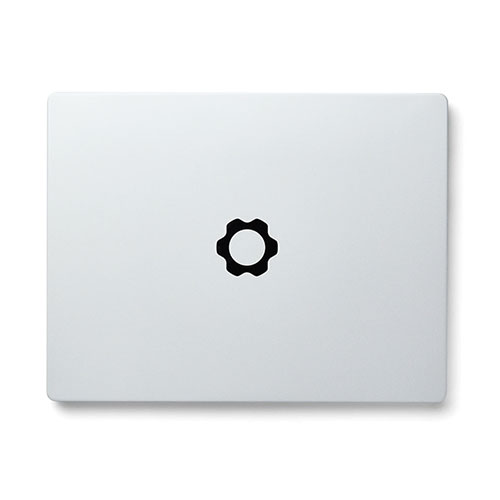
Framework Laptop 13
Officially supported by Framework for Ubuntu and Fedora, with an upstream open-source AMD graphics stack and no proprietary driver to install.
- ProcessorAMD Ryzen AI 300 series (up to 12-core)
- GPUAMD Radeon 890M (integrated)
- RAMDDR5-5600, two slots, up to 96GB
- StorageOne M.2 2280 PCIe 4 slot, up to 8TB
- Display13.5-inch 3:2 matte, 2256×1504 or 2880×1920
- OSSold with Windows 11 or Linux
“Supported” has a precise meaning on this machine. Framework officially supports two distributions — Ubuntu and Fedora — with engineering collaboration and customer support behind them; Arch, NixOS, Bazzite and Linux Mint sit in a community tier the company doesn’t validate internally. The graphics driver stack is open source and upstream either way — amdgpu in the kernel, Mesa’s RadeonSI and RADV in userspace — so there’s no proprietary driver to install and nothing to rebuild after a kernel upgrade. The GPU still loads AMD’s binary microcode from linux-firmware, as do the Wi-Fi card and the NPU. Open drivers, not a blob-free machine.
Two DDR5-5600 slots take up to 96GB, half again more than the E16’s 64GB ceiling, and the single PCIe 4 M.2 2280 slot takes a drive you supply. Ports are swappable and the mainboard itself is replaceable, so changing your stack doesn’t have to mean changing laptops. The E16 above has two M.2 slots to Framework’s one, so if a second internal drive matters more to you than the memory ceiling, that pick wins on storage.
Engadget found plenty of fan noise and heat under heavy load on the Ryzen AI 300 version, attributing it to a modular layout that routes all cooling through the single mainboard, and PC Gamer rates this generation an improvement on earlier Framework 13s without calling the problem solved — the fans still spin up for a Windows update.
Pros
- Ubuntu and Fedora officially supported by the manufacturer
- Up to 96GB of user-installed RAM and a user-supplied SSD
- Fully modular, swappable ports
Cons
- Not sold on Amazon — direct order only
- Audible fan noise under load
- Other distributions are community-tier, not officially supported
7. Lenovo Yoga 9i 2-in-1 (Best Convertible)
Best Convertible
Last update on 2026-09-24 / Affiliate links / Images from Amazon Product Advertising API
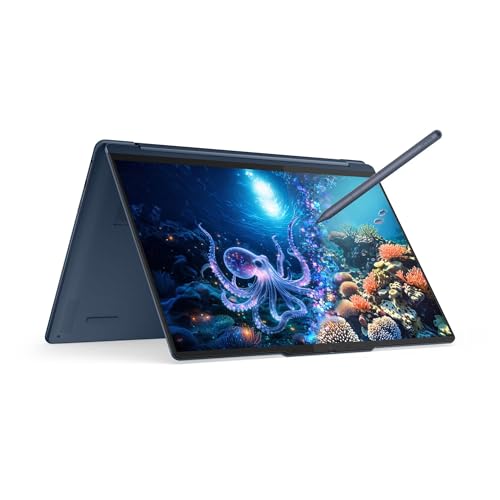
- ProcessorIntel Core Ultra 7 355
- GPUIntel integrated
- RAM32GB LPDDR5X
- Storage1TB NVMe SSD
- Display14-inch 2.8K OLED touch
- OSWindows 11 Pro
For work that mixes coding with client demos, whiteboard-style diagramming, or handing a screen to someone else, the hinge is doing a job rather than sitting there as a gimmick. It ships with 32GB, the same as the X1 Carbon above, so the convertible form factor doesn’t cost you memory.
Audio is the unexpected part for a machine this thin. Ultrabookreview counts four speakers — two firing down from the base and two tweeters built into the screen hinge, and LaptopMedia describes the result as fuller and more spacious than compact laptops usually manage — useful on the calls that land between coding sessions.
Two caveats sit against that. LaptopMedia measured 134 GU of screen reflectance, a high-gloss figure that makes bright rooms difficult, and Ultrabookreview recorded fans reaching 40 dBA in Performance mode.
Pros
- 32GB RAM — same memory as the non-convertible premium pick
- Four-speaker system with hinge-mounted tweeters
- 2.8K OLED touch display with pen input
Cons
- Very reflective glossy panel, awkward in bright rooms
- Fans reach 40 dBA in Performance mode
8. Lenovo Yoga Slim 7x (Best Ultraportable — ARM)
Best Ultraportable
Last update on 2026-09-24 / Affiliate links / Images from Amazon Product Advertising API
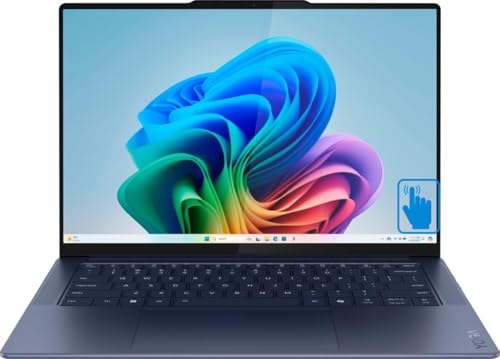
- ProcessorSnapdragon X Elite X1E-78-100 (12-core)
- GPUAdreno (integrated)
- RAM16GB LPDDR5X
- Storage512GB SSD
- Display14-inch
- OSWindows 11 (ARM)
WSL2 runs on Snapdragon X Elite, and Windows Central found no discernible difference against Intel or AMD machines for ARM64-native Linux work. That puts ARM Windows within reach of development it was closed off from a couple of years ago. What’s left are two specific limits rather than a general warning.
Docker still labels its Windows-on-Arm download Early Access in the current install docs — the same status it launched with in May 2024 — and Windows containers aren’t supported on that build at all. ITPro found broad software compatibility on this machine but named Google’s Drive for Desktop as a gap: no ARM-native build, and it won’t run under the Prism emulator. ITPro also put a number on what emulation costs — 14 hours 20 minutes of battery on native ARM software against 12 hours 14 minutes running emulated x86.
Lenovo’s spec sheet puts the chassis at 12.9mm — 0.51 inches — and lists MIL-STD-810H testing across 21 items. Check your own toolchain against ARM before committing to it.
Pros
- WSL2 runs ARM64 Linux with no measured slowdown against x86
- 12.9mm chassis with MIL-STD-810H testing across 21 items
- Over 14 hours of battery on native ARM software
Cons
- Docker’s Windows-on-Arm build is still Early Access
- Some x86-only tools need emulation, at a measured battery cost
Recommended Accessories


Last update on 2026-09-24 / Affiliate links / Images from Amazon Product Advertising API
Which Software Development Laptop Should You Buy?
| Best For | Pick |
|---|---|
| Overall | Lenovo ThinkPad E16 Gen 2 |
| macOS/iOS Development | MacBook Air 13-inch (M5) |
| Budget | Dell 14 Laptop |
| Premium / Heavy Multitasking | ThinkPad X1 Carbon Gen 13 Aura |
| Game Dev / ML | Acer Nitro V 16 |
| Linux Development | Framework Laptop 13 |
| Convertible | Lenovo Yoga 9i 2-in-1 |
| Ultraportable | Lenovo Yoga Slim 7x |
Software Development Laptop FAQ
How much RAM do I actually need for software development?
32GB is the figure to aim at, but the useful test is your own machine: if you already develop on one, watch memory usage with your normal set of tools open — an IDE, containers, a database, browser tabs. If you’re already sitting near the top of 16GB, a faster CPU on the next machine won’t change that — the memory is what ran out.
Do I need a dedicated GPU for programming?
Only if you’re compiling shaders, running an engine editor, or training models locally. Before paying for one, weigh the alternative: renting cloud GPU time for the occasional training run avoids carrying the weight, heat and battery penalty of a discrete GPU on all the days you aren’t training anything. Buy the GPU when the work is constant, not occasional.
Is a MacBook or a Windows laptop better for programming?
Your stack decides it, and the forced cases are narrow: iOS work requires a Mac, and WPF, Windows Forms or legacy .NET Framework work requires Windows. Everything else — web, backend, data, cloud, most mobile, and modern cross-platform .NET — runs on either. If you’re in that middle group, pick on hardware instead: memory ceiling, keyboard, and whether you can upgrade it later.
Can I run Docker on an ARM (Snapdragon) Windows laptop?
Yes, through Docker Desktop’s Windows-on-Arm build hooking into WSL2, which is what most Linux-container workflows need. Two limits to check first: Docker classes that build as Early Access rather than a general release, and it can’t run Windows containers. If your pipeline builds Windows images locally, ARM isn’t ready for it yet.
Does the MacBook Air throttle during long compiles?
Yes — Tom’s Hardware measured a roughly 14% longer Xcode build on the fanless Air than on the M5 MacBook Pro, and watched the chip step down over a sustained Cinebench loop. Whether that matters depends on how you work. An occasional build during a day of editing never gets there; a compile-test-compile loop on a big project sits in it.
Should I buy 16GB and upgrade later, or 32GB now?
That depends on the laptop, not the budget. The ThinkPad E16 Gen 2 and the Framework Laptop 13 both take user-installed memory, so 16GB now is a real option. The MacBook Air, the X1 Carbon and the Yoga 9i all ship memory packaged with the CPU — whatever you order is what you keep.
Final Thoughts on Software Development Laptops
Settle the OS and stack first; it narrows this list faster than a benchmark comparison will. After that, the two questions worth asking are how much memory the machine will hold and whether you can add it later — that’s what separates a laptop you keep for five years from one you replace in two.