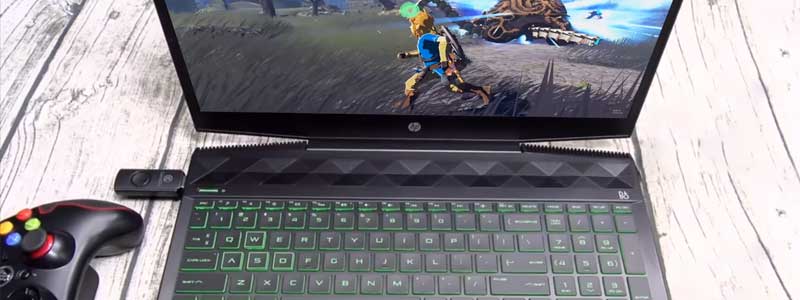
Nintendo shut down both major Switch emulators in 2024. Yuzu’s developers settled with Nintendo for 2.4 million dollars, and Ryujinx’s lead developer ended the project after Nintendo contacted him directly. CEMU is a separate project with a separate target: the Wii U, a console Nintendo discontinued in 2017.
Its source has been open under the Mozilla Public License since the 2.0 release, and version 2.1, on 27 August 2024, brought stable Linux and macOS support alongside Windows. What CEMU asks of a laptop doesn’t line up neatly with the usual gaming-laptop priorities, a mismatch that shapes how the seven laptops below are sorted by budget and use case for 2026.
Editor’s Pick
Last update on 2026-10-02 / Affiliate links / Images from Amazon Product Advertising API
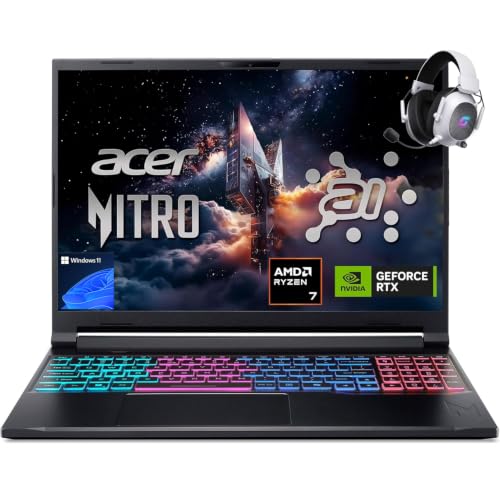
A current Ryzen chip with fast per-core performance and an RTX 5060 that sits well past CEMU’s stated graphics floor, without paying for a tier of GPU the emulator has no use for.
- AMD Ryzen 7 260
- NVIDIA RTX 5060 (85W)
- 32GB DDR5
- 1TB PCIe Gen 4 SSD
What’s Inside
- 1 – Best Laptops for CEMU Emulator Buyer's Guide
- 2 – The Nintendo Emulation Landscape in 2026
- 3 – CEMU Laptop Comparison Table
- 4 – Best Laptops for CEMU Emulator in 2026: In-Depth Reviews
- 4.1 – 1. Acer Nitro V 16S AI (Best Overall)
- 4.2 – 2. Acer Nitro V 16 (Best Budget)
- 4.3 – 3. MSI Stealth 16 AI+ (Best Thin-and-Light)
- 4.4 – 4. Gigabyte Aero X16 (Best High-Resolution Display)
- 4.5 – 5. Apple MacBook Pro 14-inch (Best for macOS)
- 4.6 – 6. Lenovo Legion Pro 7i Gen 10 (Best High-Performance)
- 4.7 – 7. MSI Raider 18 HX AI (Best Extreme / Max Compute)
- 5 – Recommended Accessories
- 6 – Which CEMU Laptop Should You Buy?
- 7 – CEMU Laptop FAQ
- 8 – Final Thoughts on CEMU Laptops
Best Laptops for CEMU Emulator Buyer’s Guide
Processor: Single-Thread Speed Over Core Count
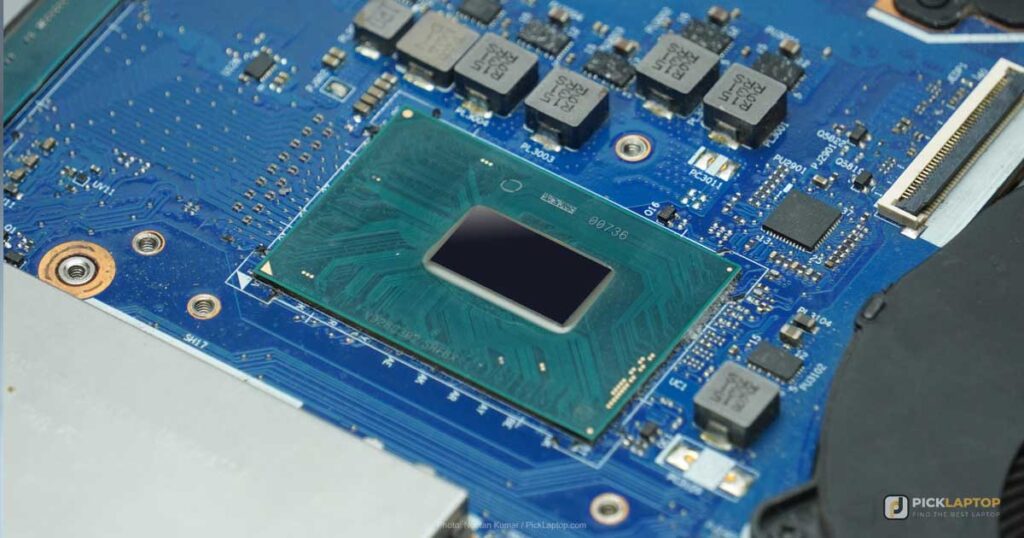
Per-core speed carries more of this workload than core count does. CEMU translates the Wii U’s PowerPC code into x86 instructions while a game runs, and the Cemu community guide’s hardware page asks for at least a Ryzen 3 or a Core i5, singling out single-core processing speed as the reason it steers buyers away from older non-Ryzen AMD chips. That is the number to compare when two laptops sit at the same price. It doesn’t make core count irrelevant — it makes it the second thing to check rather than the first.
GPU: Discrete Graphics and the Vulkan Requirement
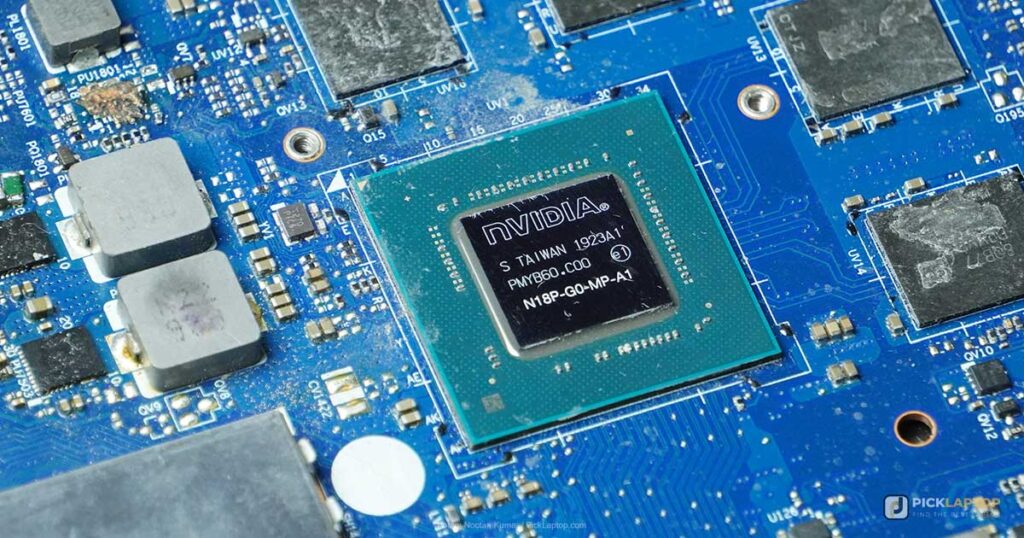
An Intel-integrated ultrabook is where this list stops. CEMU’s own system requirements page asks for OpenGL 4.5 or Vulkan 1.2, and rates Intel graphics as “Limited support. Vulkan is recommended.” The community guide puts the practical floor at an NVIDIA GTX 700-series or AMD HD 7000-series card and states that integrated graphics are not officially supported, while noting that some users report playable results anyway.
Every current mid-range laptop GPU sits far above that floor, which changes the question. It isn’t which discrete GPU to buy — it’s whether the laptop has one at all. The same page also sets the backend choice: OpenGL on cards with less than 2GB of graphics memory, Vulkan in all other cases. Every GPU below carries 8GB or more, so Vulkan is the path these machines take.
Memory and Storage
CEMU’s requirements page sets 4GB as the minimum and recommends 8GB or more. The community guide is blunter about the low end, saying 4GB “is not recommended and may cause crashes, stuttering and general performance issues.” 16GB is the sensible buying floor in 2026, and mostly for reasons that have nothing to do with the emulator — Windows, a browser and whatever else stays open behind it.
Storage is a capacity question more than a speed one. Wii U game dumps run to several gigabytes each, and a 512GB drive shared with Windows and a Steam library fills faster than the number suggests. A PCIe SSD is standard at every price point on this list, so it costs nothing to insist on.
Display and Portability
A 15- to 16-inch screen at full HD or above is the practical middle. Refresh rate is the specification to deprioritize here: Wii U titles were built around 30 and 60fps output, so a 240Hz panel does nothing for them that a 120Hz one doesn’t. Resolution is the one that pays off, because CEMU’s graphic packs can raise a game’s internal rendering resolution well past what the console produced, and a sharper panel is what shows the difference.
Battery Life
Discrete-GPU laptops run shorter on battery than integrated-graphics machines, and emulation is a sustained CPU load rather than a bursty one. The spread across the picks below is wider than three hours, so if the plan involves playing away from a desk, treat runtime as a selection criterion rather than a footnote and check the figure on each one.
The Nintendo Emulation Landscape in 2026
Yuzu and Ryujinx, the two major Switch emulators, were both shut down after direct action from Nintendo in 2024. Forks of their open-source code appeared afterwards — Citron, Eden and others — and Notebookcheck reported Nintendo sending mass DMCA notices to Switch emulator repositories on GitHub, the Yuzu fork Citron among them.
CEMU has not been targeted the same way, and the obvious difference is the console: the Wii U has been out of production since 2017, while the Switch line is still sold. That is an observation about what has happened so far, not a legal guarantee. For Wii U emulation specifically, CEMU is developed in the open and has been stable for years. If the plan also involves Switch titles, that side of the hobby moves quickly and none of the laptops below change its legal position.
CEMU Laptop Comparison Table




Last update on 2026-10-02 / Affiliate links / Images from Amazon Product Advertising API
Best Laptops for CEMU Emulator in 2026: In-Depth Reviews
1. Acer Nitro V 16S AI (Best Overall)
Best Overall
Last update on 2026-10-02 / Affiliate links / Images from Amazon Product Advertising API
- ProcessorAMD Ryzen 7 260
- GPUNVIDIA RTX 5060 (8GB, 85W)
- RAM32GB DDR5
- Storage1TB PCIe Gen 4 SSD
- Display16-inch WUXGA IPS, 180Hz
- OSWindows 11
This is the configuration PCVenus reviewed as the ANV16S-41-R2AJ — same Ryzen 7 260, same 32GB, same 1TB drive — which makes it one of the few picks here where the review and the listing describe the same machine.
PCVenus also found the RTX 5060 set to an 85W power limit rather than the 115W some competitors run, and called that the biggest compromise in the machine. For AAA gaming that gap is real. For a Wii U emulator that CEMU’s own documentation says will run on a GTX 700-series card, it is invisible. The same review reported that the keyboard area stayed cooler than expected across long sessions, though the rear exhaust gets very warm in Turbo mode.
32GB is more memory than CEMU asks for and the reason to take it is everything else running on the machine. If that’s not your situation, the pick below has the same GPU class for less.
Pros
- Tested by PCVenus in this exact configuration
- RTX 5060 sits far above CEMU’s stated GPU floor
- Keyboard deck stayed cool over long sessions in PCVenus testing
Cons
- GPU is limited to 85W against the 115W some rivals allow
- Rear exhaust heat is the trade-off for that cool keyboard deck
2. Acer Nitro V 16 (Best Budget)
Best Budget
Last update on 2026-10-02 / Affiliate links / Images from Amazon Product Advertising API
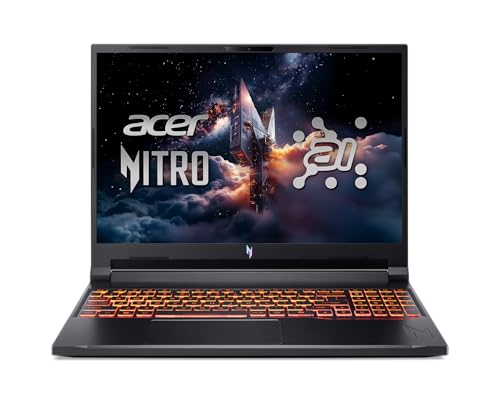
- ProcessorAMD Ryzen AI 7
- GPUNVIDIA RTX 5060 (8GB)
- RAM16GB DDR5
- Storage1TB PCIe Gen 4 SSD
- Display16-inch WUXGA IPS
- OSWindows 11
16GB instead of 32GB is the difference from the pick above, and CEMU’s recommended figure is 8GB, so the emulator is not what would push past it.
Independent coverage of the Nitro V 16 line is a caveat rather than a confirmation. PCWorld’s Nitro V 16 AI review tested a lower configuration than this one — a Ryzen 5 240 with an RTX 5050 and a 512GB drive — so its performance numbers don’t transfer. What does transfer is the chassis, shared across the line: “quickly opening the laptop’s lid reveals obvious display flex, but the lower chassis is solid when the laptop is picked up from a corner or edge.” No lab has published results on this exact CPU and GPU pairing, and that is the honest state of the evidence for it.
Pros
- Discrete RTX 5060 at the entry tier of this list
- 16GB exceeds CEMU’s recommended memory figure
- 1TB drive at a price where 512GB is common
Cons
- PCWorld found obvious display flex on this chassis
- No published lab results for the Ryzen AI 7 and RTX 5060 pairing
3. MSI Stealth 16 AI+ (Best Thin-and-Light)
Best Thin-and-Light
Last update on 2026-10-02 / Affiliate links / Images from Amazon Product Advertising API
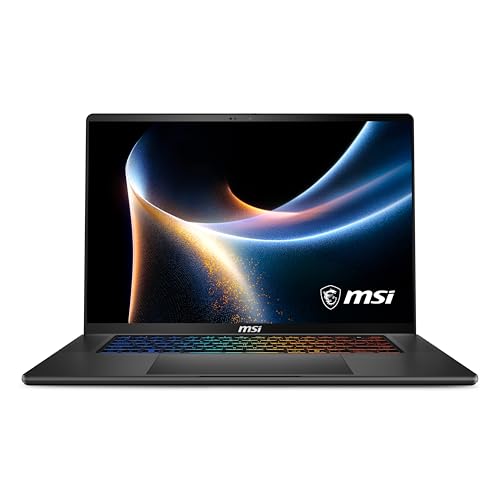
- ProcessorIntel Core Ultra 9 386H
- GPUNVIDIA RTX 5070
- RAM32GB DDR5-7200
- Storage1TB NVMe SSD
- Display16-inch QHD+ OLED, 240Hz
- OSWindows 11 Home
Emulation on a couch or a train is where battery life stops being a footnote, and this is the one Windows machine here that survives it. TechRadar ran a movie on continuous loop and recorded 14 hours and 15 minutes — on the RTX 5070 Ti version of this chassis with the same Core Ultra 9 386H, so the CPU figure carries directly and the GPU one is a tier above what’s listed here.
Against the other Windows machines below it is the light one, though the MacBook Pro at number five is lighter still. The 240Hz OLED panel is aimed at games CEMU isn’t running; its resolution is the part Wii U upscaling uses.
Pros
- 14 hours 15 minutes in TechRadar’s looping video test
- Lightest of the Windows picks here
- QHD+ OLED resolution suits upscaled Wii U rendering
Cons
- TechRadar tested the RTX 5070 Ti variant, not the listed RTX 5070
- Priced well above what CEMU alone would justify
4. Gigabyte Aero X16 (Best High-Resolution Display)
Best High-Resolution Display

Last update on 2026-10-02 / Affiliate links / Images from Amazon Product Advertising API
- ProcessorAMD Ryzen AI 9 HX 370
- GPUNVIDIA RTX 5070 (8GB)
- RAM32GB DDR5
- Storage1TB SSD
- Display16-inch WQXGA, 165Hz
- OSWindows 11 Home (Copilot+ PC)
Raised internal rendering resolution is the one CEMU setting that asks something of the display, and a 2560 x 1600 panel is where that shows. This is the sharpest screen among the 16-inch picks here, and the reason to pay for the Aero rather than the Nitro.
Tom’s Hardware reviewed the Aero X16 with a Ryzen AI 7 350 rather than the Ryzen AI 9 HX 370 listed here, so the CPU results don’t map across; the display and chassis findings do, since both configurations share them. Audio was the clear low point: Tom’s Hardware described “muddy details and a lack of instrument separation,” volume that is barely adequate, and minimal bass. Headphones, then, and not just for the neighbors.
Pros
- 2560 x 1600 panel, the sharpest 16-inch screen on this list
- RTX 5070 for higher internal rendering resolutions
- 32GB and 1TB without stepping up a configuration
Cons
- Tom’s Hardware called audio quality a weak point
- Reviewed CPU differs from the configuration listed here
5. Apple MacBook Pro 14-inch (Best for macOS)
Best macOS Pick

Last update on 2026-10-02 / Affiliate links / Images from Amazon Product Advertising API
- ProcessorApple M5 Pro / M5 Max
- GPUIntegrated (up to 40-core)
- RAM24-128GB unified
- Storage1TB / 2TB SSD
- Display14.2-inch Liquid Retina XDR
- BatteryUp to 24 hours
CEMU 2.1 made macOS a stable target in August 2024, which is what puts a Mac on this list at all. Read the community guide’s fine print before committing to one, though: it says game compatibility is “quite low for macOS,” and that the native macOS and Linux builds don’t support online play. Those are limits on which games run, not on how fast they run, and no amount of silicon fixes them.
On the hardware side, the M5 family’s per-core performance is the specification this workload cares about most, and unified memory removes the 16GB question entirely.
The M5 Max configuration comes with a caveat about this chassis specifically. Notebookcheck measured the same chip at 2,073 points in Cinebench 2024 multi-core in the 14-inch against 2,437 in the 16-inch, and reported that GPU performance held completely stable under sustained load in the larger machine but not in the smaller one. If a long session is the plan and the budget stretches to the M5 Max, the 16-inch is where that chip performs as specified.
Pros
- macOS has been a stable CEMU target since version 2.1
- Per-core performance suits the emulator’s main demand
- Unified memory scales to 128GB
Cons
- Community guide rates macOS game compatibility as quite low
- Native macOS builds have no online play
- 14-inch M5 Max trails the 16-inch by 15% in Cinebench 2024 multi-core
6. Lenovo Legion Pro 7i Gen 10 (Best High-Performance)
Best High-Performance
Last update on 2026-10-02 / Affiliate links / Images from Amazon Product Advertising API
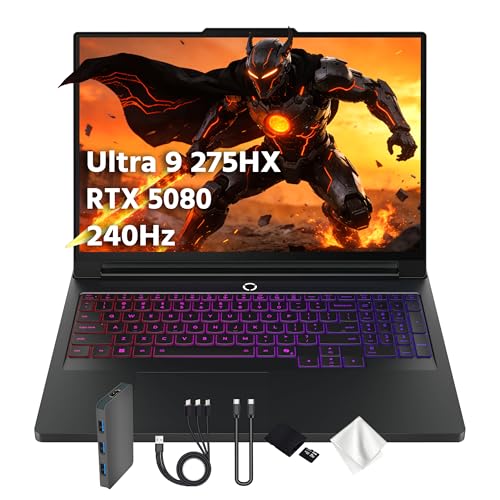
- ProcessorIntel Core Ultra 9 275HX
- GPUNVIDIA RTX 5080 (16GB)
- RAM32GB DDR5-6400
- Storage1TB SSD
- Display16-inch WQXGA OLED, 240Hz
- OSWindows 11 Home
Tom’s Hardware tested this exact configuration — 275HX, RTX 5080, 32GB DDR5-6400, the 240Hz OLED — so its numbers apply without translation.
Two findings matter for long emulation sessions and they point opposite ways. Fan noise was “impressively unobtrusive,” quiet enough that the reviewer could still pick out subtle in-game audio at 30% speaker volume. Battery came in at 4 hours and 37 minutes, last in a field that included a Gigabyte at 5:02, an Asus at 6:30 and a Razer at 7:21 — despite carrying what the review calls the highest-capacity battery available in a laptop at 99Wh. Tom’s Hardware attributes that to power management rather than to the cell.
Buy this one for the modern games it also runs. CEMU is something it happens to do quietly.
Pros
- Reviewed configuration matches the listing exactly
- Fan noise stayed unobtrusive under gaming load
- 240Hz WQXGA OLED panel
Cons
- 4:37 battery life, last in Tom’s Hardware’s comparison group
- Far more GPU than Wii U emulation asks for
7. MSI Raider 18 HX AI (Best Extreme / Max Compute)
Best Extreme / Max Compute
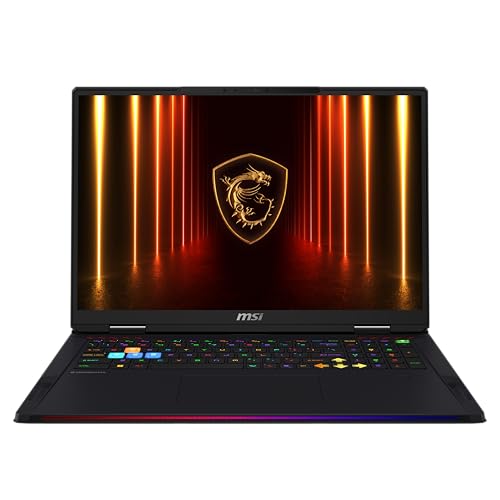
Last update on 2026-10-02 / Affiliate links / Images from Amazon Product Advertising API
- ProcessorIntel Core Ultra 9 285HX
- GPUNVIDIA RTX 5090 (24GB)
- RAM64GB DDR5-6400
- Storage2TB SSD
- Display18-inch UHD+ Mini LED
- OSWindows 11 Home/Pro
An 18-inch Mini LED panel and 64GB of memory suit someone running CEMU alongside several other emulators, a capture pipeline and everything else at once.
PCWorld reviewed the A2XWIG-418US, which pairs the same Core Ultra 9 285HX and 64GB with an RTX 5080 and a 4TB drive rather than the RTX 5090 and 2TB listed here — so read its GPU results as a floor for this configuration, not a match. The input hardware is common to the chassis and PCWorld was unimpressed by it: the keyboard “doesn’t feel much different than with any number of competitive gaming keyboards,” and the touchpad’s “physical button action struck me as springy yet hollow. It works, but the laptop is best used with a mouse.”
At 18 inches this is the largest and heaviest laptop on the list, which puts it a long way from the portable end of Wii U emulation.
Pros
- RTX 5090 and 64GB for running several emulators at once
- 2TB drive holds a large library without pruning
- 18-inch Mini LED panel
Cons
- PCWorld rated the keyboard ordinary and advised using a mouse
- PCWorld’s GPU results come from an RTX 5080 unit
- Largest and heaviest machine here
Recommended Accessories


Last update on 2026-10-02 / Affiliate links / Images from Amazon Product Advertising API
Which CEMU Laptop Should You Buy?
| Best For | Pick |
|---|---|
| Overall | Acer Nitro V 16S AI |
| Budget | Acer Nitro V 16 |
| Thin-and-Light | MSI Stealth 16 AI+ |
| High-Resolution Display | Gigabyte Aero X16 |
| macOS | Apple MacBook Pro 14-inch |
| High-Performance | Lenovo Legion Pro 7i Gen 10 |
| Extreme / Max Compute | MSI Raider 18 HX AI |
CEMU Laptop FAQ
What is CEMU?
An open-source emulator that runs Wii U software on a PC, with builds for Windows, Linux and macOS. It has no relationship to the Switch emulators Nintendo shut down in 2024: different console, different codebase, different legal position. Development is public on GitHub, which is how the project has stayed auditable through a period when several of its neighbors disappeared.
Can I play all Wii U games on CEMU?
No. Compatibility is tracked per title on CEMU’s own compatibility list, and it is worth checking the specific games you care about before buying anything, because the answer varies by title rather than by hardware. Compatibility is also lower on macOS than on Windows, so the platform you pick changes the list.
How powerful does my laptop need to be to run CEMU well?
The published minimums are lower than most buyers expect: 4GB of RAM, and a graphics card old enough to predate the Wii U itself, with the community guide naming a GTX 700-series or HD 7000-series part as the practical floor. Those figures describe the emulator starting and running, not a particular game at raised internal resolution with graphic packs applied. That gap between “runs” and “runs the way you want” is what the laptops above are buying.
Is CEMU available on macOS or Linux?
Yes, on both, and has been since version 2.1 in 2024. Two limits apply to those builds specifically: game compatibility on macOS is lower than on Windows, and online play is missing from both native releases. The community guide’s workaround for Linux users who need online is to run the Windows build through Wine or Lutris.
Is CEMU legal to use?
The emulator is; it distributes no Nintendo code. The game files are the separate question, and downloading titles you don’t own is copyright infringement regardless of how the emulator is licensed. Dumping games from hardware you own is the route that keeps those two things apart.
Is CEMU affected by Nintendo’s crackdown on Switch emulators?
Not so far. Nintendo’s DMCA campaign has targeted Switch emulators and their forks on GitHub; CEMU targets a console discontinued in 2017 and has not been named in it. That is a description of what has happened, not an assurance about what will.
Does CEMU support game controllers?
Yes, including Xbox and PlayStation pads, with mapping configured per controller. The part worth planning for is the Wii U GamePad’s second screen, which CEMU renders in a separate window you can position, resize or hide — on a laptop that window competes for the same panel, which is one more argument for a 16-inch screen over a 14-inch one.
Final Thoughts on CEMU Laptops
Two specifications decide this purchase: per-core CPU speed, and whether there is a discrete GPU at all. Both are cheaper to satisfy than the marketing around gaming laptops suggests, which is why the entry pick and the RTX 5090 machine sit on the same list — the second one is being bought for other reasons. If lighter online games are also on the menu, the RuneScape and EVE Online guides cover hardware at the opposite end of that range.
That’s awesome, thank you for this guide.
You’re welcome, William — thanks for reading!
Hey there, I just found your site and it looks awesome, Thanks, and keeps up the great work!
Thanks so much for the kind words, David — glad you found us!
I have Acer Aspire E 15 and it sucks, but it’s quite cheaper.
Thanks for sharing your real experience, Sharon — budget laptops like the Aspire E 15 often trade reliability for that lower price tag, and it’s genuinely useful for other readers to hear that firsthand.