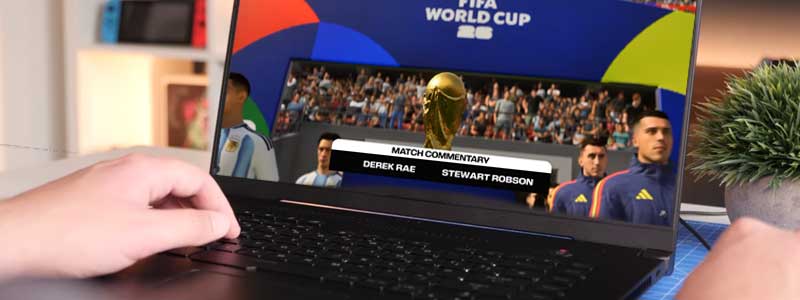
EA’s published recommended GPU for EA Sports FC 26 is a GeForce GTX 1660 — a card that launched in 2019. That single figure is the reason a flagship gaming laptop is the wrong purchase for this game.
If you’ve been playing FIFA since before 2023, you may not have noticed the split: EA and FIFA parted ways after FIFA 23, and the series has continued as EA Sports FC ever since — FC 24, FC 25, and now FC 26, released in September 2025. Same game at its core, different name on the box, and the hardware demands moved very little across the rename.
Below are EA’s current published requirements and the performance targets attached to them, then seven laptops matched to different reasons for buying one — including two that are more machine than this game asks for, and one that can’t run it natively at all.
If you’re weighing this against other light-to-moderate games, our RuneScape laptop guide covers a similarly overinflated GPU-recommendation problem in a different genre.
Editor’s Pick
Last update on 2026-09-21 / Affiliate links / Images from Amazon Product Advertising API
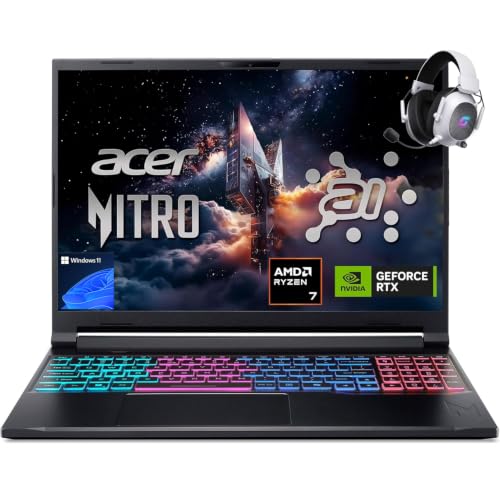
An RTX 5060 sits several GPU generations past the GTX 1660 EA names, on a 180Hz panel, without paying for a flagship chassis this game will never load.
- AMD Ryzen 7 260
- NVIDIA RTX 5060
- 32GB DDR5
- 1TB SSD
What’s Inside
- 1 – Best Laptops for FIFA / EA Sports FC 26 Buyer's Guide
- 2 – FIFA / EA Sports FC Laptop Comparison Table
- 3 – Best Laptops for FIFA / EA Sports FC 26 in 2026: In-Depth Reviews
- 3.1 – 1. Dell 14 Laptop (Best Budget / Minimum Settings)
- 3.2 – 2. Acer Nitro V 16S AI (Best Value / Recommended Settings)
- 3.3 – 3. LG gram 15 (Best Ultraportable)
- 3.4 – 4. Apple MacBook Air 13-inch (Best for macOS, With Caveats)
- 3.5 – 5. LG gram Pro 17 (Best Large-Screen)
- 3.6 – 6. Gigabyte Aero X16 (Best High Refresh Rate)
- 3.7 – 7. Lenovo Legion Pro 7i Gen 10 (Best High-Performance / Future-Proof)
- 4 – Recommended Accessories
- 5 – Which FIFA / EA Sports FC Laptop Should You Buy?
- 6 – FIFA / EA Sports FC Laptop FAQ
- 7 – Final Thoughts on FIFA / EA Sports FC Laptops
Best Laptops for FIFA / EA Sports FC 26 Buyer’s Guide
Official System Requirements
EA’s system requirements post for EA Sports FC 26 attaches a performance target to each tier, which most spec lists drop:
Minimum — 720p, 60 FPS, Low preset: AMD Ryzen 5 1600 or Intel Core i5-6600K, AMD Radeon RX 570 or NVIDIA GeForce GTX 1050 Ti (4GB VRAM), 8GB of RAM, 100GB of storage, DirectX 12, 64-bit Windows 10 or 11.
Recommended — 1080p, 60 FPS, Medium preset: AMD Ryzen 7 2700X or Intel Core i7-6700, AMD Radeon RX 5600 XT or NVIDIA GeForce GTX 1660 (6GB VRAM), 12GB of RAM, 100GB of storage.
EA’s recommended tier buys 1080p at 60 FPS on the Medium preset — not maximum settings. The GTX 1660 that anchors it is a 2019 mid-range card, and the CPUs beside it shipped in 2017 and 2015. A current RTX 5060 laptop is several GPU generations past that line, which is where the extra settings and frame rate come from. An RTX 5080 is aimed at a different class of game entirely.
Processor and Memory
The CPU line is the least demanding part of the spec — an Intel Core i7-6700 is a 2015 desktop chip, so any current-generation Core 5, Core Ultra 5 or Ryzen 5 sits well past it. RAM is where EA’s spec gets unusual: it asks for 12GB, a figure that falls between the two configurations laptops actually ship. 8GB machines miss it. 16GB is the practical floor, and it leaves room for Discord, a browser and streaming software running alongside the match.
Storage
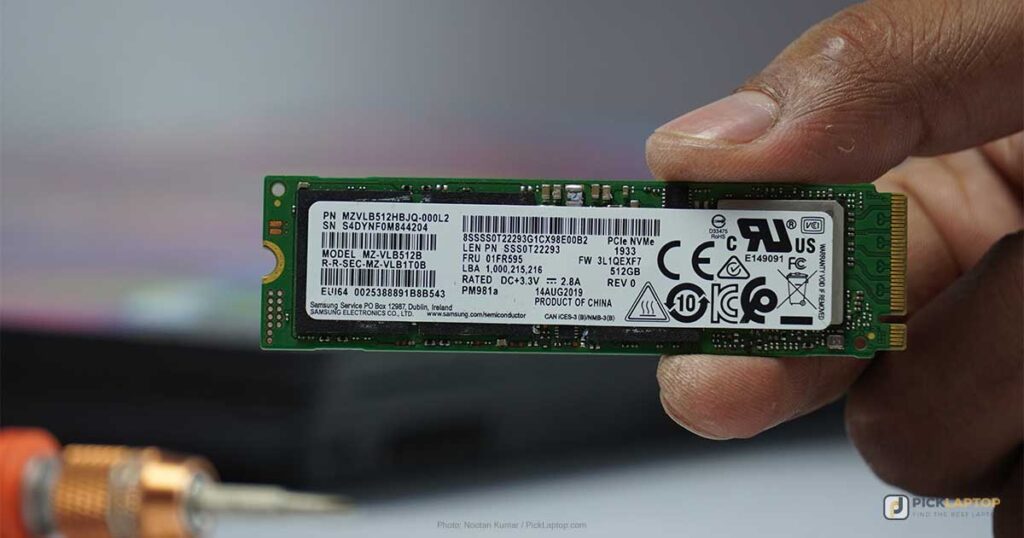
EA lists 100GB of free space at both tiers. That is the install alone, before Windows, before a second game, and before the seasonal content updates that arrive through the year. A 512GB SSD works if FC is close to the only thing on the drive; 1TB is what stops storage from becoming the reason you uninstall something.
Display
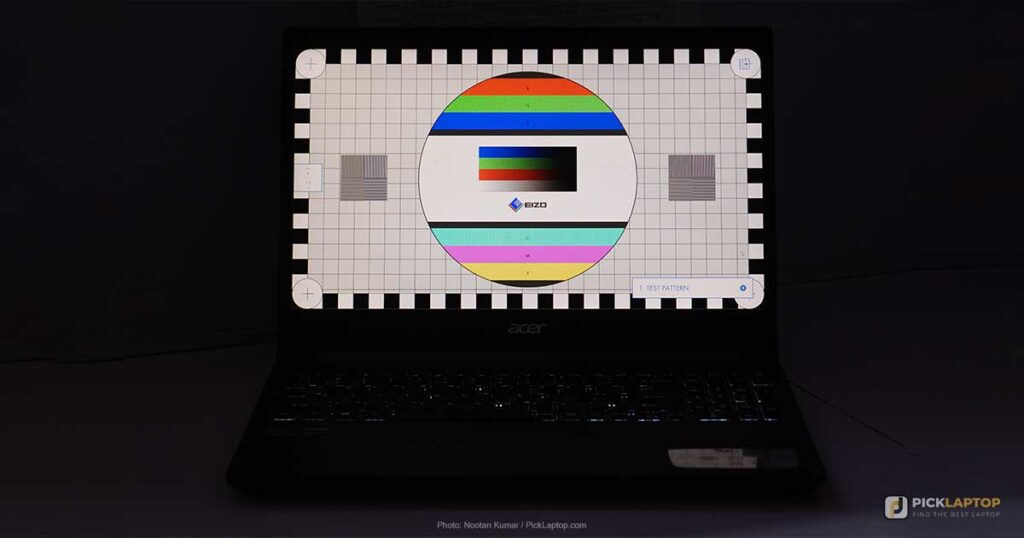
EA’s own targets stop at 60 FPS, so a 60Hz panel meets the specification as written. A 144Hz or faster panel is a comfort upgrade for a game built on timing windows — through balls, standing tackles, finesse shots — rather than a requirement. Full HD is the resolution the recommended tier is measured at. 4K sharpens the crowd and the kit textures and asks considerably more of the GPU for it.
macOS Compatibility
There is no macOS version of FIFA 23 or EA Sports FC 26 — EA’s requirements list Windows 10 and 11 only. The Boot Camp workaround older guides recommended is also gone: Apple’s own support document states that Boot Camp requires a Mac with an Intel processor, which no Mac sold since 2020 has. That leaves a Windows virtual machine such as Parallels, or a cloud gaming service that runs the game on someone else’s hardware and streams the frames to you.
FIFA / EA Sports FC Laptop Comparison Table



Last update on 2026-09-21 / Affiliate links / Images from Amazon Product Advertising API
Best Laptops for FIFA / EA Sports FC 26 in 2026: In-Depth Reviews
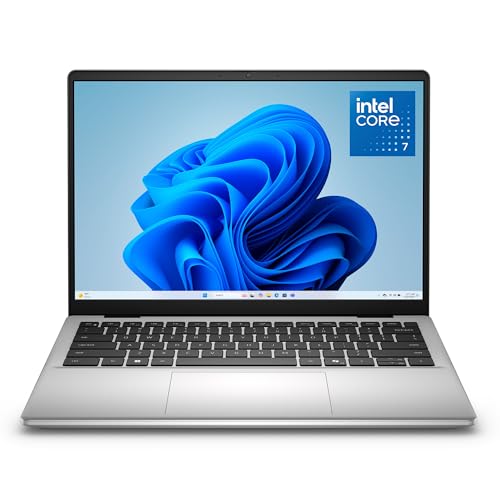
1. Dell 14 Laptop (Best Budget / Minimum Settings)
Best Budget
Last update on 2026-09-12 / Affiliate links / Images from Amazon Product Advertising API
- ProcessorIntel Core 7 150U
- GPUIntel integrated
- RAM16GB DDR5
- Storage1TB SSD
- Display14″ WUXGA IPS, anti-glare
- OSWindows 11 Home
This is the entry point, and it should be read against the minimum tier rather than the recommended one. EA’s minimum names a 4GB discrete card — a GTX 1050 Ti or an RX 570 — and the 150U’s Intel integrated graphics is a low-wattage part, not an equivalent to either. No published benchmark of FC 26 on this exact configuration exists, so the honest expectation is the low preset at 720p to 1080p, which is precisely what EA’s minimum tier is specified to deliver.
What it does have is the two figures the cheap laptops usually miss: 16GB of RAM against EA’s awkward 12GB line, and a 1TB SSD that absorbs the 100GB install without immediately becoming a storage problem. ZippyLaptop’s hands-on review of the DC14250 with the Core 7 150U calls the 54Wh battery par for the course and suggests staying near a charger for long stints.
Buy this if the budget is the constraint and you want the game running. Don’t buy it expecting high settings or a fast panel.
Pros
- 16GB RAM and a 1TB SSD at the entry tier
- Hands-on reviewed by ZippyLaptop in this exact configuration
- No spend on a discrete GPU the low preset won’t use
Cons
- Integrated graphics sits below the 4GB discrete card EA’s minimum names
- No published FC 26 benchmark for this configuration
- 54Wh battery, described as par for the course
2. Acer Nitro V 16S AI (Best Value / Recommended Settings)
Best Value
Last update on 2026-09-21 / Affiliate links / Images from Amazon Product Advertising API
- ProcessorAMD Ryzen 7 260
- GPUNVIDIA RTX 5060 (8GB)
- RAM32GB DDR5
- Storage1TB PCIe Gen4 SSD
- Display16″ WUXGA IPS, 180Hz
- OSWindows 11
Acer runs the RTX 5060 in this chassis at an 85W power limit, below what some rivals allow the same GPU, and PCVenus, testing the ANV16S-41-R2AJ by hand, ties that decision to the thermal result it measured: the GPU held near 84°C in heavier AAA titles, the rear exhaust ran very warm in Turbo mode, and the keyboard area stayed cooler than the reviewer expected across long sessions.
For a game whose recommended GPU is a GTX 1660, giving up peak wattage costs nothing you will notice and buys a machine that stays comfortable under your hands for a full evening of Ultimate Team. The 180Hz panel and 32GB of RAM are both far past what FC 26 asks for; the panel is the one you’ll feel.
The reason to look elsewhere is if FC 26 is the excuse rather than the purpose. A game that pushes an RTX 5060 to its limit is where that 85W ceiling starts to show.
Pros
- RTX 5060 sits generations past EA’s recommended GTX 1660
- Keyboard area measured cooler than expected over long sessions
- 180Hz panel and 32GB DDR5 at a mid-range price
Cons
- 85W GPU power limit is conservative for the RTX 5060
- Rear exhaust gets hot enough to notice under sustained load
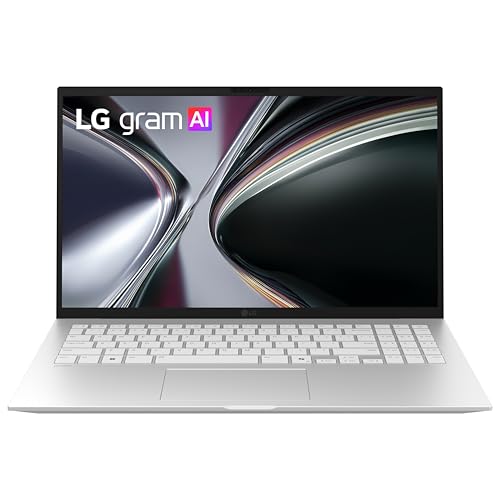
3. LG gram 15 (Best Ultraportable)
Best Ultraportable
Last update on 2026-09-21 / Affiliate links / Images from Amazon Product Advertising API
- ProcessorAMD Ryzen AI 7 350
- GPUAMD Radeon (integrated)
- RAM16GB
- Storage512GB SSD (1TB configurations exist)
- Display15.6″ FHD IPS touch
- Battery72Wh
The case for the gram 15 is the bag, not the frame rate. LG lists the 15Z80T at 2.84 lbs with a 72Wh battery, rated up to 22 hours of video playback and passed through seven MIL-STD-810H test methods. Read the 22 hours as what it is — a video-playback rating at 150 nits with wireless off, not a gaming figure. Playing FC 26 will draw considerably more than looped video does.
Graphics are integrated, so this lands in the same settings territory as the Dell above, in a chassis you can carry between classes without noticing it. What’s missing is independent measurement: no lab test of this 2026 gram 15 configuration turned up, and the thin-speaker complaint that follows the gram line around has not been verified on this specific model. Pack headphones for commentary on the assumption it still applies.
Pros
- Under three pounds, per LG’s published weight
- Drop, vibration and temperature tested to a military standard
- 16GB of RAM clears EA’s 12GB line
Cons
- No independent test of this configuration was found
- LG’s 22-hour figure is video playback, not gaming
- Integrated graphics, so minimum-tier settings
4. Apple MacBook Air 13-inch (Best for macOS, With Caveats)
Best macOS Pick

Last update on 2026-09-21 / Affiliate links / Images from Amazon Product Advertising API
- ProcessorApple M5
- GPUIntegrated
- RAM16GB unified
- Storage512GB SSD
- Display13.6″ Liquid Retina
- BatteryRated up to 18 hours
To be direct: this one is here to answer a question, not to win a category. EA ships no macOS client, and Apple’s support document limits Boot Camp to Intel Macs, so the standard workaround died with the Intel transition. What’s left is Parallels running Windows in a virtual machine, where a 3D game shares a virtualized GPU rather than owning the hardware, or a cloud service where the match runs remotely and your connection decides whether the timing windows land.
Everything else about the machine holds up — fanless, silent, 16GB of unified memory, Apple’s rated 18 hours. None of it changes the compatibility answer. If macOS is non-negotiable and FC 26 matters to you, the realistic plan is a Mac for everything else and a console or a cheap Windows laptop for the game.
Pros
- Fanless, so there is no noise floor at all
- Everything except the game itself works well on it
- 16GB unified memory as standard
Cons
- No macOS client for FIFA 23 or FC 26
- Boot Camp is Intel-only, per Apple
- Virtual-machine gaming shares a virtualized GPU
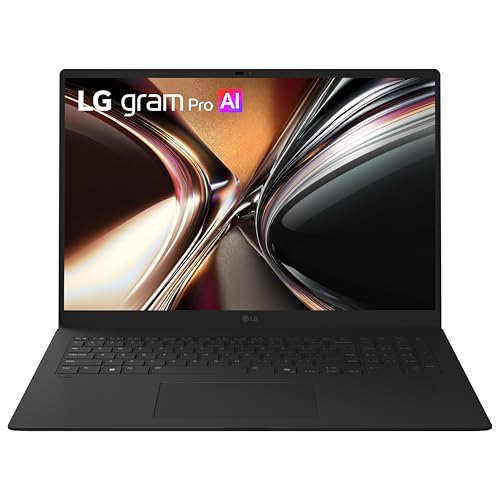
5. LG gram Pro 17 (Best Large-Screen)
Best Large-Screen
Last update on 2026-09-21 / Affiliate links / Images from Amazon Product Advertising API
- ProcessorIntel Core Ultra 7 355
- GPUIntel integrated
- RAM32GB LPDDR5X
- Storage1TB NVMe SSD
- Display17″ QHD+ (2560 x 1600) touch
- OSWindows 11
Seventeen inches of pitch without an external monitor, in a body LG describes as just over three pounds — that combination is the entire argument for this pick. LaptopMedia’s specification entry for the 17Z90U confirms the Core Ultra 7 355, 32GB, 1TB and the 2560 x 1600 panel, and lists the machine at 1.50 kg.
That entry is a specification listing rather than a review, and no independent lab measurement of this 2026 configuration has been published — battery runtime, panel brightness and sustained CPU behavior are all unmeasured here, so treat LG’s own runtime claims as ratings rather than results.
Graphics are Intel integrated, which puts the settings ceiling alongside the Dell and the gram 15 rather than the Nitro V. You are buying screen area and portability, and paying for both in frame rate.
Pros
- 17-inch 2560 x 1600 panel at just over three pounds
- 32GB LPDDR5X and a 1TB SSD as standard
- Largest screen among these seven picks
Cons
- No independent lab test of this configuration published
- Integrated graphics caps settings and frame rate
- A 17-inch laptop is still a 17-inch laptop in a bag
6. Gigabyte Aero X16 (Best High Refresh Rate)
Best High Refresh Rate

Last update on 2026-09-21 / Affiliate links / Images from Amazon Product Advertising API
- ProcessorAMD Ryzen AI 9 HX 370
- GPUNVIDIA RTX 5070 (8GB)
- RAM32GB DDR5
- Storage1TB SSD
- Display16″ WQXGA, 165Hz
- OSWindows 11 Home (Copilot+ PC)
A 165Hz 2560 x 1600 panel is the draw, and it comes attached to a GPU tier that outruns this game by a wide margin. Tom’s Hardware reviewed the Aero X16 in the Ryzen AI 7 350 configuration rather than the Ryzen AI 9 HX 370 listed above — same chassis, same 165Hz IPS panel, and the same RTX 5070 held to 85W where comparable laptops allow 100 to 115W.
Audio is the weak point, per the same review: muddy detail and minimal bass, with volume barely adequate — budget for a headset if crowd noise and commentary are part of why you play. The same review flags Wi-Fi 6E rather than Wi-Fi 7 and a legacy USB 2.0 port, and puts the machine at 4.2 pounds.
The GPU here is far more than FC 26 will ever use, and packing that into a 0.78-inch chassis comes at a price that only makes sense if FC isn’t the whole reason you’re buying it.
Pros
- 165Hz 2560 x 1600 panel
- GPU tier aimed well above what FC 26 asks
- 0.78 inches thick at 4.2 pounds
Cons
- Tom’s Hardware called the audio muddy and barely loud enough
- GPU power ceiling set below what rival chassis allow
- Wireless is a generation behind current Wi-Fi 7 hardware
- Tested configuration used a different CPU than the one listed here
7. Lenovo Legion Pro 7i Gen 10 (Best High-Performance / Future-Proof)
Best High-Performance
Last update on 2026-09-21 / Affiliate links / Images from Amazon Product Advertising API
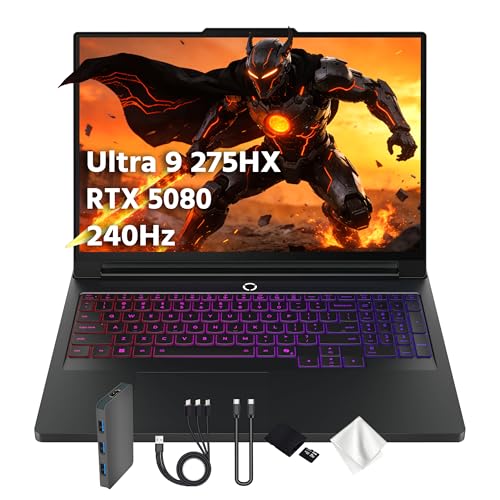
- ProcessorIntel Core Ultra 9 275HX (24-core)
- GPUNVIDIA RTX 5080 (16GB)
- RAM32GB DDR5
- Storage1TB SSD
- Display16″ WQXGA OLED, 240Hz
- OSWindows 11 Home
An RTX 5080 is far more GPU than EA Sports FC 26 will ever ask for, so the case for this pick rests on whether your library also includes the titles that actually load it, and you’d rather have one laptop cover both. Tom’s Hardware tested this exact combination — Core Ultra 9 275HX, RTX 5080, 32GB DDR5-6400, 240Hz OLED — and found the fan noise unobtrusive enough that subtle in-game audio still came through.
Battery is where it falls down, and the numbers are specific: 4 hours 37 minutes on the review’s test, against 6.5 hours from the Asus and 7.4 hours from the Razer it was measured beside, despite carrying a 99Wh pack, the biggest of the three. The reviewer puts the gap down to power management rather than capacity.
At 6 pounds it is also the one machine here you plan a trip around rather than throw in a bag.
Pros
- RTX 5080 and a 240Hz OLED, tested in this exact configuration
- Fan noise stayed unobtrusive under gaming load
- 24-core CPU and 32GB DDR5-6400 for streaming alongside play
Cons
- 4 hours 37 minutes measured, behind rivals with smaller batteries
- 6 pounds
- Far more GPU than this game will ever call on
Recommended Accessories


Last update on 2026-09-21 / Affiliate links / Images from Amazon Product Advertising API
Which FIFA / EA Sports FC Laptop Should You Buy?
| Best For | Pick |
|---|---|
| Budget / Minimum Settings | Dell 14 Laptop |
| Value / Recommended Settings | Acer Nitro V 16S AI |
| Ultraportable | LG gram 15 |
| macOS | Apple MacBook Air 13-inch |
| Large Screen | LG gram Pro 17 |
| High Refresh Rate | Gigabyte Aero X16 |
| High-Performance | Lenovo Legion Pro 7i Gen 10 |
FIFA / EA Sports FC Laptop FAQ
Is FIFA 23 the same as EA Sports FC 26?
Same development studio, same engine lineage, different licensing. FIFA 23 was the last title released under the FIFA name; EA kept its player and league licenses, which is why club kits and squads carried over, and lost only the FIFA branding and the World Cup license. FC 24, FC 25 and FC 26 followed.
Do I need a gaming laptop to play EA Sports FC 26?
Not for EA’s minimum tier, which targets 720p at 60 FPS on Low. A discrete GPU is what moves you to the recommended tier and beyond — 1080p, 60 FPS, Medium and upward. The higher price of a gaming laptop only makes sense here if you want the higher presets or a panel faster than 60Hz, which EA’s targets never account for.
Can I play EA Sports FC 26 on a MacBook?
Not natively. Beyond the missing macOS client, the practical difference between the two workarounds matters: a Parallels virtual machine keeps everything local but shares a virtualized GPU, while cloud gaming gives you full settings on remote hardware and makes your connection latency part of every tackle and shot.
How much storage do I need to install EA Sports FC 26?
EA lists 100GB free at both tiers, and that number is the starting point rather than the total — seasonal content and title updates add to it through the year, and Windows itself wants free space to work with. On a 512GB drive expect to manage what else is installed; a 1TB drive removes the question.
Do I need a high refresh rate display for FIFA/FC?
EA specifies 60 FPS at both tiers, so 60Hz meets the spec. A faster panel shortens the delay between what the engine renders and what you see, which is felt on reaction inputs — jockeying, timed finishing, last-ditch tackles — rather than on how the match looks. It is a competitive-feel upgrade, not a compatibility one.
Can I use a controller with a laptop to play EA Sports FC 26?
Yes, over USB or Bluetooth. Wired is the safer default for a game this timing-sensitive, since Bluetooth adds a small amount of input latency, and a wired pad also sidesteps the pairing drops that show up when a laptop’s Bluetooth radio shares an antenna with Wi-Fi.
Final Thoughts on FIFA / EA Sports FC Laptops
The target EA publishes is modest and it has not moved in years, which is why the Nitro V takes the Editor’s Pick here over machines costing twice as much. Spend past it because you play other games, because you need the screen, or because you need the weight — not because this one demands it. If you’re also into other online games with their own quirky hardware demands, our Eve Online laptop guide deals with a genre whose needs run in a different direction entirely.