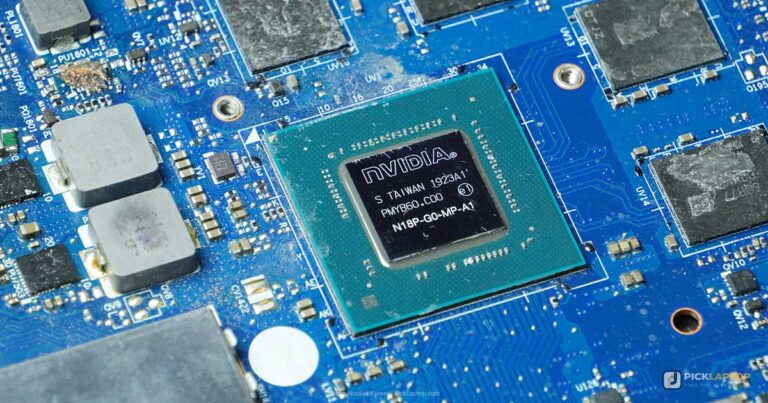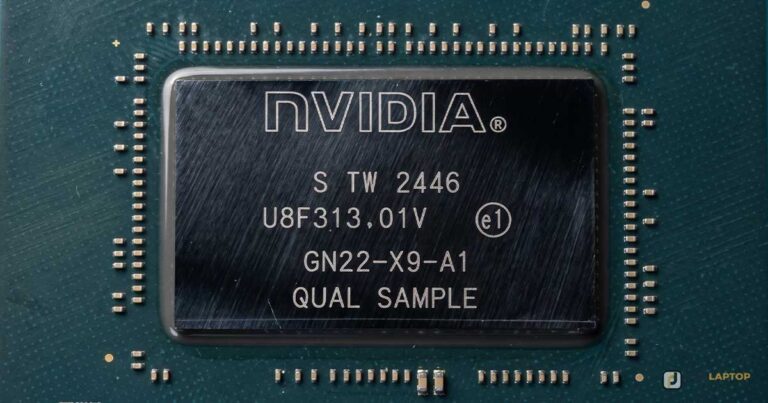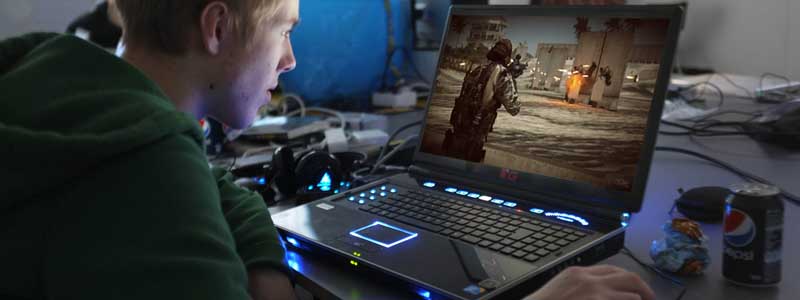
Search for a cloud gaming laptop and you get handed a list of RTX machines, which is the wrong answer to the question. When you play through GeForce NOW, Xbox Cloud Gaming, Amazon Luna or Steam Link, the rendering happens somewhere else. Your laptop receives a compressed video stream, decodes it, puts it on screen, and sends your button presses back.
That inverts the usual shopping list. The parts that decide whether a streamed game feels good are the network adapter, the display, the video decoder and the battery, and none of those improve when you pay for a discrete GPU. This guide works from the services’ own published requirements first, then picks machines that satisfy them without the gaming-laptop tax.
Editor’s Pick
Last update on 2026-11-06 / Affiliate links / Images from Amazon Product Advertising API
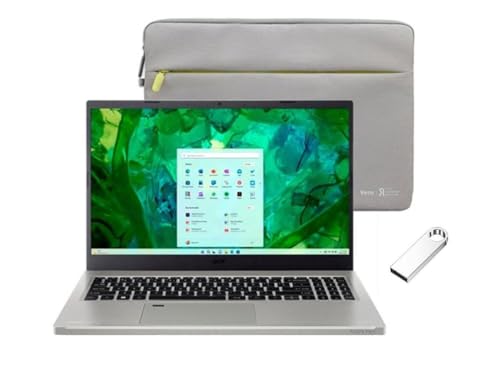
Killer Wi-Fi 6E, a 100% sRGB matte panel and two Thunderbolt 4 ports for an Ethernet dock cover every part of the streaming chain that a laptop is actually responsible for.
- Killer Wi-Fi 6E, so the 6GHz band is available to you
- 15.6-inch FHD IPS, 100% sRGB, 300 nits
- Intel Core i5-1335U with Iris Xe graphics, 8GB LPDDR5
- 2x Thunderbolt 4 and HDMI 2.1 for docks and TVs
What’s Inside
- 1 – Cloud Gaming Buyer's Guide
- 1.1 – Your network is the graphics card
- 1.2 – Wi-Fi 6E, Wi-Fi 7 and why Ethernet still wins
- 1.3 – Refresh rate: can the service actually feed it?
- 1.4 – The video decoder, not the GPU
- 1.5 – Brightness and color for streamed games
- 1.6 – Latency you add yourself
- 1.7 – Battery life is the genuine advantage
- 1.8 – Controllers and Bluetooth
- 1.9 – You do not need an RTX card for this
- 2 – Cloud Gaming Comparison Table
- 3 – Best Cloud Gaming Laptop Reviews
- 3.1 – 1. Acer Aspire Vero 15 (Best Overall)
- 3.2 – 2. Lenovo Chromebook Plus 14 (Best Chromebook for Cloud Gaming)
- 3.3 – 3. ASUS Vivobook 18 (Best Big Screen at 144Hz)
- 3.4 – 4. Acer Aspire Go 15 AI (Best Built-In Ethernet Port)
- 3.5 – 5. Microsoft Surface Pro 13-inch (Best for Couch Play)
- 3.6 – 6. Lenovo Yoga Slim 7x (Best OLED Screen)
- 3.7 – 7. Apple MacBook Air 13-inch M5 (Best Battery Life)
- 4 – Recommended Accessories
- 5 – Which Cloud Gaming Laptop Should You Buy?
- 6 – Cloud Gaming Laptop FAQ
- 7 – Final Thoughts on Cloud Gaming Laptops
Cloud Gaming Buyer’s Guide
Your network is the graphics card
NVIDIA publishes a bandwidth figure for every quality target on GeForce NOW, and the numbers scale with what you want to receive rather than with what the laptop contains. Its system requirements page lists 15 Mbps for HD at up to 60 FPS, 25 Mbps for FHD at 60 FPS, 35 Mbps for QHD at 120 FPS, 45 Mbps for 4K at 120 FPS, 55 Mbps for QHD and FHD at 240 and 360 FPS, and 65 Mbps for 5K at 120 FPS.
The same page sets a latency ceiling as well as a speed floor, asking for less than 80ms of network latency to an NVIDIA data center. NVIDIA’s own network advice is blunt about how to get there: it recommends a hardwired Ethernet connection, or a 5GHz wireless router, and lists 100 Mbps for the best quality in its Cinematic Quality Streaming mode.
Microsoft’s number is lower and simpler. Xbox Wire’s setup guide states that it is recommended that you have an internet connection speed of at least 20 Mbps to ensure a stable connection while cloud gaming, and lists Windows 10 version 20H2 and later, macOS 14.1.2 and later and ChromeOS 85 and later among supported devices.
A cheap laptop on a good connection beats an expensive one on a bad connection, every time. Nothing in NVIDIA’s published requirements for a Windows PC asks for a discrete GPU: the listed hardware is a 64-bit version of Windows 10 or later, a dual core x86 or x64 CPU at 2.0GHz or faster, and a GPU that supports DirectX 11 or later. The demanding half of the specification is the connection, where the gap between 15 Mbps and 65 Mbps decides whether you see 720p60 or 5K120.
Wi-Fi 6E, Wi-Fi 7 and why Ethernet still wins
Raw throughput is rarely the problem on modern Wi-Fi. Consistency is. A stream that averages 90 Mbps but stalls for 40ms twice a minute feels worse than one that holds a steady 30 Mbps, because every stall arrives as a frozen frame in the middle of a fight.
That is the practical case for Wi-Fi 6E and Wi-Fi 7. The 6GHz band those standards unlock is uncrowded, and on a 6E or 7 adapter your session is not sharing airtime with every 2.4GHz doorbell and thermostat in the building. A laptop advertising plain Wi-Fi 6 can still stream well; it just has fewer places to hide when the neighbors get home.
Wired still wins, and both vendors say so in their own way. NVIDIA puts a hardwired Ethernet connection ahead of the 5GHz router in its recommendation, and Valve’s requirements for streaming SteamVR over its Remote Play stack ask for a 5GHz channel Wi-Fi 5 router plus a wired connection between your PC and your router. Very few thin laptops have an RJ-45 socket any more, which makes a USB-C hub or dock with Gigabit Ethernet the single most useful accessory on this page.
Refresh rate: can the service actually feed it?
High refresh is genuinely available from the cloud now, but only from one service and only on one tier. NVIDIA says its RTX 5080-class Ultimate servers deliver up to 5K streaming at 120 frames per second and up to 360 fps at 1080p, with network latency under 30 milliseconds. A 120Hz or 144Hz laptop panel is therefore a real upgrade for GeForce NOW subscribers on the top tier.
Xbox Cloud Gaming is at a different point. Microsoft’s February 2026 update announced streaming at up to 1440p resolution for Game Pass Ultimate members across the Xbox PC app, handhelds, supported browsers and several TV platforms, and the announcement quotes a resolution rather than a framerate. If Xbox is your service, resolution is the axis that improved, and a 240Hz panel buys you nothing.
Buy the refresh rate your service can feed, not the highest one on the shelf. Only the GeForce NOW Ultimate tier publishes framerates above 60 on its own pages, and reaching 240 or 360 FPS costs 55 Mbps by NVIDIA’s own table. On the free and lower tiers, or on Xbox Cloud Gaming, a 300Hz gaming panel displays exactly the same stream a 60Hz office panel does.
The video decoder, not the GPU
The only graphics work your laptop does is decoding video, and that job belongs to a fixed-function block inside the chip rather than to the shader cores a game benchmark measures. Every integrated graphics processor sold in the last several years has one.
On codecs, the vendors are less forthcoming than we would like. NVIDIA’s system requirements page names H.264 or H.265 Vulkan video codecs in the context of its Linux GPU requirement, and NVIDIA separately credits the Ultimate tier with 4:4:4 chroma sampling, AI sharpening and advanced AV1 encoding. Together those are a first-party statement that GeForce NOW uses H.264, HEVC and AV1 depending on tier and client.
We could not find an equivalent first-party statement of the codecs used by Xbox Cloud Gaming or Amazon Luna, so we are not going to assert one. What follows from the NVIDIA documentation alone is still useful: AV1 is the newest of the three, hardware AV1 decode arrived on Intel with Arc and Xe graphics, on AMD with RDNA 2 era graphics and on Apple with the M3 generation, and a machine older than that falls back to HEVC or H.264 and needs more bandwidth for the same picture. That is an argument for a current-generation chip, not for a fast one.
It is also the clearest answer to a question we get constantly, which our explainer on whether a dedicated graphics card is necessary takes further: a decode block is not a rendering GPU, and buying the second does not improve the first.
Brightness and color for streamed games
A compressed stream is unforgiving of a bad panel. Compression artifacts hide in dark, low-contrast areas, and a dim screen with a narrow gamut turns a night level into gray mush before the encoder has even had its say. Around 300 nits and full sRGB coverage is the sensible floor, and a matte finish helps more than extra nits in a lit room.
OLED is a genuine upgrade here for the same reason it is in film, though the trade-offs differ once games are involved: static HUD elements sit in one place for hours. The panel technology arguments we set out when choosing a laptop for watching movies apply almost unchanged to a game stream, because both are video arriving over the internet.
Latency you add yourself
Network latency gets all the attention, but the local end of the chain adds delay too, and it is the part you control. A Bluetooth controller costs more input lag than the same controller on a cable. A television in its default picture mode can add tens of milliseconds of processing before it shows anything.
Wireless display links, screen mirroring and video capture software all sit in the same path. If a session feels sluggish despite good bandwidth, the fixes in order are: plug the controller in, put the laptop on Ethernet, turn off any overlay software, and if you are on a TV, switch it to game mode.
Battery life is the genuine advantage
This is where cloud gaming beats a gaming laptop outright rather than approximately. A discrete GPU rendering a modern title unplugged will drain a large battery in about an hour and usually throttles itself while doing it. Decoding a video stream is a light, efficient task that a fanless machine can hold for an afternoon.
Do temper the manufacturer hours, though. Streaming keeps the Wi-Fi radio busy continuously and holds the screen at a usable brightness, so a rating derived from light mixed use will overstate it. Where a reviewer published a measured runtime for a machine below, we have used that figure and named the test.
Controllers and Bluetooth
Almost every cloud service expects a gamepad. Xbox Wire states that most games require a gamepad to be connected to your device, either wired or wirelessly, and names Microsoft’s own Xbox controllers alongside 8BitDo, GameSir, Backbone and Sony’s DualSense, adding that many games are also playable by mouse and keyboard as well as touch.
In practice this means checking two boring things on a spec sheet: that the laptop has Bluetooth 5.x, which nearly all now do, and that it has at least one spare USB-A or USB-C port for a wired pad or a dongle. A machine with two USB-C ports and nothing else will have one of them occupied by the charger.
You do not need an RTX card for this
Everything above points one direction. The published client requirements ask for a DirectX 11 capable GPU, a 2GHz dual-core processor and a fast connection, and a discrete GeForce card in your laptop does not lower your ping, widen your Wi-Fi band or brighten your panel. It adds weight, heat, fan noise and a much shorter unplugged runtime in exchange for silicon the stream never touches.
The honest exception is if you also want to render games locally, whether for titles no service carries, mod-heavy setups or offline play. That is a different purchase with a different logic, and our RTX 50 series laptop roundup is the right place to start. If cloud is the plan, spend the same money on a better screen, better Wi-Fi and a bigger battery.
Cloud Gaming Comparison Table





Last update on 2026-11-06 / Affiliate links / Images from Amazon Product Advertising API
Best Cloud Gaming Laptop Reviews
1. Acer Aspire Vero 15 (Best Overall)
Best Overall
Last update on 2026-11-06 / Affiliate links / Images from Amazon Product Advertising API
- ProcessorIntel Core i5-1335U (i3-1315U and i7-1355U configurations also sold)
- GraphicsIntel Iris Xe (integrated)
- Memory8GB LPDDR5 (up to 16GB)
- Display15.6-inch FHD IPS, 100% sRGB, 300 nits, 60Hz
- WirelessKiller Wi-Fi 6E
- Ports2x USB 3.2 Gen1, 2x Thunderbolt 4, HDMI 2.1, headphone/mic combo
- Weight3.97 lbs
Read this machine as a checklist against the requirements above rather than as a laptop. Killer Wi-Fi 6E gives you the 6GHz band. Two Thunderbolt 4 ports mean a dock with Gigabit Ethernet attaches without stealing your charging port. The 100% sRGB panel keeps colors honest when the encoder is already flattening them. Nothing in the specification is wasted on rendering you are not doing.
The panel is the reason it leads. Basic Tutorials’ review described a display that reaches its rated brightness and fortunately does not reflect too much, which is the property that matters when you are streaming in a lit room rather than a dark one. That review tested the Core i7-1355U configuration with 16GB, not the Core i5 unit linked here, so treat the performance observations as an upper bound.
The same review recorded 12 hours and 36 minutes in the PCMark 10 Modern Office test at full display brightness. That is an office workload rather than a stream, but it establishes that the chassis is efficient enough to make unplugged cloud sessions realistic.
Two honest limits. The panel is 60Hz, so the GeForce NOW Ultimate framerate tiers are wasted on it, and the reviewer measured 55 decibels under load with fans that stay nearly always active at idle. Streaming is a light load, so you are unlikely to hear the worst of it, but this is not a silent machine.
Pros
- Wi-Fi 6E puts you on the uncrowded 6GHz band without paying gaming-laptop prices
- Two Thunderbolt 4 ports let an Ethernet dock and the charger coexist
- Full sRGB coverage keeps compressed dark scenes readable
- Recycled-plastic chassis and replaceable parts if you keep laptops a long time
Cons
- 60Hz panel cannot show anything above 60 FPS no matter which tier you pay for
- Fans run almost constantly at idle and get audible under sustained load
- 8GB in the base configuration is tight if you keep many browser tabs open alongside the stream
2. Lenovo Chromebook Plus 14 (Best Chromebook for Cloud Gaming)
Best Chromebook for Cloud Gaming
Last update on 2026-11-06 / Affiliate links / Images from Amazon Product Advertising API
- ProcessorMediaTek Kompanio Ultra 910
- GraphicsArm Immortalis-G925 (integrated)
- Memory16GB
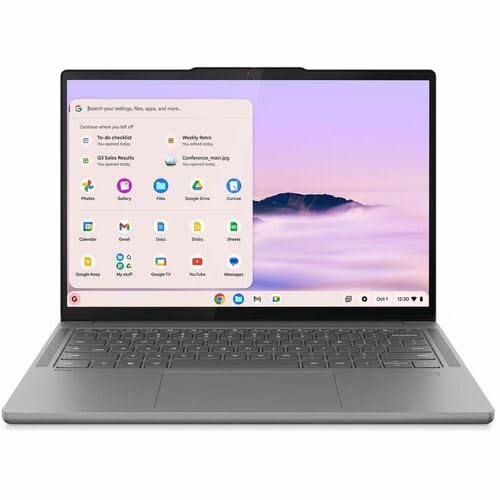
- Display14-inch OLED touch, 1920×1200, 100% DCI-P3, 400 nits rated, 60Hz
- Storage256GB UFS
- Battery15.75 hours (rated)
- Weight2.8 lbs
ChromeOS is a first-class citizen for streamed games rather than a compromise. NVIDIA lists ChromeOS among its supported platforms and asks only for Chromebooks with at least 4GB of RAM and Chrome 77 or later; Microsoft lists ChromeOS 85 and later among Xbox Cloud Gaming’s supported devices. A Chromebook is a machine with no native game library and no need for one.
What makes this particular one interesting is the radio. Notebookcheck’s review measured Wi-Fi 7 throughput of 1632 MBit/s transmitting and 1034 MBit/s receiving on a machine that costs a fraction of a gaming laptop. That is the thesis of this article condensed into one line item.
The OLED panel is unusually good for the money too. The same review recorded 382.5 cd/m² peak brightness, a 26986:1 contrast ratio and complete sRGB coverage with a Delta E of 1.65, and noted the screen is highly reflective, which is the standard OLED penalty near a window. The chassis is fanless and silent, so nothing spins up mid-session.
Buying restrictions are the catch, and they are real. Anything outside the browser and Android is off the table, so local Steam play and most launchers do not exist here. If ChromeOS in general is new to you, our broader Chromebook picks cover what the platform can and cannot do.
Pros
- Measured Wi-Fi 7 throughput above 1.6 Gbit/s on an inexpensive machine
- Fanless design means no noise ramp during a long session
- OLED contrast keeps compressed dark scenes from turning to mush
- Officially supported client platform for both GeForce NOW and Xbox Cloud Gaming
Cons
- No local game library at all, so a service outage means no gaming
- Glossy OLED surface reflects badly in daylight
- 60Hz panel, so the higher GeForce NOW framerate tiers go unused
3. ASUS Vivobook 18 (Best Big Screen at 144Hz)
Best Big Screen at 144Hz

Last update on 2026-11-06 / Affiliate links / Images from Amazon Product Advertising API
- ProcessorAMD Ryzen 7 260 (8-core/16-thread)
- GraphicsAMD Radeon Graphics (integrated)
- Memory32GB DDR5-5600
- Display18.4-inch WUXGA IPS, anti-glare, 300 nits, 144Hz
- WirelessWi-Fi 6, Bluetooth 5.3
- Battery17 hours (rated)
- Weight5.73 lbs
An 18.4-inch 144Hz anti-glare panel is exactly what a GeForce NOW Ultimate subscription wants, and here it arrives attached to integrated graphics and a chassis that costs a fraction of an 18-inch gaming laptop. This is the clearest single example of paying for the screen instead of the GPU.
LaptopMedia measured the panel at 352 cd/m² in the center with 97% sRGB coverage and a 1300:1 contrast ratio, and put a fair label on it: a good indoor productivity panel, not a premium creator display. For a compressed stream that is a perfectly sensible target, and the anti-glare coating matters more day to day than another 200 nits would.
The same review clocked 10 hours and 35 minutes in a video playback test at 180 nits, which is a closer analog to a streaming session than any browsing figure. It also found the plastic chassis flexes noticeably around the lid and keyboard deck, and that the number pad is cramped despite the enormous footprint.
Pixel density is the trade for the size: 1920×1200 across 18.4 inches works out to roughly 126 pixels per inch. Streams are soft anyway, so this hurts text far more than it hurts games, but do not expect the crispness of a smaller high-resolution panel. Note also that the review covered the M1807 series generally rather than this exact AMD-configured Amazon listing.
Pros
- 144Hz gives GeForce NOW Ultimate somewhere to put its extra frames
- Anti-glare coating makes it usable in a bright room, unlike most OLED rivals here
- Measured 10h35m of video playback, so an unplugged evening is realistic
- 18.4 inches is close to a small monitor without needing one
Cons
- At 5.73 lbs it is a machine you move around a house, not a city
- 126 pixels per inch looks coarse for desktop work between sessions
- Wi-Fi 6 rather than 6E, so no access to the 6GHz band
- Chassis flex around the lid and keyboard deck
4. Acer Aspire Go 15 AI (Best Built-In Ethernet Port)
Best Built-In Ethernet Port

Last update on 2026-11-06 / Affiliate links / Images from Amazon Product Advertising API
- ProcessorAMD Ryzen 7 7730U
- GraphicsAMD Radeon Graphics (integrated)
- Memory16GB DDR4
- Display15.6-inch FHD IPS, 60Hz
- Ports3x USB 3.2 Type-A Gen 1, USB 3.2 Gen 2 Type-C, HDMI, RJ45
- Battery12.5 hours (rated)
- Weight3.92 lbs
NVIDIA’s first network recommendation is a hardwired Ethernet connection, and this is one of the very few sub-premium laptops that can follow it without an adapter. Acer’s own tech specifications for the AG15-42P list Gigabit Ethernet with an RJ-45 connector, IEEE 802.11ax wireless and Bluetooth 5.1 or above, alongside a 15.6-inch ComfyView matte IPS panel and a 53Wh battery.
The socket removes a whole category of problem. No dock to buy, no dock firmware to update, no USB-C port surrendered to a hub, and no wondering whether a cheap adapter is the reason a session stutters. Plug the cable in and the network variable is settled.
Three USB-A ports is the other quietly useful number here, because a wired controller and a receiver dongle can both live on the machine while the USB-C port charges it. We could not find an independent review with measured display or battery results for this exact configuration, so the figures above are Acer’s own ratings rather than test results, and we have not dressed them up as anything else.
The Ryzen 7 7730U is a Zen 3 generation part, which is the caveat attached to the codec discussion earlier: it predates the AV1 decode support found in newer integrated graphics. For H.264 and HEVC streams it is entirely sufficient.
Pros
- Built-in Gigabit Ethernet removes the single biggest source of streaming stutter
- Three USB-A ports leave room for a wired pad and a dongle at once
- Matte ComfyView panel suits a bright room
- Costs less than most docks-plus-laptop combinations
Cons
- Zen 3 era graphics lack the AV1 decode block newer chips include
- 60Hz FHD panel is the plainest screen in this list
- No published independent measurements for this configuration
- DDR4 memory and a 2023-generation platform mean limited resale longevity
5. Microsoft Surface Pro 13-inch (Best for Couch Play)
Best for Couch Play
Last update on 2026-11-06 / Affiliate links / Images from Amazon Product Advertising API
- ProcessorQualcomm Snapdragon X2 Elite (12-core)
- GraphicsQualcomm Adreno (integrated)
- Memory16GB (up to 32GB)
- Display13-inch OLED PixelSense touch, 3:2, 120Hz
- WirelessWi-Fi 7
- Ports2x USB-C / USB4
- Weight1.97 lbs
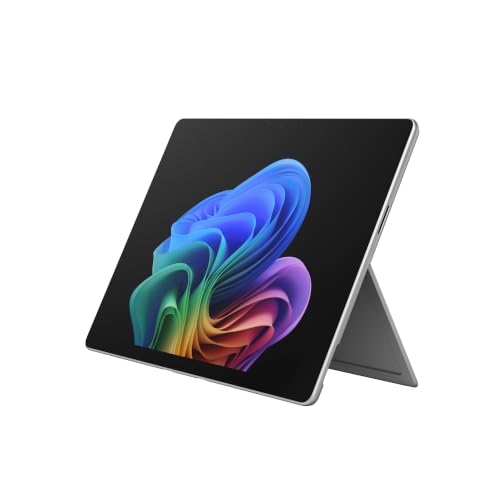
A tablet with a kickstand and a controller in your hands is arguably the natural shape for cloud gaming. There is no keyboard in the way, the screen props itself at whatever angle the sofa demands, and at 1.97 lbs the whole assembly weighs less than the power brick of a gaming laptop.
Notebookcheck’s review of the Snapdragon X2 Elite model measured Wi-Fi 7 throughput of 3519 MBit/s transmitting and 3159 MBit/s receiving on a Wi-Fi 7 router, which is comfortably beyond anything a stream will ask for. The same review recorded around 600 nits in SDR, up to 930 nits on HDR content, an 11980:1 contrast ratio and 0.54ms black-to-white response.
That 120Hz OLED is the one panel in this list that can genuinely show a GeForce NOW Ultimate stream at its advertised smoothness while being bright enough to use outdoors. The reviewer also flagged PWM flickering at 480Hz and a slight raster effect in bright areas, both of which are OLED characteristics some people notice and most do not.
The port situation deserves a warning. Two USB-C ports and nothing else means no headphone jack and no USB-A, so a wired controller needs an adapter and one port is often busy charging. Bluetooth handles the pad well enough, at the cost of the input lag discussed earlier.
Pros
- 120Hz OLED is the only panel here that fully matches GeForce NOW’s high-framerate tiers
- Measured Wi-Fi 7 throughput above 3.5 Gbit/s leaves enormous headroom
- Kickstand form factor suits a controller better than a clamshell does
- Bright enough at roughly 600 nits SDR to stream outdoors
Cons
- Two USB-C ports, no headphone jack and no USB-A for a wired pad
- Keyboard and pen are sold separately, which raises the real cost sharply
- PWM flicker at 480Hz may bother sensitive users on long sessions
- The most expensive machine here by some distance
6. Lenovo Yoga Slim 7x (Best OLED Screen)
Best OLED Screen
Last update on 2026-11-06 / Affiliate links / Images from Amazon Product Advertising API
- ProcessorQualcomm Snapdragon X Elite X1E-78-100 (12-core)
- GraphicsQualcomm Adreno (integrated)
- Memory16GB LPDDR5X (32GB configurations sold)
- Display14.5-inch 3K OLED touch, 2944×1840, 90Hz, HDR 600 True Black, 1000 nits peak
- WirelessWi-Fi 7
- Ports3x USB-C (USB4 40Gbps, Power Delivery 3.1, DisplayPort 1.4)
- Weight2.82 lbs
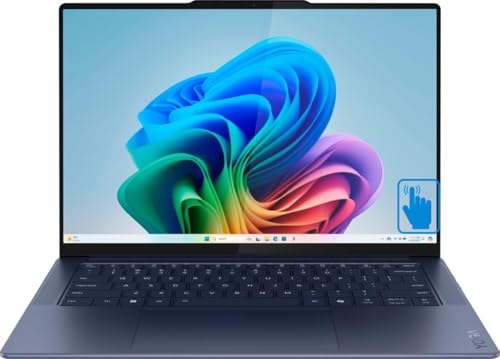
If image quality is the thing you will actually notice session after session, this is the panel to buy. HDR 600 True Black certification means genuine black rather than dark gray, and streamed games spend a lot of their time in caves, corridors and night exteriors where that difference is stark.
Notebookcheck’s review of the Snapdragon X Elite model found the screen averaged 475 cd/m² in SDR, slightly under Lenovo’s 500 cd/m² claim, and reached 986 cd/m² in a small image area and 824 cd/m² on an almost completely white image in HDR. Wi-Fi throughput came in at 1538 MBit/s transmit and 1693 MBit/s receive.
Three USB4 ports at 40Gbps is unusually generous and makes a Thunderbolt-class Ethernet dock straightforward, which matters because there is no wired network socket and no USB-A. The same review found no 3.5mm audio port either, so headphones go over Bluetooth or through the dock.
The Arm platform is worth a thought. GeForce NOW and Xbox Cloud Gaming both run in a browser, which sidesteps most compatibility concerns, but Notebookcheck reported the usual Snapdragon caveat that not all applications would run. If your plan includes Steam Link or a vendor’s native Windows client, verify Arm support before ordering.
Pros
- True Black HDR certification transforms dark game scenes over a conventional IPS panel
- Measured HDR peaks near 1000 cd/m² in a small window
- Three USB4 ports make an Ethernet dock effortless
- Wi-Fi 7 measured above 1.5 Gbit/s in both directions
Cons
- No headphone jack and no USB-A, so a wired controller needs an adapter
- Arm Windows still trips over some native launchers and utilities
- 90Hz sits awkwardly between the 60 and 120 tiers services actually target
- Glossy panel reflects heavily in a lit room
7. Apple MacBook Air 13-inch M5 (Best Battery Life)
Best Battery Life

Last update on 2026-11-06 / Affiliate links / Images from Amazon Product Advertising API
- ProcessorApple M5 (10-core CPU)
- GraphicsApple M5 10-core GPU (integrated)
- Memory16GB unified
- Display13.6-inch Liquid Retina, 2560×1664, 60Hz
- Ports2x Thunderbolt 4, MagSafe 3, headphone jack
- Battery18 hours (rated)
- Weight2.71 lbs
macOS is a supported client for both major services, and NVIDIA’s system requirements are lenient about which Mac: macOS 10.15 or higher and any Mac introduced in 2009 or later. Microsoft lists macOS 14.1.2 and later for Xbox Cloud Gaming. So the Air is not a workaround, it is a listed platform.
Endurance is the reason it earns a slot. Tom’s Hardware recorded 15 hours and 28 minutes on a test combining web browsing, video streaming and light benchmarks at 150 nits, and measured 458.8 nits of screen brightness. A streaming session sits close to that test’s workload, which makes the figure unusually relevant here.
MagSafe is a small detail that turns out to matter, because it keeps both Thunderbolt ports free for a dock and a controller while charging. The same reviewer noted the fanless M5 thermally throttles under sustained heavy load, which is irrelevant to decoding video and would not be to native rendering.
The panel is the compromise. It is 60Hz, so nothing above 60 FPS reaches your eyes, and the notch remains the design detail the Tom’s Hardware reviewer called the one real sin of the design. For a service tier that tops out at 60 FPS, neither costs you anything.
Pros
- Measured over 15 hours on a test that includes video streaming
- MagSafe charging leaves both Thunderbolt ports free for a dock and a pad
- Silent fanless operation throughout a streaming session
- Retains a headphone jack, unlike the Arm Windows machines here
Cons
- 60Hz caps what you can see regardless of which tier you subscribe to
- Only two Thunderbolt ports and no USB-A
- Measured 458.8 nits is bright but not the brightest here
- Costs considerably more than the Windows and ChromeOS picks that stream equally well
Recommended Accessories
Notice what is absent: no cooling pad. Nothing in your laptop is working hard enough to need one. What a cloud setup actually needs is a wired network path, spare ports for a controller, and power away from a socket, which is what these four cover.


Last update on 2026-11-06 / Affiliate links / Images from Amazon Product Advertising API
Which Cloud Gaming Laptop Should You Buy?
| Laptop | Best for | Key reason |
|---|---|---|
| Acer Aspire Vero 15 | Most people | Wi-Fi 6E, 100% sRGB matte panel and two Thunderbolt 4 ports |
| Lenovo Chromebook Plus 14 | Streaming and nothing else | Measured 1632 MBit/s Wi-Fi 7 and 26986:1 OLED contrast, fanless |
| ASUS Vivobook 18 | GeForce NOW Ultimate at home | 18.4-inch 144Hz anti-glare panel with no discrete GPU attached |
| Acer Aspire Go 15 AI | Anyone who can reach a router | Built-in Gigabit Ethernet and three USB-A ports |
| Microsoft Surface Pro 13-inch | Controller on the sofa | 120Hz OLED and measured 3519 MBit/s Wi-Fi 7 at 1.97 lbs |
| Lenovo Yoga Slim 7x | Dark games and image quality | True Black HDR OLED measured near 1000 cd/m² peak |
| Apple MacBook Air 13-inch M5 | Unplugged sessions on macOS | 15h28m measured on a test including video streaming |
Cloud Gaming Laptop FAQ
Do I need a gaming laptop for GeForce NOW or Xbox Cloud Gaming?
No. NVIDIA’s published Windows requirements are a 64-bit version of Windows 10 or later, a dual core x86 or x64 CPU at 2.0GHz or faster and a GPU that supports DirectX 11 or later. Microsoft lists Windows 10 version 20H2 and later, macOS 14.1.2 and later and ChromeOS 85 and later as supported. A discrete graphics card appears in neither list because the rendering happens in a data center.
How much internet speed does cloud gaming actually need?
It depends on the picture you want. NVIDIA publishes 15 Mbps for HD at up to 60 FPS, 25 Mbps for FHD at 60 FPS, 35 Mbps for QHD at 120 FPS, 45 Mbps for 4K at 120 FPS, 55 Mbps for QHD and FHD at 240 and 360 FPS, and 65 Mbps for 5K at 120 FPS, with 100 Mbps quoted for its Cinematic Quality Streaming mode. Xbox Wire recommends at least 20 Mbps for a stable connection.
Is Wi-Fi good enough, or do I need Ethernet?
Wi-Fi works, and Wi-Fi 6E or 7 works better because the 6GHz band is far less congested. NVIDIA still lists a hardwired Ethernet connection first, ahead of a 5GHz router, in its own recommendation. If your laptop has no RJ-45 socket, a USB-C hub or dock with Gigabit Ethernet gets you the same result.
Can cloud gaming run at 120Hz or higher?
On GeForce NOW’s top tier, yes. NVIDIA states its RTX 5080-class Ultimate servers stream up to 5K at 120 frames per second and up to 360 fps at 1080p, and its bandwidth table lists targets for 120, 240 and 360 FPS. Microsoft’s February 2026 announcement for Xbox Cloud Gaming quoted up to 1440p resolution rather than a framerate, so a very high refresh panel is only worth paying for if GeForce NOW Ultimate is your service.
What video codec do these services use, and does it matter?
Partly answerable from first-party sources. NVIDIA’s system requirements name H.264 or H.265 Vulkan video codecs in its Linux GPU requirement, and NVIDIA credits its Ultimate tier with advanced AV1 encoding. We could not source an equivalent first-party statement for Xbox Cloud Gaming or Amazon Luna and will not guess. It matters because a machine without a hardware AV1 decode block falls back to older codecs, which need more bandwidth for the same image quality.
What are Amazon Luna’s published requirements?
We could not verify them. Amazon’s help pages for Luna device compatibility and internet speed were not retrievable for this article, so rather than repeat secondhand figures we have left Luna out of the numeric comparisons. Check Amazon’s own Luna help pages before buying specifically for that service. The general principles here, being network, panel and decoder, are platform-level and apply regardless.
Does a Chromebook work for cloud gaming?
Yes, and it is an officially supported platform rather than a workaround. NVIDIA lists ChromeOS with a requirement of at least 4GB of RAM and Chrome 77 or later, and Microsoft lists ChromeOS 85 and later. The limitation is not streaming quality but everything else: no native launchers, no local library, and nothing to fall back on if a service goes down.
Will a wireless controller add noticeable input lag?
It adds some. Bluetooth is measurably slower than a cable, and on top of an already round-tripped stream it is delay you can remove for free. Xbox Wire notes that most games require a gamepad connected either wired or wirelessly and names Xbox controllers, 8BitDo, GameSir, Backbone and Sony’s DualSense among supported options, so a wired connection is available on nearly all of them.
How long will a laptop last on battery while cloud gaming?
Longer than a gaming laptop rendering locally, which is the whole point, but shorter than a manufacturer’s rating suggests. Streaming holds the Wi-Fi radio and display active continuously. The closest published analogues among these picks are LaptopMedia’s 10 hours 35 minutes of video playback on the Vivobook 18 and Tom’s Hardware’s 15 hours 28 minutes on the MacBook Air M5, and the latter test explicitly included video streaming.
Final Thoughts on Cloud Gaming Laptops
Spend the money where the stream can see it. A Wi-Fi 6E or 7 adapter, a panel that hits 300 nits and full sRGB, and a spare port for an Ethernet dock will change your sessions far more than any graphics chip in the client machine.
Before you order, check the tier you subscribe to against the bandwidth table NVIDIA or Microsoft publishes and run a speed test at the spot you actually play from. Those two checks cost nothing and decide more than the laptop does.