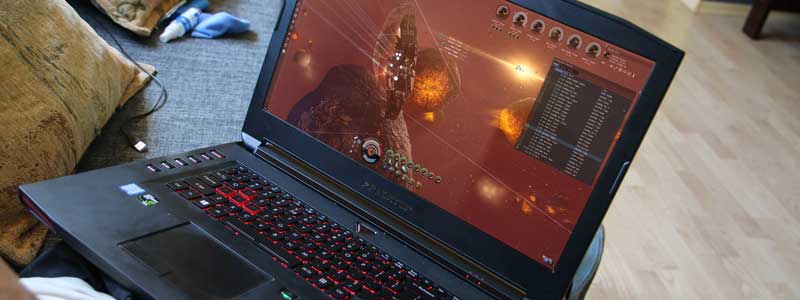
EVE Online’s published minimum is a dual-core 2.0GHz CPU, 4GB of RAM and a GeForce 420 with 1GB of VRAM — figures CCP has left in place while the game passed its twentieth year. Most “best gaming laptop” lists for EVE aim far above that, at hardware built for demanding modern titles rather than a space MMO whose client has always been light.
EVE’s enormous fleet battles are not a rendering problem, though, and CCP’s own advice for them runs the opposite way to a spec upgrade. Here’s what CCP’s current requirements page asks for, what changes in a fleet fight, and seven laptops matched to different kinds of EVE play in 2026.
Editor’s Pick
Last update on 2026-10-02 / Affiliate links / Images from Amazon Product Advertising API
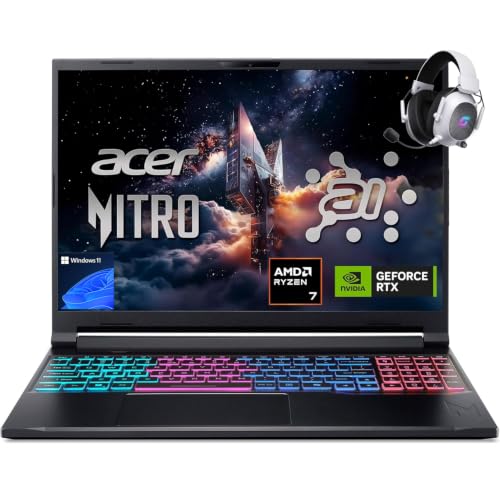
An RTX 5060 sits several tiers above the GTX 1060 CCP names as its recommended GPU, and 32GB of RAM keeps the client, voice comms and a stack of market tabs resident at once.
- AMD Ryzen 7 260
- NVIDIA RTX 5060
- 32GB DDR5
- 1TB SSD
What’s Inside
- 1 – Best Laptops for EVE Online Buyer's Guide
- 2 – EVE Online Laptop Comparison Table
- 3 – Best Laptops for EVE Online in 2026: In-Depth Reviews
- 3.1 – 1. Dell 14 Laptop (Best Budget)
- 3.2 – 2. Acer Nitro V 16S AI (Best Value / Fleet-Ready)
- 3.3 – 3. LG gram 15 (Best Ultraportable)
- 3.4 – 4. Apple MacBook Air 13-inch (Best for macOS)
- 3.5 – 5. LG gram Pro 17 (Best Large-Screen)
- 3.6 – 6. Gigabyte Aero X16 (Best Value Gaming)
- 3.7 – 7. Lenovo Legion Pro 7i Gen 10 (Best High-Performance / Future-Proof)
- 4 – Recommended Accessories
- 5 – Which EVE Online Laptop Should You Buy?
- 6 – EVE Online Laptop FAQ
- 7 – Final Thoughts on EVE Online Laptops
Best Laptops for EVE Online Buyer’s Guide
Official System Requirements
Per CCP’s system requirements page, this is what the Windows client asks for:
Minimum: Windows 10 64-bit, dual-core CPU @ 2.0GHz, 4GB RAM, AMD Radeon 5450 or NVIDIA GeForce 420 with at least 1024MB of VRAM.
Recommended: Windows 11 64-bit, Intel i7-7700 or AMD Ryzen 7 1700 @ 3.6GHz, 16GB RAM, NVIDIA GeForce GTX 1060 or AMD Radeon RX 580 with at least 4GB of VRAM.
The same page adds three numbers that rarely make it into laptop guides: 23GB of free disk space, an ADSL connection or faster, and a minimum client resolution of 1024×768. The GPU has to support Shader Model 3 and DirectX 11 feature level 11.0 — a bar cleared by integrated graphics going back more than a decade.
The recommended tier names a 2017 desktop CPU and a 2016 graphics card. Any laptop sold new today sits above it, which is why the interesting decisions in this category are about memory, screen space and battery rather than GPU tier.
Fleet Battles: Why a Bigger GPU Won’t Fully Save You
CCP’s published advice for EVE’s largest fights is to turn the settings down, not the specs up. The requirements page says it plainly: “when in large-scale situations, such as fleet fights, it is encouraged to drop all graphics settings to their lowest value.” The constraint sits on the server, not in the laptop. EVE University’s wiki describes time dilation as CCP’s response to a system where players send more actions than the server can process in time: it slows almost all in-space actions, to as little as 10% speed when thousands of pilots share a system, while server time itself — skill training, industry jobs, structure timers — keeps running normally. A faster laptop renders the scene in front of you more smoothly. It does not change the rate at which the fight itself resolves.
Processor and Memory
A Core 5, Ultra 5 or Ryzen 5 of any recent vintage is already past the i7-7700 CCP names. Memory is the more consequential spec here. 16GB is CCP’s recommended figure and it runs the client with a browser open; 32GB is what stops mattering only if you play with nothing else running, which is not how most EVE sessions go — comms, a route planner and a browser of market data tend to be open for the whole session and hold their memory whether or not they are doing anything.
Storage and Display
23GB of free space is the published figure, so storage capacity is a question about the rest of your library rather than about EVE. A 15- or 16-inch 1080p-class panel is the practical middle: EVE’s UI is a dense arrangement of windows, and overlapping them on a 14-inch screen costs more than the extra half-pound saves. Many players run a second display for spreadsheets and market data, which makes the laptop’s external-monitor support worth checking against the built-in panel size.
macOS Compatibility
EVE has a native macOS client, and CCP’s Mac requirements need reading carefully before they are used to judge an Apple Silicon machine. The minimum is macOS Monterey, an Intel i5 @ 2.5GHz or an Apple M1, 4GB of memory and Intel HD 4000 graphics. The recommended row lists macOS Tahoe, an Intel i7 @ 3.8GHz or an M1 Pro, 16GB of memory, and “AMD Radeon Pro 5700 or better with at least 8 GB VRAM” — a discrete card sold in Intel iMacs. CCP publishes no Apple Silicon equivalent for that graphics line, so an integrated M-series GPU cannot be scored against it either way. The processor and memory rows are the ones that transfer: an M-series Mac with 16GB meets both.
EVE Online Laptop Comparison Table





Last update on 2026-10-02 / Affiliate links / Images from Amazon Product Advertising API
Best Laptops for EVE Online in 2026: In-Depth Reviews
1. Dell 14 Laptop (Best Budget)
Best Budget
Last update on 2026-09-12 / Affiliate links / Images from Amazon Product Advertising API
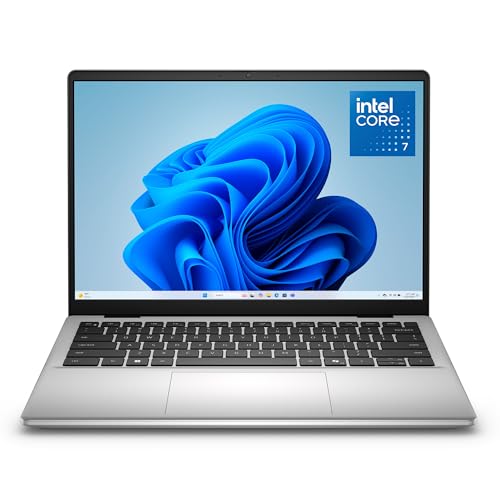
- ProcessorIntel Core 7 150U
- GPUIntel integrated
- RAM16GB DDR5
- Storage1TB SSD
- Display14″ WUXGA IPS, anti-glare
- OSWindows 11 Home
Exploration, mining, hauling, market play and small-gang PvP are the bulk of most players’ hours, and none of them ask for a discrete GPU. The Core 7 150U’s integrated graphics are several generations past CCP’s recommended Radeon RX 580, and 16GB lands exactly on CCP’s recommended memory figure — enough for the client and a browser, with the ceiling arriving when a second heavy application joins them.
The 1TB SSD is the unusual part at this price: EVE’s 23GB sits in it more than forty times over, so nothing here forces a choice between the client and the rest of a game library.
Two limits stand out. Dell rates the battery at 54Wh, a small pack for a 14-inch machine, and nobody outside Dell has published a measured runtime for it — treat all-day unplugged play as unproven rather than promised. And a 14-inch panel is the tightest screen here for EVE’s stacked windows, which is a real cost if you run overview, fleet, market and chat side by side.
Pros
- Meets CCP’s recommended CPU and memory figures without a discrete GPU
- 1TB SSD against a 23GB game install
- Anti-glare panel, useful for long sessions in a bright room
Cons
- 54Wh battery, and no third-party runtime measurement to check it against
- 14 inches is cramped for EVE’s window-heavy UI
- Integrated graphics only
2. Acer Nitro V 16S AI (Best Value / Fleet-Ready)
Best Value
Last update on 2026-10-02 / Affiliate links / Images from Amazon Product Advertising API
- ProcessorAMD Ryzen 7 260
- GPUNVIDIA RTX 5060 (8GB)
- RAM32GB DDR5
- Storage1TB PCIe Gen4 SSD
- Display16″ WUXGA IPS, 180Hz
- OSWindows 11
Time dilation caps how fast a fleet fight resolves for everyone in the system, but it does not cap how smoothly your own client draws it, and a discrete GPU is what keeps a thousand ships, drones and overlapping effects rendering smoothly rather than chugging. An RTX 5060 with 8GB of VRAM is several tiers past the GTX 1060 CCP recommends, and 32GB of RAM doubles the recommended figure, which is the specification that matters if comms, market tools and the client are all resident for a four-hour op.
PCVenus reviewed this exact model — the ANV16S-41-R2AJ with the Ryzen 7 260 and RTX 5060 — and found the keyboard area stayed cooler than expected during gaming, with the WASD region never becoming overly hot across extended sessions, though the rear exhaust runs very warm in Turbo mode. For an EVE player that trade lands well: mining and hauling sessions are long and low-intensity, and the part of the laptop under your hands is the part you notice.
The same review puts a number on the compromise. Acer runs the RTX 5060 at 85W rather than the higher power limits some competitors allow, which PCVenus describes as a deliberate choice that keeps the machine cooler and quieter at the cost of native frame rates in demanding AAA titles. EVE is not a demanding AAA title, so the wattage restraint costs this pick very little in the game it was chosen for — it costs more if the same laptop has to double as your Cyberpunk machine.
Pros
- RTX 5060 several tiers above CCP’s recommended GPU
- 32GB of RAM, double the recommended figure
- PCVenus found the keyboard area cool over extended sessions
Cons
- 85W GPU power limit trails higher-wattage RTX 5060 laptops in demanding titles
- Turbo mode makes the rear vent area hot to touch
- More GPU than solo and small-gang play calls for
3. LG gram 15 (Best Ultraportable)
Best Ultraportable
Last update on 2026-10-02 / Affiliate links / Images from Amazon Product Advertising API
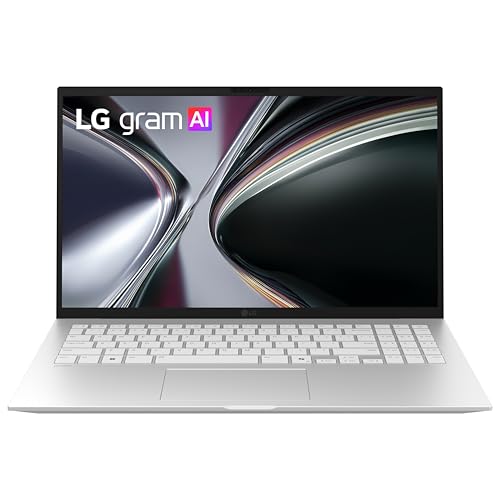
- ProcessorAMD Ryzen AI 7 450
- GPUAMD Radeon (integrated)
- RAM16GB (32GB configs available)
- Storage512GB SSD
- Display15.6″ FHD IPS touch
- Battery72Wh
EVE’s light client is what makes a machine like this viable at all: a 15.6-inch laptop under three pounds with no discrete GPU is a poor fit for most modern games and a reasonable fit for this one. You get the full 15.6 inches of window space in a chassis that weighs less than most 13-inch laptops.
Everything below comes from LG, because no independent lab has published a review of the 15.6-inch gram with the Ryzen AI 7 450. LG’s spec page for the 15.6-inch gram lists a 72Wh battery, 2.84 pounds, and a pass on seven different MIL-STD-810H test methods — altitude, high and low temperature and vibration among them — conducted by an independent laboratory. LG’s own runtime claim for that chassis is up to 22 hours of video playback, which is a marketing test condition rather than a gameplay figure; EVE with a browser open will land well short of it.
Note the 512GB SSD against the 1TB in most of this list, and note that MIL-STD-810H is a set of durability tests, not a rating — it tells you the chassis survived those specific methods, not that it is rugged in general.
Pros
- 15.6-inch screen at 2.84 pounds
- 72Wh battery in an ultraportable chassis
- Seven MIL-STD-810H durability methods passed at an independent lab
Cons
- No independent review published for this configuration
- 512GB SSD, the smallest here
- Integrated graphics, so the largest fights render less smoothly than on the Nitro V
4. Apple MacBook Air 13-inch (Best for macOS)
Best macOS Pick

Last update on 2026-10-02 / Affiliate links / Images from Amazon Product Advertising API
- ProcessorApple M5
- GPUIntegrated
- RAM16GB unified
- Storage512GB SSD
- Display13.6″ Liquid Retina
- OSmacOS
EVE ships a native macOS client, so this is not a Wine or CrossOver arrangement with the caveats those carry. Against CCP’s Mac requirements, an M5 with 16GB of unified memory clears the processor row — which names an M1 Pro at the recommended tier — and matches the 16GB memory figure exactly. The graphics row names a discrete Radeon Pro card with no Apple Silicon counterpart, so it yields no verdict here in either direction.
Sustained load is the documented weak point. Tom’s Hardware watched the M5 thermally throttle in this fanless chassis during a Cinebench 2026 stress loop, with scores falling from 3,415 on the first run into the low 2,300s as the test repeated. That is a worst-case CPU load rather than an EVE session, and it is the shape of the risk: a long fleet op with the client pinned is closer to that test than an hour of mining is.
The same review measured 15 hours 28 minutes of battery on a mixed browsing and streaming test at 150 nits — long enough that unplugged play is a normal way to use the machine rather than an emergency mode. What you give up is screen: 13.6 inches is the smallest panel here, and EVE’s overlapping windows feel it.
Pros
- Native macOS client, no compatibility layer
- Over 15 hours measured by Tom’s Hardware on a mixed-use test
- Fanless and silent
Cons
- Tom’s Hardware saw the M5 throttle under a sustained stress loop
- Smallest panel here, which EVE’s stacked windows notice
- CCP’s recommended Mac graphics row has no Apple Silicon counterpart to measure against
5. LG gram Pro 17 (Best Large-Screen)
Best Large-Screen
Last update on 2026-10-02 / Affiliate links / Images from Amazon Product Advertising API
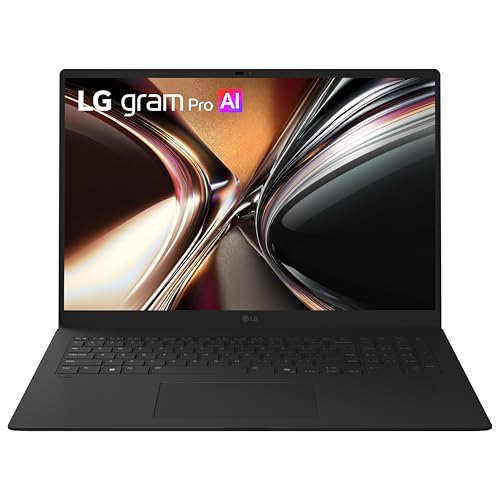
- ProcessorIntel Core Ultra 7 355
- GPUIntel integrated
- RAM32GB LPDDR5X
- Storage1TB NVMe SSD
- Display17″ 2560×1600 IPS touch
- BatteryRated up to 26.5 hrs video playback
Screen area is the specification EVE rewards most and the one hardest to add later. Seventeen inches at 2560×1600 fits an overview, a fleet window, a market tab and chat without the constant re-stacking a 14-inch panel forces, and 32GB of memory means those companion applications can stay open all session.
LG puts the 17-inch gram Pro at 3.3 pounds and rates it at up to 26.5 hours of video playback — measured at Full HD, wireless off, 150 nits — and lists a pass on seven MIL-STD-810H test methods tested in December 2025. Read the battery figure as what it is: a playback rating under favorable conditions, not a gameplay result.
Outside LG, this 17-inch Core Ultra 7 355 configuration is untested: no published measurements exist for its display brightness, its speakers or its clocks under sustained load. And a 17-inch laptop is still a 17-inch object in a bag — this is a machine you carry between rooms and desks more than between cities.
Pros
- 17-inch 2560×1600 panel at 3.3 pounds
- 32GB of memory for market tools and comms alongside the client
- Durability testing dated December 2025 against seven MIL-STD-810H methods
Cons
- Untested outside LG — no third-party measurements exist
- 26.5 hours is LG’s video-playback rating, not a gameplay figure
- 17 inches is awkward to travel with
6. Gigabyte Aero X16 (Best Value Gaming)
Best Value Gaming

Last update on 2026-10-02 / Affiliate links / Images from Amazon Product Advertising API
- ProcessorAMD Ryzen AI 9 HX 370
- GPUNVIDIA RTX 5070 (8GB)
- RAM32GB DDR5
- Storage1TB SSD
- Display16″ 2560×1600, 165Hz
- OSWindows 11 Home (Copilot+ PC)
EVE alone does not justify an RTX 5070. This pick exists for the player whose Steam library does not begin and end with New Eden, and who would rather buy one laptop than two.
Tom’s Hardware tested an Aero X16 with the RTX 5070 at 85W and measured the 16-inch IPS panel at 78.5% of DCI-P3 — a figure short of what a creator-branded machine implies — a letdown if you’d read “Aero” as a color-work laptop. For EVE it changes nothing; for photo or video work alongside it, that gamut number is the one to check against your requirements. Tom’s tested the Ryzen AI 7 350 version rather than the HX 370 listed here, so its CPU results do not transfer; the chassis findings do.
Audio is the flat spot. The same review calls audio quality a weak point, describing muddy detail, poor instrument separation, distant vocals and minimal bass — so budget for a headset, which fleet comms would have you wearing anyway. In exchange the chassis measures 0.78 inches thick at 4.2 pounds, thin enough for an RTX 5070 machine that you would carry it between places rather than leave it on a desk.
Pros
- RTX 5070 in a 0.78-inch, 4.2-pound chassis
- 32GB RAM and 1TB SSD as standard
- 165Hz 2560×1600 panel
Cons
- Muddy, bass-light speakers by Tom’s Hardware’s account
- 78.5% DCI-P3 measured, short of what the creator branding suggests
- Well past what EVE alone asks for, at a premium tier price
7. Lenovo Legion Pro 7i Gen 10 (Best High-Performance / Future-Proof)
Best High-Performance
Last update on 2026-10-02 / Affiliate links / Images from Amazon Product Advertising API
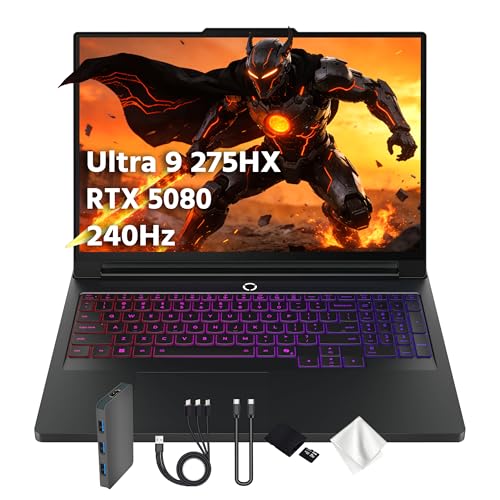
- ProcessorIntel Core Ultra 9 275HX
- GPUNVIDIA RTX 5080 (16GB)
- RAM32GB DDR5
- Storage1TB SSD
- Display16″ WQXGA OLED, 240Hz
- OSWindows 11 Home
An RTX 5080 is far more GPU than EVE itself will ever call for, so the case for this machine rests on whatever else is installed on the same drive; it runs EVE flawlessly without EVE being the reason to buy it.
Tom’s Hardware tested this configuration — Core Ultra 9 275HX, RTX 5080 with 16GB of GDDR7, 32GB of DDR5-6400 — and found the fan noise “impressively unobtrusive,” still able to pick out subtle in-game audio with the speakers at 30% volume. That is worth more to an EVE player than a frame-rate margin: a machine you sit at for a six-hour op while listening to fleet comms.
Battery is the counterweight, and the numbers are stark. The same review recorded 4 hours 37 minutes, last in its comparison group behind the Gigabyte at 5:02, the Asus at 6:30 and the Razer at 7:21 — despite carrying a 99Wh pack, which Tom’s notes is the largest capacity permitted in a laptop. The reviewer attributes the result to power management rather than the cell. Plan on this being a plugged-in machine.
Pros
- Tom’s Hardware found fan noise unobtrusive under load
- RTX 5080 and a 24-core Ultra 9 for everything beyond EVE
- 240Hz WQXGA OLED panel
Cons
- 4 hours 37 minutes measured, last in Tom’s Hardware’s comparison group
- 99Wh pack returning less runtime than smaller batteries in rival machines
- Far past what EVE alone needs
Recommended Accessories


Last update on 2026-10-02 / Affiliate links / Images from Amazon Product Advertising API
Which EVE Online Laptop Should You Buy?
| Best For | Pick |
|---|---|
| Budget | Dell 14 Laptop |
| Value / Fleet-Ready | Acer Nitro V 16S AI |
| Ultraportable | LG gram 15 |
| macOS | Apple MacBook Air 13-inch |
| Large Screen | LG gram Pro 17 |
| Value Gaming | Gigabyte Aero X16 |
| High-Performance | Lenovo Legion Pro 7i Gen 10 |
EVE Online Laptop FAQ
Do I need a gaming laptop to play EVE Online?
No, and the useful test is which part of the game you spend your hours in. Mining, hauling, exploration, market work and small-gang PvP run on integrated graphics. The case for a discrete GPU is narrower than it looks: it buys you a smoother picture in a 500-ship system, and nothing at all in the rest of the game. Decide by how many of your hours are spent in the fights that need it.
Does a more powerful laptop help during EVE’s massive fleet battles?
Partly, and it helps with the half most people are not complaining about. Your client draws the scene faster; the fight itself resolves at whatever rate the server allows under time dilation, which is unaffected by anything in your bag. If a fleet fight feels like wading through treacle, that is the server, and CCP’s own advice is to lower graphics settings so the client stops competing for attention.
Can I play EVE Online on a MacBook?
Yes, and on a first-party client rather than a compatibility layer. Where people go wrong is treating CCP’s recommended Mac graphics line — an AMD Radeon Pro 5700 with 8GB of VRAM — as a bar an M-series chip either clears or misses. It is a discrete card from the Intel iMac era with no published Apple Silicon counterpart. The rows that do transfer name an M1 Pro and 16GB of memory.
How much RAM do I need for EVE Online?
CCP’s minimum is 4GB and its recommended figure is 16GB. Whether 32GB is worth the difference depends on habit rather than on EVE: the client’s own appetite is modest, and what pushes past 16GB is the company it keeps. Count the applications you leave running all evening, not the ones you open occasionally.
How much storage does EVE Online need?
CCP specifies 23GB of free space, so the install itself never decides a laptop purchase. The figure to watch is what the rest of the drive holds — Windows and a couple of modern titles will make a 512GB SSD feel small long before EVE does.
Does a second monitor help more than a better laptop screen?
For most players, yes. EVE’s interface is a set of movable windows, and the constraint is total pixel area rather than panel quality — a market tab, a route planner and fleet chat move off the laptop display entirely once there is somewhere to put them. Check the laptop’s external display support and how many screens it drives before paying for a larger built-in panel.
Final Thoughts on EVE Online Laptops
EVE’s published requirements are modest, its heaviest moments are bounded by CCP’s servers rather than by silicon, and CCP’s advice for those moments is to lower settings. Memory and screen area are what a session of EVE consumes, so spend there first and let the GPU tier follow from whatever else is installed on the machine. For neighboring hardware questions, our RuneScape laptop guide covers another long-running MMO with light client demands, and our multi-monitor laptop guide goes into the external display side in more detail.