A product listing records whether a keyboard is backlit. It does not record how far the keys travel, whether a keycap rocks when a finger lands off center, or how the deck feels three hours into a draft. Those are the properties a writer notices first, and they surface only in reviews that bother to measure them: Tom’s Hardware put 1.5mm of travel behind the keys on the ThinkPad X1 Carbon Gen 13, roughly half a millimeter more than the 1mm it measured on the MacBook Neo.
Four properties decide this category for someone who writes for a living: how the keyboard holds up over hours, how legible the screen stays in the light available, how long the machine runs off the charger under test rather than under a rating, and what it weighs in a bag. Core counts and graphics hardware settle almost nothing about prose. Six current laptops follow, sorted by which of those four they get right.
Editor’s Pick

Last update on 2026-10-22 / Affiliate links / Images from Amazon Product Advertising API
1.5mm of key travel with a snappy feel, measured by Tom’s Hardware, in the lightest chassis of the six at 2.17 lb — the deepest travel any reviewer documented across these picks.
- Intel Core Ultra 7 258V
- 32GB RAM
- 2.17 lb
- 14-inch 2.8K OLED, 120Hz
What’s Inside
- 1 – Freelance Writer Laptop Buyer's Guide
- 2 – Freelance Writer Laptop Comparison Table
- 3 – Best Laptops for Freelance Writers in 2026 — Reviews
- 3.1 – 1. Lenovo ThinkPad X1 Carbon Gen 13 Aura Edition (Best Overall)
- 3.2 – 2. Lenovo Yoga Slim 7x (Best Windows Battery Life)
- 3.3 – 3. Apple MacBook Air 13-inch M5 (Best Mac)
- 3.4 – 4. Apple MacBook Neo (Budget Mac)
- 3.5 – 5. HP OmniBook 5 Flip (Cheapest)
- 3.6 – 6. Acer Aspire Go 15 AI (Best Value Windows)
- 4 – Recommended Accessories
- 5 – Which Freelance Writer Laptop Should You Buy?
- 6 – Freelance Writer Laptop FAQ
- 7 – Final Thoughts on Freelance Writer Laptops
Freelance Writer Laptop Buyer’s Guide
Keyboard Feel and Key Travel
Travel is the one keyboard measurement anybody publishes, and it describes only part of the experience. 1.5mm is deep for a thin laptop, 1mm is ordinary, and shallower than that the keys start to read as taps against the deck. Stability is the other half. Tom’s Guide’s complaint about the Acer chassis below was side-to-side movement in the keycaps: strike one off center and it rocks instead of registering a clean press. Neither figure appears on a spec sheet. Reviews that state a travel figure, run a timed typing test, or describe what an off-center strike does are the ones to find before buying.
ARM vs x86 and Measured Battery Life
Tom’s Hardware ran a set of Snapdragon X Elite laptops through its web-browsing battery test at 150 nits and recorded 12:14 on the Surface Pro, 15:37 on the 13.8-inch Surface Laptop and 15:48 on the HP OmniBook X 15, while no Intel or AMD machine it had benchmarked in the preceding year passed 14 hours. Its own reading of the gap is two to four hours — a difference that decides whether a charger comes along on a working day, not a difference in what the laptop can do.
A rated battery figure and a measured one are different claims, and listings quote whichever is larger. Apple rates the 13-inch MacBook Air M5 at up to 18 hours; Tom’s Hardware’s test returned 15:28. HP rates the OmniBook 5 Flip at up to 15 hours typical and up to 21 hours 30 minutes for video playback, and it is the video number that ends up in retail copy. Compare measured results against other measured results, and treat a rating as the ceiling of a best case.
The cost of the Arm side is software, and for a writer it lands closer to home than it first sounds. Tom’s Guide names the desktop version of Google Drive and several Adobe applications, Premiere Pro and After Effects among them, as software with no native build for Windows on Arm. A synced cloud folder is where a lot of freelance work lives, so check that one against your own routine before deciding. Anything running in a browser is unaffected, and the same applications ship Apple Silicon builds, so the caveat belongs to Windows on Arm rather than to Arm generally.
Screen Size, Weight and Legibility
The six picks here run from 2.17 lb to 3.75 lb, and that spread is what a shoulder notices across a café, a library and a commute. A 13 to 14-inch screen holds a document and a source side by side at a normal viewing distance; 15.6 inches adds reference room and about a pound.
Panel technology does not settle legibility. OLED names the mechanism that produces contrast; it says nothing about how bright a given screen gets or how it behaves with a window behind you. The numbers that do decide it are measured brightness, resolution at the size being bought, and whether the finish is matte or glossy. HP rates the OmniBook 5 Flip’s touchscreen at 300 nits and 62.5% sRGB, and Notebookcheck measured 305 cd/m² on an Acer Aspire Go 15 — both workable indoors, both dim near a window. Resolution matters for a different reason: 1920×1080 stretched across 15.6 inches puts fewer pixels behind each letter than 2560×1664 across 13.6 inches, and text edges soften accordingly.
Memory and Storage
8GB runs a word processor and a browser. 16GB is the figure to buy if a draft, a research browser and a reference PDF stay open together all day, which describes most freelance research. The reason to decide it at checkout rather than later is that memory here is not a component you add: Apple’s unified memory is fixed in both Macs below, Intel’s Core Ultra 200V series carries its memory on the processor package, and HP lists the OmniBook’s 8GB as onboard. A 512GB SSD holds years of manuscripts, drafts and research PDFs, and capacity matters less in this category than in creative or technical work.
Freelance Writer Laptop Comparison Table



Last update on 2026-10-22 / Affiliate links / Images from Amazon Product Advertising API
Best Laptops for Freelance Writers in 2026 — Reviews
Six machines, each reviewed against the four properties a writing day depends on — and each one honest about which of the four it gets wrong.
1. Lenovo ThinkPad X1 Carbon Gen 13 Aura Edition (Best Overall)
Best Overall
Last update on 2026-10-22 / Affiliate links / Images from Amazon Product Advertising API
- ProcessorIntel Core Ultra 7 258V
- RAM32GB, on-package and fixed
- Storage2TB PCIe Gen 5 SSD
- Display14-inch 2.8K OLED, 120Hz
- Battery11h28m measured by Tom’s Hardware
- Weight2.17 lb
Tom’s Hardware describes keys with “a snappy feel, a relatively deep 1.5mm of travel, and a gentle curve on the caps that makes feeling your way around a snap for touch typists.” Depth is usually the first thing a thin chassis gives up, and at 2.17 lb this is the thinnest and lightest machine on the list. It gave up something else instead.
That something is runtime. The same 150-nit browsing test that carried the MacBook Air past fifteen hours stopped this one at 11 hours 28 minutes, the shortest measured result among the four picks here with a published test figure. It covers a working day at a desk with a charger in the bag; it does not cover a full day of writing away from an outlet, which is the scenario the two Arm machines below are built for.
The speakers are loud, and Tom’s Hardware found them coarse once pushed — “an ugly stew of harsh percussion” was its verdict on music. Calls are fine. Anything you want to listen to while working wants headphones.
Pros
- 1.5mm key travel measured by Tom’s Hardware, the deepest documented here
- 2.17 lb, the lightest of the six
- 32GB of memory and a 120Hz 2.8K OLED at 14 inches
Cons
- 11h28m measured, behind both Arm picks on the same test
- Speakers turn harsh at volume
- Premium tier of this list, with memory fixed at purchase
2. Lenovo Yoga Slim 7x (Best Windows Battery Life)
Best Windows Battery Life
Last update on 2026-10-22 / Affiliate links / Images from Amazon Product Advertising API
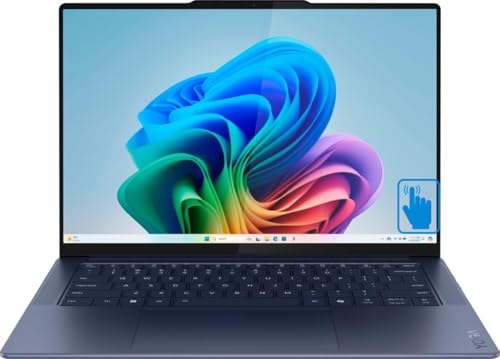
- ProcessorQualcomm Snapdragon X Elite X1E-80-100
- RAM16GB
- Storage1TB SSD
- Display14.5-inch 2944×1840 OLED, 90Hz
- Battery14h14m measured by Tom’s Guide
- Weight2.8 lb
Tom’s Guide ran this one for 14 hours 14 minutes on the 150-nit browsing test that stopped the X1 Carbon at 11:28 — nearly three hours more from a machine that weighs two-thirds of a pound extra. Of the Windows picks here that anyone has tested, that is the longest result.
Runtime by itself would only make it a good travel laptop. The keyboard is what puts it in a writing guide: Tom’s Guide found that “the thick large keycaps offer a good amount of resistance when pressed, and the keyboard deck is spacious enough to comfortably type on.” No travel figure is published for it, so how it compares with the X1 Carbon’s 1.5mm is an open question rather than a settled one — resistance and depth are separate properties, and only one of them has a number attached here.
The Arm software gap is the thing to check before buying, and the specific item is Google Drive: its desktop client has no native build, which matters more to a writer with a synced work folder than the missing Adobe applications do. Anything that runs in a browser is untouched by it.
Pros
- 14h14m measured, the longest of the tested Windows picks
- Firm, large keycaps on a spacious deck, per Tom’s Guide
- 14.5-inch 2944×1840 90Hz OLED at 2.8 lb
Cons
- Google Drive’s desktop client and parts of Adobe’s suite have no Windows-on-Arm build
- No published key travel figure to compare against the X1 Carbon
3. Apple MacBook Air 13-inch M5 (Best Mac)
Best Mac

Last update on 2026-10-22 / Affiliate links / Images from Amazon Product Advertising API
- ProcessorApple M5 (10-core CPU)
- RAM16GB unified, fixed at purchase
- Storage512GB SSD
- Display13.6-inch 2560×1664 Liquid Retina
- Battery15h28m measured by Tom’s Hardware; Apple rates up to 18h
- Weight2.7 lb
Tom’s Hardware recorded 15 hours 28 minutes on its 150-nit test, the longest measured runtime of any pick here and roughly two and a half hours short of Apple’s own rating. It is also fanless, so nothing spins up mid-paragraph. The same review watched the M5 throttle under sustained load in that chassis, which is a video-export problem rather than a writing one.
On the keyboard, Tom’s Hardware is restrained rather than enthusiastic: the keys “may not have the most travel, but it’s quite comfortable,” and its reviewer turned in 114 words per minute at 98% accuracy on a typing test. A words-per-minute result with an accuracy figure attached says more than an adjective does, and it is the closest thing to a keyboard benchmark anyone publishes. This is the shallower of the two best keyboards on the list; which one suits your hands is settled in ten minutes at a store that stocks both.
The Windows-on-Arm software gaps listed under the Yoga Slim 7x do not apply to macOS. The constraint that does apply is memory: 16GB is what this machine has for its life.
Pros
- 15h28m measured, the longest runtime of the six
- Fanless and silent through a full writing session
- 114 wpm at 98% accuracy in Tom’s Hardware’s typing test
Cons
- Shallower key travel than the X1 Carbon
- Apple’s 18-hour rating sits well above what testing returned
- 16GB unified memory, fixed at purchase
4. Apple MacBook Neo (Budget Mac)
Budget Mac

Last update on 2026-10-22 / Affiliate links / Images from Amazon Product Advertising API
- ProcessorApple A18 Pro (6-core CPU)
- RAM8GB unified, fixed at purchase
- Storage256GB or 512GB SSD
- Display13-inch 2408×1506 Liquid Retina IPS, 60Hz
- Battery13h28m measured by Tom’s Hardware
- Weight2.7 lb
Tom’s Hardware puts the travel at 1 millimeter and calls it “similar to the keyboard on the MacBook Air,” with the verdict that “the keyboard itself is good.” The cheapest Mac Apple sells did not get a cheaper keyboard than the Air, which is the whole argument for this pick and an unusual place for a budget machine to spend its engineering.
It is not backlit, and the same review calls backlighting “the number one usability feature I would bring back to make the laptop more accessible in more situations.” A writer who drafts after dark will meet that limitation every session. One who works in daylight or a lit room will not think about it again after the first week.
13 hours 28 minutes on the same test puts it ahead of both Intel picks here on runtime. 8GB of unified memory is the ceiling, and it is fixed — a long document alongside a browser full of research tabs is where that shows up first.
Pros
- 1mm travel, comparable to the MacBook Air’s, per Tom’s Hardware
- 13h28m measured on Tom’s Hardware’s test
- Entry price tier with the keyboard left intact
Cons
- No keyboard backlight — a nightly problem for evening writers
- 8GB unified memory, fixed at purchase
- 60Hz IPS panel rather than the OLED of the pricier picks
5. HP OmniBook 5 Flip (Cheapest)
Cheapest

Last update on 2026-10-17 / Affiliate links / Images from Amazon Product Advertising API
- ProcessorIntel Core 5 120U
- RAM8GB LPDDR5 onboard (16GB is a separate configuration)
- Storage512GB PCIe Gen 4 SSD
- Display14-inch 1920×1200 IPS touch, 300 nits, 62.5% sRGB
- Battery68Wh; HP rates up to 15h typical
- Weight3.58 lb
Searching turned up no independent lab test of this model — the coverage is retailer ratings and specification roundups, none of which measure anything. Every figure above comes from HP’s own product sheet, including the battery rating, and no reviewer has typed on this keyboard and written about it. At the bottom of the price range that is a common situation, and it belongs in the decision rather than beside it.
What HP does document is useful for a writer: the keyboard is full-size and backlit, which the MacBook Neo and the Acer below are not. HP publishes no travel figure. HP’s sheet carries two battery figures, and the larger of the two is a video-playback number rather than a working-day one; the typical rating is the one quoted in the specifications above.
The panel is where the money was saved: 300 nits and 62.5% sRGB by HP’s rating, which is enough for documents and short of what image work wants. 1920×1200 across 14 inches keeps text crisp. At 3.58 lb this is the second-heaviest pick here, so the 2-in-1 hinge buys flexibility with weight rather than getting it free.
Pros
- Full-size backlit keyboard at the lowest price on this list
- 68Wh battery, rated by HP at up to 15 hours typical
- 512GB PCIe Gen 4 SSD and a 1920×1200 touchscreen
Cons
- No independent test coverage — every figure is manufacturer-supplied
- 8GB is onboard; 16GB means buying a different configuration up front
- 3.58 lb, heavier than every pick except the Acer
6. Acer Aspire Go 15 AI (Best Value Windows)
Best Value Windows

Last update on 2026-10-22 / Affiliate links / Images from Amazon Product Advertising API
- ProcessorAMD Ryzen 7 7730U
- RAM16GB DDR4
- Storage512GB PCIe Gen 4 SSD
- Display15.6-inch 1920×1080 IPS
- BatteryAcer rating only; this configuration untested
- Weight3.75 lb, weighed on a sibling configuration
Two reviews of this chassis exist and neither covers the Ryzen 7 7730U configuration sold here. Both are unkind to the keyboard. Tom’s Guide, testing a 2025 Core i5 version, found that “the keys are not just mushy, but they wobble side to side” and that an off-center strike makes the keycap rock. Notebookcheck, testing a Core i5-1334U version, called it a rubber-dome keyboard where “typing feels somewhat spongy at first, but after a short adjustment period text can be entered quickly”. A keyboard deck is a chassis property rather than a processor one, so those findings probably carry across configurations — probably, because nobody has confirmed it on this one.
Neither tested version has a backlight. For an evening writer that settles it, and this is the pick to see in a shop before committing — or to skip if that is not possible.
What the Ryzen configuration brings is 16GB as standard where budget machines usually ship 8GB, and a 15.6-inch screen with room for a draft and a source document side by side. The trade shows up twice: at 15.6 inches the 1920×1080 panel renders text more coarsely than any of the 14-inch screens above, and Notebookcheck weighed its sibling at 3.75 lb, the heaviest here by a small margin.
Pros
- 16GB DDR4 as standard, where the price tier usually means 8GB
- 15.6 inches of screen, the most reference room on this list
- 512GB PCIe Gen 4 SSD
Cons
- Keyboard called mushy and wobbly by Tom’s Guide, spongy by Notebookcheck
- No keyboard backlight in either tested version
- Nobody has tested the Ryzen 7 7730U configuration listed here
- 1920×1080 at 15.6 inches is the softest text of the six
Recommended Accessories




Last update on 2026-10-22 / Affiliate links / Images from Amazon Product Advertising API
Which Freelance Writer Laptop Should You Buy?
| Best For | Pick |
|---|---|
| Best Overall | Lenovo ThinkPad X1 Carbon Gen 13 |
| Best Windows Battery Life | Lenovo Yoga Slim 7x |
| Best Mac | Apple MacBook Air 13-inch M5 |
| Budget Mac | Apple MacBook Neo |
| Cheapest | HP OmniBook 5 Flip |
| Best Value Windows | Acer Aspire Go 15 AI |
Freelance Writer Laptop FAQ
Why does keyboard feel matter more for writers than other buyers?
Exposure. A keyboard quirk that a spreadsheet user meets for twenty minutes a day is met for six hours by someone drafting. If a machine can be tried in a shop, ten minutes settles most of it: type a paragraph without looking at the keys, deliberately strike a few off center to see whether the caps rock, rest your palms on the deck and check whether it flexes, and notice whether your fingers are working against the springs by the end.
Is ARM (Apple Silicon or Snapdragon) or x86 (Intel/AMD) better for writers specifically?
On runtime, Arm is ahead in this list’s own numbers: 15:28 for the M5 MacBook Air and 14:14 for the Snapdragon-based Yoga Slim 7x, against 11:28 for the Intel X1 Carbon on the same test. The one exception to watch is Windows on Arm, where Tom’s Guide found the Google Drive desktop client and several Adobe applications have no native build. macOS carries no equivalent gap — those same applications ship Apple Silicon versions.
How much RAM do I need for freelance writing?
16GB if research tabs, a reference PDF and a long document stay open together; 8GB if the workflow is a writing app and a handful of tabs. Count what stays open at once rather than how long the manuscript is — document size is not what fills memory, simultaneous applications are. On this list the two 8GB options are also the two cheapest, and the Acer is the only budget pick that ships 16GB without a configuration upgrade, so in practice the question resolves into a price decision rather than a specification one.
Do I need a touchscreen or 2-in-1 design for writing?
No. Only one pick here converts, the OmniBook 5 Flip, and the hinge and touch layer are part of why it weighs 3.58 lb. The case for it is annotating research or sketching an outline by hand; the case against is weight and, on most touch panels, a glossier finish that picks up more reflection under a window.
Is a backlit keyboard actually necessary?
It depends entirely on when you write, and it is independent of how the keys feel — the MacBook Neo has one of the better keyboards here and no backlight at all. Two of these six go without: the budget Mac and the Acer. If evening or early-morning drafting is part of the routine, that removes two picks from consideration before anything else is compared.
Final Thoughts on Freelance Writer Laptops
The properties that decide a writing laptop — key travel and stability, panel brightness and text sharpness, runtime under test, weight in a bag — are the ones a specification list either omits or reports as a manufacturer rating instead of a result. Where a measured figure exists, it is the one to compare: 15:28, 14:14, 13:28 and 11:28 on the same 150-nit test say more than four battery ratings would. Two of these six have no independent test behind them at all, which is stated in their reviews above rather than smoothed over.
Client calls and video meetings on the road raise the same portability and battery questions from a different angle — see the guide to laptops for traveling business for that side of it.