Storage pricing has moved against laptop buyers this year. TrendForce’s February 2026 outlook put NAND flash contract prices on course to rise 55–60% quarter over quarter in 1Q26, with enterprise SSD contract prices up 53–58% — which it called a record for quarterly increases. Hard drive pricing has not shifted on that scale, so the per-gigabyte gap between flash and spinning disks is wider than it was a year ago, which puts a modest SSD paired with a large HDD back in contention.
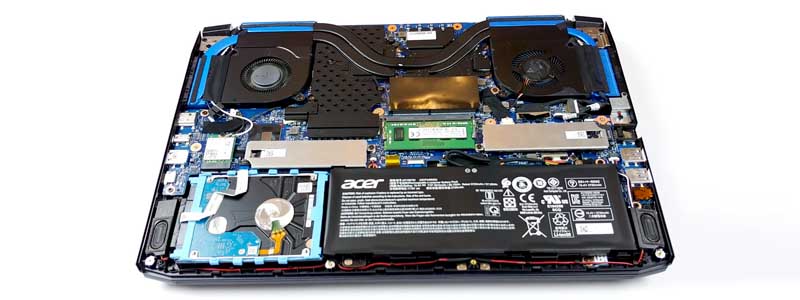
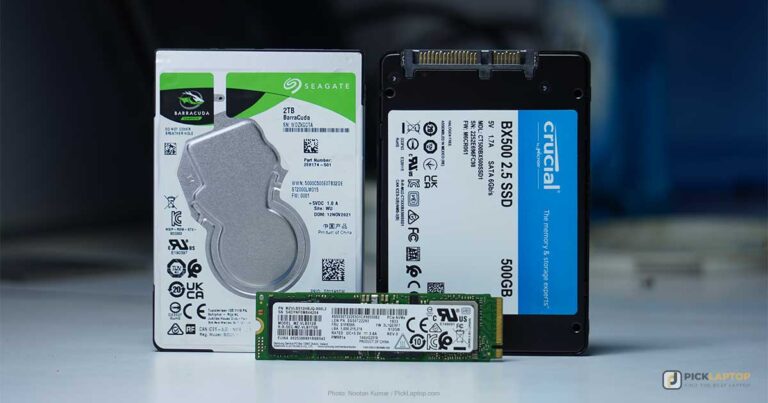
The catch is the hardware. “Hybrid storage” once meant a factory SSD+HDD pairing or an SSHD; none of the six laptops below ships with either, and none has a 2.5-inch drive bay. Where a second drive is possible now it goes into a second M.2 slot, and the slot’s form factor decides what will physically fit — a detail spec sheets bury and product listings usually omit.
So this list separates the machines that hand you a lot of storage in one drive from the ones with a spare slot you can fill yourself, and states what each slot actually takes.
Editor’s Pick
Last update on 2026-09-08 / Affiliate links / Images from Amazon Product Advertising API
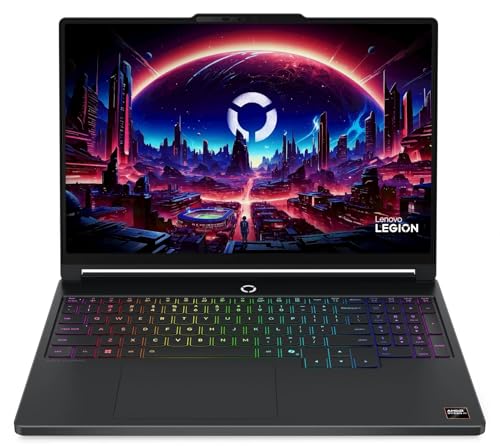
Two M.2 slots on a mainstream gaming laptop, so the second drive is an upgrade you make rather than a configuration you buy — as long as you shop for the 2242 drives its slots take.
- AMD Ryzen AI 9 465
- 1TB SSD, two M.2 2242 slots (2TB total)
- 15.3″ WQXGA OLED, 165Hz
- RTX 5060 8GB
What’s Inside
- 1 – Hybrid Storage Laptop Buyer's Guide
- 2 – Hybrid Storage Laptop Comparison Table
- 3 – Best Laptops for Hybrid Storage in 2026 — Reviews
- 3.1 – 1. Dell 14 Laptop (Best Budget, Large Single-SSD)
- 3.2 – 2. Dell 16 Laptop (Best Value for Capacity)
- 3.3 – 3. Apple MacBook Pro 16-inch M5 Max (Best Premium Capacity)
- 3.4 – 4. Acer Aspire Vero (Best Budget Storage Upgrade)
- 3.5 – 5. Lenovo Legion 5a Gen 11 (Best Value Expandable)
- 3.6 – 6. Razer Blade 18 (Best Premium Expandable)
- 4 – Recommended Accessories
- 5 – Which Laptop Should You Buy for Hybrid Storage?
- 6 – Hybrid Storage Laptop FAQ
- 7 – Final Thoughts on Hybrid Storage Laptops
Hybrid Storage Laptop Buyer’s Guide
Splitting the OS Drive From the Bulk Drive
The setup people mean by hybrid storage is two drives with two jobs: a smaller SSD holding Windows, applications and whatever you are working on this week, and a larger, cheaper drive holding photo and video archives, sample libraries, backups and games you are not playing. The SSD is sized to what you touch daily; the second drive is sized to what you keep. At current flash pricing that split costs less than buying one SSD large enough for both, and the further apart the two capacities are, the bigger the difference.
It only works on a machine with somewhere to put the second drive. That constraint decides this category, and it is the first thing to settle on a spec sheet.
M.2 Slot Count Is Not the Whole Answer
A spare M.2 slot is not automatically a slot any NVMe drive will fit. Lenovo’s datasheet lists both of the Legion 5a Gen 11’s slots as M.2 2242 — 42mm long. The overwhelming majority of retail NVMe SSDs are 2280, at 80mm, and will not physically go in. Before buying a drive, find the slot’s length in the manufacturer’s spec sheet or service manual, not in a product listing that says only “dual M.2.”
Slot generation matters less than length. A PCIe Gen 5 drive runs in a Gen 4 slot at Gen 4 speeds, and for a bulk-storage drive that difference is invisible next to the capacity you gain. Length is binary: it fits or it does not.
SSHDs and What Replaced Them
An SSHD pairs a spinning disk with a small NAND cache, typically 8GB to 32GB, that holds whatever the drive has learned you open most. Files outside that cache are read at hard-drive speed. Two separate drives put every byte you choose on flash instead of every byte an algorithm guesses, which is why the two-drive arrangement is what the term describes now. SSHDs are also rare on current laptop spec sheets; if one appears, it is a single drive with a cache, not a hybrid setup.
The Optical-Bay Caddy on Older Machines
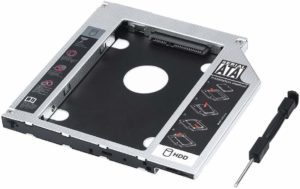
If the laptop you already own has a DVD drive, a SATA optical-bay caddy will hold a 2.5-inch SSD or HDD in its place. That path is closed on all six machines below — none has an optical drive — but it can add a second drive to an older laptop for the price of the caddy and the disk.
Choosing Between the Two Approaches Below
Large single-SSD picks arrive with the capacity already in place and no way to add more later — you decide once, at checkout. Expandable picks start smaller and leave a slot open, which costs an extra purchase and half an hour with a screwdriver but buys a lower price per gigabyte and a second decision point in two years. Neither is the correct answer in the abstract; the question is whether you would rather be finished today or cheaper later.
Hybrid Storage Laptop Comparison Table


Last update on 2026-09-08 / Affiliate links / Images from Amazon Product Advertising API
Best Laptops for Hybrid Storage in 2026 — Reviews
1. Dell 14 Laptop (Best Budget, Large Single-SSD)
Best Budget, Large Single-SSD
Last update on 2026-09-08 / Affiliate links / Images from Amazon Product Advertising API
- ProcessorIntel Core 7 150U
- RAM16GB DDR5
- Storage1TB M.2 NVMe SSD
- Display14″ FHD+ (1920×1200) anti-glare, 300 nits
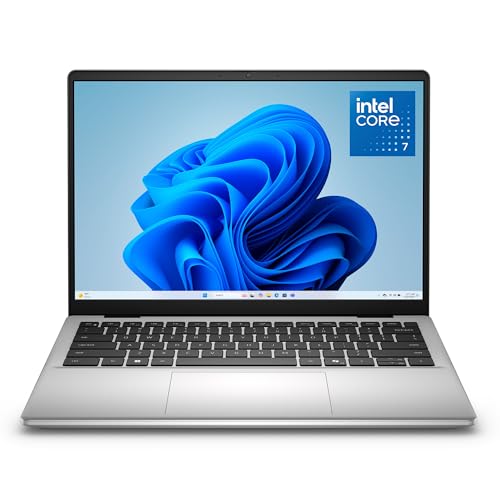
A terabyte on one drive, at the entry tier, with nothing to install. That covers a large photo library, years of documents and a handful of installed games without the second purchase the expandable picks below ask for.
Dell’s product brief for the DC14250 lists 512GB and 1TB M.2 NVMe options and documents no second slot, so 1TB is the ceiling rather than a starting point. No independent lab has published test results for this configuration — the brief is the whole documented record.
Two details from the same brief affect daily use more than the storage does: the keyboard backlight is an option rather than standard equipment across the line, and the plastic-chassis models carry a 720p webcam where the aluminum ones get 1080p and a mechanical shutter. Check which one the listing you are buying describes.
Pros
- 1TB SSD at the entry tier, no upgrade needed
- Anti-glare 300-nit panel
- Dell documents both 512GB and 1TB configurations
Cons
- Dell documents no second slot — 1TB is the ceiling
- Backlit keyboard is an option, not standard
- 720p webcam on the plastic-chassis models
- No published independent testing of this configuration
2. Dell 16 Laptop (Best Value for Capacity)
Best Value for Capacity

Last update on 2026-09-08 / Affiliate links / Images from Amazon Product Advertising API
- ProcessorIntel Core 7 150U (10-core)
- RAM16GB DDR5 (32GB configuration offered)
- Storage1TB M.2 NVMe SSD (2TB configuration offered)
- Display16″ 2.5K (2560×1600) touch, 300 nits
Dell’s brochure for the 16250/16251 runs the SSD options from 256GB to 2TB and the memory from 8GB to 32GB. Ordering the 2TB configuration is the shortest route to a second terabyte on this list — one drive, one purchase, no slot to check. It is also the end of the road: 2TB is Dell’s documented maximum, and the brochure describes no second slot, so this machine cannot become a two-drive machine later.
The webcam privacy shutter Dell lists comes with the aluminum chassis rather than the PC+ABS one, and the numeric keypad is standard on the 16-inch body. A 16-inch chassis with a full keypad is built to sit on a desk; if the laptop moves between a bag and a train table every day, the smaller picks here suit that better. Dell’s brochure is the only published documentation of the machine; no laboratory measurements of it have appeared.
Pros
- 2TB single-drive configuration available from Dell
- Mechanical webcam privacy shutter on the aluminum chassis
- Full numeric keypad, 2.5K touch panel
Cons
- No second M.2 slot listed — the drive it ships with is the drive it keeps
- Desk-first size and weight
- Dell publishes no measured figures, and no lab has filled the gap
3. Apple MacBook Pro 16-inch M5 Max (Best Premium Capacity)
Best Premium Capacity
Last update on 2026-09-08 / Affiliate links / Images from Amazon Product Advertising API
- ProcessorApple M5 Max (18-core CPU)
- Storage2TB SSD (4TB and 8TB offered), soldered
- Display16.2″ Liquid Retina XDR, 1000 nits sustained full-screen (Apple rating)
- Weight4.7 lbs
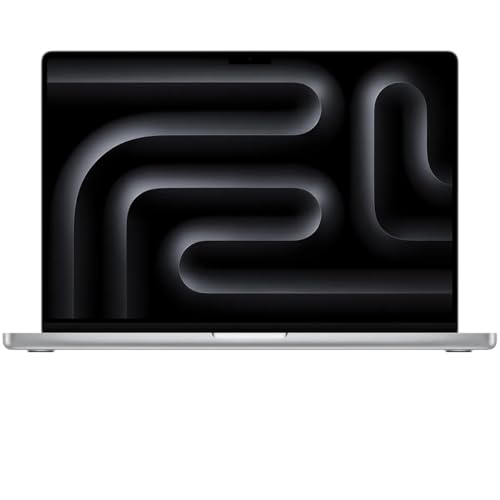
This is the machine for someone who has decided not to have a hybrid setup at all. Apple’s storage is soldered to the logic board, so the capacity is fixed at checkout — but it is fixed high. Apple’s tech specs start the M5 Max at 2TB and offer 4TB and 8TB, an 8TB ceiling nothing else here reaches in a single drive.
Buying that capacity up front is expensive per gigabyte, and it is the one storage decision on this list that cannot be revisited. What you get for it is every byte on flash, which no SSD+HDD pairing does.
Apple rates the 16-inch M5 Max at up to 22 hours of video streaming; Engadget ran its own rundown on a 4TB, 40-core-GPU review unit and recorded 30 hours 16 minutes, so the rating is conservative rather than optimistic here. Engadget’s reviewer called the six-speaker system the best audio he had heard on a laptop and wanted more depth from the keyboard.
Pros
- 2TB standard on the M5 Max, configurable to 8TB
- Engadget measured 30h16m of battery on its review unit
- Six-speaker system with force-canceling woofers
Cons
- Storage is soldered — no expansion of any kind after purchase
- Highest cost per gigabyte on this list
- Engadget found the keyboard shallower than it wanted
4. Acer Aspire Vero (Best Budget Storage Upgrade)
Best Budget Storage Upgrade
Last update on 2026-09-08 / Affiliate links / Images from Amazon Product Advertising API
- ProcessorIntel Core i5-1335U
- RAM16GB LPDDR5, soldered
- Storage512GB SSD in one M.2 2280 PCIe 4.0 slot
- Display15.6″ FHD
- Weight3.84 lbs
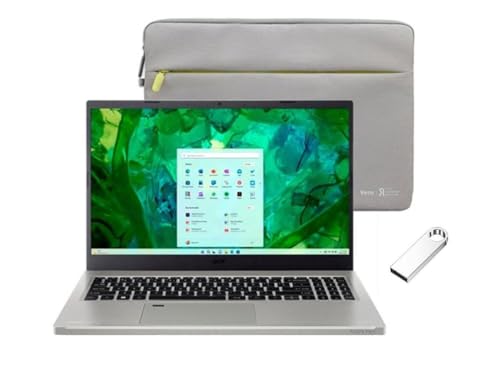
Correcting a claim that follows this machine around: it does not take two drives. LaptopMedia’s teardown of the AV15-53P finds a single M.2 slot taking 2280 Gen 4 drives, with the 16GB of LPDDR5 soldered to the board. There is no second slot, no 2.5-inch bay and no optical bay, so a storage upgrade here replaces the 512GB drive instead of joining it.
Taken for what it is, that slot is still the cheapest storage upgrade on this list. It is standard 2280, the common and inexpensive form factor, and LaptopMedia’s specification listing for the series runs to 4TB — four times what a 2TB Dell 16 configuration gets you, in a chassis built from post-consumer recycled plastic and weighing under 4 lbs. The old 512GB drive then becomes a USB drive in an enclosure, which is the closest this machine comes to a two-drive setup.
If two internal drives is the requirement, the Legion and the Blade below are the machines here that meet it. Soldered memory also means 16GB is permanent, so the upgrade budget here has exactly one place to go.
Pros
- User-accessible M.2 2280 Gen 4 slot taking common, cheap drives
- Series specifications run to 4TB in that single slot
- Post-consumer recycled plastic chassis, under 4 lbs
Cons
- One M.2 slot only — upgrades replace the drive rather than add to it
- Nowhere to mount a second drive internally
- 16GB of soldered LPDDR5, not upgradeable
5. Lenovo Legion 5a Gen 11 (Best Value Expandable)
Best Value Expandable
Last update on 2026-09-08 / Affiliate links / Images from Amazon Product Advertising API
- ProcessorAMD Ryzen AI 9 465
- GPUNVIDIA RTX 5060 (8GB)
- RAM16GB DDR5-5600 (two SODIMM slots, up to 32GB)
- Storage1TB SSD, two M.2 2242 PCIe Gen 4 slots (2TB total)
- Display15.3″ WQXGA OLED, 165Hz, 500 nits
Two slots and a game library go together. Steam installs are the textbook case for a second drive — large, static, and read once at launch rather than constantly — and this is a machine you would want anyway for the RTX 5060 and the 165Hz OLED panel, not a storage box with a screen attached.
The planning happens before you buy the drive. Lenovo’s datasheet lists both slots as M.2 2242 PCIe Gen 4 and puts the maximum at 2TB as two 1TB drives. Two consequences follow: the 2280 drives that fill most retailers’ shelves will not fit, and each slot is capped at 1TB, so the practical build starting from the 1TB configuration sold here is 1TB plus 1TB. That is a smaller ceiling than the Blade below and a different shape of upgrade than the Aspire Vero’s single 2280 slot.
Memory is not soldered either — two DDR5 SODIMM slots to 32GB, per the same datasheet. Lowyat.NET reviewed a Ryzen AI 7 450 build of the same chassis and found the downward-firing speakers clear but short on volume and bass, and the num lock sitting close enough to backspace to catch a finger reaching for it. No published test covers the Ryzen AI 9 465 configuration on sale here, so the chassis observations carry over and the performance figures do not.
Pros
- Both M.2 slots and both SODIMM slots are user-accessible
- 15.3-inch WQXGA OLED, 165Hz, 500 nits
- RTX 5060 8GB in a mainstream-priced chassis
Cons
- Both slots are M.2 2242 — most retail NVMe drives are 2280 and will not fit
- Lenovo caps the pair at 2TB total
- Downward-firing speakers, and a num lock that crowds backspace
- Independent coverage exists only for the Ryzen AI 7 450 build
6. Razer Blade 18 (Best Premium Expandable)
Best Premium Expandable
Last update on 2026-09-08 / Affiliate links / Images from Amazon Product Advertising API
- ProcessorIntel Core Ultra 9 290HX (24-core)
- GPUNVIDIA RTX 5080 (16GB)
- Storage1TB SSD, two M.2 slots (one PCIe Gen 4, one PCIe Gen 5)
- Display18″ dual-mode: UHD+ 240Hz or FHD+ 440Hz
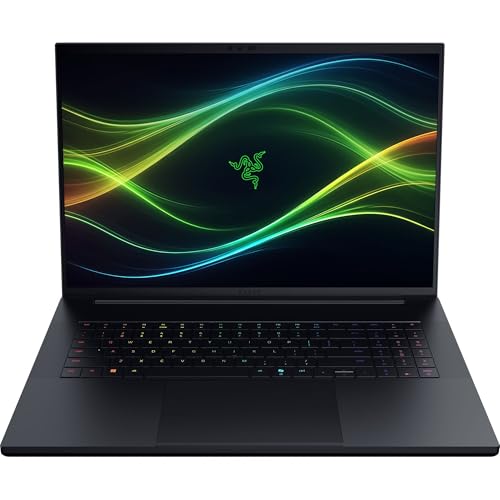
Razer’s specification page lists two M.2 slots with support for up to 8TB on Gen 4 or 4TB on Gen 5. Set against the other five — a 1TB Dell 14, a 2TB Dell 16, an 8TB MacBook Pro ceiling, a 4TB Aspire Vero and a 2TB Legion — that matches the highest ceiling on the list and is the only one reached across two drives instead of one.
The slot arrangement is unusual enough to plan around. Tom’s Hardware opened an RTX 5090 review unit and found the Gen 4 slot occupied by the factory drive and the Gen 5 slot empty, and criticized Razer for not shipping the faster drive in a laptop at this price. So the drive you add is the one that lands in the faster slot — an argument for putting the new drive to work as the boot volume and demoting the factory SSD to bulk storage, rather than the other way round.
Tom’s measured the keyboard at 109°F after fifteen runs of the Metro Exodus benchmark on that RTX 5090 unit. The configuration sold here uses an RTX 5080 in the same chassis, and Razer rates both GPUs at up to 175W, so the thermal picture is unlikely to be a great deal cooler — though no published test covers this exact build.
Pros
- Two M.2 slots, one of them PCIe Gen 5, with Razer listing up to 8TB of Gen 4 storage
- Factory drive occupies the Gen 4 slot, leaving the faster slot free
- 18-inch dual-mode panel: UHD+ at 240Hz or FHD+ at 440Hz
Cons
- Tom’s Hardware measured 109°F on the keyboard after sustained benchmarking
- Flagship pricing for the whole machine, not just the storage
- No published test of the RTX 5080 configuration sold here
Recommended Accessories
Two drives that pair with the picks above. The 2.5-inch HDD is the cheap bulk-storage option for a laptop that has a bay or an optical caddy, and works in a USB enclosure otherwise. The NVMe SSD fills a spare M.2 slot — check the length your machine takes first, since a 2280 drive will not go into the Legion 5a’s 2242 slots.


Last update on 2026-09-08 / Affiliate links / Images from Amazon Product Advertising API
Which Laptop Should You Buy for Hybrid Storage?
| Best For | Pick |
|---|---|
| Budget, Large Single-SSD | Dell 14 Laptop |
| Value for Capacity | Dell 16 Laptop |
| Premium Capacity | MacBook Pro 16″ M5 Max |
| Budget Storage Upgrade | Acer Aspire Vero |
| Value Expandable | Lenovo Legion 5a Gen 11 |
| Premium Expandable | Razer Blade 18 |
Hybrid Storage Laptop FAQ
Are hybrid hard drives good?
They were a stopgap for machines that could hold one drive, and the compromise shows in first use: the cache fills by observing you over days, so anything opened for the first time comes off the platters at platter speed. On a laptop with two slots the cache logic is redundant. On a laptop with one, a plain SSD costs more per gigabyte and behaves the same way every time.
Which is better, SSHD or HDD?
An SSHD is faster for repeated access to the same files, and identical to an HDD for everything else. The gap is smaller than the marketing suggested, and neither makes sense to hunt down new — SSHDs have largely left the market, and a used one carries the wear of a spinning disk plus a cache with a finite write life.
Which storage is better, SSD or HDD?
They fail differently, which matters as much as speed. An SSD has no moving parts, so it survives being knocked while running, but it wears out through writes and tends to fail without warning. A hard drive is vulnerable to physical shock and usually gives audible or SMART warning before it goes. For a drive that lives inside a laptop being carried around, the SSD’s shock resistance is the stronger argument; for archive storage that sits still, the HDD’s cost per gigabyte is.
Is a hybrid drive better than an SSD?
No. Only the cached portion of an SSHD runs at flash speed, and you do not choose what goes in it. The comparison to make is against a two-drive SSD+HDD arrangement, where you decide what lives on flash.
What is a hybrid storage laptop?
A laptop that physically holds two separate drives. The phrase also gets attached to SSHDs, which are a single drive with a NAND cache, and to laptops sold with one large SSD; neither leaves a slot open. Read it as a question about slots rather than about capacity.
Does any current laptop still ship with a factory SSD+HDD combo?
Not among these six. Factory pairings survive mainly in older stock and in some large gaming and workstation chassis, where the extra thickness leaves room for a 2.5-inch drive. Searching on the bay rather than on “hybrid” is what surfaces them.
Can I add my own HDD or SSD to a laptop after buying it?
Only where a slot is free, and two things decide whether the upgrade goes smoothly. One is the M.2 length the slot accepts, which the service manual states and the retail listing usually does not. The other is whether you are adding a drive or replacing one: replacing the boot drive means cloning it or reinstalling Windows first, which is the part people underestimate.
Is a 2TB SSD worth it?
The slot count decides it. Where there is one slot, a single 2TB SSD is the only route to 2TB internally, and the premium buys you out of a hardware limit. Where there are two, splitting the same money between a 1TB SSD and a larger second drive generally lands more total capacity — provided both drives fit what the slots take.
Are hybrid hard drives good for gaming?
A two-drive split suits game libraries well, because most of a library sits installed and untouched. Load times on a mechanical second drive will be longer than on the SSD, so keep whatever you are actively playing on flash and move titles across as your habits change. Moving a Steam library between drives is a built-in operation, not a reinstall.
What is 8GB SSHD?
An SSHD whose NAND cache is 8GB — roughly one large game’s worth of frequently read data, sitting in front of a much larger hard disk. The number describes the cache, not the drive’s capacity.
Does hard drive RPM matter?
For a second drive holding archives, less than the price per gigabyte does. A 7200RPM disk reads and writes faster than a 5400RPM one and runs warmer and louder for it; in a laptop being used as a bulk store, either is limited by the same interface and both are far behind flash.
Is SSD faster than 7200rpm?
By a wide margin, and the gap is widest where it is felt most — small random reads, which is what booting and launching applications consist of. Sequential transfer of one large file is where a hard drive comes closest.
Final Thoughts on Hybrid Storage Laptops
Check the slot before the capacity. Of the six machines here, two take a second internal drive: the Legion 5a Gen 11, whose two 2242 slots hold 2TB between them, and the Razer Blade 18, which reaches 8TB on its Gen 4 slot and leaves the Gen 5 slot free for the drive you add. The other four settle their storage at checkout — the Dell 16 at 2TB, the Aspire Vero at up to 4TB in one replaceable slot, the MacBook Pro at up to 8TB soldered in place. With flash priced where TrendForce says it is, make that choice deliberately rather than discover it two years in.


thanks for this amazing article on best laptops with hybrid storage
I already know about the SSD and HDD combination concept, but I didn’t familiar with the SSHD till yet. What about the SSD and SSHD combination, that would be great, isn’t it? I have a MacBook Air and an old MSI laptop. I carry my Macbook most of the time, while I am using MSI as a desktop at home, I have connected an external monitor, keyboard, and a mouse with it. After upgrading the memory of my MSI laptop, I think I should also change its hard drive since I am getting proper performance. I have a large music and photo collection, therefore I need big storage as well along with faster speed. Luckily my notebook has an optical drive, and I will try to put a new drive as per your method. Thank you for this valuable information because now I don’t need to purchase a new laptop.
Good question, CLIFFORD. An SSD paired with a separate SSHD (rather than a single hybrid drive) gives you the best of both in practice — a fast boot/app drive plus bulk storage — without the compromises a single hybrid drive makes. Worth a look at our updated hybrid storage guide for current picks that support that dual-drive setup.