Every laptop listing gives you a RAM number, and almost every buying guide turns that number into a tier list: 8GB for browsing, 16GB for work, 32GB for professionals. The tiers are not wrong exactly, but they answer a question nobody is really asking. What decides whether a machine feels fast in three years is not the tier it sits in — it is whether the number covers your own busiest moment.
The useful thing is that you can measure that instead of guessing at it, and the software you run has usually published a figure of its own. This guide covers what the vendors actually say, how to check your real usage in about two minutes, and the cases where buying more memory changes nothing at all.
What’s Inside
- 1 – How Much RAM Do You Actually Need in 2026?
- 2 – What Software Vendors Actually Publish
- 3 – Measure Your Own Peak Instead of Guessing
- 4 – Capacity Is Only Half the Decision
- 5 – How Unified Memory Works Differently on a Mac
- 6 – Speed, Channels and What They Actually Change
- 7 – When More RAM Will Not Fix Anything
- 8 – Laptop RAM FAQ
- 9 – Final Thoughts on Laptop Memory
How Much RAM Do You Actually Need in 2026?
Memory is consumed by what is open at the same time, not by how large any one file is. A 500-part CAD assembly with nothing else running can sit below a 50-part one open alongside a browser, a PDF viewer and a chat client. That single fact explains most of the confusion around this question.
As a starting point rather than a rule:
- 8GB — a browser, a document, and light apps. Workable on ChromeOS and for single-application use, and increasingly tight on Windows once a video call joins the mix.
- 16GB — the realistic floor for most professional work in 2026. Research tabs, a long document, a reference PDF and a call, all at once.
- 32GB — virtual machines, containers, large photo catalogs, multi-track audio with sample libraries, or a second emulator.
- 64GB and up — 3D simulation, large datasets held in memory, or several virtual machines running at once. Genuinely specialist, and wasted money for most buyers.
Those brackets describe simultaneous applications, not file sizes or project complexity. If your work is one demanding program at a time, you will sit lower than the bracket suggests. If it is six ordinary programs that never close, you will sit higher.
What Software Vendors Actually Publish
Most guides skip this entirely, which is odd, because the companies that make your software have already answered the question in writing. The figures below come from each vendor’s own current system requirements.
| Software | Published minimum | Published recommendation |
|---|---|---|
| Adobe Lightroom Classic | 8GB | 16GB or more |
| Adobe Illustrator | 8GB | 16GB |
| Aspen Plus V15 | 16GB | 16GB (32GB listed only for multi-user servers) |
| Mastercam | 8–12GB | 32–64GB where simulation is involved |
| Browzwear | — | 32GB |
| Optitex | 8GB (pattern and marker making) | 32GB (3D Suite) |
| CLO / Marvelous Designer | — | 64GB |
| Siemens TIA Portal | 8GB | — |
| EVE Online | 4GB | 16GB |
| Second Life | — | 16GB |
| Cricut Design Space | 4GB | — |
| Family Tree Maker 2024 | 2GB (Windows) / 4GB (Mac) | — |
Two patterns fall out of that table. The first is that published minimums are frequently far below what the software needs in practice — Cricut’s 4GB figure has not moved in years while Design Space itself has grown heavier with each release. The second is that vendors in the same industry disagree sharply. A machine bought with 16GB satisfies the minimum line for every application in the fashion-design row above and the recommended line for none of them.
Minimums describe the program alone. They do not account for the operating system, the browser tabs beside it, or a second application from the same suite. Treat a published minimum as the floor below which the software will not start, not as a target to buy against.
Sizing is also additive in a way that catches people out. minikube’s own start guide asks for 2GB of free memory — free being the operative word, on top of whatever the container runtime and the browser are already holding. That is how a machine bought as “16GB should be plenty” runs out mid-afternoon.
Measure Your Own Peak Instead of Guessing
If you already work on a laptop, the most reliable number available to you is your own. It takes about two minutes and beats any tier list.
- Open everything you normally have open at your busiest — not a clean desktop. The end of a month, the middle of a build, the day a deadline lands.
- On Windows, open Task Manager with Ctrl+Shift+Esc and look at the Performance tab, Memory. On a Mac, open Activity Monitor and select the Memory tab.
- Read the figure at that moment, then leave it running and check again after a few hours.
Sitting near the top of your installed memory at your busiest is a memory problem, and a faster processor on the next machine will not touch it. On a Mac, the number to watch is memory pressure rather than the raw figure — macOS deliberately fills unused memory with cache, so a high usage figure with green pressure is the system working correctly, not a shortage.
Some tools will tell you directly. Vivado and Quartus both write peak memory usage into their synthesis and implementation logs, so a single run of a representative project reports exactly what your own designs cost. Before assuming the worst, it is also worth checking whether an oversized allocation is the real culprit — an Android emulator holds whatever memory it was assigned whether it is busy or idle, and trimming that allocation is a cheaper fix than a new laptop.
Capacity Is Only Half the Decision
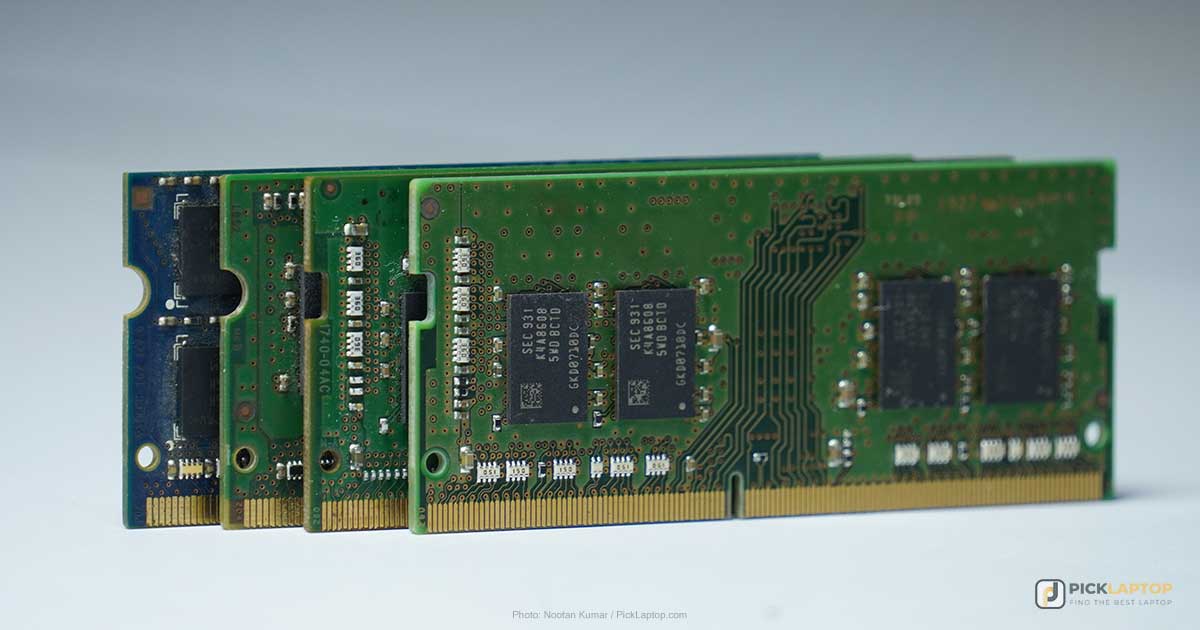
Once you have a number, the second question decides whether that number is permanent. Most current thin-and-light laptops have their memory soldered to the board, which means the amount you order at checkout is the amount the machine will have for its entire life. Some models still take user-installed SO-DIMMs, and a small but growing number use LPCAMM2 modules that unscrew.
That distinction changes the buying maths completely. On a machine with slots, 16GB now is a reasonable decision you can revisit later for the price of the memory. On a soldered machine it is the only decision you get, which is an argument for buying one tier above your measured peak rather than exactly at it. Our guide to whether laptop RAM can still be upgraded covers which machines take what, and how to check a specific model before ordering.
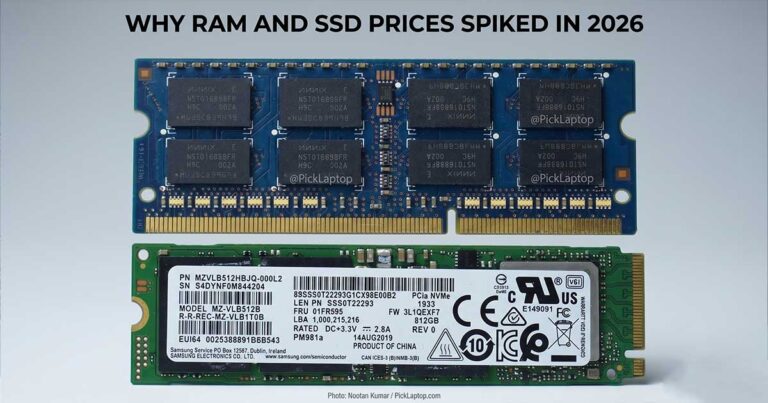
Memory pricing rose sharply through 2026, which sharpens the same argument in both directions: upgrading later costs more than it used to, and over-buying costs more than it used to. Our explainer on why RAM and SSD prices spiked has the background.
How Unified Memory Works Differently on a Mac
Apple silicon does not have separate system memory and graphics memory. One pool, packaged with the processor, serves both — which is why Apple’s specifications list a single unified memory figure rather than RAM and VRAM separately.
The practical consequences are worth understanding before comparing a Mac against a Windows laptop on the number alone. Large assets load into a shared pool the processor accesses directly instead of being copied back and forth, which genuinely helps memory-heavy creative work. Against that, anything the graphics side uses is subtracted from the same pool your applications are drawing on, so a heavy graphics workload and a heavy application workload compete in a way they would not on a machine with dedicated video memory.
Unified memory is part of the processor package, so it is fixed at purchase on every Apple silicon Mac without exception. There is no later upgrade at any price.
Speed, Channels and What They Actually Change
Listings advertise memory speed in megatransfers per second — DDR5-5600, LPDDR5X-7500 and so on. For the overwhelming majority of buyers this is the least important number on the spec sheet. Running out of capacity forces the system to page data to storage, which costs milliseconds. A slower memory clock costs nanoseconds. The two are not remotely comparable, and capacity wins every time there is a choice between them.
Channel configuration deserves more attention than speed does. Memory installed across two channels gives the processor twice the path width of a single module, and the effect is most visible on laptops using integrated graphics, which borrow system memory and are bandwidth-sensitive as a result. A machine sold with a single 16GB module can be measurably slower in graphics-adjacent work than the same machine with two 8GB modules, despite identical capacity on the listing.
Where LPCAMM2 is interesting is that it removes this trade-off. iFixit describes a single LPCAMM2 module as delivering 128-bit dual-channel performance while remaining removable — historically you chose between soldered LPDDR’s efficiency and a socket’s upgradeability. Lenovo’s ThinkPad P16s i Gen 5 ships with 32GB of LPCAMM2 and accepts up to 96GB.
When More RAM Will Not Fix Anything
Memory is the default explanation for a slow laptop and often the wrong one. The diagnostic is the same two-minute check described above, read differently.
If memory sits near the ceiling while processor utilization stays low, you ran out of RAM and more of it is the fix. If one processor core pins at 100% while the rest idle, that is a single-threaded bottleneck — per-core speed addresses it and additional memory does nothing. If the disk sits at 100% while both processor and memory look comfortable, storage is the constraint, and moving from a mechanical drive to an SSD will transform the machine in a way no memory upgrade could.
Two more cases are worth naming because they come up constantly. Adding memory does not make a single-threaded calculation solve faster — it buys room to run other things beside it. And a faster SSD does not compensate for insufficient RAM; paging to storage is what happens when memory has already run out, and no drive is fast enough to make that trade a good one.
Laptop RAM FAQ
Is 8GB of RAM still enough in 2026?
For ChromeOS, a browser and light single-application use, yes. On Windows it is tight the moment a video call, a browser with a normal number of tabs and a document are open together. The bigger issue is that 8GB machines are usually the ones with soldered memory, so 8GB tends to be permanent rather than a starting point.
Should I buy 16GB now and upgrade later, or 32GB up front?
That depends on the laptop, not the budget. On a model with SO-DIMM slots or LPCAMM2, 16GB now is a real option and the upgrade later costs you the price of the memory. On a soldered machine — which includes every Apple silicon Mac and most thin Windows laptops — whatever you order is what you keep, so the decision at checkout is the only one you get.
Does faster RAM make a laptop faster?
Marginally, and far less than capacity does. Running out of memory forces paging to storage, which is orders of magnitude slower than any difference between memory speed grades. Buy the capacity you need first; treat speed as a tiebreaker between otherwise identical machines.
Is 16GB of unified memory on a Mac the same as 16GB on a Windows laptop?
Not quite, in both directions. Unified memory avoids copying data between system and graphics memory, which helps memory-heavy creative work. But the graphics side draws from the same pool, so heavy graphics work reduces what is left for your applications — where a Windows laptop with a discrete GPU would use separate video memory for that.
Why does my laptop use most of its RAM when I have barely anything open?
Both Windows and macOS deliberately use spare memory for caching, on the reasoning that unused memory is wasted memory. High usage on an otherwise idle machine is normal. What matters is behavior under load: on a Mac, watch memory pressure rather than the usage figure; on Windows, watch whether the machine slows and the disk climbs when you open your real workload.
Will more RAM speed up a slow laptop?
Only if memory is what ran out. Check Task Manager or Activity Monitor while the machine feels slow. Memory near its ceiling with low processor use points to RAM. One core at 100% points to single-threaded performance. Disk at 100% with a mechanical hard drive points to storage, and that is usually the cheapest and most dramatic fix of the three.
Do two smaller memory modules beat one larger one?
Usually, if the total is the same and the laptop has two slots. Two modules run in dual channel and give the processor twice the path width, which matters most on laptops with integrated graphics because those borrow system memory. One caveat: filling both slots leaves no free slot for a later upgrade, so on a machine you intend to expand, a single larger module can be the more flexible choice.
How much RAM do I need for virtual machines?
Budget for the host plus each guest, not just the guest count. 16GB covers one lightweight virtual machine; 32GB is the sensible floor for two running together. A nested hypervisor takes its allocation off the top before anything inside it gets memory, and dynamic-memory settings let you assign more than the machine physically has — which holds up until several guests get busy at once and the host starts reclaiming it. Size for the busiest moment, not the average.
Final Thoughts on Laptop Memory
Check your own peak usage, compare it against what your software’s maker publishes, then find out whether the machine you are considering will let you change your mind later. Those three steps answer the question better than any capacity tier can, because they are grounded in what you actually run rather than what category you fall into.
And when the machine feels slow, measure before you buy. Memory gets blamed for a great deal of work that a storage upgrade or a faster single core would have fixed for less.