Razer laptops cost more than machines with the same processor and graphics chip from Lenovo, Asus or MSI, and the gap is not small. A 2026 Razer Blade 16 starts at $3,499.99 with an RTX 5070 Ti, which is roughly what a comparably specced rival costs with a better GPU in it.
Some of that premium buys real engineering that costs real money to produce. Some of it buys brand and thinness. This article separates the two, so you can decide which half you are actually paying for.
What’s Inside
- 1 – How Razer Became a Premium Laptop Brand
- 2 – The Unibody Chassis Is Genuinely Expensive to Make
- 3 – Thermal Engineering in a Thin Chassis
- 4 – Display and Component Choices You Pay For
- 5 – Low Volume, R&D and Brand Positioning
- 6 – Warranty and Support: What Is Actually Included
- 7 – Where the Razer Premium Is Not Justified
- 8 – Who a Razer Laptop Actually Makes Sense For
- 9 – Razer Laptop Pricing Questions Answered
- 10 – Final Thoughts on Razer Laptop Prices
How Razer Became a Premium Laptop Brand
Razer started in 1998 as a San Diego subsidiary of Kärna LLC, built around a single high-end gaming mouse called the Boomslang. That company folded, and the brand was relaunched in 2005 by Min-Liang Tan and Robert Krakoff after investment from Li Ka-shing and Temasek Holdings.
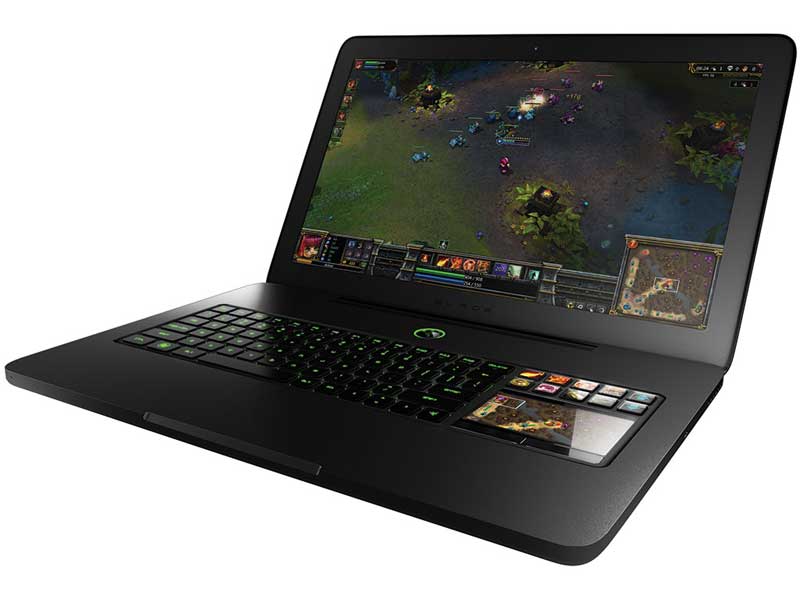
The first Razer Blade arrived in 2012, marketed by Razer as the world’s first true gaming laptop. It paired an aluminum chassis with the Switchblade UI, a secondary LCD trackpad flanked by ten dynamic keys, and it launched at $2,799 when most gaming laptops were plastic slabs at half the price.
That positioning never changed. Razer has since bought Ouya’s software assets, THX and Nextbit, and it delisted from the Hong Kong Stock Exchange in May 2022 to go private. The laptops remain the halo product for a company whose volume comes from peripherals.
The Unibody Chassis Is Genuinely Expensive to Make
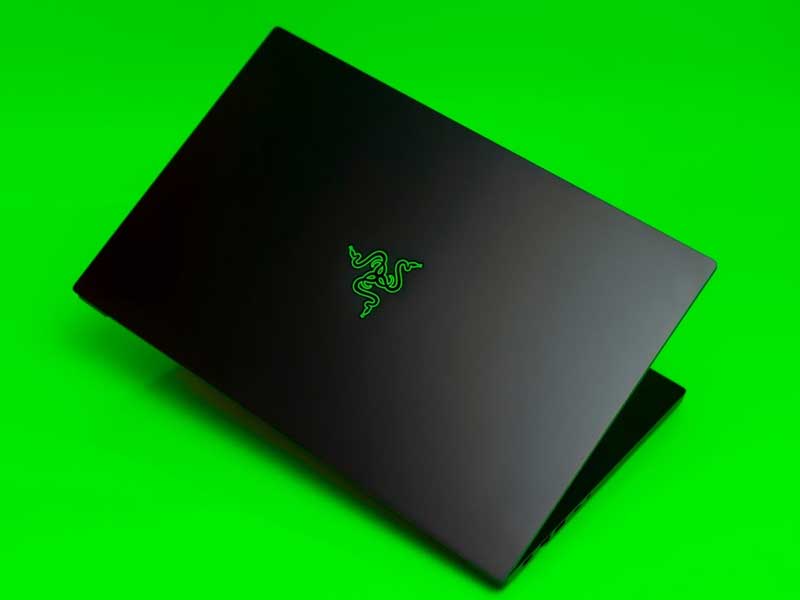
Most gaming laptops use an injection-molded plastic base with a metal lid, or stamped aluminum panels screwed onto an internal frame. Razer machines the Blade 16 chassis from a single block of T6-grade aluminum, then sand-blasts and anodizes it.
CNC milling a unibody is slow and wasteful compared with molding. You start with a solid billet, cut most of it away as swarf, and each part occupies a machine for a long time. That is a per-unit cost that never falls the way tooling costs do once a mold is paid for.
The payoff is stiffness. A one-piece aluminum shell resists flex without needing internal ribs and brackets, which is what lets Razer keep the machine thin without the keyboard deck bending under a firm press. Reviewers consistently rate the build near the top of the category, with PC Gamer calling the 2026 Blade 16 “a truly gorgeous machine” whose keyboard and trackpad beat its rivals.
Thermal Engineering in a Thin Chassis
Cooling a 100W-plus GPU inside a chassis this thin is the hardest part of the design, and it is where a lot of the money goes. The Blade 16 uses a vapor chamber with ultrathin fins and dual fans rather than the copper heat pipes found in thicker, cheaper machines.
A vapor chamber spreads heat across a wider area than a pipe of the same mass, which matters when there is no room for a taller fin stack. It is also a more complex sealed assembly with a higher scrap rate in manufacturing.
It works, within limits. PC Gamer recorded an average CPU temperature of 82°C under load on the 2026 model, with the GPU averaging 62°C. Tom’s Hardware measured the underside of the chassis peaking at 130°F during stress testing, which is normal for the class but a reminder that thinness has a thermal price.
Thin is a design constraint, not a free upgrade. A thicker chassis with the same silicon can usually run a higher sustained power limit for less money. If you never move the machine, the premium for thinness buys you nothing — and heat management becomes your problem instead, which is a common cause of gaming laptops throttling after a year or two.
Display and Component Choices You Pay For
Razer fits panels near the top of what is available rather than the cheapest option that hits the advertised refresh rate. The 2026 Blade 16 ships a 16-inch QHD+ OLED at 240Hz with VESA DisplayHDR TrueBlack 1000 certification, and Tom’s Hardware describes it as one of the machine’s genuine strengths.
The port and radio selection follows the same pattern: Thunderbolt 5 at 120 Gbps, Wi-Fi 7, Bluetooth 6.0, HDMI 2.1 and a UHS-II card reader. None of those are exotic in isolation, but specifying the current generation of each across one machine adds up.
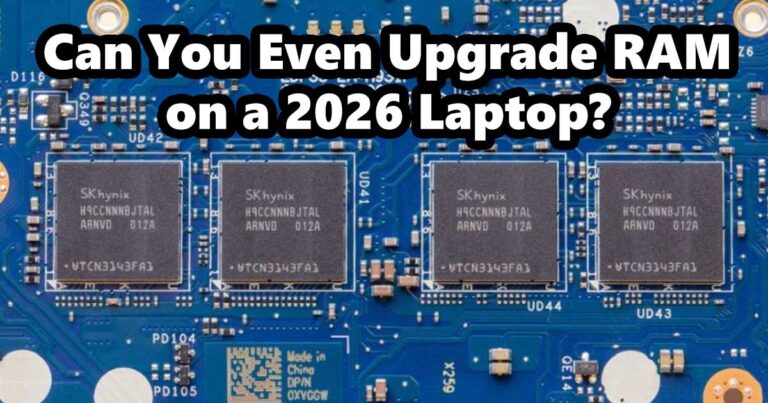
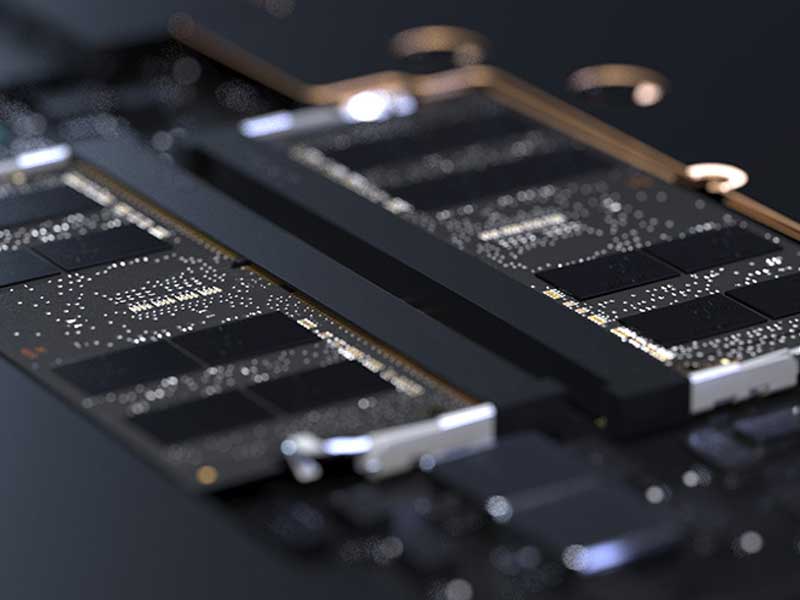
Memory is where the choice cuts against you. The 2026 Blade 16 uses up to 64GB of LPDDR5X-9600 soldered to the board, which is faster and more power-efficient than SO-DIMMs but permanently fixed. Whatever you buy is what you keep, so configure it correctly on day one — soldered memory is now the norm in thin machines, not a Razer quirk. Storage is the exception: Tom’s Hardware found two M.2 2280 slots with one left empty.
Low Volume, R&D and Brand Positioning
Razer designs a small number of laptop models and sells them in far smaller numbers than Lenovo, HP or Dell sell theirs. Engineering cost, certification, tooling and firmware work are spread across fewer units, so each unit carries more of it.
Razer also does not compete on price by design. It sells direct at fixed prices far more than it discounts through retail channels, which keeps margins intact but means you rarely see a Blade at the kind of markdown a mainstream gaming line gets mid-cycle.
Part of the price is simply the logo. That is not a criticism unique to Razer — Apple charges the same way — but it should be named rather than dressed up as engineering.
Warranty and Support: What Is Actually Included

The standard cover is more modest than Razer’s reputation suggests. Razer laptops from 2022 onward carry one year of limited warranty plus a two-year limited battery warranty.
Accidental damage is not included as standard. Razer’s limited warranty excludes claims arising from external causes including accidents, liquid contact and fire. Drop or spill cover comes only from a paid RazerCare plan bought with the laptop or within 11 months of purchase.
Razer’s direct support is well regarded and the parts pipeline for current models is reliable, which has real value on a machine this expensive. Price the protection plan into the total rather than assuming the base price already covers it.
Where the Razer Premium Is Not Justified
Frames per dollar is the clearest weakness. Reviewing the 2026 Blade 16 at $4,899.99, PC Gamer questioned “spending nearly five grand on an RTX 5090 gaming laptop that can be soundly beaten in the performance stakes by the often-cheaper, RTX 5080-toting Lenovo Legion Pro 7i”, concluding that the price-to-performance delta is now skewed.
CPU-heavy work is another gap. Tom’s Hardware found multi-threaded performance lagging rivals, with video transcoding taking noticeably longer than on systems with higher-core processors, and flagged the absence of a haptic trackpad at that price. Its own suggestion was to drop to an RTX 5080 configuration and save roughly $900.
- You want the most gaming performance for the money — a thicker rival wins, consistently.
- The machine will live on a desk. Portability is most of what the premium buys.
- You expect to upgrade memory later. Soldered LPDDR5X removes that option.
- You want long-term self-repair. A machined unibody with soldered parts is harder to service than a screwed-together plastic chassis.
Who a Razer Laptop Actually Makes Sense For
The Blade fits people who carry a laptop daily and want it to game as well. It looks unremarkable in a meeting, the display is genuinely good for creative work, and the 2026 model claims up to 13 hours of productivity use, a figure Razer measures under its own defined conditions rather than an independently verified result.
If gaming is the only job and the machine stays plugged in at home, the same money spent elsewhere buys more silicon. Both answers are defensible; they are just answers to different questions.
Razer Laptop Pricing Questions Answered
Are Razer laptops overpriced?
For raw gaming performance per dollar, yes — a cheaper, thicker rival will usually beat a Blade with the same or better GPU, and PC Gamer said as much when reviewing the 2026 Blade 16 against the Lenovo Legion Pro 7i. For build quality, portability and display quality in one machine, the premium is defensible. Decide which of those you are buying.
Why are Razer laptops more expensive than other gaming laptops?
Chiefly the CNC-machined aluminum unibody, the vapor chamber cooling needed to fit high-power parts into a thin shell, high-specification OLED panels and current-generation I/O, and low production volume spreading engineering costs across fewer units. Brand positioning accounts for part of it too.
How long is the Razer laptop warranty?
Razer laptops from 2022 onward come with a one-year limited warranty plus a two-year limited battery warranty. Accidental damage is excluded and requires a paid RazerCare plan, which must be bought with the laptop or within 11 months of purchase.
Can you upgrade RAM in a Razer Blade?
Not on the current Blade 16. Razer specifies LPDDR5X memory soldered to the mainboard, so the configuration you buy is permanent. Storage is different — Tom’s Hardware found two M.2 2280 slots with one free for expansion.
Do Razer laptops hold their value?
Premium build and strong brand recognition help, but gaming laptops depreciate quickly because GPU generations turn over fast and buyers of used machines are price-sensitive. Expect a large drop in the first two years regardless of what you paid.
Is a Razer laptop worth it for everyday work rather than gaming?
It is a capable work machine, and the OLED panel and quiet chassis help. You are paying a gaming-tier price for a discrete GPU you may rarely use, though, so a premium ultrabook usually makes more sense for pure productivity.
Do Razer laptops overheat?
They run warm rather than uncontrolled. PC Gamer logged an average CPU temperature of 82°C on the 2026 Blade 16 with the GPU at 62°C, while Tom’s Hardware measured the chassis underside peaking at 130°F under stress. That is typical for thin, high-power laptops.
Final Thoughts on Razer Laptop Prices
Razer charges for manufacturing methods and thermal engineering that genuinely cost more, and for a brand and a thinness target that do not improve your frame rate. If you weigh portability and build quality heavily, the Blade earns its price; if you weigh performance per dollar, it does not, and the reviews say so plainly.