
The seven laptops in this guide all use LCD panels, and their published brightness figures run from 250 nits to 1,000. Every one of them is sold as an IPS display. That spread is most of the answer to whether IPS beats OLED: the label describes how a panel behaves off-axis, not how bright or how accurate it is.
Where IPS does hold an advantage over OLED is full-screen brightness, and the reason is a power limit rather than anything about the liquid crystals themselves. Here’s what to read on a spec sheet, then seven current picks with their panel numbers named wherever a manufacturer or a lab has published one.
Editor’s Pick

Last update on 2026-09-24 / Affiliate links / Images from Amazon Product Advertising API
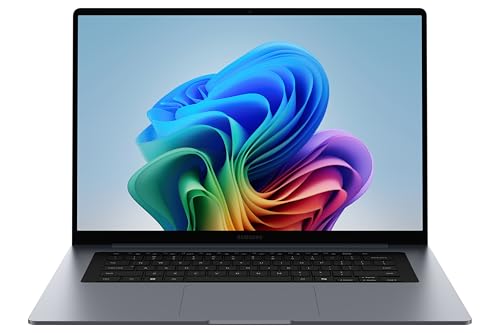
Samsung publishes a 350-nit figure for this 16-inch IPS panel instead of leaving it blank, and keeps gigabit Ethernet and two USB-A ports alongside it.
- Intel Core Ultra 7 355
- 16GB LPDDR5X, 1TB SSD
- 16-inch WUXGA IPS, 350 nits
- 61.2Wh, rated up to 24 hours of video playback
What’s Inside
- 1 – IPS Display Laptop Buyer's Guide
- 2 – IPS Display Laptop Comparison Table
- 3 – Best Laptops with IPS Display in 2026 — Reviews
- 3.1 – 1. HP OmniBook 5 Flip (Cheapest IPS)
- 3.2 – 2. Samsung Galaxy Book6 16-inch (Best Overall)
- 3.3 – 3. Dell Inspiron 14 (Best Value with Touch)
- 3.4 – 4. Gigabyte Aero X16 (Best Creator IPS)
- 3.5 – 5. Acer Nitro V 16S AI (Best Gaming IPS)
- 3.6 – 6. Apple MacBook Pro 14-inch M5 Pro (Brightest Overall)
- 3.7 – 7. LG gram 15 (Most Portable IPS)
- 4 – Recommended Accessories
- 5 – Which IPS Display Laptop Should You Buy?
- 6 – IPS Display Laptop FAQ
- 7 – Final Thoughts on IPS Display Laptops
IPS Display Laptop Buyer’s Guide
IPS Describes Viewing Angles, Not Brightness
IPS is a liquid-crystal alignment scheme. It sets how far off-axis you can sit before colors shift and contrast collapses, which is why almost every laptop sold for reading, drawing or sharing a screen with someone uses it. Brightness comes from the backlight behind that layer. Gamut comes from the backlight’s spectrum and the color filters. Neither is settled by the panel type.
The picks below make the point on their own. The Dell Inspiron 14’s panel is rated 250 nits. The HP OmniBook and the Acer Nitro V both land near 300. Samsung and LG publish 350. Gigabyte rates the Aero X16 at 400 nits typical and Tom’s Hardware measured 369 on it. All seven are IPS. The nit figure and the gamut figure are what separate them, not the three letters on the spec sheet.
Full-Screen Brightness: IPS vs OLED
An OLED pixel makes its own light, so the panel’s power budget is shared across whatever is lit at that moment. Fill the screen with white and the power available per pixel has to come down — the behavior display engineers call an automatic brightness limiter. TFTCentral put numbers on the size of that drop: an LG 42C2 that peaks at 717 nits on a 1–10% window falls to 152 nits at full-screen white, and a Dell Alienware AW3423DW that reaches 950–1,000 nits on a tiny window settles at 258. An LCD backlight isn’t content-dependent in that way, so its rated figure is already a full-screen figure.
A headline OLED number and an IPS number are therefore not the same measurement. Samsung’s own 2026 line shows it: the Galaxy Book6 Pro’s AMOLED panel is rated up to 1,000 nits for HDR content, while the standard Galaxy Book6 16-inch below is rated 350 nits for everything. For a bright office or a desk beside a window, the full-screen number is the one that decides whether you can read the screen.
Where Mini-LED Fits
Mini-LED names a backlight, not a panel type. A mini-LED display is still an LCD — thousands of small LEDs behind the liquid-crystal layer, grouped into zones that dim independently. TechSpot describes Apple’s Liquid Retina XDR as an LCD panel that is IPS-like in design, lit by a mini-LED array.
That is how the MacBook Pro further down holds 1,000 nits across the whole screen where a conventional edge-lit backlight can’t, and the zoned dimming also recovers much of the contrast an ordinary LCD gives away to OLED. The trade-off is cost: one pick in this guide is built this way.
Color Coverage and Resolution
100% sRGB is the figure to look for if color matters to your work. DCI-P3 is a wider gamut used for film and video, and it is a separate number rather than a stricter version of the same one: the Aero X16 below carries a 100% sRGB rating from Gigabyte and a 78.5% DCI-P3 measurement from Tom’s Hardware. Both are true of the same panel.
Coverage is not accuracy either. A panel can cover a gamut and still reproduce individual colors off-target, which is what a Delta E figure reports and what calibration corrects. Manufacturer gamut numbers are also usually marked “typical” rather than measured per unit.
On resolution, 1920×1200 is the practical floor at 14 to 16 inches. 2560×1600 gives more room for tool panels and reference windows without scaling text down to nothing, and among these picks only the Gigabyte uses it.
IPS Display Laptop Comparison Table


Last update on 2026-09-24 / Affiliate links / Images from Amazon Product Advertising API
Best Laptops with IPS Display in 2026 — Reviews
Seven picks from the entry tier to the premium end, including the one mini-LED machine that reaches brightness the others can’t.
1. HP OmniBook 5 Flip (Cheapest IPS)
Cheapest IPS

Last update on 2026-09-24 / Affiliate links / Images from Amazon Product Advertising API
- ProcessorIntel Core 5 120U (10-core)
- GPUIntel Graphics (integrated)
- RAM8GB LPDDR5, onboard
- Storage512GB SSD
- Display14-inch 1920×1200 IPS touch, 300 nits
- Battery68Wh
The cheapest pick here, and the panel took the cut. HP’s own product sheet lists 300 nits and 62.5% sRGB — usable for browsing, coursework and video, and well short of what judging a final color needs. If that is the job, look at the Gigabyte or the Acer instead.
HP rates the 68Wh battery at up to 21 hours 30 minutes of video playback and up to 15 hours on MobileMark 25 — two different tests, and neither one is a mixed-use figure. a review of the Core 3 100U version of the same 14-inch Flip chassis puts mixed everyday use in the 6-to-8-hour range, and describes a hinge that stays put through tent mode and shows no wobble at shallow angles.
The 8GB of LPDDR5 is soldered to the board. A 16GB configuration exists, but it is a different SKU rather than an upgrade you can make afterwards, so decide before you order.
Pros
- Cheapest pick in this guide
- 360° convertible with a hinge that holds its angle
- 68Wh battery, rated up to 21.5 hours of video playback
Cons
- 62.5% sRGB and 300 nits — not a panel for color work
- 8GB is soldered; 16GB means buying a different configuration
2. Samsung Galaxy Book6 16-inch (Best Overall)
Best Overall
Last update on 2026-09-24 / Affiliate links / Images from Amazon Product Advertising API
- ProcessorIntel Core Ultra 7 355
- GPUIntel Graphics (integrated)
- RAM16GB LPDDR5X, onboard
- Storage1TB NVMe SSD
- Display16-inch WUXGA IPS, 350 nits
- Battery61.2Wh
Most laptop listings say “IPS” and stop. Samsung publishes 350 nits and 1920×1200 for this 16-inch panel, which is the middle of this list and enough for a normally lit room. That the number is on the datasheet at all is half of why it takes the top slot.
The port selection is the other half, and it is unusual for a thin 16-inch machine. TechRadar’s 16-inch Galaxy Book6 Enterprise Edition, the same Core Ultra 7 355 configuration, counts two USB-A ports and a full RJ-45 LAN jack, with no USB4 or Thunderbolt 4, a generously sized mechanical trackpad, and 18 hours 4 minutes on PCMark’s battery test. Samsung’s own rating is up to 24 hours of video playback; the PCMark result is the measured one and the more useful of the two.
At 1.74kg it is heavier than most 16-inch ultraportables, and whatever memory you order is what you keep.
Pros
- Panel brightness published rather than left blank — 350 nits
- Two USB-A ports and gigabit Ethernet on a thin 16-inch chassis
- 18 hours 4 minutes measured on PCMark’s battery test
Cons
- No USB4 or Thunderbolt 4
- 1.74kg, and 16GB of memory fixed at purchase
3. Dell Inspiron 14 (Best Value with Touch)
Best Value with Touch
Last update on 2026-09-24 / Affiliate links / Images from Amazon Product Advertising API
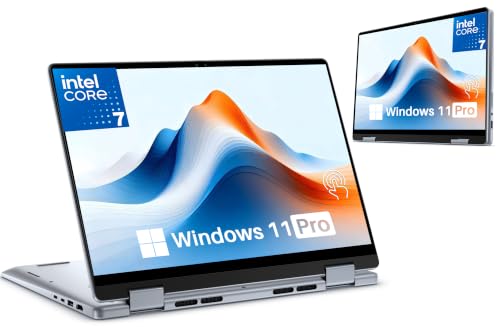
- ProcessorIntel Core 7 150U
- GPUIntel Graphics (integrated)
- RAM16GB DDR5-5200
- Storage1TB PCIe NVMe SSD
- Display14-inch 1920×1200 IPS touch, 250 nits
- Battery64Wh
16GB of DDR5 and a 1TB drive at this tier, with a 360° hinge and touchscreen on top. Notebookcheck lists the panel at 1920×1200 and 250 nits peak — the dimmest screen in this guide, and enough on its own to rule the machine out for a desk near a window.
No independent lab has published a test of this exact configuration, so the panel figure above is a specification rather than a measurement. Reviews that come up under this model name mostly cover the 2023 AMD version, which is a different machine.
Pros
- 16GB DDR5 and a 1TB SSD at the value tier
- 360° convertible with touch and pen input
Cons
- 250 nits — the dimmest panel on this list
- No independent lab testing published for this configuration
4. Gigabyte Aero X16 (Best Creator IPS)
Best Creator IPS

Last update on 2026-09-24 / Affiliate links / Images from Amazon Product Advertising API
- ProcessorAMD Ryzen AI 9 HX 370 (12-core)
- GPUNVIDIA GeForce RTX 5070 (8GB GDDR7)
- RAM32GB DDR5
- Storage1TB SSD
- Display16-inch 2560×1600 IPS, 165Hz
- Battery76Wh
The highest-resolution panel in this guide, and the only one above 1920×1200. Gigabyte rates the 2560×1600 panel at 100% sRGB and 400 nits typical, and it is Pantone validated. Tom’s Hardware measured 369 nits and 78.5% DCI-P3 on it, so sRGB work is covered and P3-referenced grading is not.
The chassis is 16.75mm at the front and 19.99mm at the back, at roughly 1.9kg — thin for a machine carrying an RTX 5070, and it looks like a work laptop rather than a gaming one. Tom’s Hardware also recorded 9 hours 13 minutes of battery, the longest of the discrete-GPU picks here.
The compromises are around the edges rather than in the panel. That same review flags a barrel-style power connector and a legacy USB 2.0 port, no Wi-Fi 7, and weak audio, and concludes that cheaper gaming laptops beat it on frame rates. Buy it for the screen and the chassis, not the benchmark scores.
Pros
- 2560×1600 at 165Hz, rated 100% sRGB and Pantone validated
- 9 hours 13 minutes measured battery for a discrete-GPU laptop
- Under 20mm thick with an RTX 5070 inside
Cons
- 78.5% DCI-P3 measured — sRGB work only
- Legacy USB 2.0 port, barrel power connector, no Wi-Fi 7
5. Acer Nitro V 16S AI (Best Gaming IPS)
Best Gaming IPS
Last update on 2026-09-24 / Affiliate links / Images from Amazon Product Advertising API
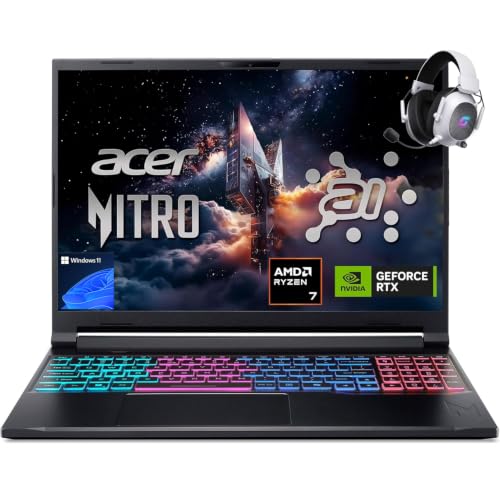
- ProcessorAMD Ryzen 7 260
- GPUNVIDIA GeForce RTX 5060 (8GB, 85W)
- RAM32GB DDR5
- Storage1TB PCIe Gen 4 SSD
- Display16-inch 1920×1200 IPS matte, 180Hz
- Battery76Wh
Gaming panels are usually glossy. This one is matte, and testing of this configuration put it at roughly 300 nits and 98.5% sRGB at 180Hz. 300 nits is not a lot, and diffusing reflections counts for more at that level than it would at 400 — under a ceiling light or beside a window, the coating does more work than the backlight.
The same testing recorded 7.5 hours of web browsing and 9 hours of video playback against Acer’s more conservative rating, with gaming at around 110 minutes. Acer caps the RTX 5060 at 85W, which costs frame rates against higher-wattage 5060 laptops and returns thermals and runtime in exchange.
32GB of DDR5 as standard is unusual at this tier and takes the memory question off the table for a few years.
Pros
- Matte anti-glare coating, 98.5% sRGB measured
- 7.5 hours web and 9 hours video measured — long for a gaming 16-inch
- 32GB DDR5 standard
Cons
- Around 300 nits, and 1920×1200 at 16 inches
- 85W GPU cap costs frame rates against rival RTX 5060 laptops
6. Apple MacBook Pro 14-inch M5 Pro (Brightest Overall)
Brightest Overall

Last update on 2026-09-24 / Affiliate links / Images from Amazon Product Advertising API
- ProcessorApple M5 Pro (15-core CPU)
- GPUApple M5 Pro (integrated)
- RAM24GB unified
- Storage1TB SSD
- Display14.2-inch 3024×1964 Liquid Retina XDR, 120Hz
- OSmacOS
This is the only pick whose maker publishes a sustained full-screen figure at all. Apple specifies 1,000 nits sustained full-screen, 1,600 nits peak for HDR content, 1,000 nits SDR outdoors, and a 1,000,000:1 contrast ratio. The first of those numbers is the one that matters outdoors or under a skylight, and it is two and a half times the brightest of the other six and four times the dimmest.
The zoned mini-LED backlight is what pays for it, and it is also what gives this LCD blacks close to OLED’s without OLED’s full-screen dimming. 24GB of unified memory and a 15-core M5 Pro are the entry configuration; storage and memory are fixed at purchase.
It is the most expensive machine in this guide, and outside sunlit work or HDR grading, the Gigabyte’s 2560×1600 panel covers sRGB for a fraction of it.
Pros
- 1,000 nits sustained full-screen, 1,600 peak HDR
- Zoned mini-LED backlight, 1,000,000:1 contrast
- 3024×1964 at 120Hz ProMotion
Cons
- Most expensive pick here
- Memory and storage fixed at purchase
7. LG gram 15 (Most Portable IPS)
Most Portable IPS
Last update on 2026-09-24 / Affiliate links / Images from Amazon Product Advertising API
- ProcessorAMD Ryzen AI 7 450
- GPUAMD Radeon (integrated)
- RAM16GB
- Storage512GB SSD
- Display15.6-inch Full HD IPS touchscreen
- Weight2.8 lbs, 0.7 inches thick
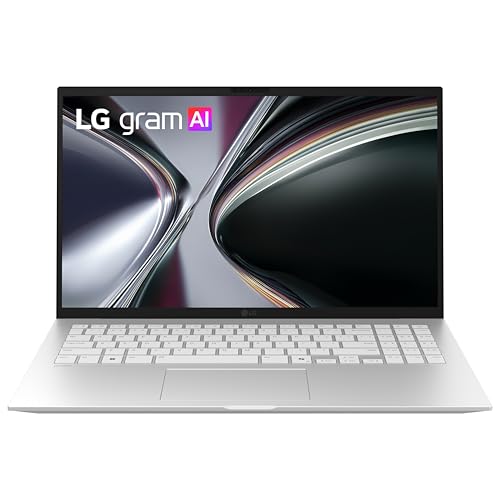
A 15.6-inch touchscreen at 2.8 lbs is the whole argument. LG puts it at 0.7 inches thick, passed through seven separate MIL-STD-810H tests, and rated up to 28 hours of video playback — the highest rated figure on this list, though the Samsung’s 24 hours and the HP’s 21.5 are the same kind of number, and none of the three is a measured result.
What LG does not publish for this configuration is a brightness or gamut figure, which on a guide about panels is the gap to name. LG’s spec pages for the AMD gram 15 line quote 350 nits and 99% sRGB with an anti-glare finish, but that is the previous chip generation rather than this one. Treat the panel as unspecified until a review measures it.
The other thing that has changed is where the gram sits: LG’s 2026 pricing announcement puts the whole line in premium territory, so this is no longer the lightweight budget option older guides describe. Full HD across 15.6 inches is also the lowest pixel density here.
Pros
- 2.8 lbs and 0.7 inches for a 15.6-inch touchscreen
- Passed seven MIL-STD-810H tests
- Rated up to 28 hours of video playback
Cons
- No published brightness or gamut figure for this configuration
- Full HD at 15.6 inches — lowest pixel density in this guide
Recommended Accessories


Last update on 2026-09-24 / Affiliate links / Images from Amazon Product Advertising API
Which IPS Display Laptop Should You Buy?
| Best For | Pick |
|---|---|
| Cheapest | HP OmniBook 5 Flip |
| Best Overall | Samsung Galaxy Book6 16-inch |
| Best Value with Touch | Dell Inspiron 14 |
| Best Creator IPS | Gigabyte Aero X16 |
| Best Gaming IPS | Acer Nitro V 16S AI |
| Brightest Overall | Apple MacBook Pro 14-inch M5 Pro |
| Most Portable | LG gram 15 |
IPS Display Laptop FAQ
Is IPS or OLED better for brightness?
Compare like for like before deciding. An OLED laptop advertised at 1,000 nits is quoting an HDR peak measured on a small bright window, and that figure only applies when Windows HDR is switched on and the content is HDR. Spend the day in SDR — documents, code, a browser — and what you get is the panel’s full-screen number, which is far lower. An LCD’s rated brightness is already a full-screen number, so it is the figure you can compare directly against a room.
Which laptop display technology gets brightest?
Mini-LED, but read it as a backlight rather than a panel type — the liquid-crystal layer in front of it is still an LCD, usually IPS. On a spec sheet, look for the words “sustained” or “full-screen” next to a nit figure. A number given as “peak” or “HDR” tells you almost nothing about how a screen reads in a bright room.
Is IPS good for gaming?
Yes, and refresh rate is rarely the constraint any more — the gaming pick in this guide runs 180Hz. The specification to check instead is response time and how the panel’s overdrive is tuned, since an aggressive setting trades smearing for overshoot artifacts. Panel-level ghosting differences between IPS models are larger than the difference between 165Hz and 180Hz.
What sRGB percentage should I look for?
100% sRGB is the number to hold out for, and the practical follow-up is what the panel does once you have it. Windows and macOS both hand color management to the display profile, so an sRGB-covering panel left on a factory profile can still drift; a hardware calibrator resets it, and a colorimeter costs less than the price gap between two panel tiers. If your work is print rather than screen, coverage matters less than a stable white point over a long session.
Do IPS displays suffer from burn-in like OLED?
No — an LCD has no organic emitter to age unevenly, so permanent burn-in is not a failure mode. IPS can show temporary image retention that clears on its own, and it has its own artifacts instead: backlight bleed at the panel edges and IPS glow, a corner wash visible on dark content viewed off-axis. Neither degrades over time the way OLED wear does.
Final Thoughts on IPS Display Laptops
IPS settles how a screen behaves when you move your head, and nothing else. Everything that decides whether a laptop is pleasant to look at for eight hours — brightness, gamut, finish, resolution — sits in numbers the panel type does not predict, and the picks above span 250 nits to 1,000 while all wearing the same label.
So read the nit figure, check whether it is a full-screen or a peak number, and check the gamut separately. If color accuracy matters more to you than brightness, our guide to laptops for Adobe Lightroom goes further into calibration and gamut; if you spend your day reading text, scaling and finish are handled in the display section of our software development laptop guide.


Greeting from Finland, hey, thanks for this write up. I am into travel photography. I was wondering about purchasing a laptop so that I can edit my work on the spot for posting online. I got to know that I should choose an IPS laptop for photography, and I have landed on this right page. Finally, I am going with the Dell XPS 13; it’s has everything that I was looking for, thanks again for this suggestion.
Garreth!
Thanks for the kind words, Garreth — hope Finland’s got good light for your photography work! Glad the guide was useful.