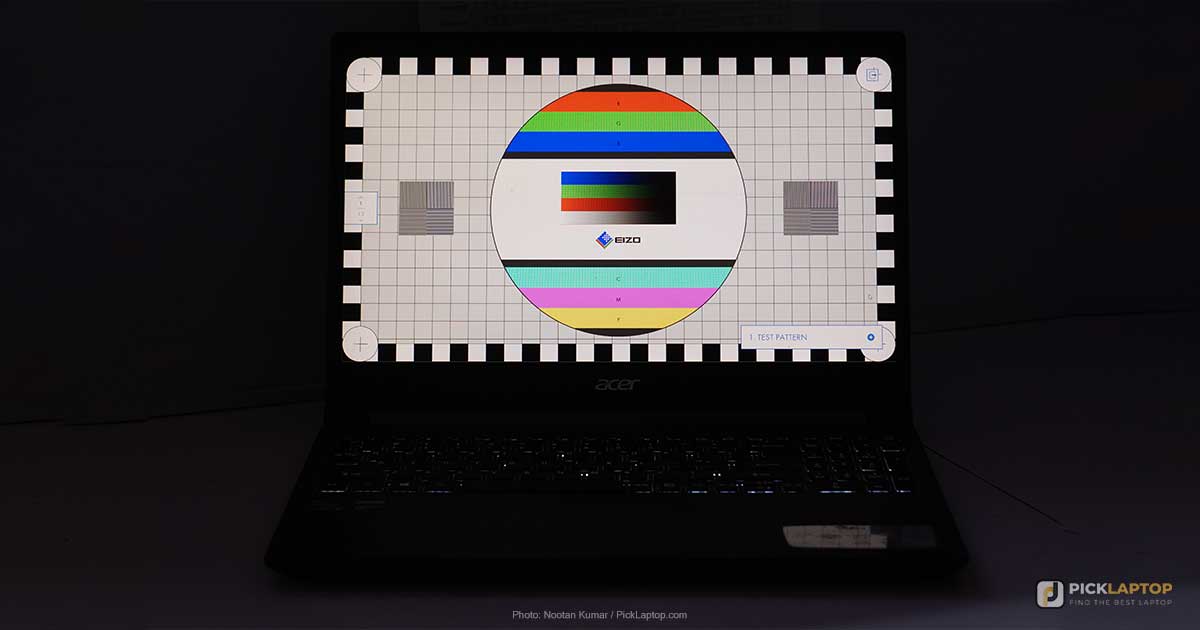
A laptop listing will tell you a screen is a 15.6-inch Full HD IPS display and stop there. That sentence contains one number that matters, one that matters conditionally, and three letters most buyers read as a quality rating when they are nothing of the kind.
Displays are where the spec sheet and the actual experience come apart hardest, because the figures that decide whether a screen is pleasant to work on are frequently the ones manufacturers do not print. Here is what each specification genuinely determines, which numbers to hunt down before buying, and where a wider gamut or a faster panel buys you nothing.
What’s Inside
- 1 – Why Panel Type Tells You Less Than You Think
- 2 – Brightness in Nits: Indoor Comfort Versus Outdoor Legibility
- 3 – Color Gamut: sRGB, DCI-P3, Adobe RGB and the %NTSC Problem
- 4 – Color Accuracy, Delta E and Factory Calibration Claims
- 5 – Resolution and Scaling: Why More Pixels Is Not Automatically Better
- 6 – Refresh Rate and Who Actually Benefits
- 7 – Glossy Versus Matte, and What a Touch Layer Adds
- 8 – VESA DisplayHDR Tiers and What DisplayHDR 400 Does Not Guarantee
- 9 – Laptop Display Specifications FAQ
- 10 – Final Thoughts on Reading a Display Spec Sheet
Why Panel Type Tells You Less Than You Think
IPS is a liquid-crystal alignment scheme. It sets how far off-axis you can sit before colors shift and contrast collapses, which is why it dominates laptops sold for reading, drawing or sharing a screen. Brightness comes from the backlight behind that layer; gamut comes from the backlight’s spectrum and the color filters in front of it. Neither is settled by the alignment scheme.
The spread across panels carrying the same three letters makes the point better than any explanation. Dell rates the Inspiron 14’s panel at 250 nits; the HP OmniBook and Acer Nitro V land near 300; Samsung and LG publish 350 on comparable machines; Gigabyte rates the Aero X16 at 400 nits typical, and Tom’s Hardware measured 369 on it. All of those are IPS, separated by a factor of one and a half.
Color coverage splits the same way. That Aero X16 IPS panel was measured at 78.5% DCI-P3 while the OLED in a Lenovo Legion Pro 7i measured 138.9% — but the IPS panel in a MacBook Air measured 117.3% sRGB and 83.1% DCI-P3 at 458.8 nits, far ahead of the other IPS screen. The technology name predicted none of it.
Panel type is a mechanism, not a grade. IPS describes viewing angles; OLED describes how contrast is produced. Neither tells you how bright a screen gets or how much of a color space it covers — and coverage is exactly what budget listings omit. Manufacturers also ship several panels under one model name, so get the numbers for the specific SKU.
What Each Panel Type Actually Determines
- IPS — wide, stable viewing angles, per TFTCentral’s panel technologies reference. Says nothing about brightness, gamut or accuracy. Its own artifacts are backlight bleed at the panel edges and IPS glow, a corner wash on dark content viewed from an angle.
- VA — deeper native contrast, at the cost of narrower viewing angles and slower transitions. Rare in laptops.
- TN — fast and cheap, with the worst viewing angles of the three. In 2026 it signals a budget build rather than a deliberate choice for speed.
- OLED — each pixel emits its own light, so black pixels are genuinely off. True blacks, no backlight bleed, and a brightness figure that behaves completely differently from an LCD’s. Permanent burn-in is a real wear mechanism here, where an LCD has no organic emitter to age unevenly.
- Mini-LED — not a panel type. TFTCentral is blunt: “Mini LED is a backlighting technology for traditional LCD monitors.” The layer in front is still an LCD, usually IPS. The smaller LEDs buy many local dimming zones and very high peak brightness, with pale halos where the zones cannot follow the content precisely.
If off-axis consistency is what you care about — sharing a screen, drawing, sitting to one side of a docked laptop — panel type is the right specification to check, and our roundup of IPS-panel laptops separates the good implementations from the indifferent ones. For every other question below, the acronym is the wrong place to look.
Brightness in Nits: Indoor Comfort Versus Outdoor Legibility
Nits and candela per square meter are the same unit, so a sheet quoting cd/m² is quoting nits. Standard laptops typically produce 200 to 300 of them — fine in an ordinary room, marginal next to a window.
The thresholds: 300 nits is the floor under office lighting, above 400 stays readable beside a window, 350 to 400 is the entry point for working outdoors at all, and above 500 is comfortable in direct sun. Work on a patio or in a vehicle and brightness and finish decide more than anything else on the sheet, which is the argument running through our guide to using a laptop outside.
Peak HDR Brightness Is Not the Number You Live With
An OLED advertised at 1,000 nits is quoting a peak measured on a small bright window of the screen, and that figure applies only with HDR switched on and HDR content playing. Spend the day in SDR and what you get is the full-screen figure, which is far lower. An OLED pixel makes its own light, so the panel’s power budget is shared across whatever is lit at once, and filling the screen with white forces per-pixel output down — the automatic brightness limiter.
The size of that drop is not subtle. TFTCentral measured an LG 42C2 holding 717 nits on windows up to 10% and reaching only 152 nits on full white, and a Dell Alienware AW3423DW peaking at 950–1,000 nits on a 1–2% window while settling at 258. Samsung’s own specifications show the same gap: the Galaxy Book6 Pro’s AMOLED is rated up to 1,000 nits for HDR content, the standard Galaxy Book6 16-inch 350 nits for everything.
An LCD backlight is not content-dependent that way, so its rated figure is already comparable against a room. Look for “sustained” or “full-screen” beside any nit number; one labeled “peak” or “HDR” tells you little about how a screen reads at a café table.
Color Gamut: sRGB, DCI-P3, Adobe RGB and the %NTSC Problem
Gamut coverage is the share of a defined color space a panel reproduces, and the three you will meet describe different jobs rather than different grades of one thing. sRGB is the general-purpose standard browsers assume. DCI-P3 is the wider space used in digital cinema and by streaming platforms. Adobe RGB is built for print, extending furthest into the cyans and greens a press can hit.
Because they are separate spaces, the numbers do not track each other: the Aero X16 carries a 100% sRGB rating from Gigabyte and a 78.5% DCI-P3 measurement from Tom’s Hardware, both true of the same panel.
Then there is %NTSC, which budget listings favor because the numbers look flattering. NTSC is a 1953 television standard nobody produces content for. The area ratio of sRGB to NTSC is roughly 0.72:1, which is where the folklore that 72% NTSC equals 100% sRGB comes from — and BenQ’s color gamut reference rejects the equivalence directly, because equal area does not mean the same colors.
The gap this hides is wide. One current 16-inch business laptop offers a 300-nit 45% NTSC panel and a 400-nit 100% sRGB panel under the same model number, both IPS. At the bottom of the range, HP rates the OmniBook 5 Flip’s touchscreen at 62.5% sRGB — a panel that shows two colors differ without letting you say by how much.
Coverage only earns its price for specific work: photo and video editing, design where a color has to match a dye lot or a print, damage assessment from photographs. For code, spreadsheets and video calls, brightness and finish change your day far more than another twenty points of P3. For color-critical editing in Lightroom or something like it, coverage moves to the top of the list — though an external monitor remains the usual answer for print.
Color Accuracy, Delta E and Factory Calibration Claims
Coverage and accuracy are different measurements. A panel can cover a gamut fully and still reproduce individual colors off-target, which is what Delta E reports: the distance between the color requested and the color shown. ViewSonic puts a Delta E of 1.0 or below at the threshold of human perception and recommends 2 or under for professional creative work.
Manufacturer gamut and accuracy numbers are usually marked “typical” rather than measured per unit, describing a production target rather than the screen in your box. Factory calibration is also a snapshot: Windows and macOS hand color management to the display profile, so a covering panel on a drifting profile can still be wrong months later.
If no figure has been published for the exact configuration you are buying — and for mid-range laptops there frequently is none — a colorimeter costs a small fraction of the laptop and settles it permanently. Better than paying up a tier for a panel whose numbers you still would not know.
Resolution and Scaling: Why More Pixels Is Not Automatically Better
Resolution decides two separate things: how sharp text looks, which improves with pixel density, and how much work fits on screen, which depends on effective resolution after UI scaling. A 17-inch 2560×1600 screen at 100% scaling shows more of a spreadsheet than a 14-inch 2880×1800 screen at 150%, despite the second panel having more pixels. Pixels spent making text larger are not pixels spent showing more of the document, which is why a high-resolution small panel can feel cramped in exactly the applications people buy it for.
A 16:10 panel also shows more rows than a 16:9 one of the same width. As a floor, 1920×1200 at 14 to 16 inches keeps small text legible after scaling; 2560×1600 adds real room for tool panels. Above that you are buying sharpness rather than space, and paying for it in battery.
Refresh Rate and Who Actually Benefits
A high refresh rate helps when content is generated in real time and your inputs depend on seeing it early: competitive shooters, fast sports games, anything where a reaction window is measured in frames. It also makes scrolling look smoother, which people notice immediately and then stop noticing.
It does nothing for content with a fixed frame rate. Emulated console titles built around 30 and 60fps output look identical on a 240Hz panel and a 120Hz one, and most video is 24 or 30fps. Publishers frequently target 60fps themselves — EA’s performance targets for its football titles stop at 60 FPS, so a 60Hz panel meets that specification and everything above it is a feel upgrade.
Between two gaming panels, response time and overdrive tuning separate them more than the headline figure does — ghosting differences between two IPS models are typically larger than the gap between 165Hz and 180Hz.
Glossy Versus Matte, and What a Touch Layer Adds
Finish is the specification most likely to change your day and least likely to appear in a comparison table. A glossy panel produces punchier colors indoors and throws back whatever is behind you the moment there is a window; a matte anti-glare coating diffuses that at a small cost in perceived contrast. On an open-plan floor, a lecture theater or anywhere outdoors, matte wins on legibility regardless of the nit figure. Anti-glare screen protectors do meaningfully cut reflections if you are stuck with gloss.
A touch layer is added glass: weight, usually a glossier finish, sometimes a small brightness penalty. The case for it is strong on a convertible that lies flat, where a pen replaces printing a document out to mark it up. On a clamshell that opens to 90 degrees there is no working a stylus, and the touch layer ends up being used for scrolling — a real glare and weight cost for a feature that goes unused.
VESA DisplayHDR Tiers and What DisplayHDR 400 Does Not Guarantee
DisplayHDR is VESA’s certification program, and the number in the badge is the tier’s peak luminance requirement in cd/m². The figures below come from VESA’s published criteria.
| Tier | Peak luminance | Full-screen sustained | Black level |
|---|---|---|---|
| DisplayHDR 400 | 400 cd/m² | 320 cd/m² | 0.4 cd/m² |
| DisplayHDR 500 | 500 cd/m² | 320 cd/m² | 0.1 cd/m² |
| DisplayHDR 600 | 600 cd/m² | 350 cd/m² | 0.1 cd/m² |
| DisplayHDR 1000 | 1000 cd/m² | 600 cd/m² | 0.05 cd/m² |
| DisplayHDR 1400 | 1400 cd/m² | 900 cd/m² | 0.02 cd/m² |
| DisplayHDR True Black | matches tier | matches tier | 0.0005 cd/m² |
The sustained column is the interesting one. A DisplayHDR 1000 badge guarantees 1000 cd/m² only on a test patch; across the whole screen the requirement is 600. True Black is a separate track for emissive panels, with a far tighter black level.
The entry tier has improved: VESA’s CTS 1.2 revision added a 10-bit signal requirement, a DCI-P3 coverage floor and a minimum static contrast ratio where the earlier version asked for none. What it still does not require is local dimming of any kind.
DisplayHDR 400 is not a meaningful HDR badge. Without local dimming there is no mechanism to brighten one part of the image while darkening another, which is the thing HDR exists to do — TFTCentral’s position is that global dimming “won’t improve the contrast ratio experienced on the screen at any given point in time.” A 400 cd/m² peak is also barely above the 300 to 350 an ordinary SDR laptop already manages. Read the badge as a modest brightness floor, not as HDR capability.
Laptop Display Specifications FAQ
Is an IPS panel better than a non-IPS one?
Better at viewing angles, which is what IPS describes. It is not a brightness, color or accuracy rating. IPS panels in current laptops run from around 250 nits to well past 400, and from 45% NTSC to fully covered sRGB. The acronym narrows the field; the measured numbers decide within it.
How many nits do I actually need?
300 is the practical floor for office lighting; above 400 stays comfortable beside a window. Outdoors, 350 to 400 is the entry point and above 500 is genuinely comfortable in direct sun. Check whether the figure is a full-screen number or an HDR peak before comparing two machines — those are not the same measurement.
Is OLED brighter than IPS on a laptop?
On peak HDR highlights, often dramatically. On a full white document in SDR, frequently not. An OLED’s power budget is shared across lit pixels, so full-screen brightness falls well below the advertised peak — TFTCentral measured one panel dropping from 717 nits to 152 on full white. An LCD’s rated figure is already a full-screen figure.
Does 72% NTSC really mean 100% sRGB?
No. The area ratio between the two spaces is roughly 0.72:1, which is where the shorthand comes from, but equal area does not mean the same colors — BenQ’s color gamut reference makes the point directly. Hold out for a stated 100% sRGB figure instead. NTSC is a 1953 broadcast standard nobody makes content for, and its appearance usually means the sRGB number was less flattering.
Is DisplayHDR 400 worth paying for?
Not as HDR. The tier requires no local dimming, so the panel cannot brighten a highlight while keeping the rest of the frame dark, and the 400 cd/m² peak is only modestly above ordinary SDR laptop brightness. As a rough brightness guarantee it has some value; as an indicator of HDR performance, very little.
How do I find the gamut figure if the manufacturer does not publish one?
Search for a review of the exact SKU rather than the model line, since one product name often covers several panels. Notebookcheck and Tom’s Hardware publish measured figures for many configurations; if nothing exists for yours, a colorimeter gives a per-unit answer no “typical” rating can.
Final Thoughts on Reading a Display Spec Sheet
Four numbers decide almost every laptop screen: sustained brightness in nits, gamut coverage against a named standard, resolution at the size you are buying, and whether the finish is matte or glossy. The panel acronym is not on that list, and neither is the HDR badge.
When a listing does not publish those figures, the absence is itself information — find a review of the exact configuration, or plan on measuring it yourself.