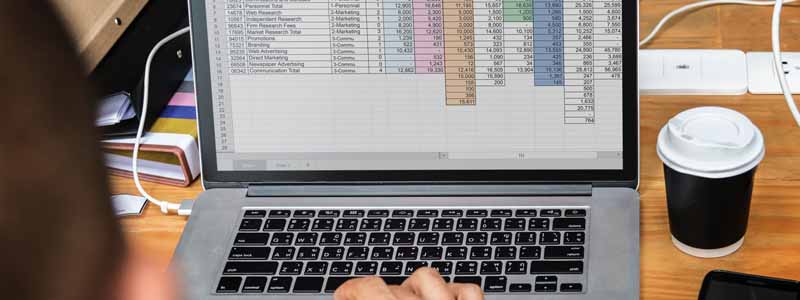
A numeric keypad needs deck width, so it turns up on 15.6- and 16-inch machines and disappears from 13-inch ones. Screen size is a proxy for it, not a guarantee: of the seven picks below, the 15.6-inch Acer, the Dell 16 and the ThinkPad E16 all have one, while a 16-inch Samsung convertible in the same list has no keypad at all. Manufacturers rarely list the keyboard layout in the headline specifications, so it comes down to reading the product photograph before you order.
The second filter is what kind of software your practice runs. Since 30 September 2024, Intuit has stopped selling new subscriptions to QuickBooks Desktop Pro Plus, Premier Plus and Mac Plus, pointing new customers to the browser-based QuickBooks Online instead. If your firm’s tools live in a browser, the operating system stops mattering much. If one of them is a Windows application with its own drivers, that decides the list before any benchmark does. Software compatibility therefore comes before any spec comparison, and the seven laptops after it are grouped by the kind of accounting work they suit.
Editor’s Pick

Last update on 2026-11-06 / Affiliate links / Images from Amazon Product Advertising API
A full numeric keypad on a 16:10 16-inch deck, plus two USB-A ports and HDMI, so nothing on the desk needs an adapter.
- Intel Core 7 150U
- 16GB DDR5 (32GB/64GB available)
- 16-inch 16:10 touchscreen, 300 nits
- Full numeric keypad
What’s Inside
- 1 – Accounting Laptop Buyer's Guide
- 2 – Accounting Laptop Comparison Table
- 3 – Best Laptops for Accounting in 2026 — Reviews
- 3.1 – 1. Acer Aspire Vero (Best Budget)
- 3.2 – 2. Dell 16 Laptop (Best Value / Numeric Keypad)
- 3.3 – 3. Lenovo ThinkPad E16 Gen 2 (Best Windows Business)
- 3.4 – 4. Apple MacBook Air 13-inch M5 (Best MacBook)
- 3.5 – 5. Microsoft Surface Pro 13-inch, Snapdragon X2 (Best Detachable / 2-in-1)
- 3.6 – 6. Samsung Galaxy Book5 Pro 360 (Best Premium / Large Screen)
- 3.7 – 7. LG gram 15 (Best Long Battery)
- 4 – Recommended Accessories
- 5 – Which Laptop Should You Buy for Accounting Work?
- 6 – Accounting Laptop FAQ
- 7 – Final Thoughts on Laptops for Accounting Work
Accounting Laptop Buyer’s Guide
Processor
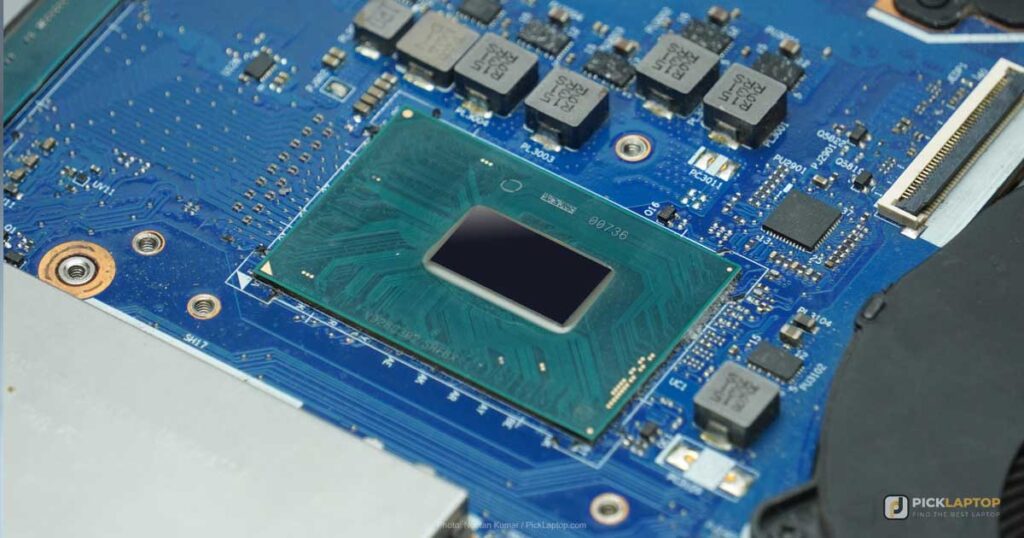
Ledger entry, reconciliation and reporting are not CPU-bound work. A Core 5 or Core 7 U-series chip, or a Ryzen 5 or Ryzen 7, runs a browser ledger, a desktop accounting application and Excel at once. Spreadsheet recalculation is the one place a faster chip shows up, and only on models large enough to make you wait for one. An H-series or Ultra 9 part draws more power for a difference this workload rarely surfaces.
Memory
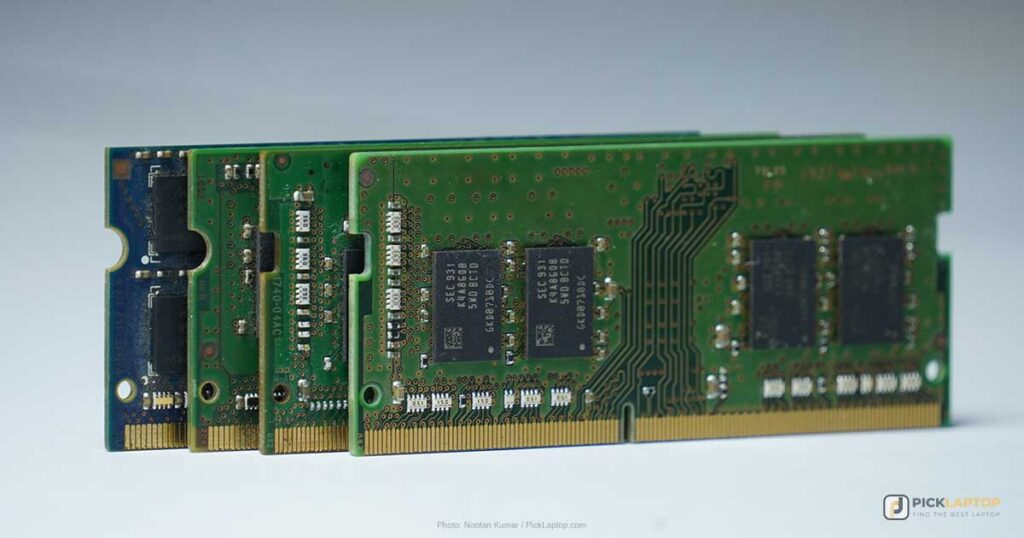
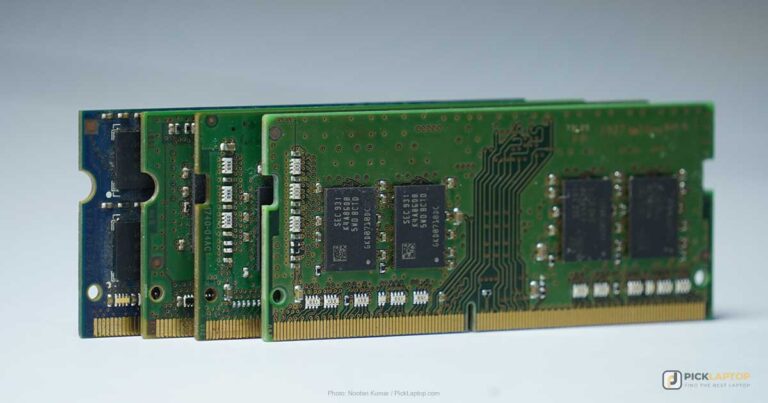
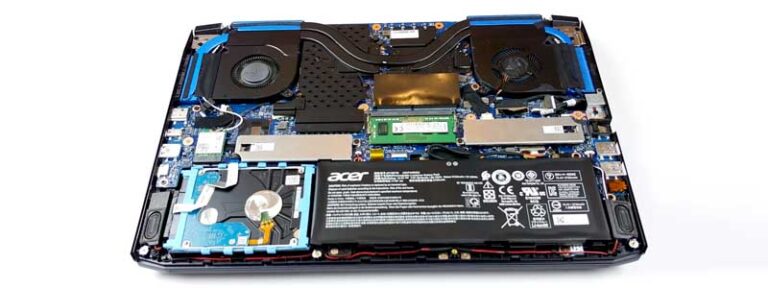
16GB is the figure to buy in 2026. A browser-based ledger holds a full session in memory, and it sits alongside the tabs for a bank portal, a payroll provider and a client’s document store, plus a spreadsheet or two. 8GB runs all of that until month-end, when the tab count doubles. Check whether the memory is soldered before you settle for less than 16GB — on most thin machines it is, and whatever you order is what you keep.
Storage
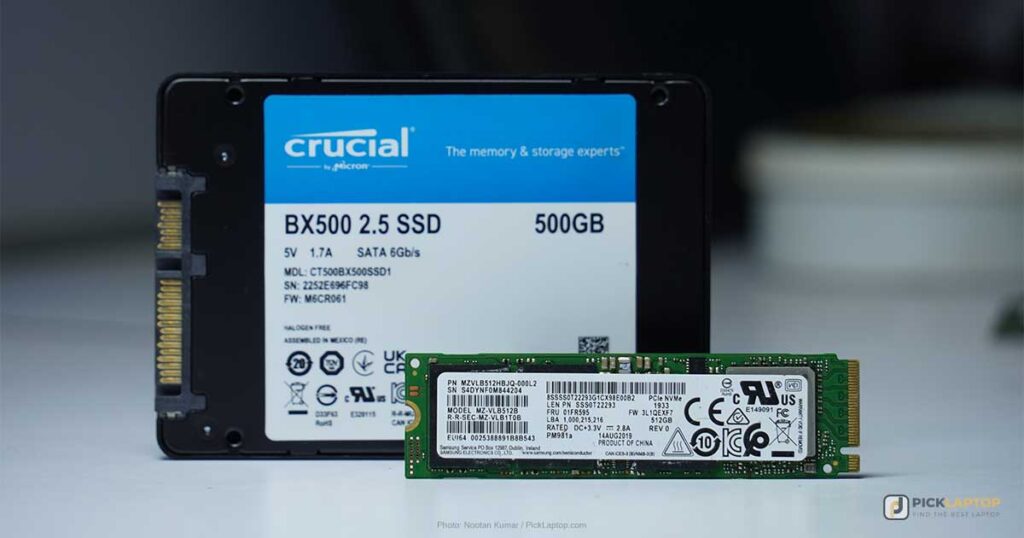
512GB is a workable floor for client files, spreadsheets and software installs. Scanned receipts and PDF archives are what fill a drive here, and they grow steadily rather than suddenly. Buy an SSD rather than a hard disk at any capacity. If you need more than a terabyte on the machine itself, there is a way to get there without buying it all as SSD — our hybrid storage guide lays it out.
Graphics
Skip the dedicated GPU. Integrated graphics drive an external monitor and everyday multitasking, and a discrete GPU adds cost, weight and power draw that accounting work never calls on. Put that money into memory or the panel instead.
Display
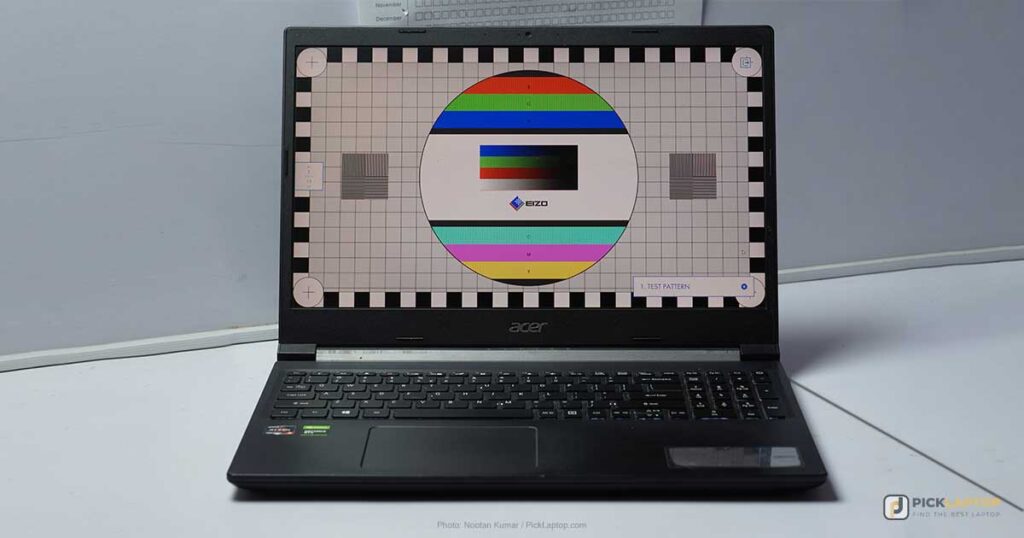
A 16:10 panel shows more rows before you scroll than a 16:9 one of the same diagonal, and resolution decides how much of that stays legible once Windows scaling is applied. Panel type settles less than it sounds like it does: IPS describes viewing-angle behavior, not brightness or color accuracy. The numbers worth checking are measured nits and whether the finish is matte or glossy.
Keyboard and Numeric Keypad
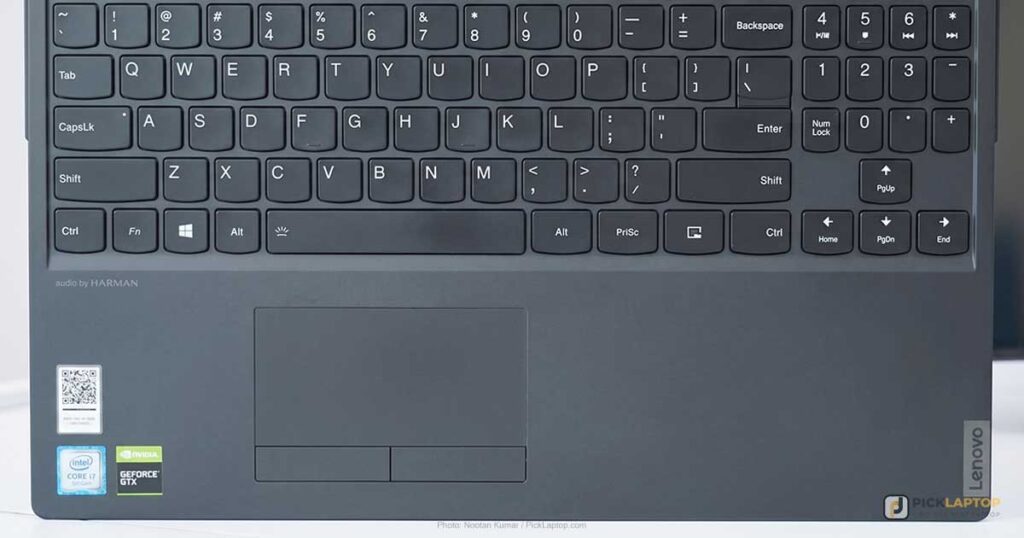
Ten-key entry is one-handed and touch-typed; the number row is neither. If figures are what you enter all day, a dedicated keypad is the specification to confirm before anything else. Confirm it per model: a 16-inch chassis is no guarantee, and Notebookcheck found no separate keypad on the 16-inch Samsung below. A USB keypad closes the gap on any machine without one, at the cost of a permanently occupied port and something else to carry.
Past the keypad, a backlit keyboard helps during late close-out sessions when the office lights are down, and a spill-resistant deck is worth having if coffee lives next to the trackpad.
Battery
Manufacturer battery figures are almost always local video playback, which is the gentlest load a laptop can run. Microsoft rates the Surface Pro below at 15.5 hours of video and 11.5 hours of active web use — the same machine, two tests, nearly four hours apart. Read a rated figure as a ranking tool between machines tested the same way, not as a number of working hours, and treat a lab’s measured result as a separate category of evidence.
Operating System and Software Compatibility
QuickBooks Online, Xero and Zoho Books run in a browser, so they work the same on Windows and macOS. The desktop side is where the platform question bites. Intuit’s decision to stop selling new QuickBooks Desktop Mac Plus subscriptions leaves existing subscribers able to renew but gives new Mac buyers no desktop QuickBooks to buy, and plenty of practice-management, tax-preparation and payroll tools remain Windows applications. List the software you are contractually or practically stuck with, then pick the platform.
On an ARM Windows laptop the limit has a precise boundary. Microsoft’s documentation states that emulation covers user-mode code only and does not support drivers — any kernel-mode component has to be compiled as Arm64. Ordinary x86 accounting applications run under emulation. A check scanner, a signature pad or a hardware license dongle that installs its own driver is the thing that will not, and vendors of niche business tools are slow to ship Arm64 builds.
Ports
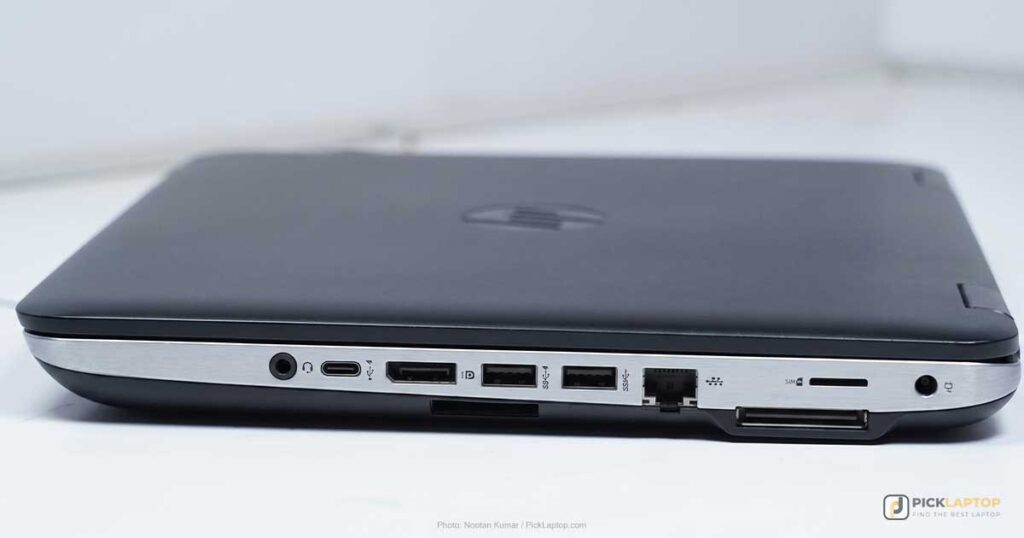
USB-A and HDMI cover a monitor, a scanner and a wired keypad directly. A USB-C-only machine needs a hub, and that hub becomes a permanent fixture on the desk rather than an occasional accessory — worth pricing in when two laptops otherwise look alike.
Accounting Laptop Comparison Table


Last update on 2026-11-06 / Affiliate links / Images from Amazon Product Advertising API
Best Laptops for Accounting in 2026 — Reviews
Seven machines for different working patterns — from a desk-bound 16-inch keypad laptop to a detachable for client-site visits.
1. Acer Aspire Vero (Best Budget)
Best Budget
Last update on 2026-11-06 / Affiliate links / Images from Amazon Product Advertising API
- Weight3.84 lbs
- ProcessorIntel Core i5-1335U
- Memory8GB LPDDR5 (16GB configs available)
- Storage512GB PCIe Gen4 SSD
- Display15.6-inch FHD IPS, 100% sRGB
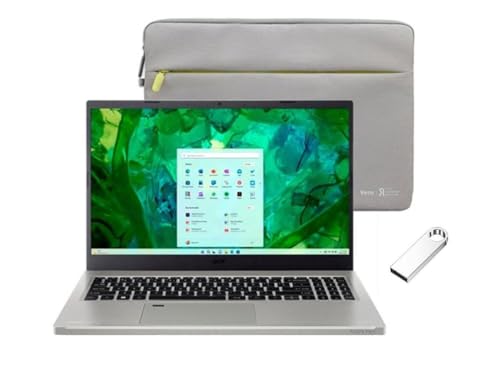
The keypad bar that eliminates most inexpensive 14-inch laptops is cleared here. Retail specifications for the AV15-53P list a numeric keypad and a backlit keyboard, and Acer’s page for this exact SKU adds a fingerprint reader, a 100% sRGB panel, and a chassis using 40% post-consumer recycled plastic.
The limitation is memory, not the keyboard. 8GB is half the working baseline for this kind of multitasking, and Acer caps the machine at 16GB with LPDDR5 soldered to the board — so the 16GB version is a configuration you buy, not an upgrade you make later. Order the 16GB variant if it is available to you.
LaptopMedia’s review of the AV15-53P singles out its cooling in the headline, which matters on a machine that may sit recalculating a large workbook for a long stretch. That review tested the Core i7-1355U version of the same chassis rather than the i5-1335U sold here, and no lab has published thermal or battery measurements for this configuration.
Pros
- Numeric keypad and backlit keyboard at the entry tier
- 100% sRGB display, fingerprint reader
- 40% post-consumer recycled chassis
Cons
- 8GB soldered, and 16GB is the ceiling
- No published lab measurements for this i5-1335U configuration
2. Dell 16 Laptop (Best Value / Numeric Keypad)
Best Value / Numeric Keypad
Last update on 2026-11-06 / Affiliate links / Images from Amazon Product Advertising API
- Weight4.2 lbs
- ProcessorIntel Core 7 150U (10-core)
- Memory16GB DDR5 (32GB/64GB available)
- Storage1TB SSD (2TB/4TB configs available)
- Display16-inch 16:10 touchscreen, 1920×1200, 300 nits, ComfortView Plus
The keypad is full-size, the panel is 16:10 at 16 inches, memory starts at 16GB, and the port selection runs to two USB-A, HDMI and an SD reader. LaptopMedia’s specification listing for the DC16251 records configurations to 64GB of memory and a 4TB SSD, which is more room than an accounting workload is likely to need but useful if scanned document archives live on the machine.
No independent lab has published measurements for the DC16251. PC Gear Reviews, an editorial rather than hands-on assessment, concludes that the DC16251 suits a desk-first buyer rather than someone chasing the smallest footprint — a fair description of a 16-inch machine with this port selection, and the only published assessment of it. The camera privacy shutter Dell offers on this chassis is a configuration option rather than a guaranteed feature, so check the listing if you need one.
Pros
- Full-size numeric keypad
- Two USB-A ports, HDMI and an SD reader — no hub needed
- Configurable to 64GB and a 4TB SSD
Cons
- Desk-first machine, not one to carry between client sites
- No independent lab testing published for this configuration
3. Lenovo ThinkPad E16 Gen 2 (Best Windows Business)
Best Windows Business
Last update on 2026-11-06 / Affiliate links / Images from Amazon Product Advertising API
- WeightFrom 3.92 lbs
- ProcessorAMD Ryzen 7 7735HS (8-core)
- Memory16GB DDR5, two SODIMM slots to 64GB
- Display16-inch WUXGA IPS, 60Hz
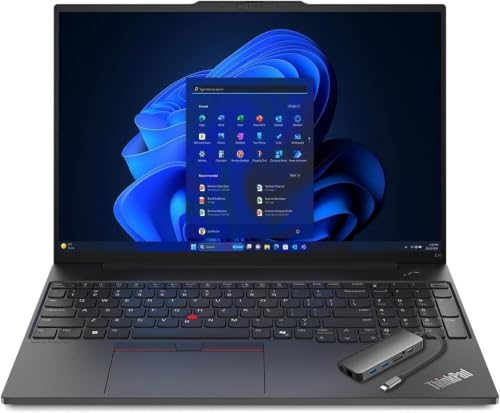
Lenovo’s specification sheet lists a spill-resistant six-row keyboard with a numeric keypad and 1.5mm of key travel, two DDR5 SODIMM slots taking up to 64GB, a camera privacy shutter, and MIL-STD-810H testing. For a practice that keeps machines for five years, the two memory slots are the line that matters: 16GB now becomes 32GB or 64GB later for the cost of the modules, which the MacBook Air, Surface Pro and LG gram below cannot do at all.
Lenovo lists four 16-inch panels on this chassis, from a 300-nit 45% NTSC screen to a 400-nit 100% sRGB one — all of them 60Hz, none of them the 120Hz that some retail listings claim. Check which panel a specific listing ships before ordering, because the entry screen is dim for a full day of reading figures.
Lenovo’s own documentation is where the evidence stops. ITPro’s E16 review covers the Gen 1 machine with a Ryzen 5 7530U rather than this Gen 2 Ryzen 7 7735HS, so its keyboard and battery findings don’t transfer to it.
Pros
- Numeric keypad, spill-resistant, 1.5mm key travel
- Two SODIMM slots to 64GB — memory you add yourself
- MIL-STD-810H tested, camera privacy shutter
Cons
- Entry panel is 300 nits at 45% NTSC — confirm which screen a listing ships
- No independent review of this Gen 2 / Ryzen 7 7735HS configuration
4. Apple MacBook Air 13-inch M5 (Best MacBook)
Best MacBook

Last update on 2026-11-06 / Affiliate links / Images from Amazon Product Advertising API
- Weight2.71 lbs
- ProcessorApple M5 (10-core)
- Memory16GB unified
- Storage512GB SSD
Browser-based ledgers — QuickBooks Online, Xero, Zoho Books — are platform-neutral, so a Mac is a straightforward choice if nothing in your stack is a Windows application. Read Intuit’s Desktop decision the other way round before committing, though: there is now no desktop QuickBooks a new Mac owner can buy if the need appears later.
Tom’s Hardware measured 458.8 nits on the 13.6-inch panel and 15 hours 28 minutes on its own battery test of this exact 13-inch M5 configuration — the brightest measured screen among the picks here, which is the specification that decides whether you can read a spreadsheet next to a window. The same review watched a Cinebench 2026 stress loop open at 3,415 and settle in the low 2,300s. Spreadsheet work never runs long enough to reach that; it is a limit on video and heavy exports rather than on ledger entry.
Battery is less of a lead than it used to be. Expert Reviews recorded 14 hours 59 minutes on the 15-inch M5 Air and named Windows machines that beat it in the same test. That was the larger model, not this one, so treat it as a direction rather than a figure for the 13-inch.
Pros
- 458.8 nits measured by Tom’s Hardware
- 15hr 28min on Tom’s Hardware’s battery test
- Fanless, so silent through client calls
Cons
- No numeric keypad — no MacBook has one
- No desktop QuickBooks available to new Mac buyers
- 16GB unified memory, not upgradeable
5. Microsoft Surface Pro 13-inch, Snapdragon X2 (Best Detachable / 2-in-1)
Best Detachable / 2-in-1
Last update on 2026-11-06 / Affiliate links / Images from Amazon Product Advertising API
- Weight1.97 lbs (tablet only)
- ProcessorQualcomm Snapdragon X2 Elite (ARM)
- Display13-inch OLED PixelSense, 120Hz
- BatteryRated 15.5 hours video / 11.5 hours web
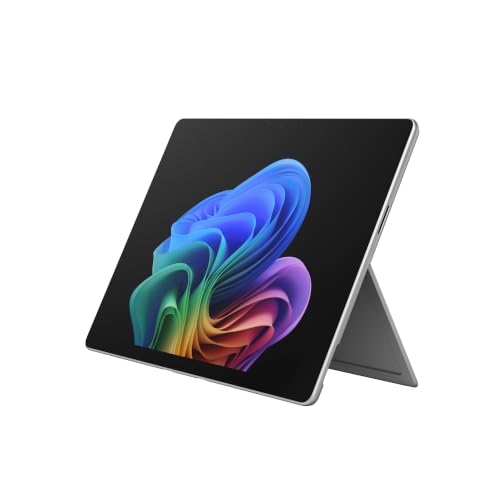
For a practitioner who works at client premises, this is the only pick here you can hold in one hand and take notes on with a pen. Microsoft rates it at 15.5 hours of local video playback and 11.5 hours of active web usage, and lists the 1.97 lbs weight without a keyboard. The Flex Keyboard and Slim Pen are separate purchases, so the working weight and the working cost are both higher than the headline.
There is no room for a keypad on a 13-inch detachable, and the accessory keyboard doesn’t add one. Pair it with a USB keypad if the machine has to do data entry as well as travel.
The driver limit above is the one to test against this machine. Cloud ledgers and ordinary installed applications run under emulation; the check scanner or signature pad on your desk is what needs checking. No independent lab measurements for this Snapdragon X2 configuration have been published yet either, so Microsoft’s own figures are all there is to go on.
Pros
- 1.97 lbs tablet with pen input for client-site work
- 13-inch 120Hz OLED touchscreen
- Microsoft rates 15.5 hours of video, 11.5 hours of web use
Cons
- No numeric keypad, and none on the accessory keyboard
- Keyboard and pen sold separately
- Emulation does not cover drivers — check scanners and dongles first
6. Samsung Galaxy Book5 Pro 360 (Best Premium / Large Screen)
Best Premium / Large Screen
Last update on 2026-11-06 / Affiliate links / Images from Amazon Product Advertising API
- Weight3.73 lbs
- ProcessorIntel Core Ultra 7 258V
- Memory16GB LPDDR5X (32GB configs available)
- Display16-inch 2880×1800 AMOLED touchscreen, 120Hz
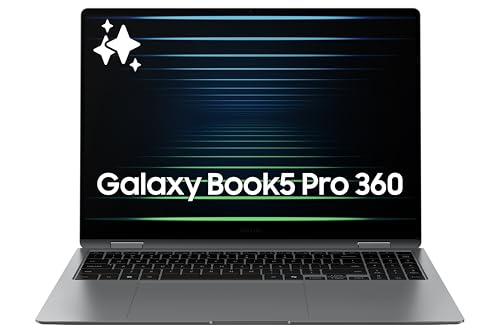
2880×1800 across 16 inches means Windows scaling can trade those extra pixels for more visible spreadsheet rows instead of smaller text. The chassis weighs 3.73 lbs, under both the 16-inch Dell and the ThinkPad E16 above. It also folds flat for signing and annotating with the S Pen.
Two outlets have tested this chassis, both in Lunar Lake configurations other than the Core Ultra 7 258V sold here. ITPro measured 377cd/m² of SDR brightness and 21 hours 57 minutes on its video battery test, and found the keyboard action “very shallow”, with keys “occasionally tough to actuate, though this did improve with time and practice”. For a keyboard you will use for hours of data entry, that is the caveat to weigh against the screen.
The bigger problem for this particular job is the layout. Notebookcheck records a chiclet keyboard with no separate numeric keypad — on a 16-inch machine. It is the display pick and the convertible pick here, not the data-entry one.
Pros
- 16-inch 2880×1800 AMOLED, 377cd/m² measured by ITPro
- 21hr 57min on ITPro’s video battery test
- 3.73 lbs in a 16-inch chassis
Cons
- No numeric keypad despite the 16-inch chassis
- ITPro found the key action very shallow and occasionally hard to actuate
- Priciest machine on this list
7. LG gram 15 (Best Long Battery)
Best Long Battery
Last update on 2026-11-06 / Affiliate links / Images from Amazon Product Advertising API
- Weight2.8 lbs
- ProcessorAMD Ryzen AI 7 450
- Memory16GB
- BatteryRated 28 hours video playback (72Wh)
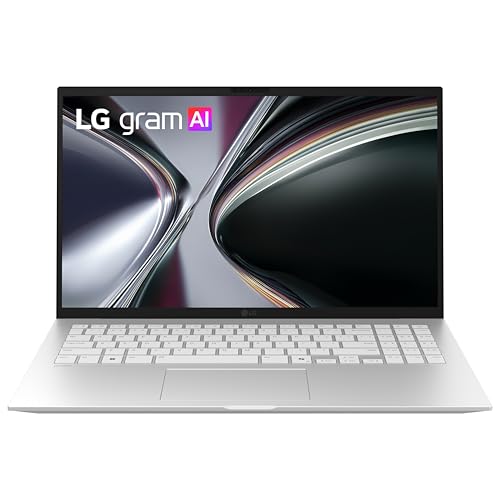
A 15.6-inch screen at 2.8 lbs is the trade this line exists to make, and among these picks only the MacBook Air and the Surface Pro tablet are lighter — both with much smaller screens. LG states up to 28 hours of video playback and seven MIL-STD-810H durability tests passed, matching the ThinkPad E16 on durability standard if not on chassis material.
That 28 hours is LG’s rated video-playback number rather than a working-day measurement, and no lab result for this Ryzen AI 7 450 model has been published to check it against — ITPro’s nearly 22 hours on the Samsung above is a measured figure, so the two don’t compare directly. LG’s published specification for this model also doesn’t say whether the keyboard includes a numeric keypad. On a 15.6-inch machine in an accounting shortlist, that is the detail to confirm from the listing photographs before ordering.
Pros
- 2.8 lbs with a 15.6-inch screen
- Highest rated battery figure among these picks — 28 hours video playback
- MIL-STD-810H, seven tests passed
Cons
- Numeric keypad not stated in LG’s published specification
- 28 hours is a rated video figure, with no independent measurement to check it against
Recommended Accessories
Two accessories cover the gaps this list leaves: a USB numeric keypad for the picks that don’t have one built in, and a dock for a dual-monitor setup at the desk.


Last update on 2026-11-06 / Affiliate links / Images from Amazon Product Advertising API
Which Laptop Should You Buy for Accounting Work?
| Best For | Pick |
|---|---|
| Budget | Acer Aspire Vero |
| Value / Numeric Keypad | Dell 16 Laptop |
| Windows Business | Lenovo ThinkPad E16 Gen 2 |
| MacBook | MacBook Air 13″ M5 |
| Detachable / 2-in-1 | Surface Pro 13″ (Snapdragon X2) |
| Premium / Large Screen | Samsung Galaxy Book5 Pro 360 |
| Long Battery | LG gram 15 |
Accounting Laptop FAQ
Do I need a laptop with a numeric keypad for accounting?
Not strictly. The honest split is by task: reconciliation and invoice entry benefit most, review and reporting work barely at all. If you are buying a machine without one, a USB keypad sits to the right of the trackpad and costs a fraction of stepping up a screen size. Three of the seven picks here have one built in — the Acer, the Dell and the ThinkPad.
Mac or Windows for accounting work?
It turns on one question: is anything in your stack installed software rather than a browser tab? Cloud ledgers are platform-neutral. Installed tools are where Windows-only requirements cluster — practice management, tax preparation, payroll engines, and any add-in an established client workflow depends on. One more thing to weigh: if you take on a client already running desktop QuickBooks on Windows, working alongside their file is easier from the same platform than from a Mac.
How much RAM do I need for accounting software?
16GB. Test it against your own machine at its busiest rather than its average — open everything you have open on the last day of a month and read the figure then. Being near the top of 8GB at that moment is a memory problem, and a faster processor on the next laptop will not touch it. Whether you can fix it later is a per-model question: the ThinkPad E16 has two accessible slots, while most thin machines here have their memory soldered to the board.
Do I need a dedicated GPU for accounting?
No, and the reason to care is what one costs you elsewhere: weight in the bag, heat under the palm rest, less runtime away from a socket, and money that does more for you as memory or a better screen. The one case worth a second look is driving three or more external displays at once, and even then check the integrated chip’s published display limit first — it usually covers it.
Can I use an ARM-based Windows laptop (Snapdragon) for accounting?
For software, usually yes. The failure case is hardware: anything shipping a kernel-mode driver needs a native Arm64 build, because Windows’ emulation layer stops at user-mode code. Check scanners, signature pads, receipt printers and license dongles are the usual suspects. Write down every peripheral you plug in, then search each vendor’s support pages for Arm64 before you commit — this is the check people skip and regret.
What’s the ideal screen size for accounting work?
Shape matters more than diagonal, so compare aspect ratios before inches. Beyond that, 15.6 to 16 inches is the range where a keypad becomes physically possible, though it is not automatic at that size. If most of your work happens at one desk, a 13- or 14-inch machine plus a monitor gives you more usable area than any single laptop screen, and it is the cheaper way to get there.
Final Thoughts on Laptops for Accounting Work
Two checks settle most of this list. Confirm the keyboard layout on the exact model you’re buying rather than assuming the screen size guarantees it, and confirm that everything in your stack either runs in a browser or has a build for the platform you’re choosing. The Dell 16 Laptop answers both for a desk-based practice. If you spend the day moving between client sites instead, the MacBook Air M5 and the Surface Pro 13″ are the two lightest options here — and both will want a USB keypad next to them when the invoices come in.
Please help me to select a laptop for Mapple.