The property a wireless audit depends on isn’t printed on any specification sheet. Aircrack-ng’s driver documentation states the position: with an in-kernel mac80211 driver, “chances are, monitor mode is supported. Injection may or may not be supported.” Monitor mode is the easy half. Injection is what decides whether a machine can run a deauthentication or an evil-twin test at all.
GPU compute, the number that usually leads this category, settles exactly one job: password cracking with Hashcat or John the Ripper. Everything else in a normal engagement leaves the graphics card idle. That one job, rather than the GPU line on a spec sheet, orders the seven current laptops matched to different kinds of security work in 2026.
Editor’s Pick
Last update on 2026-11-04 / Affiliate links / Images from Amazon Product Advertising API
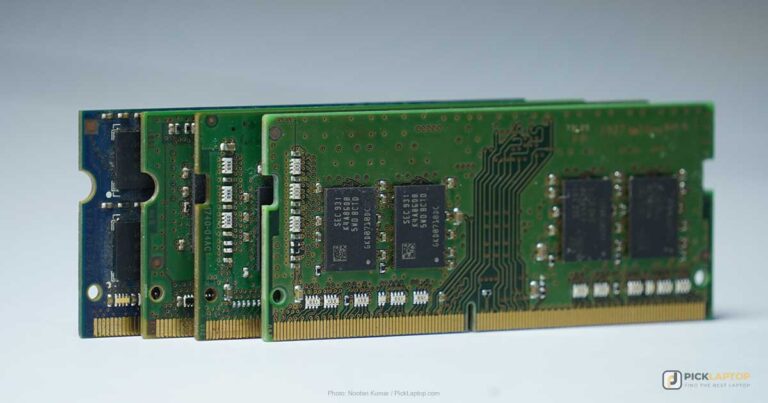
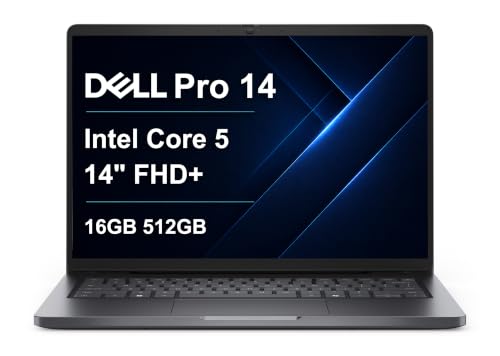
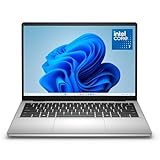
Nine captive screws, two DDR5 SO-DIMM slots and a socketed wireless card behind them — in a chassis that reads as a corporate fleet laptop rather than as kit.
- Intel Core 7 150U
- 16GB DDR5 in two SO-DIMM slots
- 14-inch FHD+ IPS
- MIL-STD-810H tested
What’s Inside
- 1 – Ethical Hacking Laptop Buyer's Guide
- 2 – Ethical Hacking Laptop Comparison Table
- 3 – Best Laptops for Ethical Hacking — Reviews
- 3.1 – 1. Dell Pro 14 (Best Overall / Client-Facing)
- 3.2 – 2. Dell 14 Laptop (Best Budget)
- 3.3 – 3. Razer Blade 18 (Best for Password Cracking)
- 3.4 – 4. Apple MacBook Air 13-inch (M5, 2026) (Best for macOS / Parallels)
- 3.5 – 5. Lenovo ThinkPad P1 Gen 7 (Best for Digital Forensics)
- 3.6 – 6. Acer Nitro V 16 (Best Budget GPU / Travel)
- 3.7 – 7. Framework Laptop 13 (Best for Linux / Hardware Transparency)
- 4 – Recommended Accessories
- 5 – Which Ethical Hacking Laptop Should You Buy?
- 6 – Ethical Hacking Laptop FAQ
- 7 – Final Thoughts on Ethical Hacking Laptops
Ethical Hacking Laptop Buyer’s Guide
Processor
Every guest you leave powered on holds its own vCPUs and its own slice of RAM for as long as it is running, so how many machines you can have open at once is a core-count and memory question rather than a clock-speed one. Eight cores from a Core Ultra 7, a Ryzen 7 or an Apple M-series chip is enough for a Kali guest, a target guest, and a host running Burp Suite and a browser. Single-core speed still sets how quickly any one tool finishes — a Burp scan, an Nmap sweep — which is why the top-tier HX-class chip is a smaller upgrade here than its price suggests.
Memory
As a practical rule of thumb, budget 32GB if two guests will be powered on at the same time. Assign 4GB to a Kali guest and 8GB to a Windows target, on a host already sitting at 6GB before anything else opens, and a 16GB machine has nothing left for the browser full of documentation that comes with the work. 16GB is workable for one guest at a time, which is the shape of most certification lab exercises. Count powered-on machines, not the size of the disk images — a suspended VM hands its memory back.
GPU: The Password-Cracking Exception
One task justifies a dedicated GPU: password cracking. Hashcat and John the Ripper spread candidate hashes across GPU cores, so throughput tracks GPU compute, and the card’s VRAM caps how much of a hash list and wordlist can sit on the GPU at once. Recon, web application testing, network scanning, social engineering and reporting run on integrated graphics. If cracking isn’t a standing part of your engagements, that money does more as RAM or as a second SSD.
Wi-Fi Chipset: Monitor Mode and Packet Injection
Monitor mode and packet injection are properties of the chipset and its driver, and neither appears on a specification sheet. The stock in-kernel driver on a laptop’s built-in card will usually manage the first and often not the second, and that gap is why Aircrack-ng maintains its own out-of-tree Realtek driver, described in its own words as an “RTL8812AU/21AU and RTL8814AU driver with monitor mode and frame injection”, installed through DKMS rather than shipped in the kernel.
The practical consequence is the same for every laptop below, the Mac included: plan on an external USB adapter with a chipset you have confirmed, and treat the internal card as ordinary connectivity. There’s an adapter under Recommended Accessories further down.
Storage
512GB of NVMe is the floor and 1TB is the sensible target — a single Windows target image runs to tens of gigabytes before snapshots, and a forensic capture is stored at the full size of the source disk. Check the slot format alongside the capacity: a chassis with one M.2 2230 slot limits which drives you can fit later, and 2230 drives cost more per terabyte than the 2280 length. For pairing a fast primary drive with bulk capacity, our hybrid storage guide walks through that setup.
Display
14 to 16 inches at 1920×1200 or better fits a terminal, a packet capture and a notes window side by side without cycling between them. IPS describes off-axis consistency; it says nothing about how bright a given panel is, so check the measured nit figure separately if you work in meeting rooms with a window behind you. Matte over glossy for the same reason.
Operating System and Virtualization
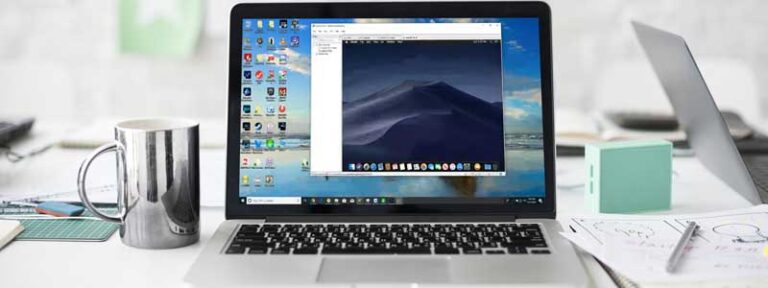
Kali Linux and Parrot OS run as a guest on a Windows or macOS host, as a dual boot, or on bare metal, and all three are in normal professional use. Guests are the common choice because a snapshot rolls back a broken toolchain in seconds. The detail to check on any of them is USB passthrough: the hypervisor has to hand the wireless adapter to the guest before the guest can put it into monitor mode, and a host that keeps the device for itself leaves you with an adapter that connects to networks and does nothing else. If you plan to install Linux on the metal instead, our Arch Linux laptop guide is the companion piece on hardware compatibility.
Discretion and Build Quality
RGB lighting and gaming branding carry no technical penalty, but a machine that reads as a gaming laptop is an awkward thing to open in a client’s meeting room. A business chassis is the quieter choice, and it tends to bring the serviceability that corporate fleets demand along with it — memory in slots, a wireless card in a socket, a bottom panel that comes off with a screwdriver rather than a pry tool.
Ethical Hacking Laptop Comparison Table




Last update on 2026-11-04 / Affiliate links / Images from Amazon Product Advertising API
The Framework Laptop 13 isn’t sold on Amazon, so it isn’t in the table above — its review links direct to Framework.
Best Laptops for Ethical Hacking — Reviews
Seven machines for different parts of security work — a client-facing business laptop, a cracking rig that stays plugged in, a forensics workstation, and one laptop you can take apart and identify component by component.
1. Dell Pro 14 (Best Overall / Client-Facing)
Best Overall
Last update on 2026-11-04 / Affiliate links / Images from Amazon Product Advertising API
- ProcessorIntel Core 7 150U
- GPUIntel integrated
- RAM16GB DDR5 (two SO-DIMM slots)
- Storage512GB SSD (M.2 2230)
- Display14-inch FHD+ IPS
- OSWindows 11 Pro
The Dell Pro 14 replaces the Latitude 5450, and it keeps the thing that made that line a fleet default: it opens. LaptopMedia’s teardown of the PC14250 chassis counted nine Phillips-head captive screws on the bottom panel, and behind them two DDR5 SO-DIMM slots plus a wireless card, speakers and cooling assembly that all lift out as modules. On a machine that will be carried into other people’s buildings for years, a wireless card you can replace yourself is a more useful property than another few hundred MHz.
The storage slot is the constraint: one M.2 2230 drive rather than the 2280 length, so a later capacity upgrade is both smaller and dearer than it would be on a larger chassis. Dell’s own datasheet lists the line as undergoing MIL-STD-810H testing and offers the wireless card as an Intel AX211, an Intel BE200 Wi-Fi 7 part or a MediaTek MT7920, all of them in a socket rather than soldered down.
One limitation sits on the evidence rather than on the laptop. LaptopMedia recorded the CPU peaking at 105°C in the first ten seconds of load and settling to 88°C over a half-hour run, but that unit was the Core Ultra 7 265U build of this chassis, not the Core 7 150U configuration here. The teardown carries across; the thermal figures don’t, and no independent lab has published measurements for the 150U version.
Pros
- Nine captive screws to full component access
- Two DDR5 SO-DIMM slots behind the bottom panel
- Business chassis for client-facing engagements
Cons
- M.2 2230 storage — pricier per terabyte and capped lower than 2280
- Published lab measurements cover the Core Ultra 7 build, not this one
2. Dell 14 Laptop (Best Budget)
Best Budget
Last update on 2026-11-04 / Affiliate links / Images from Amazon Product Advertising API
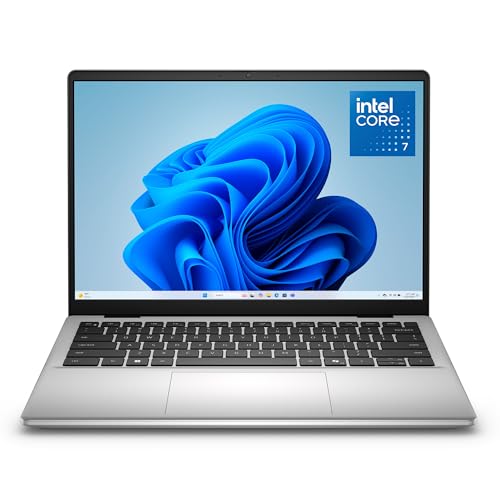
- ProcessorIntel Core 7 150U
- GPUIntel integrated
- RAM16GB DDR5
- Storage512GB SSD
- Display14-inch IPS
- OSWindows 11
Studying for the CEH or the OSCP doesn’t take workstation hardware. 16GB of DDR5 and a Core 7 150U run one Kali guest, a browser full of documentation and a lab VPN client together, which is what nearly all certification coursework asks for.
Which? lists the port set as two USB-A, one USB-C, HDMI and a full-size SD reader, with no Ethernet socket. Lab exercises that assume a copper port — anything involving a switch, a router console or a static wired subnet — need a USB-C dock or adapter budgeted alongside the wireless one. In the other direction, the SD reader pulls cards out of devices without another dongle in the bag.
Pros
- Current Core 7 chip and 16GB DDR5 at the entry tier
- Full-size SD reader and HDMI without adapters
Cons
- No Ethernet port — wired lab work needs an adapter
- 16GB leaves no room for a second powered-on guest
3. Razer Blade 18 (Best for Password Cracking)
Best for Password Cracking
Last update on 2026-11-04 / Affiliate links / Images from Amazon Product Advertising API
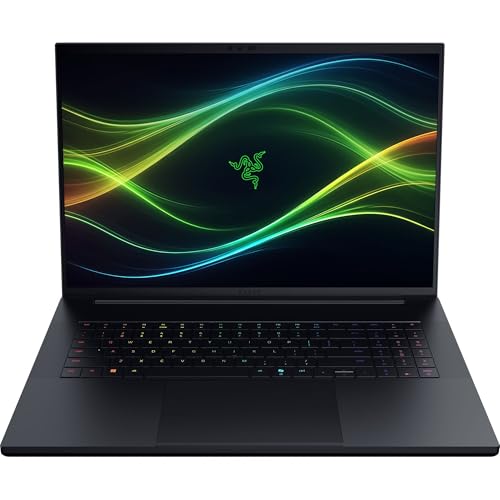
- ProcessorIntel Core Ultra 9 290HX
- GPUNVIDIA GeForce RTX 5080 (16GB)
- RAM32GB DDR5-6400
- Storage1TB SSD (dual M.2)
- Display18-inch dual-mode
- BatteryAround 5 hours
Cracking is the one job on this list that scales with the graphics card, and the RTX 5080 is the fastest GPU among these seven picks — the rest stop at an RTX 5060 and a workstation RTX 3000 Ada. Its 16GB of VRAM is twice what either 8GB card here carries, which keeps larger hash lists resident, and the 32GB of DDR5-6400 that ships as standard lets a long crack and a couple of guests share the machine rather than take turns.
Tom’s Hardware found the Blade 18 “runs quite warm, with loud fans”, measuring 88.9°C on the CPU and 109°F at the keyboard through fifteen looped runs of Metro Exodus. Their test unit was the RTX 5090 configuration, which pulls more power than the 5080 here, so read those numbers as the ceiling for this chassis rather than as a reading of this exact build.
An 18-inch body and roughly five hours of battery settle where it lives. This is the machine that stays near power and runs the long jobs, not the one that goes through a client’s reception desk.
Pros
- RTX 5080 with 16GB VRAM — the fastest GPU of the seven picks here
- 32GB DDR5-6400 standard, dual M.2 slots
Cons
- Runs warm with loud fans under sustained load
- 18-inch chassis and around five hours of battery — a desk machine
4. Apple MacBook Air 13-inch (M5, 2026) (Best for macOS / Parallels)
Best for macOS

Last update on 2026-11-04 / Affiliate links / Images from Amazon Product Advertising API
- ProcessorApple M5 (10-core)
- GPUApple M5 (10-core, integrated)
- RAM16GB unified
- Storage512GB SSD
- Display13.6-inch Liquid Retina
- BatteryUp to 18 hours
Kali under Parallels on Apple silicon is an ARM install, and that is the detail to settle before anything else. Parallels states that a new virtual machine on an Apple silicon Mac needs an Arm-based installation image, so what you get is the arm64 build of Kali. Most of the standard metapackages are built for it; anything in your workflow that ships only as an x86 binary is what to check against that guest before buying the laptop.
The wireless picture on macOS is more nuanced than “it doesn’t work.” Monitor-mode capture on the internal card is a documented feature of Apple’s own Wireless Diagnostics — Cisco Meraki’s capture guide walks through the Sniffer window that produces the trace. Injection is the piece that isn’t there, and neither is the Aircrack-ng attack tooling, so the external adapter is still the answer — and on Apple silicon it has to be passed through to the Linux guest before that guest can drive it.
Tom’s Hardware watched the fanless M5 open a Cinebench 2026 stress loop at 3,415 and settle in the low 2,300s. A day of recon, note-taking and web testing never reaches that point. A guest grinding away for hours does.
Pros
- Up to 18 hours rated battery, silent under bursty work
- Monitor-mode capture built into macOS via Wireless Diagnostics
Cons
- No packet injection on the internal card
- Parallels guests are ARM — x86-only tools won’t run in them
- Steps down measurably under sustained load
5. Lenovo ThinkPad P1 Gen 7 (Best for Digital Forensics)
Best for Forensics
Last update on 2026-11-04 / Affiliate links / Images from Amazon Product Advertising API
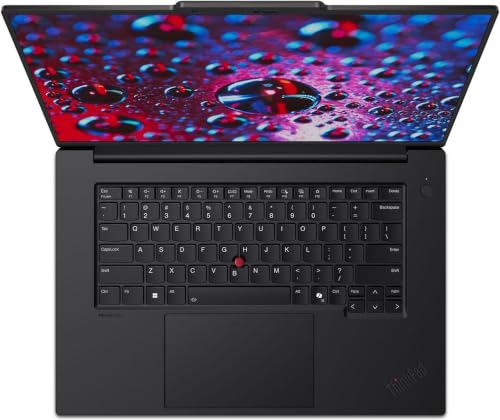
- ProcessorIntel Core Ultra 7 165H
- GPUNVIDIA RTX 3000 Ada (8GB)
- RAM32GB LPDDR5X (CAMM2, removable)
- Storage1TB PCIe SSD
- Display16-inch 2.8K IPS, 165Hz
- OSWindows 11 Pro
Forensic work is bounded by memory and disk rather than by the graphics card. Mounting a large image, running an analysis suite across it and keeping several evidence files open at once all hold RAM for the duration of the case, and none of it asks anything of a GPU.
StorageReview found the P1 Gen 7’s LPDDR5X-7467 on a removable CAMM2 module under a heatsink and three screws rather than soldered to the board, in a machine that supports two storage drives and up to 64GB of memory. On a 16-inch chassis this thin, memory that comes out is the exception, and it means the 32GB this configuration ships with is a starting point rather than the end of the road. Their unit carried the RTX 1000 Ada instead of the RTX 3000 Ada here; the memory and storage findings are chassis-level and carry over.
Two drive bays matter more on casework than a specification sheet suggests: working images on one, case archives on the other, and nothing bus-powered hanging off the side of the laptop on someone else’s site.
Pros
- Removable CAMM2 memory, up to 64GB
- Two internal drive bays for working images and archives
Cons
- Priced at the workstation tier, above every pick here except the Blade
- RTX 3000 Ada is far behind the Blade 18 if cracking throughput is the point
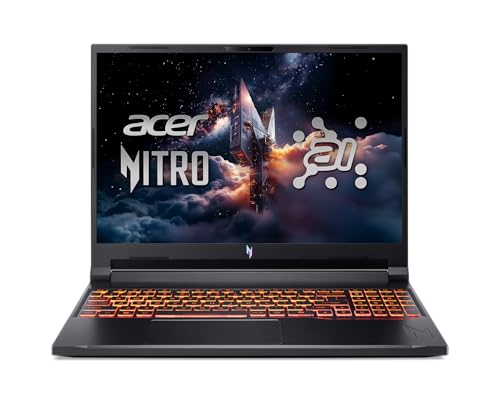
6. Acer Nitro V 16 (Best Budget GPU / Travel)
Best Budget GPU
Last update on 2026-11-04 / Affiliate links / Images from Amazon Product Advertising API
- ProcessorAMD Ryzen AI 5 340
- GPUNVIDIA GeForce RTX 5060 (8GB)
- RAM16GB DDR5
- Storage512GB PCIe SSD
- Display16-inch WUXGA IPS, 180Hz
- Battery76Wh
An RTX 5060 with 8GB does the same cracking work as the Blade’s 5080, more slowly, in a laptop that costs a fraction as much and weighs several pounds less — the trade to make for practice runs, CTF work and the occasional client hash list.
The battery is the reason this one travels. Acer lists a 76Wh cell, and PCWorld’s looped 4K video rundown ran past 12 hours on a Nitro V 16 AI with the same 76Wh battery, against roughly eight hours of mixed browsing and writing. That unit was the Ryzen 5 240 / RTX 5050 build rather than the Ryzen AI 5 340 / RTX 5060 configuration here, so treat it as what the chassis and the cell can do rather than as this build’s own number.
16GB is where it runs out: a cracking session and a Kali guest at once is the workload that pushes past it. The gaming styling adds to that same limit — this reads as a laptop for a hotel room, not a client meeting.
Pros
- RTX 5060 for cracking practice at a mid-tier price
- 76Wh cell — past 12 hours on PCWorld’s video rundown of the same battery
Cons
- 16GB limits a guest and a cracking session running together
- Gaming styling, less discreet for client-facing work
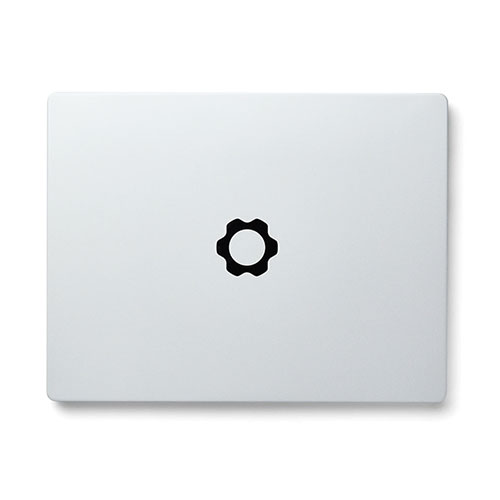
7. Framework Laptop 13 (Best for Linux / Hardware Transparency)
Best for Hardware Transparency
Framework Laptop 13
Officially supported by Framework for Ubuntu and Fedora, with a socketed wireless card, swappable ports and a mainboard you can replace yourself.
- ProcessorAMD Ryzen AI 300 series
- GPUAMD Radeon integrated
- RAMDDR5-5600, two slots, up to 96GB
- StorageOne M.2 2280 slot, user-supplied
- Display13.5-inch 3:2 matte IPS
- OSSold with Windows 11 or Linux
“Supported” has a narrow meaning on this machine. Framework officially supports Ubuntu and Fedora, with engineering collaboration and customer support behind them; Arch Linux, NixOS, Bazzite and Linux Mint sit in a community tier that self-validates against a compatibility checklist and documents its own known issues. If your working install is Arch, you are in the second tier, not the first — which is a different thing from being unsupported, but not the thing the word usually implies.
The appeal for security work is the inventory. The wireless card is a socketed M.2 module you choose and can change, the ports are expansion cards, and the mainboard is a replaceable part with a published part number — so what is inside the machine is something you enumerate by opening it rather than by trusting a listing. Two DDR5-5600 slots take up to 96GB, and the single M.2 2280 slot takes a drive you supply, which for evidence handling means the drive never passes through anyone else’s hands first.
Engadget found plenty of fan noise and heat under heavy load on the Ryzen AI 300 version, tracing it to a modular layout that puts all the CPU cooling on the mainboard itself. Framework redesigned the heatpipe, the fan curve and the thermal paste for this generation, and Engadget still describes both the Intel and AMD versions as noisy in a way newer machines aren’t.
Pros
- Ubuntu and Fedora officially supported by the manufacturer
- Every module identifiable and replaceable, mainboard included
- Two DDR5 slots to 96GB and a drive you supply yourself
Cons
- Not sold on Amazon — direct order only
- Audible fan noise under load
- Arch, NixOS, Mint and Bazzite are community-tier, not officially supported
Recommended Accessories

Last update on 2026-11-04 / Affiliate links / Images from Amazon Product Advertising API
The AWUS036ACH uses a Realtek RTL8812AU, which is not in the mainline Linux kernel. Aircrack-ng’s out-of-tree driver is what adds monitor mode and frame injection for it, and it installs through DKMS so it rebuilds after a kernel update; Kali ships it as the realtek-rtl88xxau-dkms package. There is no injection-capable driver for it on macOS or Windows — pass the adapter through to a Linux guest, or dual-boot.
Which Ethical Hacking Laptop Should You Buy?
| Best For | Pick |
|---|---|
| Overall / Client-Facing | Dell Pro 14 |
| Budget | Dell 14 Laptop |
| Password Cracking | Razer Blade 18 |
| macOS / Parallels | MacBook Air 13-inch (M5) |
| Digital Forensics | ThinkPad P1 Gen 7 |
| Budget GPU / Travel | Acer Nitro V 16 |
| Linux / Hardware Transparency | Framework Laptop 13 |
Ethical Hacking Laptop FAQ
Do I need a dedicated GPU for ethical hacking?
Only for password cracking. Before buying one, price the alternative: renting GPU time by the hour for the occasional crack is cheaper than carrying the weight, the heat and the battery penalty of a discrete card on every other day of the year. Buy the card when cracking is a standing part of the work rather than something that comes up twice a year.
Will my laptop’s built-in Wi-Fi work for wireless auditing?
Test it rather than assume either way, and test the two capabilities separately, because a card can pass the first and fail the second. On Linux, iw list reports whether the interface advertises monitor mode, and aireplay-ng --test is the check for injection. That split is exactly why an adapter with a known chipset is the standard answer.
Is a MacBook good for ethical hacking?
Yes, and it is a common setup among working testers. The thing to sort out before you commit is your own tool list: run through it and mark anything distributed as an x86-only binary or as a kernel module, because those are what an ARM guest on Apple silicon will refuse. Docker images are the easy trap here — pull the arm64 tags, or you’ll be emulating containers on a laptop you bought for its efficiency.
How much RAM do I need to run multiple virtual machines?
Start at 32GB for two guests running together and 16GB for one, then adjust for two things a guest count hides. A nested hypervisor — a lab that runs its own hypervisor inside a VM — takes its allocation off the top before anything inside it gets memory. And the dynamic-memory settings in VMware Workstation and Hyper-V let you assign more than the machine physically has, which holds up until several guests get busy at the same moment and the host starts clawing it back mid-scan. Size for the busiest moment rather than the average one.
Do I need an expensive laptop to learn ethical hacking?
No. 16GB and a current mid-range chip cover the CEH and OSCP lab exercises. Spend the difference on the wireless adapter and an external drive for images instead — those two change which exercises you can finish, and a faster processor does not.
Final Thoughts on Ethical Hacking Laptops
Settle whether cracking is part of your work first; that one answer splits this list in two. After that, the questions worth asking are how much memory the machine will hold and whether you can get at the wireless card and the drive later — on a pentest laptop, those are the parts that get replaced, and the processor rarely is.