If your RGB is stuck in rainbow and refuses to sync, the cause is almost always one of two things: components from different brands that cannot talk to each other, or something plugged into the wrong header. The 4-pin header runs at 12 V and the 3-pin at 5 V, and putting a 5 V device on the 12 V header destroys it permanently — which is why the 3-pin connector is keyed with a blocked position.
My first build looked like a disco ball. Every component had its own idea about color and none of them agreed. What fixed it was not more software — it was understanding which header does what, and then using one piece of software instead of four. Here is the whole thing: how RGB works, the two connector types, how to actually get everything in sync, and what to do when one brand refuses to cooperate.
What’s Inside
- 1 – How to Control Computer RGB Light – My Video
- 2 – How an RGB LED Actually Makes Color
- 3 – Where the Lights Live
- 4 – RGB vs ARGB: The Distinction That Costs People Money
- 5 – Where to Put RGB (and Where Not To)
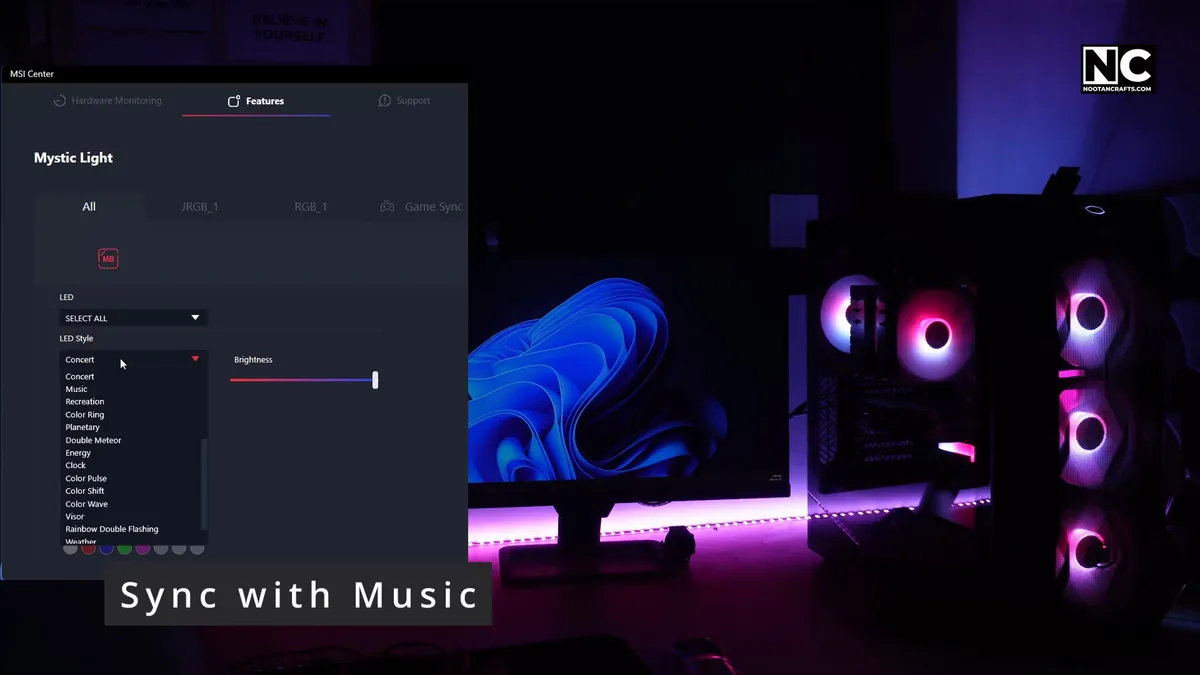
- 6 – Getting Everything to Sync
- 7 – Mistakes Worth Avoiding
- 8 – Five Ways to Make RGB Do Something Useful
- 9 – Frequently Asked Questions
- 10 – Pick One Color and One Program
How to Control Computer RGB Light – My Video
How an RGB LED Actually Makes Color
Red, green and blue are the primary colors of light. Mix them in different proportions and you get everything else. That is the entire principle, and it is worth seeing rather than reading.
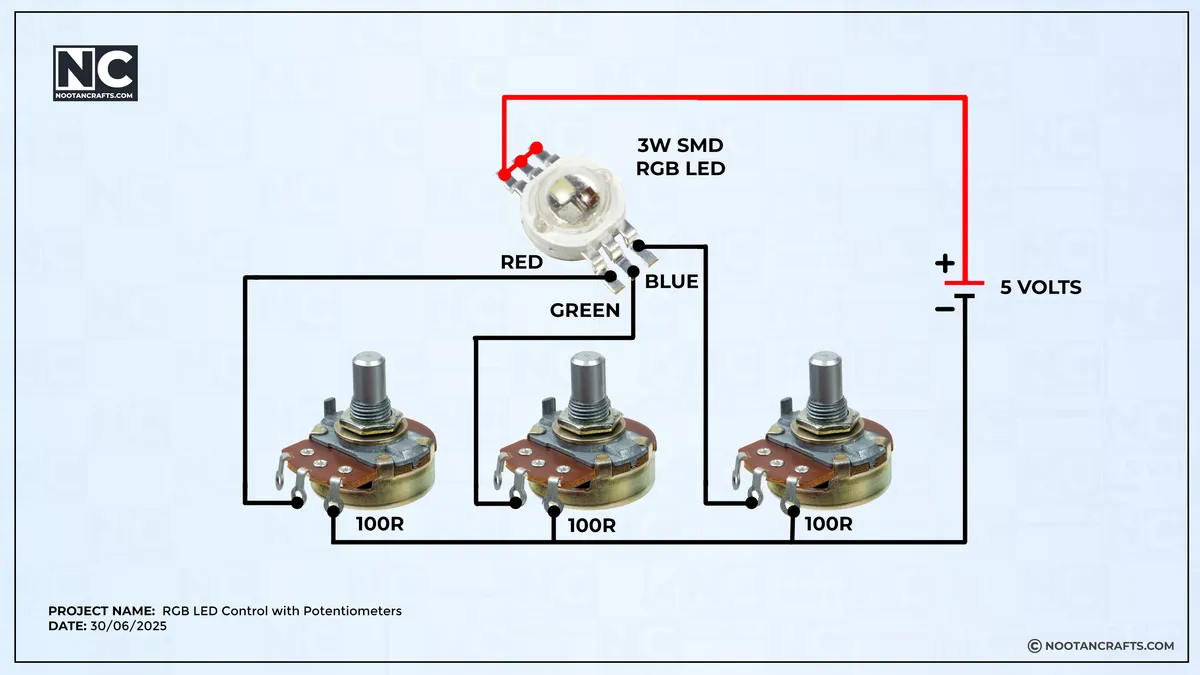
An SMD RGB LED is not one light. It is three diodes — red, green and blue — sharing a package, each with its own terminal. Power one and you get that color. Power two together and you get the blend.
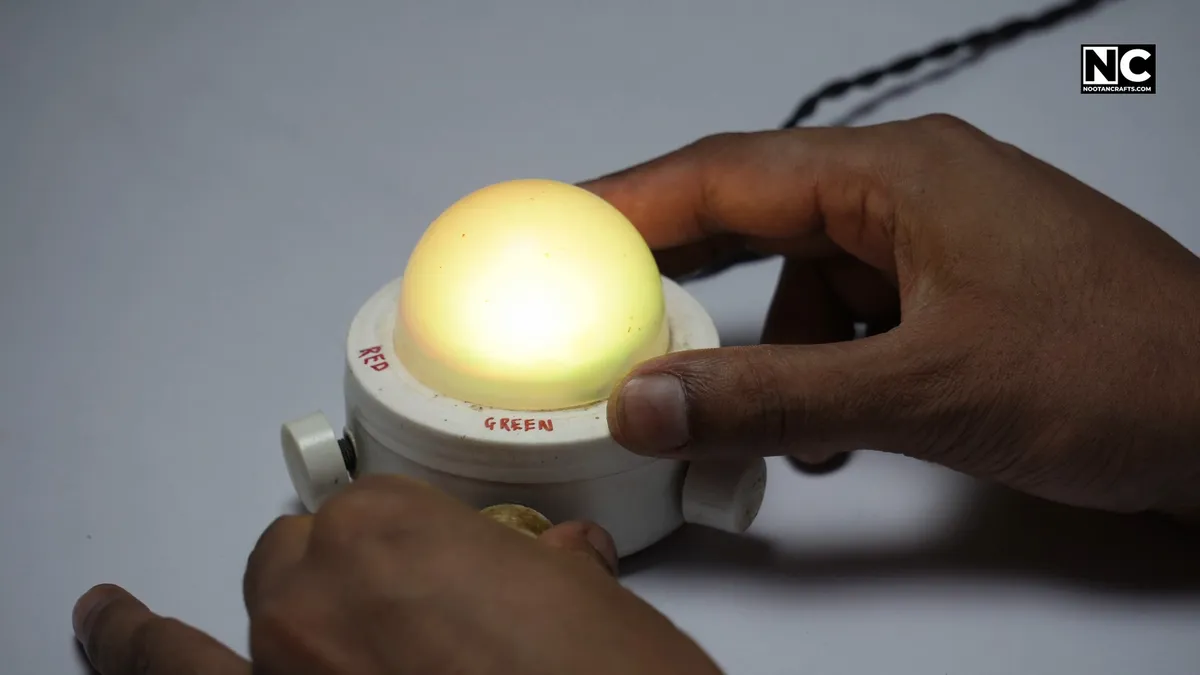

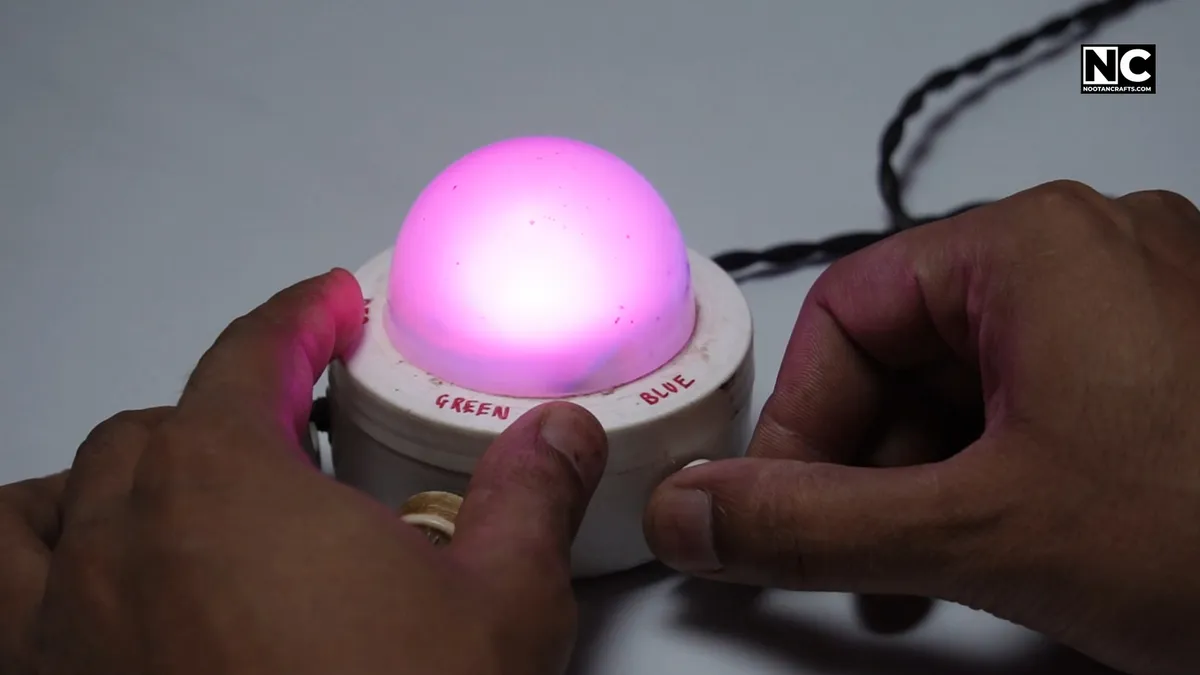
I wired each terminal to its own potentiometer so I could vary the voltage across each diode by hand. Turning the knobs walks the LED through purple, sky blue, yellow and everything between — three diodes, the full spectrum, no software involved.
Your PC does the same thing, just faster and without the knobs. A controller chip on the motherboard uses pulse-width modulation — switching each diode on and off thousands of times a second and varying how long it stays on — to set brightness per channel. That is also what makes effects possible: once color is a number the software can write, it can be animated, synced to a temperature reading, or driven by audio.
Where the Lights Live
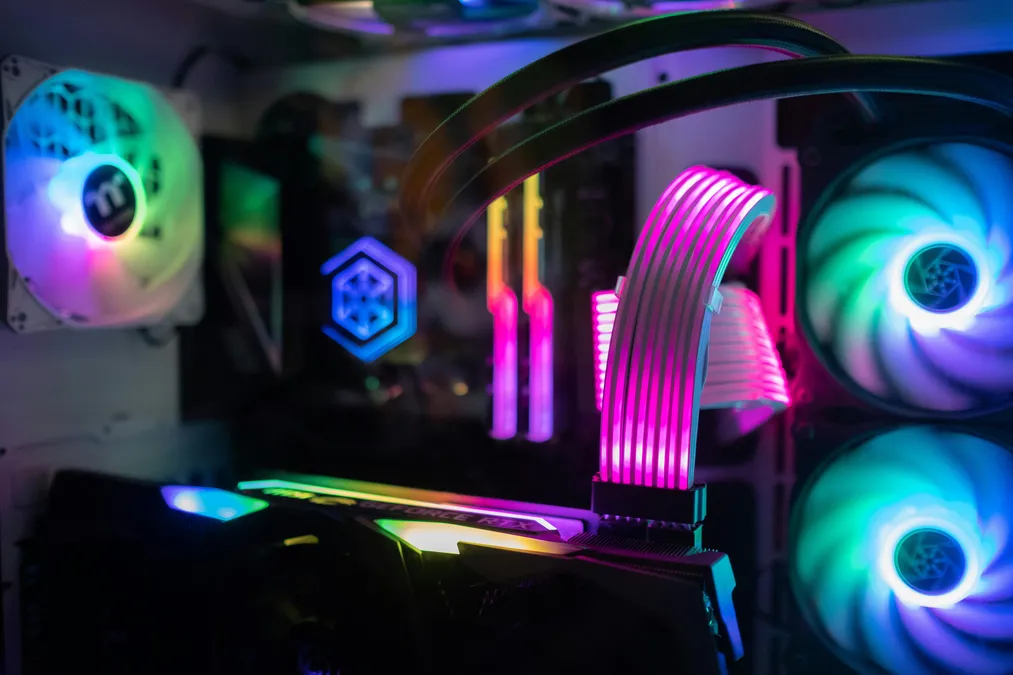
Case fans, RAM, CPU coolers, GPU backplates, SSD heatsinks, the motherboard itself, keyboards, mice, mousepads, and strips behind the desk or monitor. Effectively anything on a modern desk can be lit.
All of it is driven by software, and this is where the trouble starts — because every manufacturer ships its own:
- ASUS — Aura Sync, now delivered inside Armoury Crate
- MSI — Mystic Light, inside MSI Center
- Gigabyte — RGB Fusion, inside Gigabyte Control Center
- ASRock — Polychrome RGB
- Corsair — iCUE · Razer — Synapse · NZXT — CAM
Each one controls its own hardware well and everyone else’s badly or not at all. Running three of them at once is the single most common reason a build will not sync, and there is a better answer further down.
RGB vs ARGB: The Distinction That Costs People Money

| RGB | ARGB | |
|---|---|---|
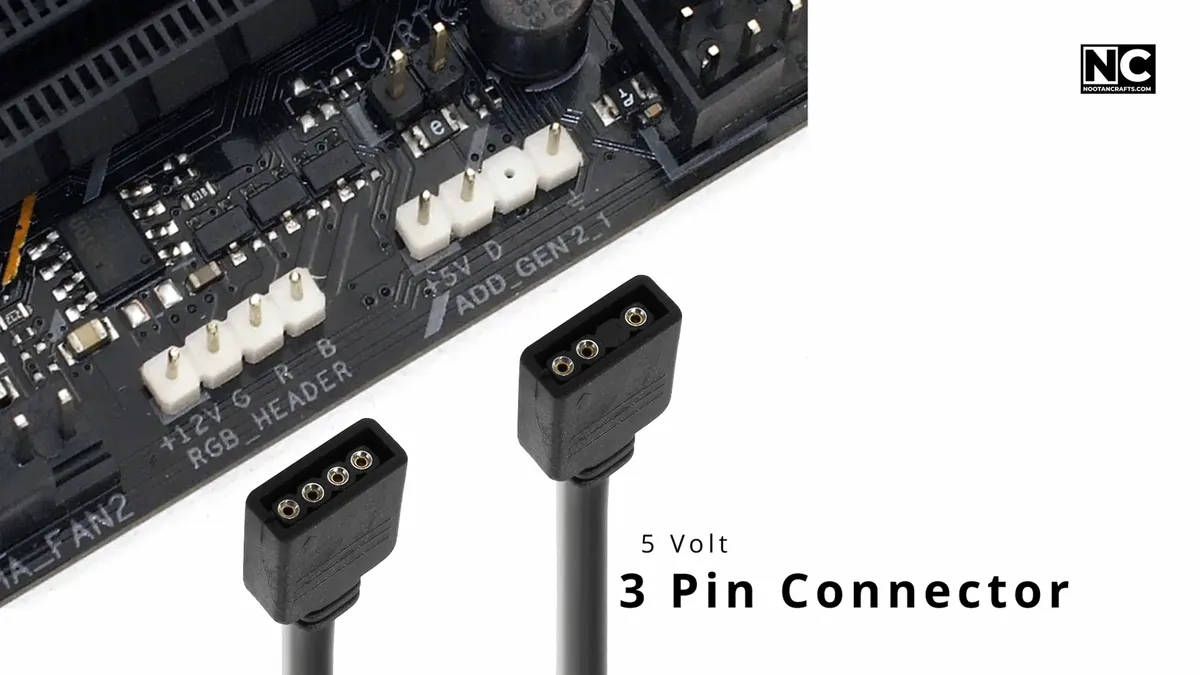
| Header | 4-pin | 3-pin (4-position housing, one blocked) |
| Voltage | 12 V | 5 V |
| Pinout | 12V · G · R · B | 5V · Data · blank · Ground |
| Signal | Analog voltage per channel | One digital data line |
| Control | All LEDs one color together | Each LED addressed individually |
| Typical header budget | ~2 A, about 24 W | ~3 A, about 15 W |
| Effects | Static, breathing, fade | Waves, chases, rainbow, music sync |
They are not interchangeable, and the failure is permanent. Put a 5 V ARGB device on a 12 V header and you put more than twice its rated voltage across the LEDs and their controller ICs. The result is “permanent LED damage” with “no reset” and “no fix” — and it happens the instant you press the power button. The 3-pin connector’s blocked position exists to stop exactly this, so if a plug needs persuading, stop.
Counting pins is the quick check: four means 12 V RGB, three means 5 V ARGB. The headers are usually labeled on the board and often sit side by side, so read the silkscreen rather than assuming. Your manual has the definitive answer and takes thirty seconds to check.
Watch the power budget on long runs. A 5 V ARGB header supplies roughly 15 W, which is plenty for fans and a cooler but not for meters of strip. A WS2812B strip at 60 LEDs per meter can draw 3.6 A — about 18 W — per meter at full white. One meter of that exceeds the header on its own. Long strips need their own powered controller, not the motherboard.
Where to Put RGB (and Where Not To)


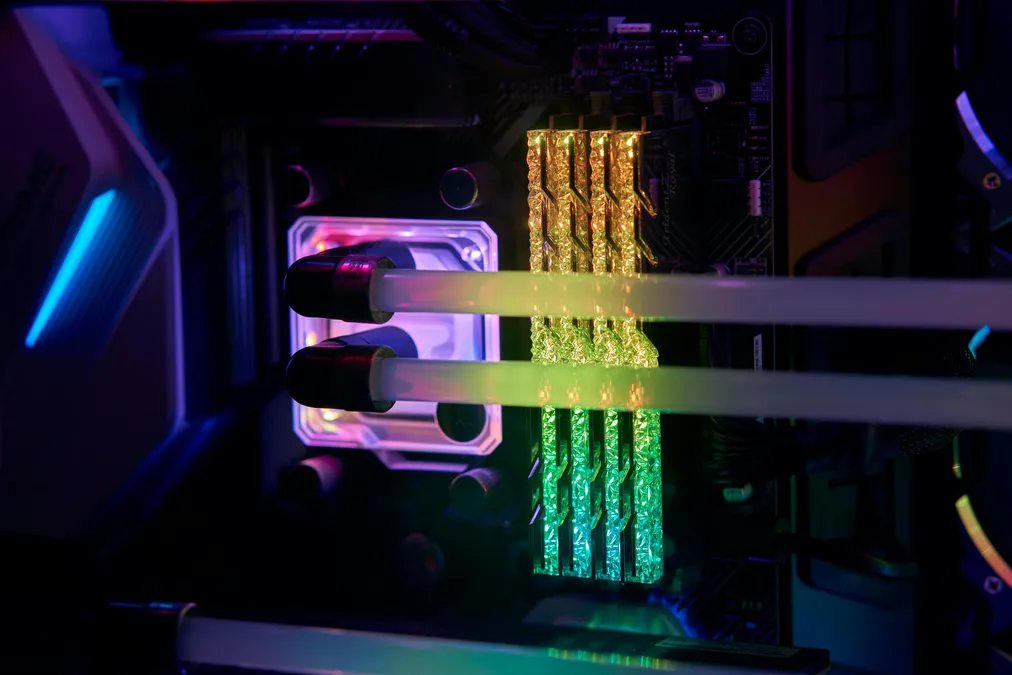
The useful question is not where RGB fits but where it reads well from where you sit. In rough order of payoff:
- A strip behind the monitor or under the desk. The best value in the whole category — it lights the room rather than the inside of a box you cannot see, and it reduces the contrast between a bright screen and a dark wall.
- Case fans. Front intakes read through the glass; a rear fan mostly does not.
- RAM. Sits high and visible, and looks best doing something slow rather than something busy.
- CPU cooler. Central, and the one place a color-coded temperature readout actually makes sense.
- Keyboard and mouse. The only lighting you look at directly while using the machine.
- GPU backplate and SSD heatsinks. Nice if they came with it. Not worth paying extra for — in most cases the card’s own lighting faces down into the case floor.
You can run both header types together. They are separate circuits, so using both is fine — what you cannot do is cross a device onto the wrong one. I drive the strip behind my monitor from the 12 V RGB header and everything inside the case — fans, cooler, SSD heatsink — from the 5 V ARGB header. One piece of software then sets a single color across both.
Getting Everything to Sync
Three steps, in this order. The order matters, because software cannot fix a wiring mistake.
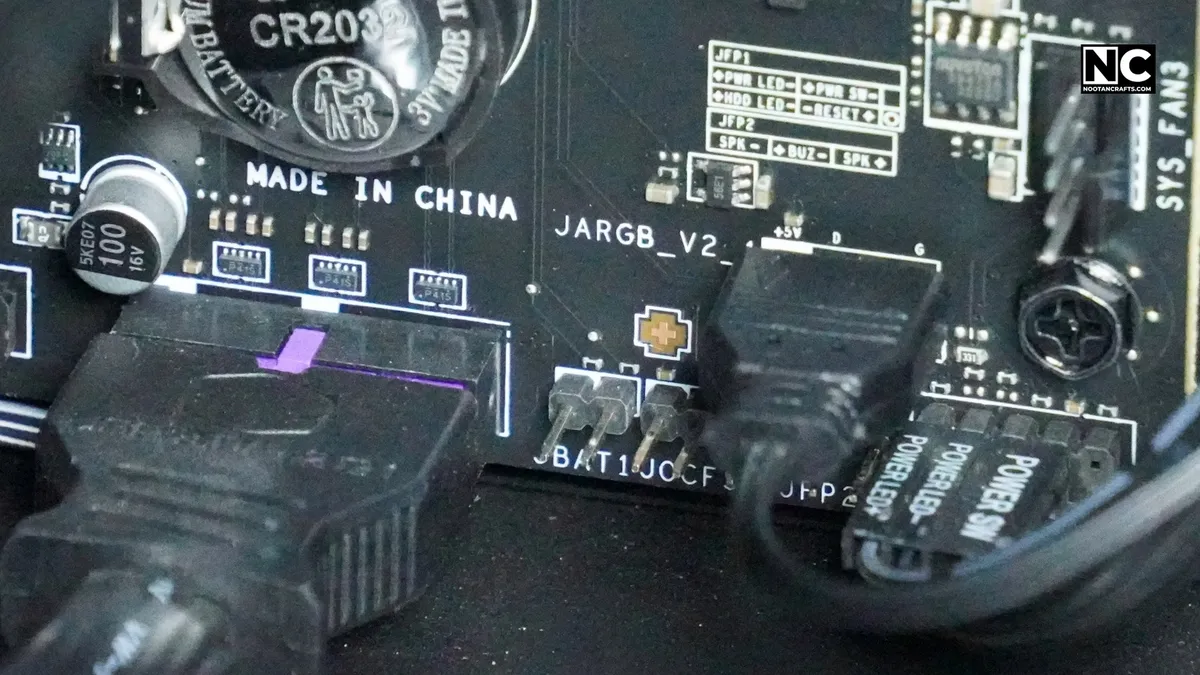
- Get every device onto the right header. If your board is short of headers, a powered ARGB hub splits one into several and takes its power from the PSU rather than the board.
- Install your motherboard brand’s software first and confirm it sees every zone. Anything missing here is a connection problem, not a software one — go back to step one.
- Add peripheral software only if you must. Every extra suite is another background service competing for the same devices, and two programs fighting over one controller is what produces the flicker people blame on faulty hardware.
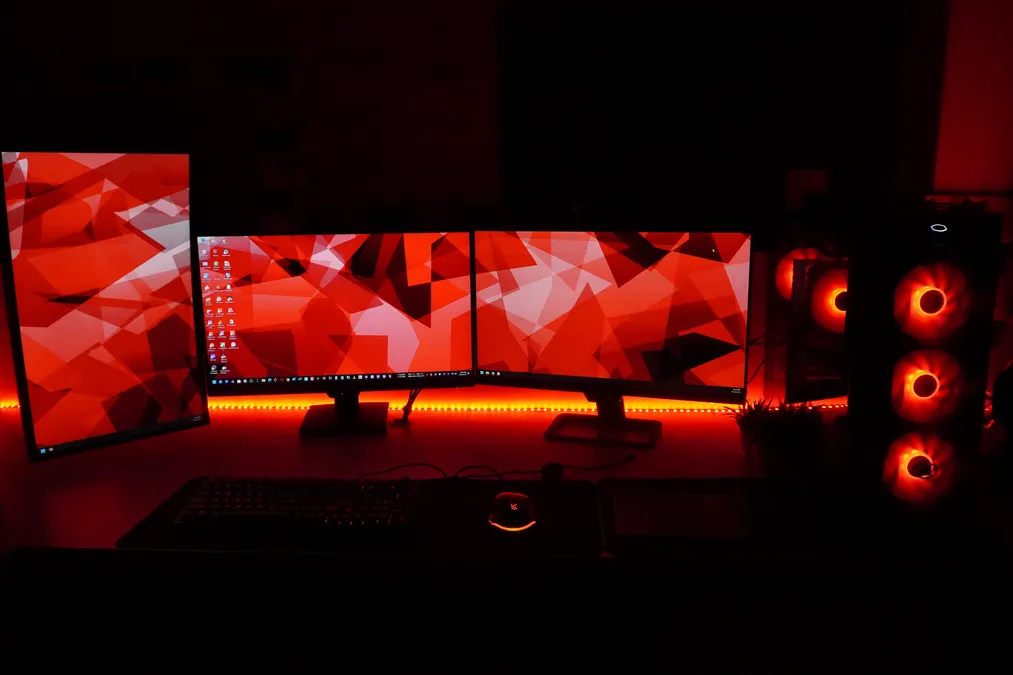
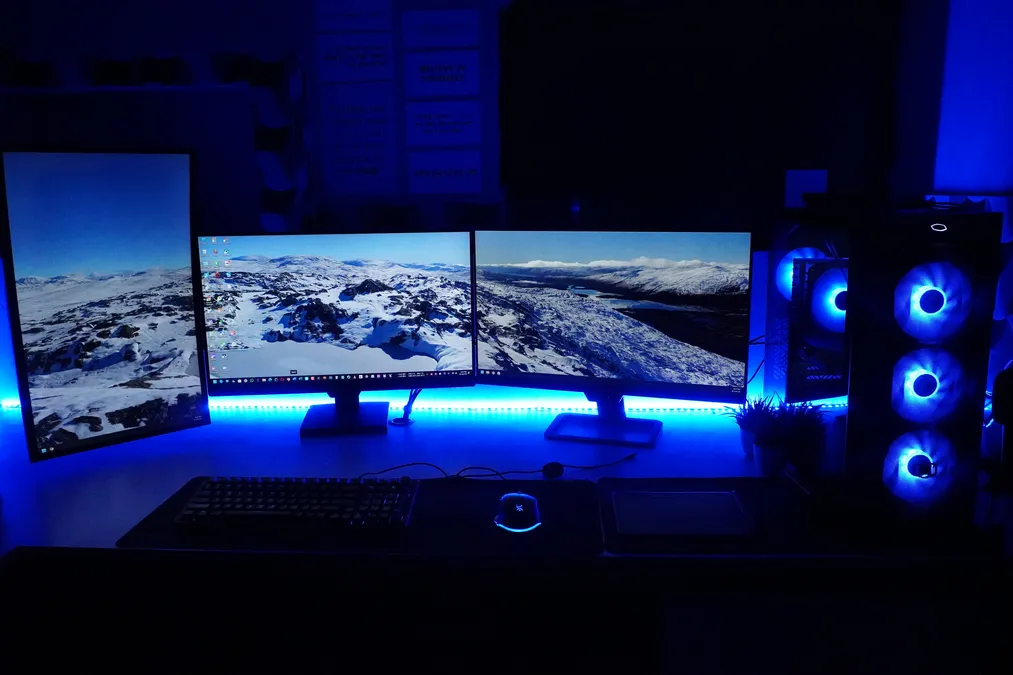

With that done you can set a single color across the whole build, add a slow breathing or pulse effect, tie brightness to time of day, and save profiles you switch between.
When One Brand Refuses to Cooperate
This is the situation the original advice — “stick to one ecosystem” — does not help with, because nobody buys a whole build from one brand.
OpenRGB is the answer worth knowing about. It is free, open source, runs on Windows, Linux and macOS, and describes itself as “open source RGB lighting control that doesn’t depend on manufacturer software” — one app aimed at replacing all of them. In practice it will drive motherboards, RAM, fans and peripherals from different manufacturers under a single color, which is precisely the problem the vendor suites cannot solve.
Two honest caveats. Support is per-device, so check your hardware against its supported list before you uninstall anything. And the slick extras — per-game integration, elaborate audio visualizers — live in the vendor apps and SignalRGB, not here. If all you want is one steady color everywhere, OpenRGB does it and you can remove three background services.
Mistakes Worth Avoiding


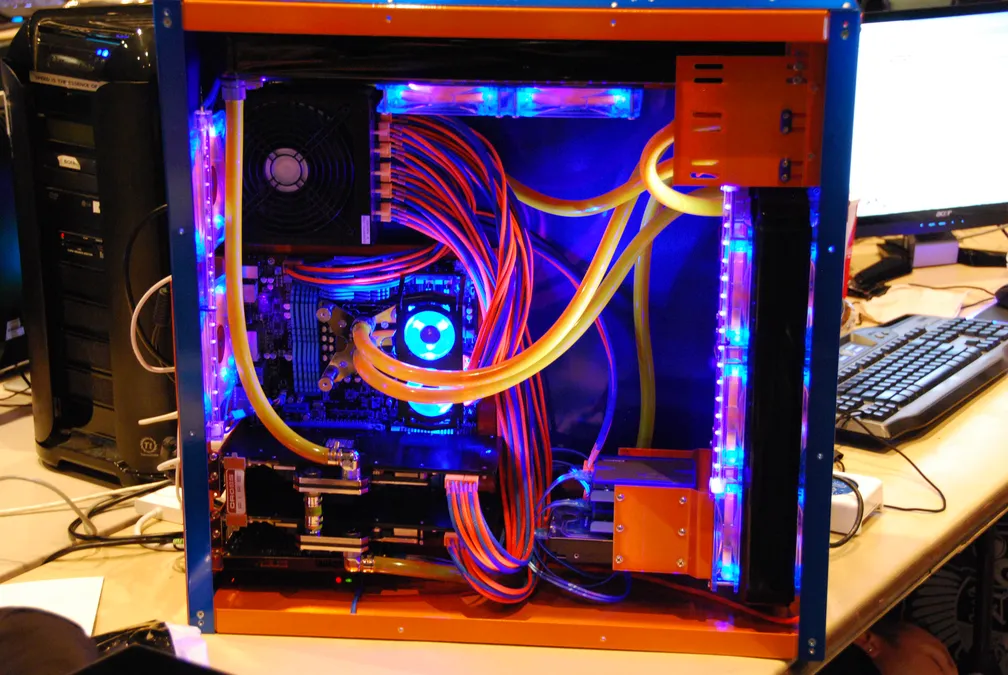
Crossing the two header types. The expensive one. It kills the device immediately and is not covered by warranty.
Running every vendor suite at once. Four background services all trying to own the same controllers. Install the motherboard’s, verify, then add others only as needed.
Too many colors at once. A build holding one color, or two adjacent ones, looks deliberate. Six competing colors looks like nothing was chosen at all. Rainbow mode is the factory default, not a design decision.
Ignoring the cables. Lit components need power and data runs on top of the wiring already in the case, and cable to a lit fan is the most visible cable in the build. Route it behind the tray with the rest.
Choosing fans for their lighting. A fan’s job is moving air. Check the airflow and noise figures first and treat the lighting as a tiebreaker — an RGB fan in the wrong position is still a fan in the wrong position.
Worth building: a short female-to-female extension between the case and any external strip. When you next move the machine you unplug at that joint instead of fishing a connector out from behind the motherboard tray.
Five Ways to Make RGB Do Something Useful

Temperature at a glance. My cooler runs green when cool, blue in the middle, red when it is working hard. No overlay, no second monitor — a glance tells me whether a render is stressing the machine. This is the one genuinely functional use of RGB and it costs nothing to set up.
Profiles per task. Warm white for working, something more aggressive for gaming, dim for watching. Bound to a hotkey it takes a second and changes the feel of the room.
Bias lighting behind the monitor. A neutral strip on the wall behind the screen narrows the brightness gap between a lit display and a dark room. It is the one RGB feature that makes long sessions physically more comfortable rather than just better looking.
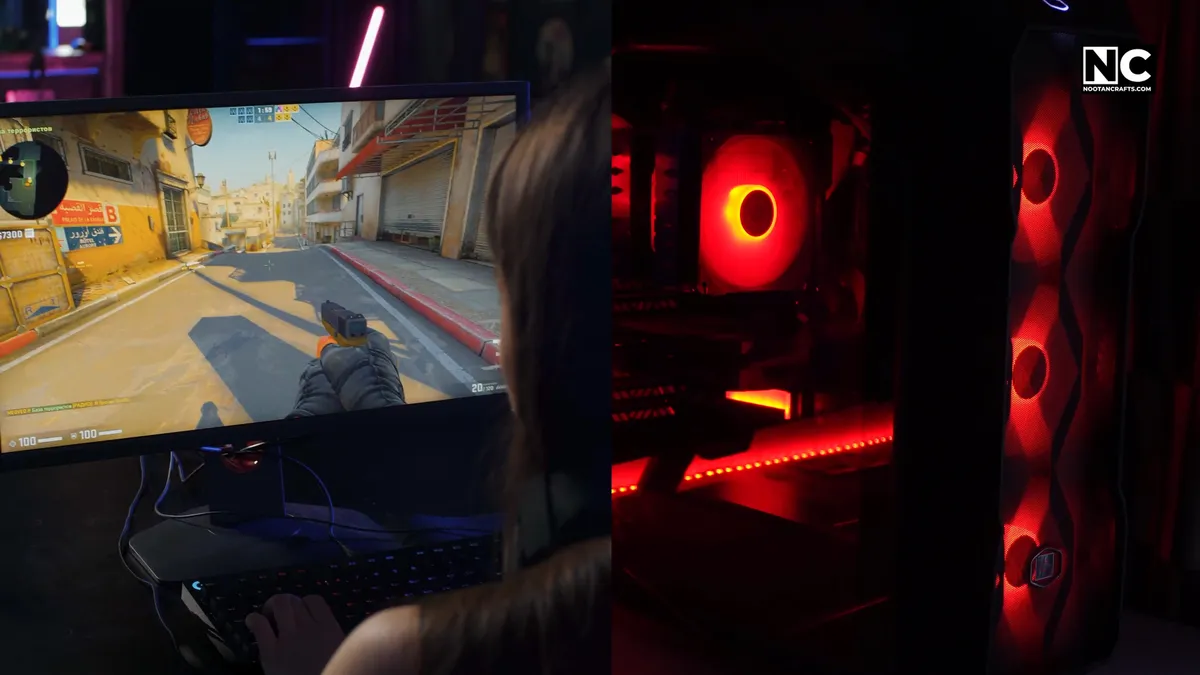
Music and game sync. Audio reactivity is genuinely fun, and some titles expose events to the lighting software — health low, reload, explosion. Worth an evening of setup; not worth buying hardware for.
Scheduling. Have the lights dim and warm after sunset. The colors shifting is your cue that it is later than you thought, which is more useful than any effect.
Frequently Asked Questions
What is the difference between RGB and ARGB?
RGB runs at 12 V on a 4-pin header and drives every LED in the chain to the same color at once. ARGB runs at 5 V on a 3-pin header and gives each LED its own address, which is what makes waves, chases and music sync possible. Different voltage, different connector, different signal — they only look similar.
Can I mix RGB and ARGB components?
In the same build, yes — they are separate circuits and using both headers is normal. On the same header, never. A 5 V ARGB device on a 12 V header is destroyed instantly and permanently. The 3-pin connector is keyed with a blocked position to prevent it; if a plug will not seat easily, you have the wrong header.
Why will my RGB not sync?
Work through it in order. Is every device on the correct header and seen by the software? Are two vendor apps running at once and fighting for the same controllers? Are the components from different brands, whose suites cannot control each other? The first two are settings. The third needs OpenRGB or a matching-brand replacement.
Do I need software to control RGB lights?
For anything synced, yes. Plenty of strips and fan kits ship with an inline controller or remote that cycles preset effects without a PC, which is fine on its own but cannot match colors with the rest of your build. Motherboard-connected lighting needs the board’s software or OpenRGB.
Can one program control every brand?
OpenRGB comes closest. It is free and open source and controls hardware across manufacturers without their software, though support is per-device, so check its supported list first. SignalRGB is the commercial alternative with more effects. Neither is perfect, and both beat running four vendor suites at once.
Will RGB raise my electricity bill?
Components inside the case, no — a few watts total, lost in the noise of a gaming PC. External strips are where it becomes measurable: a WS2812B strip at 60 LEDs per meter can draw about 18 W per meter at full white, so five meters at full brightness is comparable to a bright ceiling bulb. Run strips at partial brightness in a color rather than white and the draw falls sharply.
How many LEDs can one ARGB header drive?
Roughly 60 to 120 before the data signal degrades, and the 15 W power budget usually runs out first. Past that, use a powered ARGB hub that takes power from the PSU and passes only data back to the board.
Is RGB only for looks?
Mostly, and there is nothing wrong with that. The two exceptions that earn their keep are temperature-mapped lighting on the cooler, which tells you something real at a glance, and bias lighting behind the monitor, which measurably reduces the contrast your eyes work against in a dark room.
Pick One Color and One Program
Almost every RGB problem is one of two things: a device on the wrong header, or too many programs arguing over the same hardware. Fix the wiring first, then cut yourself down to a single piece of software — the motherboard’s, or OpenRGB if your parts come from different brands.
Then pick one color and let the build hold it. A machine glowing a single steady shade looks considered in a way that rainbow mode never will, and it is the default nobody bothers to change.