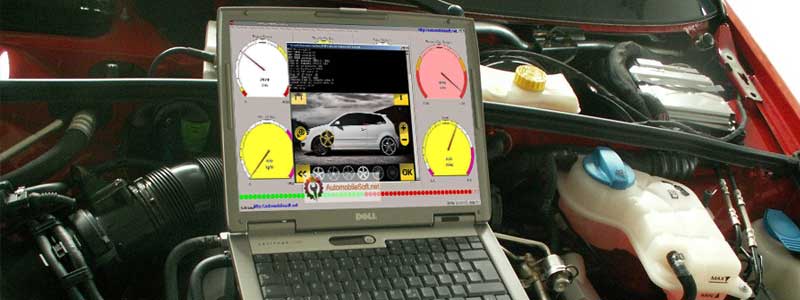
Most tuners would rather not risk their everyday laptop in a garage — dust, oil on your hands, dropped tools, a machine riding along in the car on a track day. So the search starts for a second, dedicated computer, and the advice on offer immediately conflicts: some guides push gaming laptops with RTX graphics, others list machines that cost more than the tuning interface plugged into them.
Flashing and logging software is not computationally demanding. High Performance Academy’s tuning-laptop guidance puts it bluntly: spending big on a high-spec machine is one of the easiest ways to waste money before you have even plugged into an ECU. What the job does ask for is narrower and less glamorous — full-size USB-A, native Windows, and a power arrangement that keeps the laptop alive from the first byte of a write to the last.
Editor’s Pick

Last update on 2026-11-06 / Affiliate links / Images from Amazon Product Advertising API
Full Windows 11 Home rather than S Mode, three native USB-A ports so the interface cable and an accessory can be plugged in at the same time, and 16GB of RAM — at the budget end of the range, which is where a dedicated garage machine belongs.
- AMD Ryzen 7 7730U
- 16GB DDR4
- 3x USB-A, USB-C, HDMI 2.1
What’s Inside
- 1 – Best Laptops for Car ECU Tuning — Buyer's Guide
- 2 – How to Remap a Car With a Laptop?
- 3 – Car Tuning Laptop Comparison Table
- 4 – Best Laptops for Car Tuning in 2026 — Reviews
- 4.1 – 1. Acer Aspire Go 15 AI (Best Overall / Budget)
- 4.2 – 2. Dell 14 Laptop (Best Everyday Business Pick)
- 4.3 – 3. Lenovo ThinkPad E16 Gen 2 (Best for Durability / Garage Use)
- 4.4 – 4. LG gram 15 (Best Lightweight / Track Day Pick)
- 4.5 – 5. HP ProBook 4 G1a (Best Alternate Business Pick)
- 4.6 – 6. Acer Aspire Vero (Best Budget / Eco-Conscious)
- 4.7 – 7. Dell Pro 14 (Best Rugged / Field Use)
- 5 – Recommended Accessories
- 6 – Which Laptop Should You Buy for Car Tuning?
- 7 – Car Tuning Laptop FAQ
- 8 – Final Thoughts on Laptops for Car Tuning
Best Laptops for Car ECU Tuning — Buyer’s Guide
An Ideal Processor
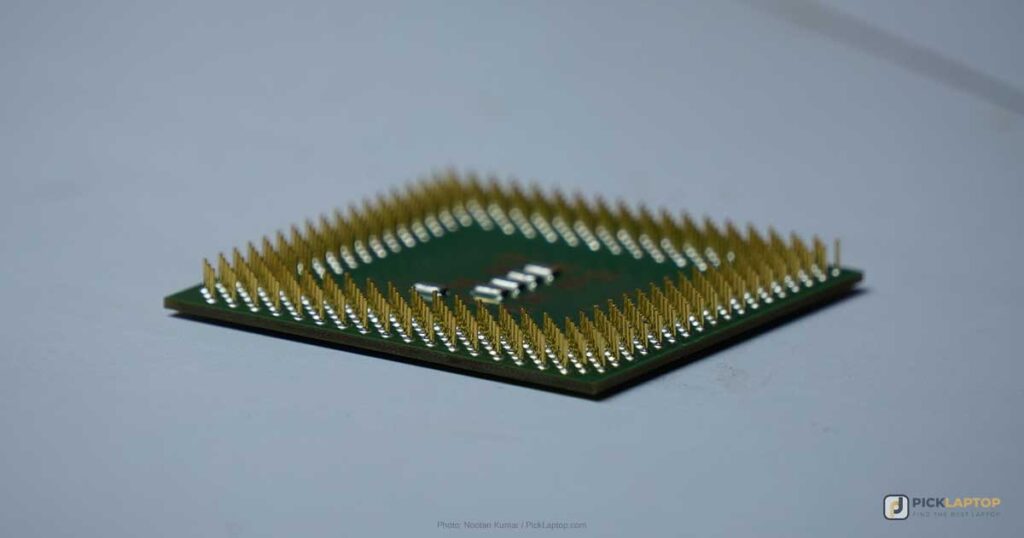
Tuning software does not reward a fast processor the way rendering or compilation does, but the bottom-tier Celeron, Pentium and Atom parts are worth skipping anyway — they tend to arrive paired with 4GB or 8GB of soldered memory and eMMC storage, which is where the real constraint sits. An Intel Core i5 (or current Core 5) or an AMD Ryzen 5 is more than the workload needs.
Stepping up to an i7 or Ryzen 7 buys you nothing in the flashing itself. It becomes worth the money if that same machine is also replaying long datalogs or running two software suites side by side. Faster chips also draw more power, which shortens the runtime of the machine you are trying to keep alive in a garage — a mid-tier chip is usually the better trade here than the fastest one on the shelf.
Ample Memory
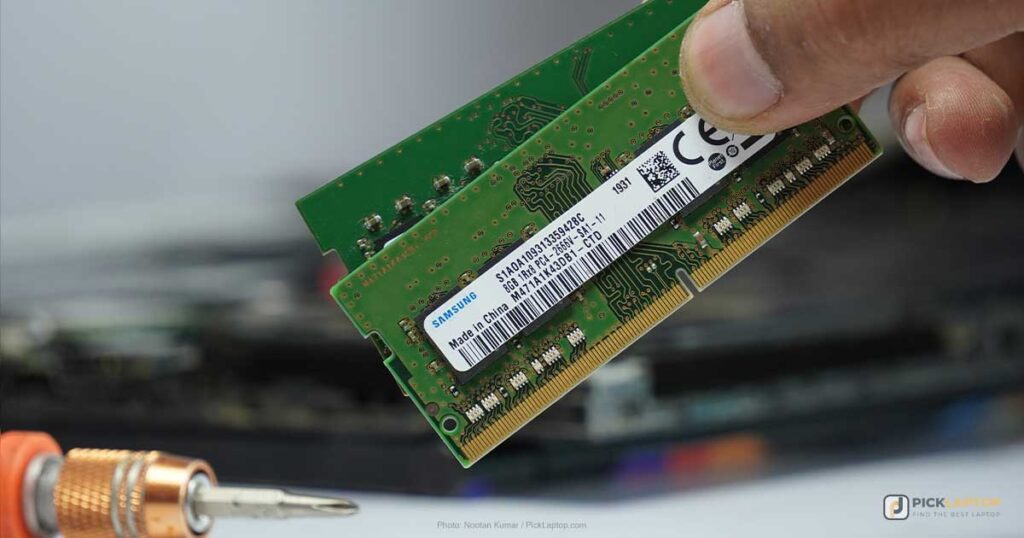
16GB is the figure to hold to. The tuning application alone rarely needs it; what fills memory is everything running beside it — Windows, a browser with a dozen forum tabs open on a calibration question, a datalog viewer, and the vendor’s own software updater. 8GB machines run the software and then run out of room for the rest of the session.
Prefer a laptop with SODIMM slots over soldered memory where the choice exists, since it turns a 16GB purchase into a 32GB one later for the cost of two sticks. DDR4 versus DDR5 is not a deciding factor between two otherwise-similar machines for this workload; capacity in gigabytes is what changes the experience.
Storage
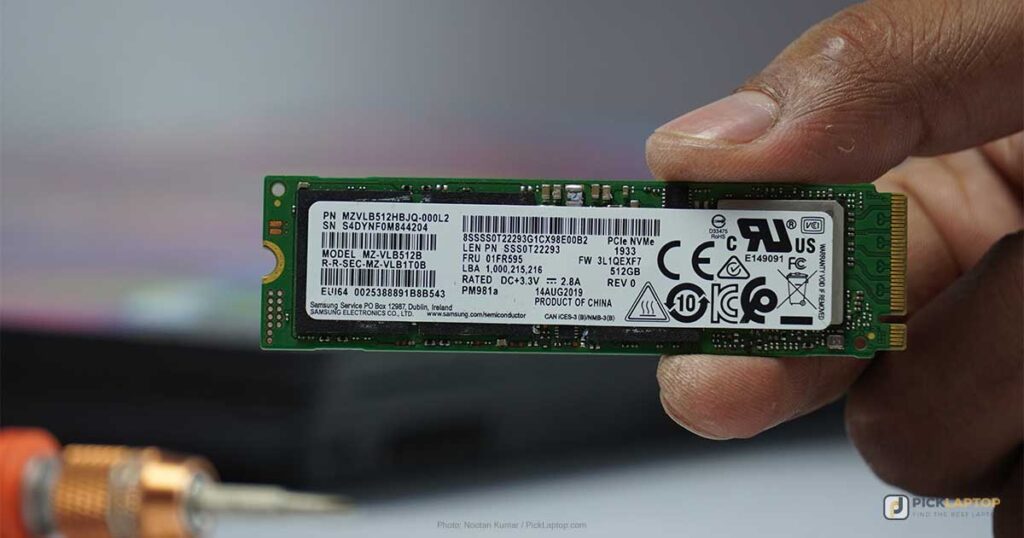
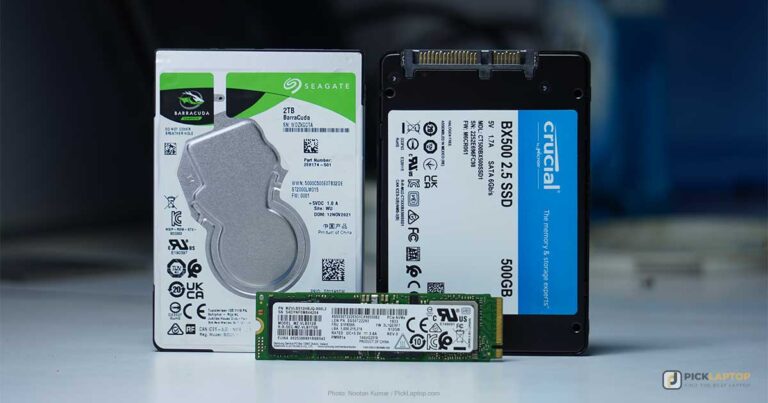
An SSD is the baseline, and the reason is mechanical rather than about speed. A tuning laptop gets carried between bench, car and dyno bay, and often rides in the vehicle while it is running — vibration that a spinning platter drive tolerates poorly. An SSD has no moving parts to survive that, and it draws less power while it does nothing, which is most of a tuning session.
Capacity is a question about what else lives on the machine. Tune files and datalogs are small; a single-vehicle hobbyist will not fill 512GB with them. 1TB is the easier choice if the laptop also stores stock file libraries for several vehicles, keeps years of logs, or doubles as a general-purpose work machine rather than staying a single-purpose tool.
Display Size and Resolution
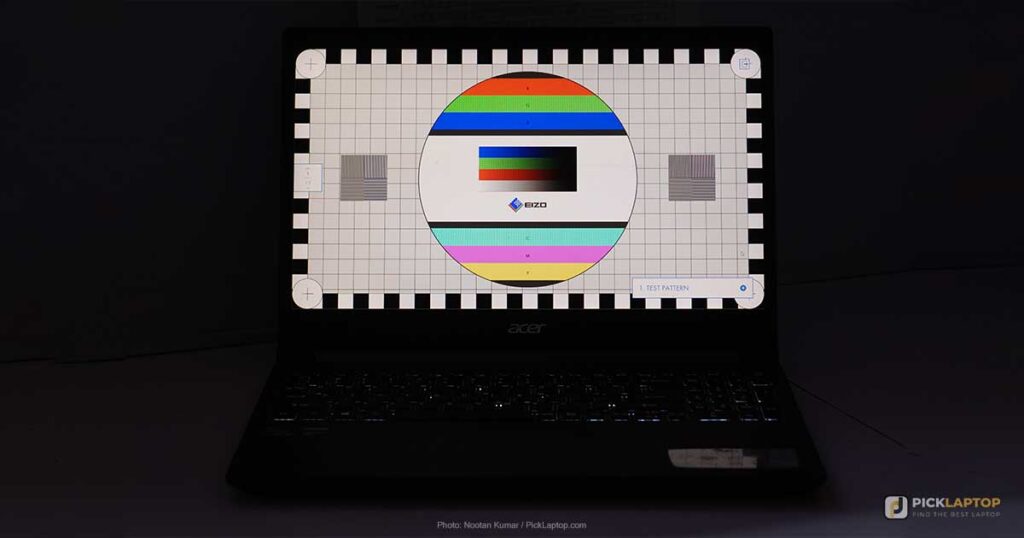
A 13- to 15-inch Full HD panel is the practical range: large enough to keep a table of parameters and a live gauge cluster on screen together, small enough to sit on a workbench or a passenger seat without fouling anything.
Outdoors — a dyno day, a driveway, a paddock — brightness and finish decide legibility, not resolution or panel type. Look for a measured brightness figure in the 300 to 350 nit range and a matte finish. A glossy panel in direct sun reflects the sky back at you regardless of how sharp it is, and IPS on the spec sheet says something about viewing angles, not about how bright the screen gets.
Connectivity Ports
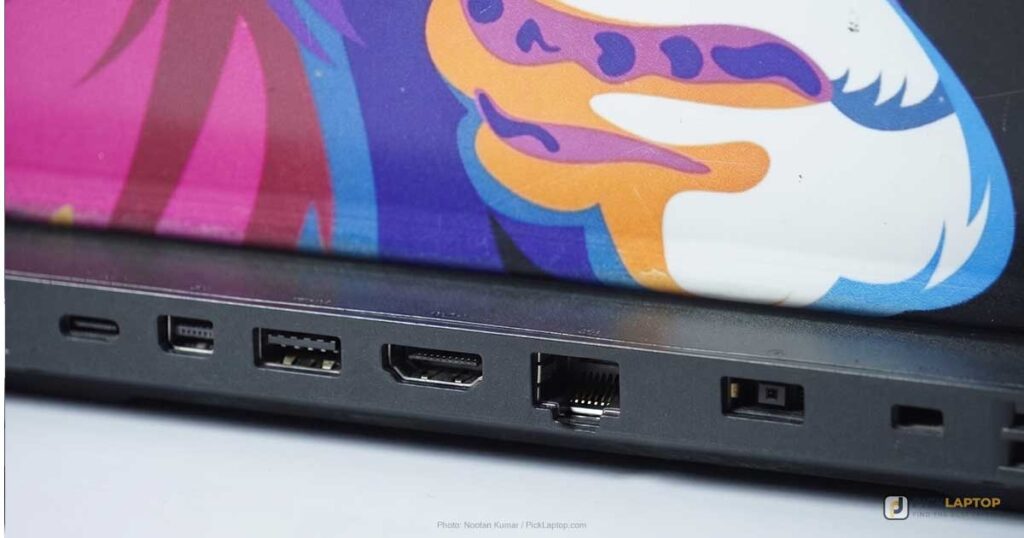
Check the connector on your own interface before ruling a laptop in or out. HP Tuners, for one, sells the host-side cable for its MPVI interfaces with a USB Type-A plug at the laptop end — the MPVI2/2+/3 cable is A-to-C, with the A end going into the computer. A native USB-A port means no hub in the chain, and a hub is one more connector to work loose partway through a write.
High Performance Academy’s guidance is at least two USB ports — one for the ECU interface and one for accessories, which is a lower bar than it sounds until you meet a two-port ultrabook where one of them is also the charging port.
Some standalone engine management systems connect over Ethernet rather than USB. If yours does, look for an RJ-45 jack specifically rather than assuming a laptop has one — among the machines below, only the Dell Pro 14 does, and it is the kind of port that disappears first on thin chassis.
Long Battery Life
Since nothing here is performance-hungry, eight hours or more is easy to find without paying a premium for it. Battery life is what gets you through a day of logging and diagnosis. It is not what should be carrying you through a flash, for the reason set out next.
Powering the Laptop During a Flash
Keep the laptop on external power for the whole of a write, and keep the vehicle’s battery charged while you do it. High Performance Academy states it directly: “You do not want your laptop or vehicle battery to go flat while downloading or uploading data as that can brick the ECU.” A laptop that hibernates, sleeps or dies partway through a write can leave the ECU holding an incomplete calibration and no way to boot from it.
Two separate power supplies are involved and both can fail you. The laptop’s is the one you control most easily: plug into a wall outlet where one is within reach, and before you start a write, check that Windows is not set to sleep the machine on idle or on lid close. The vehicle’s is the reason shops keep a battery charger or maintainer on the car during a flash — the ECU is drawing from that battery for as long as the write lasts, with the engine off.
Where no outlet is reachable, the fallback is a laptop charged to full with sleep disabled and a maintainer on the vehicle, and a write started with time to spare rather than at the end of a long session.
Windows Is Effectively Required
Most ECU interface devices ship Windows drivers and nothing else. High Performance Academy’s advice is to stick with a Windows laptop and avoid the workarounds altogether — running Windows in a virtual machine on a Mac, it notes, “adds unnecessary complexity and introduces potential compatibility headaches you simply don’t need in a tuning environment,” the USB passthrough to the interface device being the usual place it goes wrong. Chromebooks are out for the same driver reason.
One more thing to check on a new machine: Windows 11 in S Mode only installs applications from the Microsoft Store, which no tuning suite ships through. Switching out of S Mode is free and one-way, but it is easier to buy a laptop that was never in it. And if you are running an older interface, confirm with its vendor which Windows releases it is currently validated against rather than assuming the newest one is covered.
Dedicated Graphics Card
Tuning suites draw parameter tables and plot logs, work that integrated Intel or AMD graphics finishes without noticing. A discrete GPU adds weight, heat and power draw to a machine whose whole job is to sit still and stay powered. It makes sense only if the same laptop is also doing 3D work on custom parts or running simulation software alongside the tuning software.
How to Remap a Car With a Laptop?
Remapping a car with a laptop means modifying the vehicle’s ECU. The basic process:
1. Get the right software — compatible with your car’s ECU, which is often make and model specific.
2. Connect your laptop to the car via a cable and programming interface plugged into the OBD port, usually under the driver-side dashboard.
3. Back up the existing ECU settings before changing anything, so the original calibration can be restored.
4. Modify the ECU settings — fuel injection, ignition timing, and other parameters that affect performance.
5. Test the modified settings to confirm the car runs correctly.
6. Save the modified settings to the ECU so the changes persist across restarts.
This is not a process to learn on a car you depend on. A write that fails partway can leave an ECU unrecoverable, and modifications have to comply with local emissions and roadworthiness regulations.
Car Tuning Laptop Comparison Table






Last update on 2026-11-06 / Affiliate links / Images from Amazon Product Advertising API
Best Laptops for Car Tuning in 2026 — Reviews
1. Acer Aspire Go 15 AI (Best Overall / Budget)
Best Overall / Budget
Last update on 2026-11-06 / Affiliate links / Images from Amazon Product Advertising API
- Weight3.92 lbs
- ProcessorAMD Ryzen 7 7730U
- Memory16GB DDR4
- Storage512GB PCIe Gen4 SSD
- Ports3x USB-A, USB-C, HDMI 2.1
Three full-size USB-A ports is the specification that puts this first, and it is the one budget laptops most often cut. Expert Reviews’ teardown of the port layout on this AG15-42P chassis counted two 5Gbits/sec USB-A ports plus HDMI 2.1 and a 10Gbits/sec USB-C on the left edge, and a third USB-A on the right. The interface cable goes into one, a wireless mouse dongle or a USB stick of stock files into another, and nothing has to come out to make room.
Two caveats about that review, because they matter for what it does and does not establish. It covers the AG15-42P in an earlier Ryzen 7 5825U configuration rather than the Ryzen 7 7730U sold here, so its performance figures are not measurements of this machine; the port layout and chassis are shared. And the unit tested had no keyboard backlight and no fingerprint reader — the reviewer found the keyboard deck “reasonably solid” with “positive, albeit somewhat short” travel, but nothing to see it by. Backlighting varies between Aspire Go 15 SKUs, so match the model number on the listing if this laptop is going to live under a car in a dim garage.
There is no Ethernet jack on this chassis, which rules it out for Ethernet-connected standalone management. For an OBD-II interface on a USB cable, which is what most people reading this are plugging in, it is not a limitation you will meet.
Pros
- Three USB-A ports, confirmed on this chassis by Expert Reviews
- Ships with full Windows 11 Home, not S Mode
- Budget tier, which is the right tier for a second machine
Cons
- No Ethernet port
- No keyboard backlight on the configuration reviewed
- USB-C is 10Gbits/sec data and DisplayPort only — not Thunderbolt
- Published testing covers the 5825U model, not this 7730U configuration
2. Dell 14 Laptop (Best Everyday Business Pick)
Best Everyday Business Pick
Last update on 2026-11-06 / Affiliate links / Images from Amazon Product Advertising API
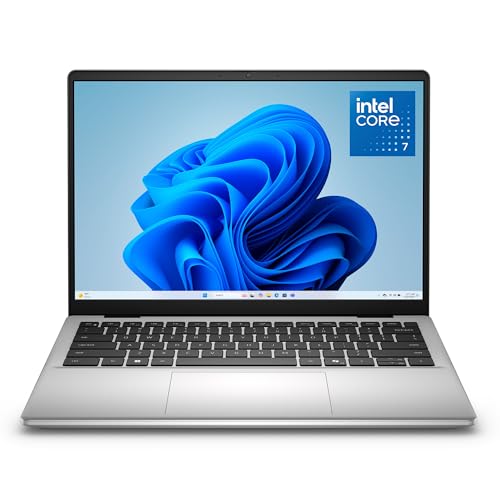
- ProcessorIntel Core 7 150U
- Memory16GB DDR5
- Storage1TB SSD
- Display14″ WUXGA IPS, anti-glare
1TB at this tier is unusual, and it is the reason to look at this one over the Acer. It suits the tuner whose laptop is not single-purpose — the machine that also holds invoices, photos of every job, and a decade of stock files for cars that come back.
The anti-glare finish on the 14-inch panel is the other practical point, for the same reason matte matters outdoors generally.
Zippy Laptop’s hands-on review of this exact configuration — the DC14250 with the Core 7 150U — is unimpressed by two things: there is no keyboard backlight, which its reviewer calls a cost-cutting decision, and the webcam is 0.9MP, low enough to be a problem for anyone taking customer video calls off this machine. It is a single reviewer’s hands-on rather than a lab test, and it is the only published review of this configuration found.
Pros
- 1TB of storage as standard
- Anti-glare 14-inch panel
- Fingerprint reader for quick login
Cons
- No keyboard backlight
- 0.9MP webcam
- Evidence base is one independent hands-on review, not lab measurement
3. Lenovo ThinkPad E16 Gen 2 (Best for Durability / Garage Use)
Best for Durability
Last update on 2026-11-06 / Affiliate links / Images from Amazon Product Advertising API
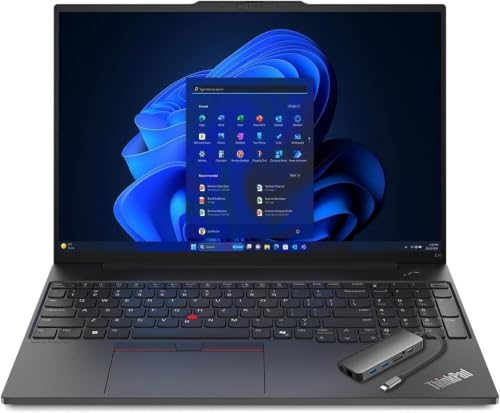
- Weight3.59 lbs
- ProcessorAMD Ryzen 7 7735HS
- Memory16GB DDR5 (two SODIMM slots, up to 64GB)
- Storage512GB PCIe SSD
- Display16″ WUXGA IPS
The spill-resistant keyboard is the feature to buy this for. A garage is a room where an open drink and a set of greasy fingers are both within arm’s reach of the keyboard, and a drainage path under the keys is worth more there than it is anywhere else the E16 gets sold.
Lenovo’s specification sheet for the AMD model lists two DDR5 SODIMM slots taking up to 64GB, plus two PCIe Gen 4 M.2 slots, along with MIL-STD-810H testing on the chassis. So the 16GB machine bought now is a 32GB or 64GB machine later for the price of the modules — which is what makes this a five-year purchase rather than a two-year one if the laptop also anchors a multi-monitor desk setup between jobs.
State of the evidence, since it is easy to be misled here: the independent reviews of the E16 Gen 2 in circulation cover the Intel model, which is a separate machine with a different processor and platform. Nobody has published lab measurements of the Ryzen 7 7735HS version, so what is stated here rests on Lenovo’s own documentation.
Pros
- Spill-resistant keyboard
- MIL-STD-810H tested, per Lenovo’s spec sheet
- Two SODIMM slots, up to 64GB
Cons
- Larger and heavier than the ultraportable picks
- Independent coverage exists only for the Intel model
4. LG gram 15 (Best Lightweight / Track Day Pick)
Best Lightweight / Track Day

Last update on 2026-11-06 / Affiliate links / Images from Amazon Product Advertising API
- Weight2.8 lbs
- ProcessorAMD Ryzen AI 7 450
- Memory16GB
- Battery72Wh
2.8 lbs is what you buy here. Carrying a laptop from the shop to the trailer to the paddock and back over a track day is a different physical task from moving one between a desk and a meeting room, and the gram is the lightest machine on this list with a published weight. Engadget’s rundown of LG’s 2026 gram lineup lists the 15.6-inch gram with the Ryzen AI 7 450, at the premium end of the range for the specification you get.
Two things to be careful about. LG rates gram battery life in video-playback hours, not mixed use, so the headline runtime is a manufacturer figure rather than a measured result — which is a reason to plug in for a flash rather than trust a number, as with any laptop here. And the name is the trap: “LG gram 15” has been in continuous use since the Intel-era models of the late 2010s, and reviews of those machines still surface in search results and get cited as though they described this one. They are a different processor, a different platform and a different chassis generation. Nothing published so far measures the Ryzen AI 7 450 gram 15 itself.
LG markets the 2026 gram line on military-grade durability certification without the launch coverage naming the specific test standard. Set against that, the gram line’s low weight has always come from a thin magnesium-alloy chassis, and that is worth handling in person if you expect to carry it one-handed across a workshop.
Pros
- Lightest of the picks here with a published weight, at 2.8 lbs
- 72Wh battery in a machine this thin
Cons
- Premium tier for the specification
- No Ethernet port
- Runtime rating is LG’s video-playback figure, not a measured mixed-use result
- Nothing published measures this generation of the chassis
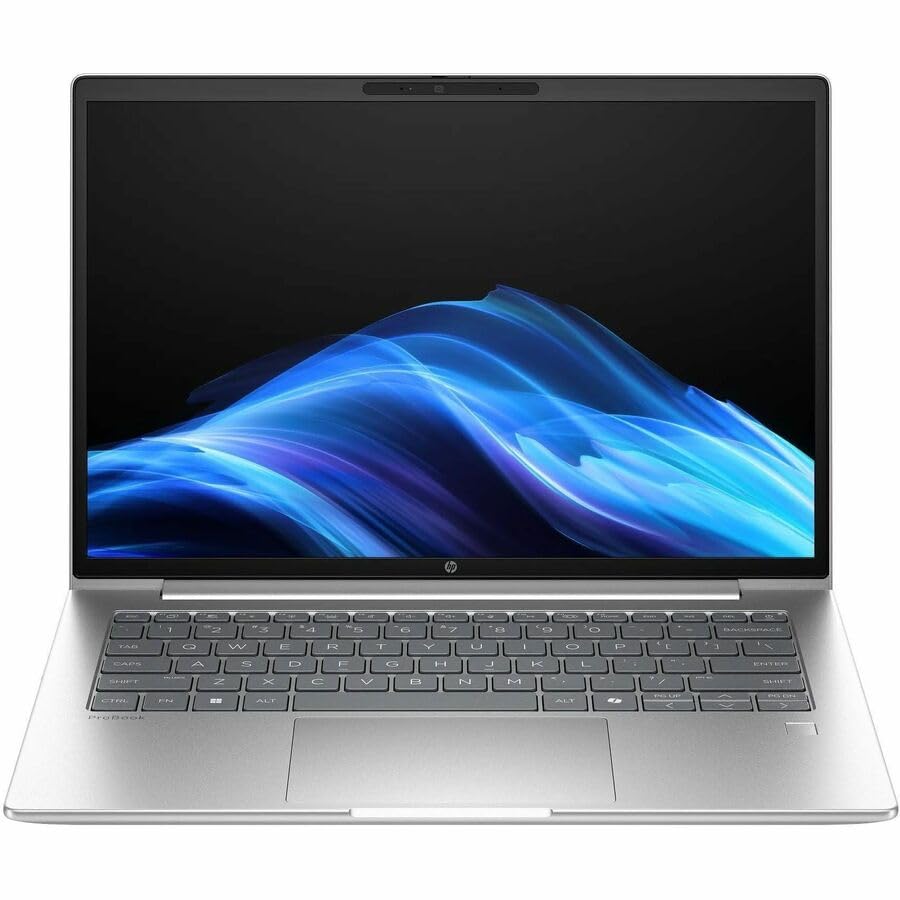
5. HP ProBook 4 G1a (Best Alternate Business Pick)
Best Alternate Business Pick
Last update on 2026-11-06 / Affiliate links / Images from Amazon Product Advertising API
- ProcessorAMD Ryzen 7 250 (Intel Core Ultra 5 225U configuration also sold)
- GraphicsAMD Radeon 780M
- Memory16GB
- Storage512GB PCIe NVMe SSD
- Display14″ WUXGA IPS
This is the pick with the most complete published testing behind it. TechRadar tested the Ryzen 7 250 with Radeon 780M graphics and recorded 12h 6m in PCMark 10’s battery benchmark, and found the memory, storage, Wi-Fi card and battery all replaceable with basic tools. Its review unit carried 32GB and a 1TB SSD rather than the 16GB and 512GB in the configuration listed here, so read the runtime as coming from a higher-specified machine.
The upgrade path has two memory slots, both occupied at 16GB, so moving to 32GB means pulling modules out rather than adding a second stick. Total capacity goes to 64GB.
Beyond that, this is the alternate for anyone who buys HP for warranty or fleet-support reasons — a business chassis with no consumer software layer to argue with while installing interface drivers.
Pros
- 12h 6m in PCMark 10’s battery test (TechRadar, 32GB/1TB unit)
- Memory, storage, Wi-Fi and battery replaceable with basic tools
- Tested in the same Ryzen 7 250 configuration sold here
Cons
- Two memory slots only — a 32GB upgrade replaces modules rather than adding them
- The tested unit was specified above the configuration listed here
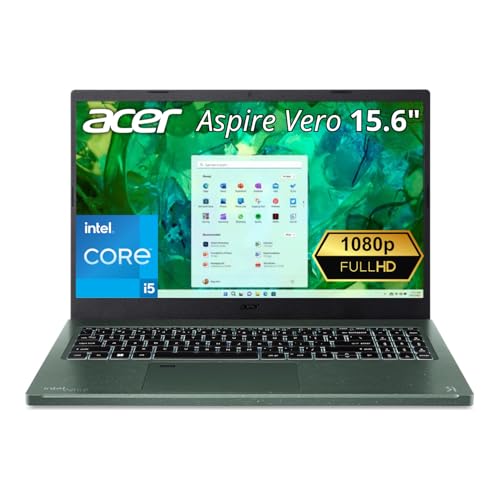
6. Acer Aspire Vero (Best Budget / Eco-Conscious)
Best Budget / Eco-Conscious
Last update on 2026-11-06 / Affiliate links / Images from Amazon Product Advertising API
- Weight3.97 lbs
- ProcessorIntel Core i5-1335U
- Storage512GB PCIe Gen4 SSD
- Ports2x USB-A, 2x Thunderbolt 4, HDMI 2.1
The Vero’s recycled-plastic chassis is the headline, but the interesting part for a laptop that gets opened is how it is held together. LeafScore’s hands-on review of an Aspire Vero found standard screws rather than glued panels, with internal space left deliberately for upgrades and repairs — design decisions that outlast a battery or an SSD.
That review covers an 11th-gen Core i7 AV15-51, two generations behind the Core i5-1335U machine listed here. The construction philosophy has carried across the line, but no independent review of this configuration has been published, and the same reviewer’s other complaint — a fan loud enough to interfere with a video call — is a finding about that older unit rather than this one.
Read the configuration on the listing before buying. Vero configurations exist with 8GB of memory as well as 16GB, and 8GB is under the line for this job.
Pros
- Screws rather than glue, with room left inside for upgrades (LeafScore, earlier model)
- Recycled-plastic chassis
- Full-size USB-A alongside Thunderbolt 4
Cons
- 8GB configurations are sold under the same name
- Published review coverage is two generations old
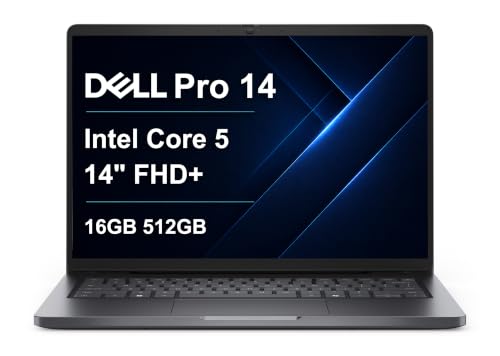
7. Dell Pro 14 (Best Rugged / Field Use)
Best Rugged / Field Use
Last update on 2026-11-06 / Affiliate links / Images from Amazon Product Advertising API
- ProcessorIntel Core 5 120U (up to Core Ultra 5 235U)
- Memory16GB DDR5
- Storage512GB SSD
- Ports2x USB-A, 2x USB-C, HDMI 2.1, RJ-45
The RJ-45 jack is why this one is here. Dell’s PC14250 specification sheet lists two USB-A ports, HDMI 2.1, a gigabit Ethernet jack and two USB-C ports — Thunderbolt 4 on the Core Ultra configurations — at a 2.99 lb starting weight, with a 45Wh or 55Wh battery rated up to 10.3 hours. It is the only machine among these picks with Ethernet on board, which is the difference between plugging into an Ethernet-connected standalone ECU and carrying an adapter you can lose. Dell states its Pro laptops undergo MIL-STD 810H testing.
LaptopMedia reviewed the PC14250 in a Core Ultra 7 265U configuration rather than the Core 5 120U sold here — a different processor in the same chassis — and found the 115 x 67 mm trackpad precise for daily use and the fingerprint reader built into the top-right key. Those are chassis findings, not processor findings, so they carry across configurations; nothing in that review measures the Core 5 120U model, and it makes no mention of the durability testing.
For anyone shopping the range, the rated 10.3 hours is a shorter day than the ProBook’s measured 12 hours, and the battery is 45Wh or 55Wh depending on configuration. That is a fine number for a laptop that spends flashes plugged in and the rest of the day outdoors logging, and a thin one if you were planning to work off battery all day.
Pros
- Gigabit RJ-45 Ethernet, the only one among these picks
- MIL-STD 810H testing, per Dell
- 2.99 lb starting weight for a business 14-inch
Cons
- Thunderbolt 4 comes with the Core Ultra configurations, not the Core 5 120U
- 45Wh or 55Wh battery, rated up to 10.3 hours
- Published review covers a different processor configuration
Recommended Accessories
Worth being upfront about what these are: diagnostic code readers, not ECU tuning or reflash interfaces. They sit alongside your tuning software for pulling and clearing check-engine codes before and after a tune, and they will not write a calibration. One budget wired option and one wireless smartphone-based option:


Last update on 2026-11-06 / Affiliate links / Images from Amazon Product Advertising API
Which Laptop Should You Buy for Car Tuning?
| Best For | Pick |
|---|---|
| Overall / Budget | Acer Aspire Go 15 AI |
| Everyday Business | Dell 14 Laptop |
| Durability / Garage Use | Lenovo ThinkPad E16 Gen 2 |
| Lightweight / Track Day | LG gram 15 |
| Alternate Business Pick | HP ProBook 4 G1a |
| Budget / Eco-Conscious | Acer Aspire Vero |
| Rugged / Field Use | Dell Pro 14 |
Car Tuning Laptop FAQ
What is engine remapping?
Altering the calibration held in a vehicle’s ECU — fuel injection, ignition timing and related parameters — rather than changing any hardware. The distinction that matters practically is between a reflash, which rewrites the factory ECU’s own tables, and a piggyback or standalone unit, which intercepts or replaces the factory controller. They need different interfaces and different software.
Is engine remapping worth it?
It can increase power and torque and sharpen throttle response. Against that: it can void a manufacturer’s warranty, it may affect emissions compliance, and a poor tune can damage an engine. The gain also depends heavily on the platform — a turbocharged engine typically has far more available in software than a naturally aspirated one.
Can I tune the car myself?
Within your local legal framework, yes. The risk is not evenly spread across the process: reading and logging are low-consequence, and writing is where an interrupted operation can leave an ECU unrecoverable. Many tuners do their own logging and hand the calibration work to someone experienced with that specific ECU.
Is engine remapping legal?
Broadly yes for off-road and track use, with the significant exception of emissions controls — defeating or removing them is prohibited in many jurisdictions regardless of what the rest of the tune does. Roadworthiness and insurance disclosure requirements vary too, so check local rules before, not after.
Can engine remapping improve fuel economy?
It can, but the two goals pull against each other: a tune optimized for power will generally not be the one optimized for consumption. Economy-focused calibrations exist and tend to be about part-throttle behavior and shift mapping rather than peak output. Driving style will still swamp the difference.
How much does engine remapping cost?
An off-the-shelf tune for a common platform is at the low end, a custom dyno session with a tuner is several times that, and the DIY route front-loads the cost into the interface hardware and software licenses before you tune anything. HP Tuners and similar suites also charge per vehicle licensed, which is the cost people miss when budgeting for tuning more than one car.
How long does engine remapping take?
A flash itself is typically minutes. The time goes into the work around it — reading the stock file, logging, iterating, and dyno time if the tune is custom. Budget a session rather than a slot.
Can engine remapping cause damage to the engine?
Yes, most commonly through excessive ignition advance or a lean air-fuel ratio under load, both of which can destroy pistons quickly. This is why logging after a change matters as much as making it: knock counts and fuel trims are what tell you whether the tune is safe on your fuel and in your climate.
Will engine remapping void my warranty?
It can, and modern ECUs often log a flash counter that records how many times the calibration has been written, so a dealer can usually tell. Some tuning tools can return the ECU to stock; not all of them reset that counter.
Can engine remapping increase horsepower and improve acceleration?
Yes, with the size of the gain set by the platform rather than by the software. Forced-induction engines respond most because boost pressure is under ECU control; on a naturally aspirated engine there is less in the calibration to recover.
Can engine remapping be undone?
Generally yes, by writing the original calibration back — which only works if you saved it first. That backup is the single step in the process with no recovery path if you skip it, because ECU stock files are not always available to download for a given vehicle and market.
Do I need a laptop with a dedicated GPU for tuning?
No. The more useful way to spend that money on a tuning laptop is on memory and a matte, brighter screen — the specifications that change what the machine is like to use outdoors and with several windows open.
Can I use a Mac for ECU tuning?
Not natively, and the virtual machine route is where problems start rather than where they end — the interface device has to be passed through to the guest OS, and USB passthrough failing mid-session is the exact scenario to avoid. If a Mac is the only machine available, a cheap dedicated Windows laptop costs less than a bricked ECU.
Final Thoughts on Laptops for Car Tuning
The specification list for a tuning laptop is short and cheap: native Windows, a full-size USB-A port with a second port free, 16GB of RAM, and an SSD to survive the vibration of riding in a car. Nothing on that list requires a large budget, and High Performance Academy’s warning about spending big before you have plugged into an ECU is worth reading before the shopping starts.
The Acer Aspire Go 15 AI meets that list at the budget end. The ThinkPad E16 Gen 2 and Dell Pro 14 are the two picks with durability testing behind them, and the Dell is the only one with an Ethernet jack. The HP ProBook 4 G1a has the most published measurement behind it of anything here.
Whichever one ends up on the workbench: plug it into the wall before starting a write, put a charger on the car, and disable sleep. A laptop that dies mid-flash is the failure mode that costs more than the laptop.

Finally, someone is talking about it, I am new to car tuning and looking for which laptop should I choose, this webpage helped me. I am going with Lenovo IdeaPad; it’s perfect for me. Thanks.
You’re welcome, Austin!