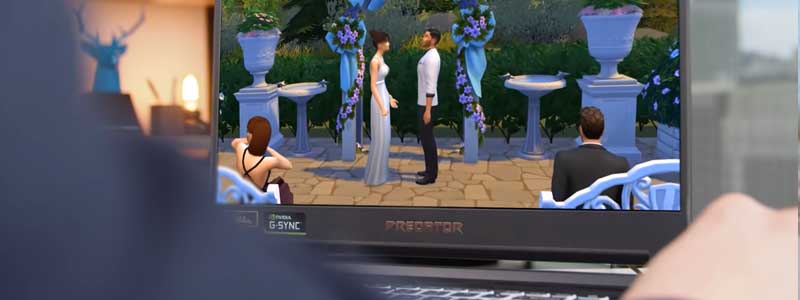
Developed and owned by the San Francisco-based Linden Lab, Second Life is an online virtual world with roughly half a million active users — evidence of its staying power more than two decades after its 2003 launch. According to Linden Lab, it’s not a game with manufactured objectives, but a persistent virtual world where “residents” build, socialize, and trade.
Linden Lab has quietly raised its own official hardware recommendations — 16GB+ RAM and an 8GB+ VRAM GPU are now the baseline, not the “2GB VRAM is plenty” advice still repeated across the web. We rebuilt this list against Second Life’s current official requirements instead.
Editor’s Pick
Last update on 2026-10-19 / Affiliate links / Images from Amazon Product Advertising API
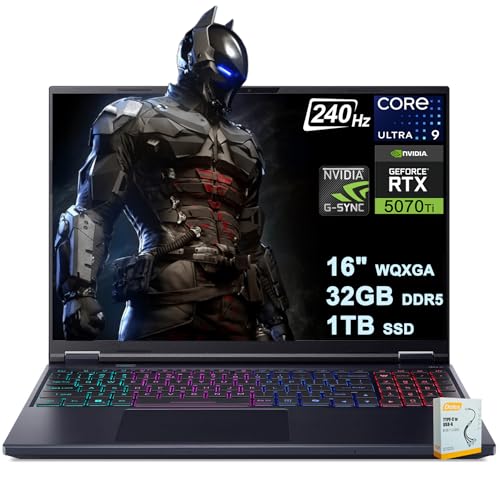
Clears Second Life’s current official recommendations by a wide margin — 12GB of VRAM against the 8GB baseline, 32GB of RAM, and a 240Hz OLED display for exploring well-built regions.
- Intel Core Ultra 9 275HX
- RTX 5070 Ti (12GB)
- 32GB DDR5
- 16″ WQXGA OLED, 240Hz
What’s Inside
- 1 – Which Is the Best Second Life Viewer?
- 2 – Second Life Laptop Buyer's Guide
- 3 – Second Life Laptop Comparison Table
- 4 – Best Laptops for Second Life in 2026 — Reviews
- 4.1 – 1. Acer Predator Helios Neo 16S AI (Best Overall)
- 4.2 – 2. Acer Nitro V 16 (Best Budget / Entry-Level)
- 4.3 – 3. Lenovo Legion 5a Gen 11 (Best Mainstream Value)
- 4.4 – 4. Razer Blade 14 (Best Portable / Low-Key Design)
- 4.5 – 5. Gigabyte Aero X16 (Best Battery Life)
- 4.6 – 6. ASUS ROG Strix G16 (Best High-End / Content Creation)
- 4.7 – 7. Razer Blade 16 (Best Ultimate / Overkill Pick)
- 5 – Recommended Accessories
- 6 – Which Laptop Should You Buy for Second Life?
- 7 – Second Life Laptop FAQ
- 8 – Final Thoughts on Laptops for Second Life
Which Is the Best Second Life Viewer?
There’s no single “best” viewer — it depends on your needs. Firestorm is known for advanced building tools and customization; Singularity is lightweight and easy to use; Black Dragon focuses on enhanced visuals with high-quality textures and advanced lighting. Most residents pick based on which features matter most to their specific use of the platform.
Second Life Laptop Buyer’s Guide
What Are the Current System Requirements for Second Life?
Per Second Life’s official system requirements page, here’s what Linden Lab currently states for Windows (macOS and Linux follow similar RAM/GPU baselines, with slightly different OpenGL versions):
| Minimum | Recommended | |
|---|---|---|
| Operating System | Windows 10 64-bit | Windows 11 64-bit |
| Processor | CPU with SSE2, 2 cores | CPU with SSE2, 8 cores |
| Memory | 8GB | 16GB or more |
| GPU Memory | 4GB | 8GB or more |
| Screen Resolution | 1024×768 | 1920×1080 |
| Graphics API | OpenGL 3.2 | OpenGL 4.6 |
16GB+ RAM and 8GB+ GPU VRAM is Linden Lab’s own current recommendation — a substantial jump from the “8GB RAM, 2GB VRAM” advice still repeated across most buying guides. Every laptop in our list below meets or exceeds the GPU figure.
Important: ARM/Snapdragon Windows Laptops Are Not Supported
This is a detail most buying guides miss entirely: Second Life’s requirements page explicitly states that ARM-architecture CPUs are not supported for the Windows viewer at this time. That rules out Snapdragon-based Windows laptops — including the ARM-based Surface Laptop we’ve recommended for other use cases — regardless of how capable they are otherwise. Every laptop recommended below uses a standard x86_64 Intel or AMD processor.
Processor
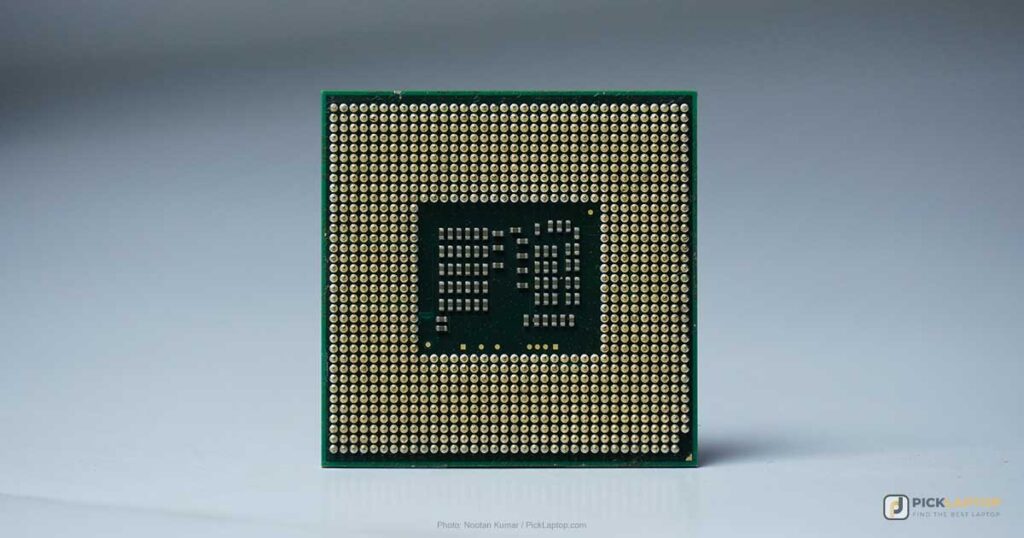
Linden Lab’s own guidance states that CPU choice has less impact than GPU for Second Life performance — a change from the platform’s early years. That said, the official recommended spec calls for an 8-core CPU; a 6-core chip is a reasonable floor if you want margin above the 2-core minimum. An i7-class chip is overkill for Second Life specifically, but worthwhile if you use the same laptop for other demanding games or applications.
Memory
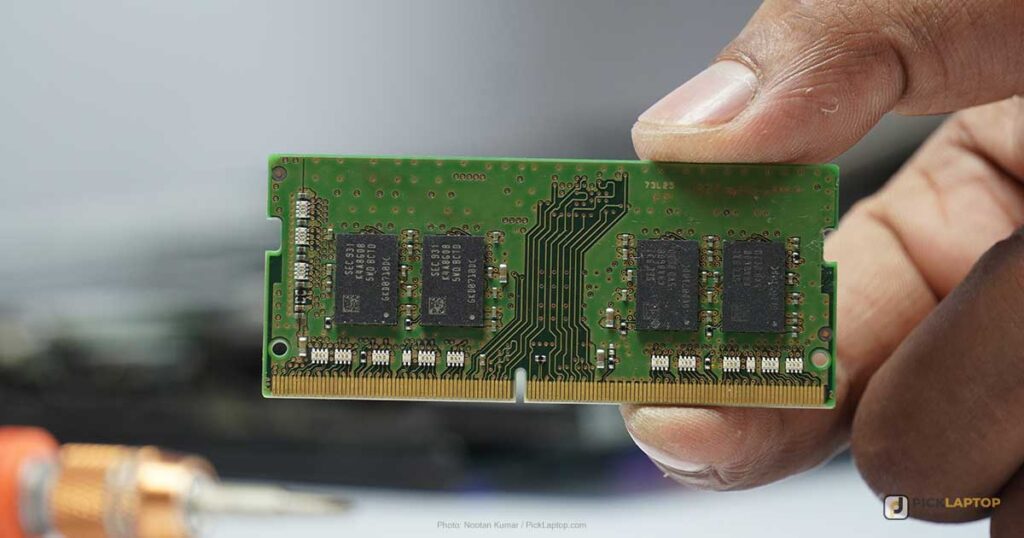
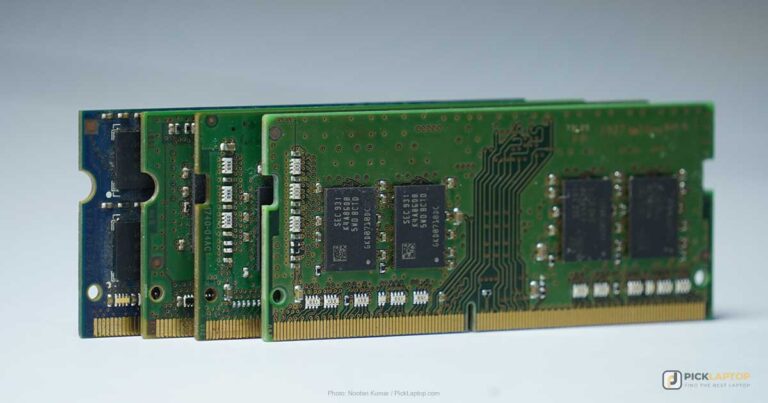
16GB is now Linden Lab’s stated minimum recommendation, not an optional upgrade — Second Life’s rich, user-generated content uses considerably more memory than it did even a few years ago. The specific speed or generation of RAM (DDR4 vs. DDR5) barely matters for this use case; capacity is what counts. Every laptop on this list ships with at least 16GB.
Dedicated Graphics Card
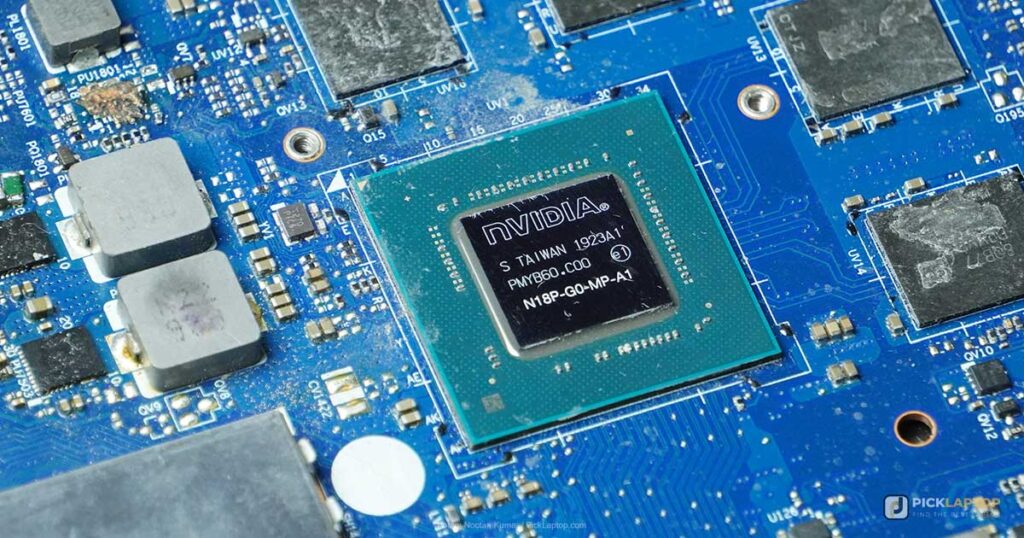
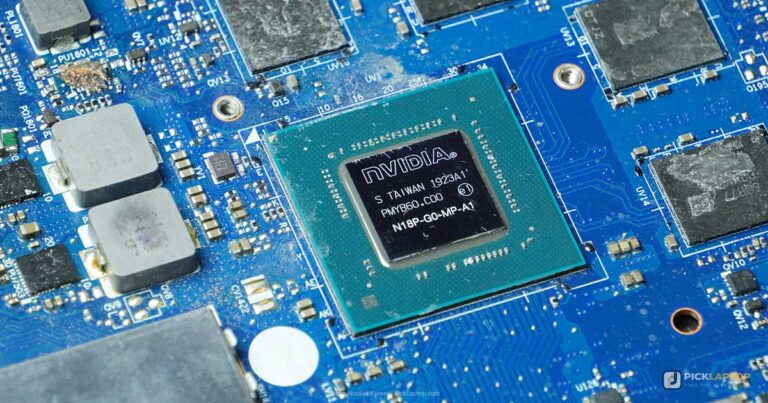
This is the section where outdated guides do readers the most disservice. A dedicated GPU is essential for Second Life, and the bar has moved: Linden Lab’s current guidance calls for 8GB or more of VRAM on a modern NVIDIA GPU, not the 2GB that was standard advice a few generations ago. An older card that technically meets the OpenGL 4.6 requirement can still deliver a rough experience if it’s short on VRAM once you’re in a texture-heavy, well-built region.
As a historical footnote rather than a buying concern: Second Life historically wouldn’t run at all on very old graphics hardware — cards reporting as NVIDIA RIVA TNT/TNT2, ATI RAGE, or Intel chipsets below 945. No laptop sold today comes anywhere near that limitation, but it explains why some very old troubleshooting threads mention it.
Some Other Key Features
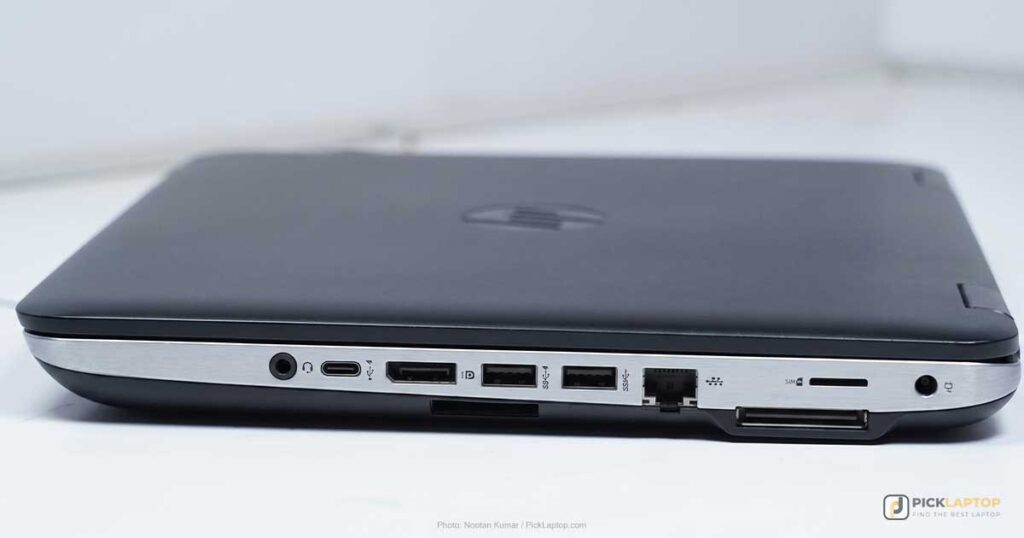
Connectivity ports: A LAN port provides the most stable connection for Second Life; it’s disappearing from ultra-thin laptops, so check for it specifically if a wired connection matters to you.
Display quality: A standard Full HD (1920×1080) panel meets Second Life’s recommended resolution — you don’t need to spend extra on 4K for this specific use case, though a higher-quality panel (OLED, high refresh rate) shows richer color and smoother motion while building and exploring, even if it’s not strictly required.
Battery life: Gaming laptops built around enough VRAM to clear Second Life’s GPU baseline are rarely battery-life champions. A low-power CPU and an SSD claw back what hours you can, but temper your expectations here versus a productivity ultrabook.
Second Life Laptop Comparison Table




Last update on 2026-10-19 / Affiliate links / Images from Amazon Product Advertising API
Best Laptops for Second Life in 2026 — Reviews
1. Acer Predator Helios Neo 16S AI (Best Overall)
Best Overall
Last update on 2026-10-19 / Affiliate links / Images from Amazon Product Advertising API
- Weight5.08 lbs
- ProcessorIntel Core Ultra 9 275HX (24-core)
- GPUNVIDIA GeForce RTX 5070 Ti (12GB)
- Memory32GB DDR5
- Storage1TB SSD
- Display16″ WQXGA OLED, 240Hz, G-Sync
This clears Second Life’s official recommended specs across the board — 12GB of VRAM against the 8GB baseline, double the recommended RAM, and well over the 8-core CPU guidance. The OLED panel with 100% DCI-P3 makes a visible difference exploring detailed, well-built regions.
The port selection covers the wired-LAN recommendation from our buyer’s guide without needing a dongle: a 2.5Gb RJ45 Ethernet port alongside 3x USB-A, 2x USB-C, and HDMI 2.1. The FHD IR webcam is a nice bonus for anyone who also uses this laptop for video calls.
PCWorld tested this exact configuration and found the fans aren’t unusually loud for a gaming laptop under load, though they vent out both the back and sides, and the keyboard gets a little toasty in the middle during marathon builds. The same review measured about 6 hours of video-playback battery life on the 76Wh pack.
Pros
- Comfortably exceeds Second Life’s current recommended specs
- Gorgeous 240Hz OLED display
- Built-in 2.5Gb Ethernet port
- FHD IR webcam included
Cons
- Modest measured battery life for a 16-inch laptop with this much GPU power
- Premium price
2. Acer Nitro V 16 (Best Budget / Entry-Level)
Best Budget / Entry-Level
Last update on 2026-10-19 / Affiliate links / Images from Amazon Product Advertising API
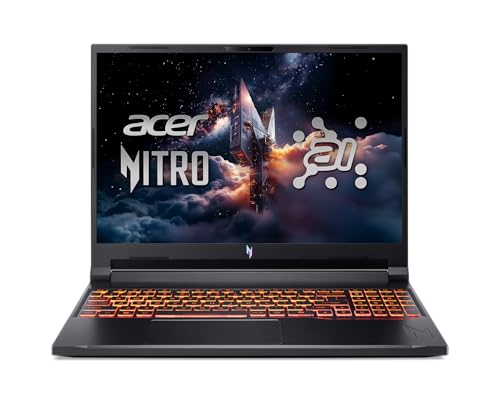
- Weight5.4 lbs
- ProcessorAMD Ryzen AI 5 340
- GPUNVIDIA GeForce RTX 5060 (8GB)
- Memory16GB DDR5
- Display16″ WUXGA IPS, 180Hz
This is close to a direct match for the entry-level configuration Linden Lab itself suggests on its official hardware page — 8GB of VRAM and 16GB of RAM meets the current recommended spec exactly, without paying for more than Second Life actually needs. The 180Hz display and Gigabit Ethernet port are bonuses at this price.
PCWorld reviewed this chassis with a Ryzen 5 240 and an RTX 5050, while the version sold here pairs a Ryzen AI 5 340 with an RTX 5060 — both clear Second Life’s 8GB VRAM baseline, but no independent lab has benchmarked this specific pairing yet. The chassis design carries over between configurations, and PCWorld found opening the lid reveals some obvious display flex, though the lower chassis stays solid when picked up from a corner or edge — a fair tradeoff at this price, and not something you’ll notice once it’s sitting on a desk. The same review measured over 12 hours in its battery rundown test on the 76Wh pack, dropping to around 8 hours of mixed browsing and document editing in everyday use.
Pros
- Meets Second Life’s official recommended spec at an entry-level price
- Gigabit Ethernet included
- 76Wh battery — over 12 hours measured in PCWorld’s rundown test
Cons
- Heaviest of the laptops here with a published weight
- 512GB storage is on the smaller side if you also use other games
- No independent lab has tested the exact Ryzen AI 5 340 / RTX 5060 configuration listed here
3. Lenovo Legion 5a Gen 11 (Best Mainstream Value)
Best Mainstream Value
Last update on 2026-10-19 / Affiliate links / Images from Amazon Product Advertising API
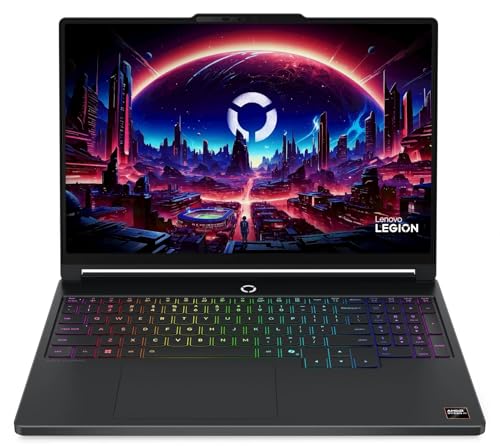
- ProcessorAMD Ryzen AI 9 465
- GPUNVIDIA GeForce RTX 5060 (8GB GDDR7)
- MemoryUp to 32GB (dual-channel)
- Storage1TB SSD (up to 2TB)
- Display15″ WQXGA OLED
A step between the Nitro V’s entry-level pricing and the Helios Neo’s premium positioning, this gives you an OLED panel and the same 8GB-VRAM GPU tier Linden Lab’s own guidance targets, with dual-channel memory slots for a future RAM upgrade if 16GB starts to feel tight.
The Lowyat.net review covers this chassis’s Ryzen AI 7 450 configuration, not the Ryzen AI 9 465 version sold here — that specific chip hasn’t turned up in an independent review yet, though keyboard feel and speaker placement are chassis-level design choices that stay the same regardless of which processor is inside. The full keyboard layout takes some adjusting to — the num lock sits close enough to backspace that mis-hits happen — and the downward-firing speakers are clear but lack bass, so budget for headphones during longer sessions.
Pros
- OLED display at a mainstream price point
- Meets official recommended VRAM spec
- Upgradable memory and storage
Cons
- Lenovo hasn’t published weight or battery-runtime figures for this configuration
- No independent review yet of the exact Ryzen AI 9 465 configuration listed here
4. Razer Blade 14 (Best Portable / Low-Key Design)
Best Portable / Low-Key Design

Last update on 2026-10-19 / Affiliate links / Images from Amazon Product Advertising API
- Weight3.59 lbs
- ProcessorAMD Ryzen AI 9 365
- GPUNVIDIA GeForce RTX 5070
- Memory32GB LPDDR5X
- Display14″ QHD+ OLED, Calman Verified
If you don’t want a laptop that screams “gaming rig” for a session in a virtual world, the Blade 14 is the thinnest laptop Razer has built at 0.62 inches, with an aluminum chassis that looks at home outside a dorm room. It still clears Second Life’s VRAM recommendation with room to spare.
Powerup Gaming’s test unit ran a Ryzen 9 395 chip; the Ryzen AI 9 365 sold here is a separate SKU nobody has independently benchmarked yet. On the tested unit, Razer’s “up to 11 hours” rating didn’t hold up: the reviewer measured under four hours of typical web-and-video use and under two hours running 4K video editing, reaching close to six hours only with aggressive power-saving settings enabled. Second Life is lighter than either of those workloads, but treat this as a plugged-in machine that happens to travel well, not an all-day laptop.
Pros
- Thinnest laptop Razer has built, at 0.62 inches
- Calman Verified OLED display
- Fast 200W charging
Cons
- Measured battery life (on a related Ryzen 9 395 configuration) ran under 4 hours in typical use, well short of Razer’s 11-hour rating
- Premium price for a 14-inch chassis
- No independent test yet of the exact Ryzen AI 9 365 configuration listed here
5. Gigabyte Aero X16 (Best Battery Life)
Best Battery Life

Last update on 2026-10-15 / Affiliate links / Images from Amazon Product Advertising API
- Weight4.18 lbs
- ProcessorAMD Ryzen AI 9 HX 370
- GPUNVIDIA GeForce RTX 5070 (8GB GDDR7)
- Memory32GB DDR5
- Battery14 hours (manufacturer rating)
A 14-hour rated battery is unusually strong for a laptop packing an RTX 5070, and at 16.75mm thick, it reads as a creator laptop rather than a gaming one — useful if this doubles as your everyday machine. It clears Second Life’s recommended VRAM spec with room to spare.
Tom’s Hardware put this chassis through its paces with a Ryzen AI 7 350 chip, while the build sold here uses the Ryzen AI 9 HX 370 — a version that hasn’t been through an independent benchmark suite. On the tested unit, Tom’s measured 78.5% DCI-P3 coverage at 369 nits, calling the panel serviceable but lacking the punch of an OLED or mini-LED screen, and found a legacy USB 2.0 port and a barrel-style power connector rather than USB-C charging. Battery ran 9 hours and 13 minutes in Tom’s test — short of the 14-hour rating, though a gap between rated and measured battery life is common across this whole category.
Pros
- 14-hour rated battery, unusually high for a laptop with a discrete RTX 5070
- Thin, creator-oriented design
Cons
- Muted display: 78.5% DCI-P3 and 369 nits measured, not suited to color-sensitive work
- Legacy USB 2.0 port and barrel-style power connector rather than USB-C
- Tom’s measured 9h13m of battery life, well short of the 14-hour rating, on a different chip (Ryzen AI 7 350) than the HX 370 spec listed here
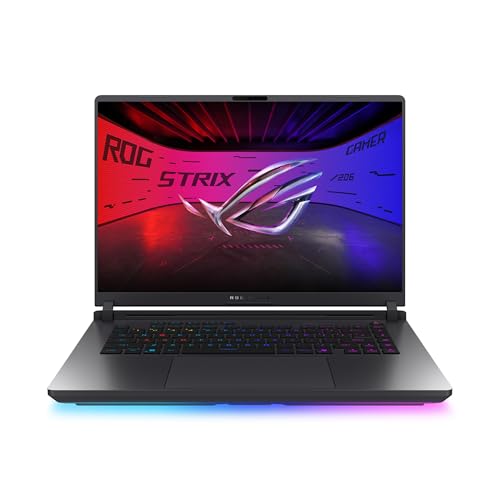
6. ASUS ROG Strix G16 (Best High-End / Content Creation)
Best High-End / Content Creation
Last update on 2026-10-19 / Affiliate links / Images from Amazon Product Advertising API
- ProcessorIntel Core Ultra 9 290HX Plus
- GPUNVIDIA GeForce RTX 5080 (16GB GDDR7)
- Memory32GB DDR5
- Storage1TB PCIe Gen4 SSD
- Display16″ ROG Nebula HDR, 300Hz
Double Second Life’s own recommended VRAM figure, this is the pick for residents doing serious building, scripting, or content creation — the kind of work Linden Lab’s own “advanced users and content creators” tier is aimed at. The 300Hz display is more than this specific use case strictly needs, but it doesn’t hurt.
Glitched.online’s review covered a Core Ultra 9 275HK / 64GB RAM configuration of this chassis rather than the 290HX Plus / 32GB build listed here, and found only a single Thunderbolt 4 port — worth confirming directly before buying if the dual Thunderbolt 5 some listings advertise for this configuration matters to you. On the tested unit, the display measured 420 nits against a 500-nit marketing claim and drew criticism as unremarkable for the price, and fan noise hit 60dBA under sustained load — tradeoffs for the extra GPU power, not deal-breakers if you specifically need a 16GB card.
Pros
- 16GB of VRAM, double the official recommendation
Cons
- ASUS hasn’t published weight or battery-life figures for this configuration
- Overkill if you’re not doing heavy content creation
- The reviewed unit ran a 275HK with 64GB and only Thunderbolt 4 — the exact 290HX Plus / 32GB configuration listed here hasn’t been independently tested
7. Razer Blade 16 (Best Ultimate / Overkill Pick)
Best Ultimate / Overkill
Last update on 2026-10-19 / Affiliate links / Images from Amazon Product Advertising API
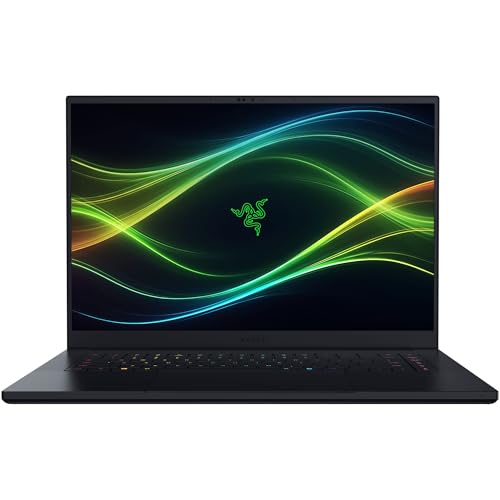
- Weight4.6 lbs
- GPUNVIDIA GeForce RTX 5090
- Memory32GB
- Storage2TB
- Display16″ QHD+ OLED, 240Hz, 1,100-nit HDR peak
This is well beyond what Second Life itself asks for — Linden Lab’s own “high-end” hardware tier tops out well short of an RTX 5090 — but if you want a single machine that also handles the most demanding modern games and creative work at maximum settings, this is that laptop. Tom’s Hardware measured 12 hours and 46 minutes in its own battery test, an unusually strong result for a laptop carrying a top-tier GPU.
Tom’s Hardware found the two system fans get incredibly loud under gaming load — enough that a good gaming headset isn’t optional, it’s part of the setup. The same review measured the display at 408 nits of sustained SDR brightness; the 1,100-nit figure some listings quote is Razer’s peak-HDR spec, not typical screen brightness.
Pros
- Far exceeds Second Life’s requirements with room for everything else you’d run
- Best-in-class battery life for a top-tier GPU: 12h46m measured by Tom’s Hardware
- 16″ QHD+ OLED with a 1,100-nit HDR peak
Cons
- Fans get incredibly loud under sustained load
- Significant overkill and poor value if Second Life is your primary use case
- Most expensive laptop on this list
Recommended Accessories
Two accessories that help a Second Life session: a reliable gaming mouse for building and navigating, and a cooling pad for anyone running one of the higher-wattage picks above for long stretches.


Last update on 2026-10-19 / Affiliate links / Images from Amazon Product Advertising API
Which Laptop Should You Buy for Second Life?
| Best For | Pick |
|---|---|
| Overall | Acer Predator Helios Neo 16S AI |
| Budget / Entry-Level | Acer Nitro V 16 |
| Mainstream Value | Lenovo Legion 5a Gen 11 |
| Portable / Low-Key Design | Razer Blade 14 |
| Battery Life | Gigabyte Aero X16 |
| High-End / Content Creation | ASUS ROG Strix G16 |
| Ultimate / Overkill | Razer Blade 16 |
Second Life Laptop FAQ
How much RAM do I need for Second Life?
At least 16GB, per Second Life’s current official recommendation — a meaningful increase from older guidance suggesting 4-8GB was enough.
Is Second Life a virus?
No. It’s legitimate software from Linden Lab. Only download it from the official downloads page to avoid fake, malware-laden copies.
Can you play Second Life offline?
No — it’s an online virtual world requiring a persistent internet connection to Linden Lab’s servers.
Can Android play Second Life?
The standard viewer supports Windows, macOS, and Linux only. Linden Lab has been piloting a separate mobile experience, so check Second Life’s official site for the current state of mobile support before assuming Android isn’t an option at all.
How do I start using Second Life?
Download a viewer from the official Second Life website, install it, sign up for a Second Life account, then log in with your account details to enter the virtual world.
What is the point of Second Life?
There isn’t a specific objective — it’s an open-ended virtual world where residents interact with people and places, build content, and trade virtual goods and services.
Can I run Second Life on a laptop with integrated graphics?
Technically yes, but expect a rough experience — low frame rates and stuttering are common. A dedicated GPU with at least 8GB of VRAM is what Linden Lab currently recommends.
Can I run Second Life on a touchscreen laptop?
Yes, though the viewer isn’t optimized for touch input — most building and movement controls still expect a keyboard and mouse.
Can I run Second Life on a laptop with a Linux operating system?
Yes, via community-supported third-party viewers, though Linden Lab notes the Linux viewer may not be fully compatible with every feature.
Does Second Life work on ARM-based Windows laptops (Snapdragon)?
No — per Second Life’s official requirements, ARM-architecture CPUs aren’t currently supported for the Windows viewer, and that includes Copilot+ PCs built around Qualcomm Snapdragon chips even though they run Windows 11. Check the processor line on the spec sheet before buying if this matters to you.
Can I use my own 3D models in Second Life?
Yes, you can upload your own 3D models if they meet the platform’s technical guidelines and terms of service.
Is Second Life appropriate for children?
Second Life is rated for ages 16 and up, and user-generated content may not be appropriate for younger users. Parents should supervise accordingly.
Can I make money in Second Life?
Yes — some residents earn real income creating and selling virtual goods and services, or renting virtual land.
Is Second Life free to use?
Yes, it’s free to download and create an account, though some features and virtual items require Linden Dollars, the platform’s virtual currency.
Final Thoughts on Laptops for Second Life
The bar for a good Second Life laptop has moved up since this list was last substantially updated — Linden Lab’s own current guidance asks for 16GB of RAM and 8GB of GPU VRAM as a baseline, not a luxury. The Acer Nitro V 16 and Lenovo Legion 5a Gen 11 are the two picks here that meet that recommended spec without overspending. If you want more power for building, scripting, and heavy content creation, step up to the Acer Predator Helios Neo 16S AI or ASUS ROG Strix G16. And if portability or battery life matters as much as raw performance, the Razer Blade 14 and Gigabyte Aero X16 are the two picks built around exactly that trade-off.
Regardless of which you pick: if you’re eyeing an ARM-based Windows laptop for its battery life or silence, Second Life specifically won’t run on it yet. Stick to a standard Intel or AMD machine for this particular use case.

This article is confusing. At the start, in the hardware requirements, it states for compatible GPUs: NVIDIA Graphics cards – 9000 Series: 9600, 9800, 200 Series: 275 GTX, 295 GTXATI Graphics Cards – 4000 Series: 4850, 4870, 4890, 5000 Series: 5850, 5870, 5970 But none of the six you recommend use any of those and so per the list wouldn’t work, because they don’t appear on it. There are only 4 GPUs mentioned in the list of 9 laptops: GeForce MX150, GeForce MX250, GTX 1050, GTX 1060. None of those are on the stated required GPU list. So what gives? Is the hardware list wrong? Or are the laptops listed not really able to run Second Life? What is the real hardware list of supported GPUs?
Good catch, Max — that hardware list was carried over from Second Life’s own older minimum-spec page and never got reconciled with our actual laptop picks. The GPUs we listed (GeForce MX150/MX250, GTX 1050/1060) all comfortably exceed Second Life’s real requirements even though they weren’t literally named on that legacy list — we’ve since cleaned up that inconsistency in the guide.
First, *THANK YOU* for the specific list of SL supported GPUs. But second, instead of saying a laptop “can play most of the popular games on max settings”,which is vague, since this is a SL specific article, the question is really can it run *Second Life* at max settings? Can any laptop handle that? What settings level can each of these handle without become a lagbox?
To your specific question — yes, all the laptops on the list can run Second Life at max settings for normal use, though ‘lagbox’ territory depends more on scene complexity (crowded builds, high-poly avatars) than raw GPU power. The higher-tier pick with the GTX 1060 gives you the most headroom for busy sims specifically.
ASUS VivoBook 15.6 good too?