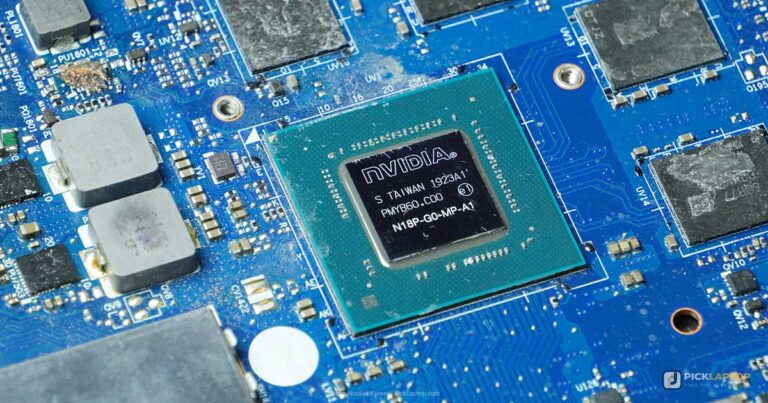
Unlike chemical engineering students, pharmacy students don’t need a particularly powerful laptop — they need one that meets their program’s published requirements. Many pharmacy programs publish an exact laptop specification PDF before orientation, and a surprising number of popular recommendations — Chromebooks, tablets, even some ARM-based Windows laptops — fail those requirements outright.
This list is built around published pharmacy-program requirements, not generic student-laptop advice — the cheapest pick here already clears what most programs require, without overspending.
Editor’s Pick
Last update on 2026-11-06 / Affiliate links / Images from Amazon Product Advertising API
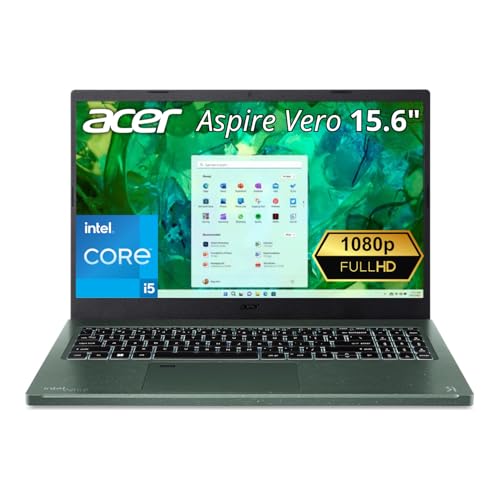
Clears the Intel/AMD, full-Windows, and webcam requirements nearly every pharmacy program publishes, without overspending on power a pharmacy curriculum doesn’t need.
- Intel Core i5-1335U
- 8GB LPDDR5 (16GB config available)
- 15.6″ FHD IPS, 100% sRGB
What’s Inside
- 1 – Best Laptops for Pharmacy Students — Buyer's Guide
- 2 – Pharmacy Laptop Comparison Table
- 3 – Best Laptops for Pharmacy Students in 2026 — Reviews
- 3.1 – 1. Acer Aspire Vero Green Laptop (Best Budget / Cheapest)
- 3.2 – 2. Lenovo IdeaPad Flex 5i Gen 8 (Best Budget 2-in-1)
- 3.3 – 3. Dell 14 Laptop (Best Everyday Business Value)
- 3.4 – 4. LG gram 15 (Best Long Battery Life)
- 3.5 – 5. Microsoft Surface Pro 13-inch, Snapdragon X2 (Best Detachable / Premium)
- 3.6 – 6. Apple MacBook Air 13-inch M5 (Best MacBook)
- 3.7 – 7. Samsung Galaxy Book5 360 (Best Mid-range Windows Convertible)
- 4 – Recommended Accessories
- 5 – Which Laptop Should Pharmacy Students Buy?
- 6 – Pharmacy Student Laptop FAQ
- 7 – Final Thoughts on Laptops for Pharmacy Students
Best Laptops for Pharmacy Students — Buyer’s Guide
Processor
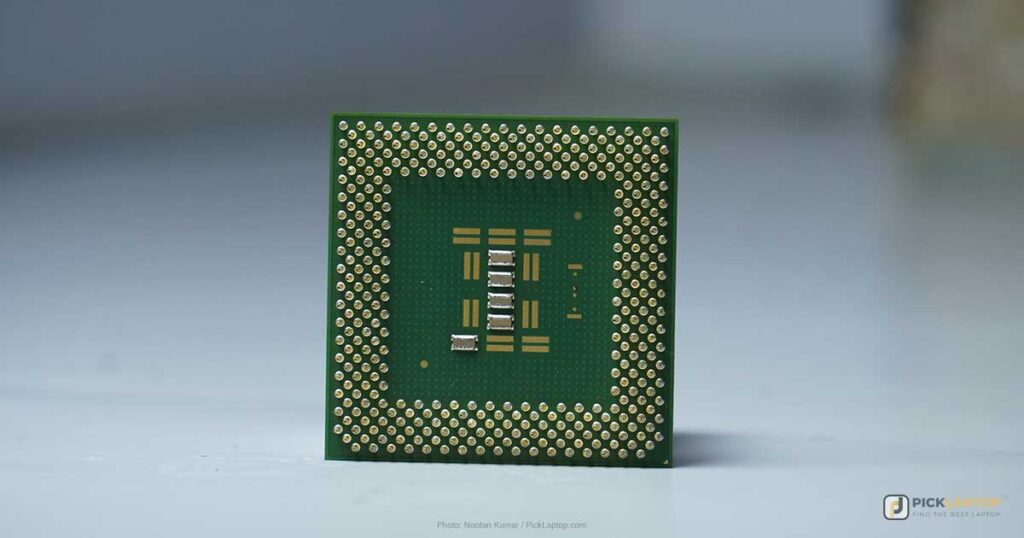
Per the University of Missouri-Kansas City’s own published requirements, the minimum is an Intel Core i3/i5/i7 (3rd gen or newer) or an AMD A-series chip; UMKC’s preferred tier steps up to 6th-gen or newer Intel, or AMD Ryzen. An i3 can work in a pinch, but a mid-tier i5/Ryzen 5 is less likely to feel dated by the time you reach the program’s final year. An i7 is overkill for pharmacy coursework and costs battery life without a workload here to spend it on.
Processor architecture, not just brand, is what matters here. UMKC’s requirements document states plainly: “Processor must be Intel or AMD based and not ARM.” This is an easy-to-miss trap in 2026, since several current Windows laptops — including Microsoft’s own current Surface Pro — now run ARM-based Snapdragon chips instead of Intel or AMD. UMKC’s own document does carve out an exception for the Surface Pro line specifically (“only the Surface Pro versions would be supported” under its Windows category), so check your specific program’s current policy before buying an ARM-based Windows laptop rather than assuming the brand alone settles it.
Memory
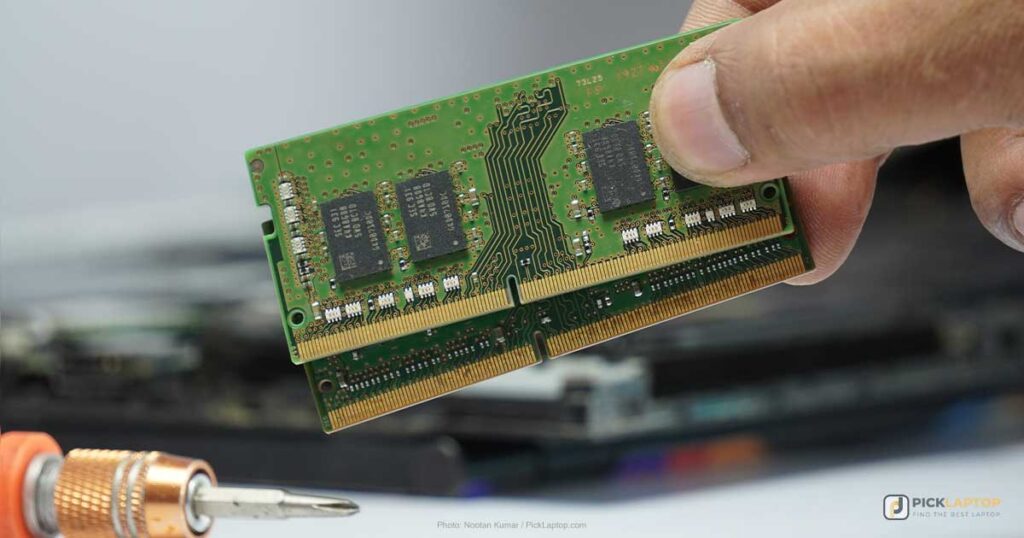
8GB is a reasonable minimum for pharmacy coursework — juggling drug-reference databases, lecture slides, and a dozen browser tabs adds up. 4GB can technically work for very light use, but it isn’t a sensible buy today; make sure whatever you choose is upgradable if it starts with less than 8GB.
Storage
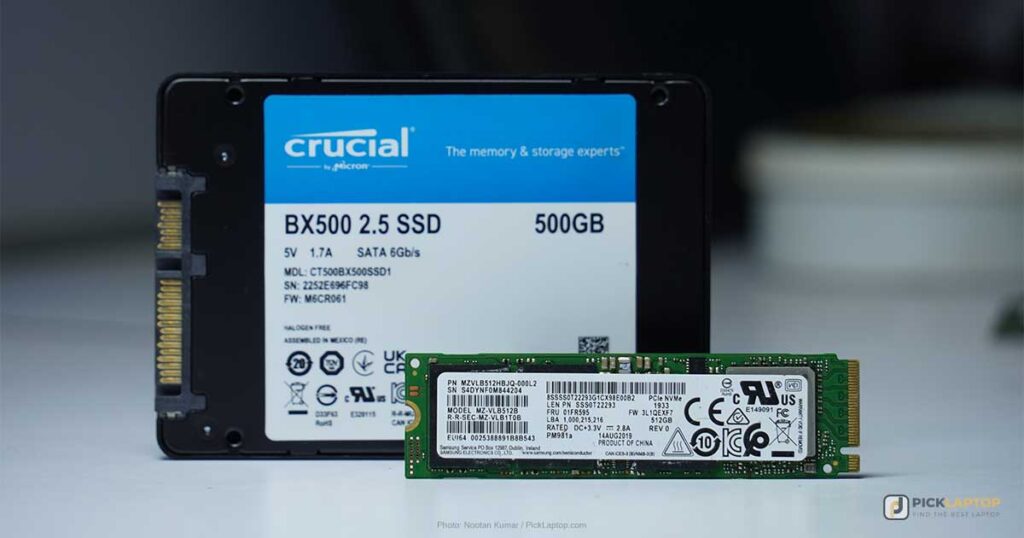
You don’t need extensive storage as a pharmacy student unless you’re keeping a large personal media collection. An SSD is worth prioritizing over a traditional HDD regardless of capacity — faster boot and file-access times, lower power draw, and better reliability. A 256GB SSD covers most pharmacy coursework comfortably; if you need more room on a budget, a laptop with hybrid SSD+HDD storage is a reasonable cost-efficient compromise.
Screen
Screen size affects portability as much as it does picture quality — a 17-inch laptop isn’t something you want carrying around campus all day, which is why most students settle on 13-14 inches. Look for at least Full HD resolution: an HD panel feels cramped once you’re switching between drug references and lecture notes side by side.
Dedicated GPU
Unless you’re also doing gaming, CAD, or 3D modeling work on the side, skip the dedicated GPU entirely. Integrated graphics run Office, PDF readers, drug-reference software, and video calls without trouble, and a discrete GPU mainly adds cost and shortens battery life for a workload this coursework doesn’t create.
Software and Platform Considerations
Two specific, sourced requirements worth checking before you buy: the University of Maryland’s School of Pharmacy explicitly states that “tablets and Chromebooks are NOT supported,” requiring the full Windows 11 or macOS operating system rather than a locked-down or ARM-limited variant. Separately, many programs — UMKC and the University of Arizona’s College of Pharmacy among them — require your laptop to run exam-lockdown software like ExamSoft/Examplify or Respondus LockDown Browser, and recommend confirming current-version compatibility with that software directly before your first exam, not after.
Microsoft Office (Word, Excel, PowerPoint) is essential for nearly every pharmacy program — presentations, reports, and data work are constant. Some coursework may also call for design or imaging software like Photoshop or CorelDraw, which run fine on any of the picks below.
Pharmacy Laptop Comparison Table




Last update on 2026-11-06 / Affiliate links / Images from Amazon Product Advertising API
Best Laptops for Pharmacy Students in 2026 — Reviews
1. Acer Aspire Vero Green Laptop (Best Budget / Cheapest)
Best Budget / Cheapest
Last update on 2026-11-06 / Affiliate links / Images from Amazon Product Advertising API
- Weight3.97 lbs
- ProcessorIntel Core i5-1335U
- Memory8GB LPDDR5 (up to 16GB)
- Storage512GB PCIe Gen4 SSD
- Display15.6″ FHD IPS, 100% sRGB, 300 nits
Built with 40% post-consumer recycled plastic and tested to a MIL-spec-like durability standard (20kg pressure, 30,000 open/close cycles, 28cm drop), the durability testing here goes beyond what most budget laptops get. Intel Evo certification and Wi-Fi 6E round out a well-equipped package for the price.
LaptopMedia’s review of this chassis — tested in its Core i7-1355U configuration, the same AV15-53P line this i5-1335U build ships in — found the cooling kept noise and temperatures in check under sustained CPU load, useful if you’re running a long study session or streaming a lecture in the background.
The base configuration ships with only 8GB of RAM — the buyer’s guide above puts 8GB at the floor, not a comfortable margin, so paying up for the 16GB configuration is worth it if your retailer offers it.
Pros
- Recycled-plastic build with MIL-spec-style drop and durability testing
- Intel Evo certified with a strong display for the price
- Thunderbolt 4 ports included
- Cooling stayed quiet under sustained load in independent testing of this chassis
Cons
- Base config ships with only 8GB RAM — upgrade if you can
- No dedicated GPU (not needed for this use case, per the buyer’s guide above)
2. Lenovo IdeaPad Flex 5i Gen 8 (Best Budget 2-in-1)
Best Budget 2-in-1

Last update on 2026-11-06 / Affiliate links / Images from Amazon Product Advertising API
- ProcessorIntel Core i5-1335U (i7-1355U config also available)
- Memory8GB LPDDR4X
- Storage256GB SSD (512GB config available)
- Display14″ WUXGA IPS touchscreen, 300 nits
- PortsThunderbolt 4, up to 2 external 4K displays
- ExtrasIncludes Lenovo Digital Pen
Unlike most budget 2-in-1s, this one includes a Lenovo Digital Pen in the box — useful for annotating drug interaction charts or sketching structures by hand without buying a separate stylus. The FHD webcam with dual microphones is a step up from typical budget webcams, and Thunderbolt 4 support for up to two external 4K displays covers a proper desk setup if you need one.
8GB of RAM and 256GB of storage are both on the lean side for a multi-year program — if the 512GB/i7 configuration is available at your retailer, it’s worth the upgrade.
The trackpad on this line uses a Mylar surface rather than glass. A review of the prior-generation IdeaPad Flex 5i (2024, 12th-gen Core i5-1235U) found a noticeable rattle on tap-to-click with that same Mylar surface; no independent review of this current Gen 8 (13th-gen i5-1335U) model’s trackpad has turned up in search, so treat the rattle as a known trait of the trackpad material rather than a confirmed finding on this exact configuration — worth trying in person either way.
Pros
- Includes a digital pen in the box — no separate stylus purchase needed
- Thunderbolt 4 with dual external 4K display support
- FHD webcam with dual microphones
Cons
- 8GB RAM and 256GB storage are on the lean side — upgrade if available
- Mylar trackpad has a rattle on tap-to-click on the prior-generation model; this Gen 8 configuration hasn’t been independently tested for it
- Lenovo hasn’t published weight or battery-life figures for this configuration
3. Dell 14 Laptop (Best Everyday Business Value)
Best Everyday Business Value
Last update on 2026-11-06 / Affiliate links / Images from Amazon Product Advertising API
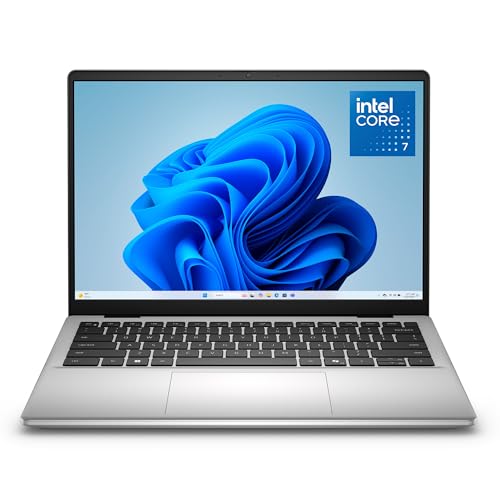
- ProcessorIntel Core 7 150U
- Memory16GB DDR5
- Storage1TB SSD
- Display14″ WUXGA IPS, anti-glare, 300 nits
This ships with 16GB standard, clearing the buyer’s guide’s minimum with room to spare, plus 1TB of storage — more than a pharmacy student needs unless you keep a large reference library or media collection. The anti-glare display holds up well under classroom and clinical lighting.
Per Dell’s own spec sheet, this configuration has no keyboard backlight — a real drawback for evening study sessions — and a 0.9MP webcam, below average and fine for the occasional video call but not much more. Search turned up no independent lab test of this configuration, so these remain manufacturer-listed figures rather than measured ones.
Pros
- 16GB RAM and 1TB storage as standard, no upgrade needed
- Anti-glare display
- Fingerprint reader built into the keyboard
Cons
- No keyboard backlight
- Below-average 0.9MP webcam
- Manufacturer-listed specs only — no independent lab test of this configuration found
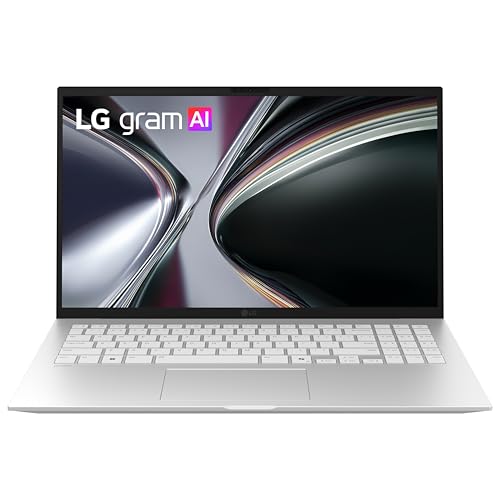
4. LG gram 15 (Best Long Battery Life)
Best Long Battery Life
Last update on 2026-11-06 / Affiliate links / Images from Amazon Product Advertising API
- Weight2.84 lbs
- ProcessorAMD Ryzen AI 7 350
- Memory16GB
- Battery72Wh, rated 22 hours video playback (LG’s own rating, not independently measured)
The gram line has built its whole reputation on this exact combination — light at 2.84 lbs, per LG’s own listing, with a manufacturer-rated 22-hour video playback battery that comfortably covers a full clinical rotation day without a charger. It’s also MIL-STD-810H tested across seven durability categories, which matters more for a laptop that’s living in a bag between campus and clinical sites daily.
LG’s gram line has a long-standing reputation for trading some chassis rigidity for that low weight — worth handling one in person if build feel matters to you. Search turned up no third-party lab test of this specific 2025/2026 configuration (Ryzen AI 7 350, 15Z80T); the battery and durability figures above are LG’s own listed ratings.
Pros
- Lightest traditional clamshell laptop on this list
- Rated 22-hour battery life, highest of any pick here
- MIL-STD-810H tested
Cons
- Chassis/lid flex more than sturdier rivals, per LG Gram’s long-running reputation
- Battery and durability figures are LG’s own ratings, not an independent lab result
- Premium price for the core specs
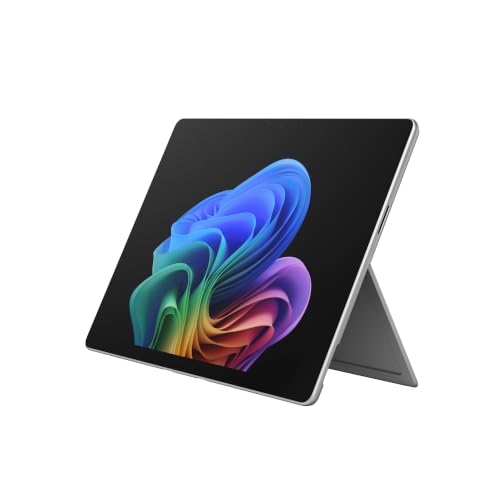
5. Microsoft Surface Pro 13-inch, Snapdragon X2 (Best Detachable / Premium)
Best Detachable / Premium
Last update on 2026-11-06 / Affiliate links / Images from Amazon Product Advertising API
- Weight1.97 lbs
- ProcessorQualcomm Snapdragon X2 Elite (ARM)
- Memory16GB (soldered)
- Display13″ OLED PixelSense, 120Hz
- Battery15.5 hours (Microsoft’s rating, not independently measured)
Surface-brand detachables have historically been a safe, pre-approved choice for health-professional programs, and this one pairs a 120Hz OLED display with Copilot+ AI features and a manufacturer-rated 15.5-hour battery. The keyboard and Slim Pen are sold separately, so budget for those as an add-on.
Gadget Salvation’s review of this exact model puts the Snapdragon X2 Elite’s power draw at roughly 18W sustained and up to 30W in bursts — well within a passively-cooled 13-inch chassis’s thermal budget, which is consistent with the fanless design holding up under normal coursework use.
The one thing that could disqualify this pick for you specifically: this current Surface Pro generation runs a Qualcomm Snapdragon (ARM) processor, not Intel or AMD. As covered in the buyer’s guide above, at least one pharmacy program (UMKC) explicitly excludes ARM processors in its published laptop policy, even though “Surface Pro” as a product line has often been pre-approved in the past. Check with your program’s own policy document before buying this one — pre-approval history for the product line doesn’t guarantee this ARM-based generation clears it.
Pros
- 120Hz OLED PixelSense display
- Lightest device on this list at 1.97 lbs
- Detachable design with a manufacturer-rated 15.5-hour battery
Cons
- ARM-based Snapdragon chip may fail some programs’ explicit “Intel or AMD only” policies
- Keyboard and pen sold separately
- Soldered, non-upgradable RAM
6. Apple MacBook Air 13-inch M5 (Best MacBook)
Best MacBook

Last update on 2026-11-06 / Affiliate links / Images from Amazon Product Advertising API
- Weight2.71 lbs
- ProcessorApple M5 (10-core)
- Memory16GB
- Storage512GB SSD
Both University of Maryland’s and UMKC’s published requirements explicitly accept macOS alongside Windows, so a MacBook is a safe choice for most pharmacy programs — just confirm your specific program’s exam-lockdown software (ExamSoft, Respondus) has current macOS support before you buy, per the software section above. The M5 runs fanless and silent for a full day of lectures.
Tom’s Hardware measured 15 hours 28 minutes of battery life on this exact 13-inch M5 configuration under a mixed browsing/streaming test, and found the chip thermally throttling on a sustained Cinebench stress test in the fanless chassis — worth factoring in if you’re running longer study or data sessions rather than typical note-taking. Expert Reviews’ test of the 15-inch M5 Air found battery life “hasn’t moved forward in quite the same way” compared to the outgoing M4 generation; the 13-inch model shares the same chip and hasn’t been independently retested for battery life against its own M4 predecessor.
Pros
- Explicitly accepted by most pharmacy programs’ published policies
- Fanless, silent operation
- 15h28m measured battery life, per Tom’s Hardware
Cons
- Confirm your exam-lockdown software’s current macOS compatibility before buying
- Battery gains over the M4 generation appear modest, per Expert Reviews’ testing of the 15-inch model
- Thermal throttling under sustained load in the fanless chassis, per Tom’s Hardware
- Only 2 Thunderbolt ports
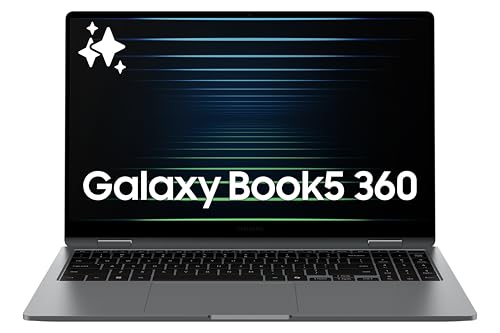
7. Samsung Galaxy Book5 360 (Best Mid-range Windows Convertible)
Best Mid-range Windows Convertible
Last update on 2026-11-06 / Affiliate links / Images from Amazon Product Advertising API
- Weight3.22 lbs
- ProcessorIntel Core Ultra 5 226V
- Memory16GB
- Storage512GB SSD
- Display15.6″ FHD AMOLED touchscreen, S Pen support
An Intel chip keeps this one clear of the ARM-exclusion issue affecting the Surface Pro, while the AMOLED touchscreen and included S Pen support cover the note-taking and diagram-sketching use case just as well. It’s a different, higher-tier machine from the 16-inch Galaxy Book5 Pro 360 — this is the more budget-conscious 15.6-inch base model.
TechRadar’s review of this base Galaxy Book5 360 model flags fan noise as a real weak point — fans that “whirred constantly and quite intensely” under load — despite otherwise praising the build quality. That matters if you plan to use this in quiet study spaces; TechRadar’s review doesn’t specify which Core Ultra configuration it tested.
Pros
- Intel-based — clear of the ARM policy issue affecting the Surface Pro
- AMOLED touchscreen with S Pen support
- Dolby Atmos quad speakers
Cons
- Fan noise is a real weak point under load, per independent review
- Samsung hasn’t published battery life or full port details for this configuration
Recommended Accessories
Two accessories that pair naturally with this list: focus-friendly noise-canceling headphones for library study sessions, and a stylus for the touchscreen picks above that don’t include one in the box.


Last update on 2026-11-06 / Affiliate links / Images from Amazon Product Advertising API
Which Laptop Should Pharmacy Students Buy?
| Best For | Pick |
|---|---|
| Budget / Cheapest | Acer Aspire Vero |
| Budget 2-in-1 | Lenovo IdeaPad Flex 5i Gen 8 |
| Everyday Business Value | Dell 14 Laptop |
| Long Battery Life | LG gram 15 |
| Detachable / Premium | Surface Pro 13″ (Snapdragon X2) |
| MacBook | MacBook Air 13″ M5 |
| Mid-range Windows Convertible | Samsung Galaxy Book5 360 |
Pharmacy Student Laptop FAQ
Do pharmacy students need a powerful laptop?
No — Microsoft Office, drug-reference databases, and occasional design software (Photoshop, CorelDraw) don’t demand serious computing power. Meeting your program’s specific published requirements matters far more than raw specs.
Does my pharmacy program require a specific laptop brand?
Almost never a specific brand — but many programs do publish minimum specifications (processor type, RAM, operating system) that you should check before buying. Some explicitly exclude Chromebooks, tablets, or ARM-based processors.
Can I use a Chromebook for pharmacy school?
Generally not recommended and often explicitly unsupported — University of Maryland’s School of Pharmacy, for example, states Chromebooks are not supported. Most exam-lockdown software and drug-reference tools also don’t run on ChromeOS.
Can I use a Mac for pharmacy school?
Yes, in most cases — both UMKC and University of Maryland’s published requirements explicitly accept macOS. Just confirm your program’s specific exam software (ExamSoft, Respondus LockDown Browser) has current macOS support first.
Can I use an ARM-based Windows laptop (Snapdragon) for pharmacy school?
Check first — UMKC’s published policy requires “Intel or AMD based, not ARM” processors, though it separately carves out an exception allowing Surface Pro devices under its Windows category. Policies vary by school, and this can affect newer Surface Pro models and other Snapdragon-based Windows laptops even where Windows itself runs fine on them.
How much should I budget for a pharmacy school laptop?
The cheapest picks on this list cover a laptop that meets most programs’ published requirements. Spending significantly more buys convenience features (battery life, weight, display quality) rather than anything coursework specifically demands.
Final Thoughts on Laptops for Pharmacy Students
The single most useful thing you can do before buying is check your own program’s published laptop policy — the specifics vary enough between schools (ARM processor exclusions, Chromebook bans, required exam-lockdown software) that a generic recommendation can’t cover every case. The Acer Aspire Vero and Lenovo IdeaPad Flex 5i Gen 8 are the two picks here that clear the most common requirements without spending more than pharmacy coursework needs. If you want a Mac, the MacBook Air M5 is explicitly accepted by most published policies. And if you’re eyeing the Surface Pro specifically, confirm its ARM processor doesn’t run afoul of your program’s rules before you buy.