Reaching for “the most powerful laptop I can afford” feels like the safe, serious choice when buying for a new remote job. It solves the wrong problem for most remote workers: a fast processor paired with weak battery life fails the two things that decide whether a laptop works well for remote work — all-day battery life, and whether the built-in camera and microphone make a good impression on a video call, which for many remote jobs is the single most-used piece of hardware in the whole setup. Each review below covers both directly, alongside the processor and memory specifications remote work needs.
Editor’s Pick


Last update on 2026-09-13 / Affiliate links / Images from Amazon Product Advertising API
The 12MP Center Stage webcam and 18-hour Apple-rated battery cover what a remote-work setup depends on most: looking good on a call, and lasting the shift without a charger.
- Apple M5 10-core CPU
- 16GB unified memory
- 18 hours rated battery
- 12MP Center Stage webcam
What’s Inside
- 1 – Working From Home Laptop Buyer's Guide
- 2 – Working From Home Laptop Comparison Table
- 3 – Best Laptops for Working From Home in 2026 — Reviews
- 3.1 – 1. HP OmniBook 5 Flip (Cheapest)
- 3.2 – 2. Samsung Galaxy Book6 16-inch (Best Value)
- 3.3 – 3. Apple MacBook Air 13-inch M5 (Best Mac)
- 3.4 – 4. LG gram 15 (Best Battery Life)
- 3.5 – 5. Lenovo ThinkPad X1 Carbon Gen 13 Aura Edition (Best Premium)
- 3.6 – 6. Microsoft Surface Pro 13-inch (Most Portable and 2-in-1)
- 4 – Recommended Accessories
- 5 – Which Working From Home Laptop Should You Buy?
- 6 – Working From Home Laptop FAQ
- 7 – Final Thoughts on Working From Home Laptops
Working From Home Laptop Buyer’s Guide
Webcam and Microphone Quality
Most laptop buying guides mention “has a webcam” and move on, as if any built-in camera performs the same as another. They don’t: some make a subject look sharp and well-lit on a call, others come out grainy, soft, or over-smoothed in ways that are distracting rather than flattering. Each review below covers how the image and audio actually come across on a Zoom or Teams call, not just the megapixel count on a spec sheet.
Battery Life for Remote Work
Unlike a device that mostly sits plugged in at a desk, a remote-work laptop needs enough battery to get through a meeting that runs long, a move to a different room, or an occasional day away from the desk without hunting for an outlet. Twelve or more rated hours is a reasonable floor; several picks below clear that by a wide margin.
The battery figures throughout this guide are manufacturer ratings from a video-playback test, not independently measured runtime, unless a review states otherwise. A rated number is an upper bound reached under specific, low-brightness conditions — a day of video calls, background apps and a brighter screen will draw it down faster.
Processor and Memory
For typical remote work — video calls, documents, spreadsheets, and a browser thick with tabs — a current Core 5/i5 or Ryzen 5-class chip has cycles to spare. 16GB of RAM is the practical floor for running a call, a document and research tabs at once without slowdown; 8GB works for lighter single-task use but leaves little room once a second or third app joins in.
Working From Home Laptop Comparison Table




Last update on 2026-09-13 / Affiliate links / Images from Amazon Product Advertising API
Best Laptops for Working From Home in 2026 — Reviews
Six picks, none of them a gaming laptop with a battery-life asterisk — each reviewed for video-call performance specifically, not just spec-sheet checkboxes.
1. HP OmniBook 5 Flip (Cheapest)
Cheapest

Last update on 2026-09-13 / Affiliate links / Images from Amazon Product Advertising API
- ProcessorIntel Core 5 120U
- GPUIntel Graphics (integrated)
- RAM8GB DDR5 (16GB config available — get this one)
- Storage512GB SSD
- Display14-inch 2K IPS touchscreen
- Battery21 hours rated
This is the cheapest laptop on this list by a wide margin, and 21 hours of manufacturer-rated battery life is unusually high for the price tier. A search for independent hands-on testing of this exact Core 5 120U configuration didn’t turn up a lab review with its own measurements — the display and battery figures here are HP’s own, not independently verified.
Get the 16GB configuration over the base 8GB: running a video call, a document, and a browser at once is exactly where 8GB starts to feel tight.
Pros
- Cheapest laptop on this list by a wide margin
- 21-hour manufacturer-rated battery, high for the price
- 360° hinge folds flat for propping the screen up at an angle
Cons
- Base 8GB config feels tight — budget for the 16GB upgrade
- No independent lab review found for this exact configuration
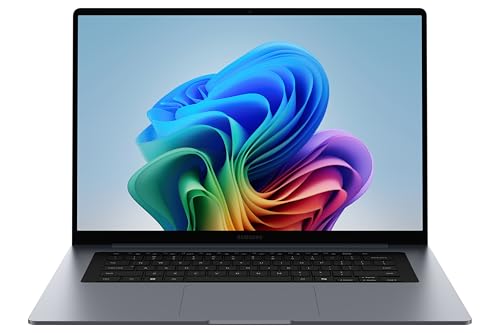
2. Samsung Galaxy Book6 16-inch (Best Value)
Best Value
Last update on 2026-09-13 / Affiliate links / Images from Amazon Product Advertising API
- ProcessorIntel Core Ultra 7 355 (Series 3, Panther Lake)
- GPUIntel Graphics (integrated)
- RAM16GB
- Storage1TB
- Display16-inch FHD+ IPS
- BatteryUp to 24 hours rated
This is a Copilot+ PC, which means its NPU runs Windows Studio Effects — Microsoft’s platform-level auto framing, eye contact correction, and background blur, available across Copilot+ laptops rather than something Samsung built in-house. It’s aimed at looking polished on a call without extra effort, and the microphone’s noise reduction handles typical home background noise well too.
A Samsung community forum thread describes the default image as over-smoothed — one user’s colleagues joked they looked like a K-pop star on calls. A Samsung Members contributor in that same thread attributed it to a hardware-level noise filter in the camera pipeline rather than a software setting, so don’t assume it’s a quick toggle to turn off.
Pros
- Windows Studio Effects: auto framing, eye contact correction, background blur
- Effective microphone noise reduction
- 1TB storage, 24 hours rated battery
Cons
- Webcam image is notably soft/over-smoothed by default, possibly not adjustable
- Non-touch display
3. Apple MacBook Air 13-inch M5 (Best Mac)
Best Mac
Last update on 2026-09-13 / Affiliate links / Images from Amazon Product Advertising API
- ProcessorApple M5 (10-core CPU)
- GPUApple M5 (integrated)
- RAM16GB unified
- Storage512GB SSD
- Display13.6-inch Liquid Retina
- Battery18 hours rated
Engadget’s review found the 12-megapixel Center Stage camera “more versatile and detailed” than the 1080p unit on the previous model, with a Desk View mode that shows a top-down angle of the workspace alongside the face during a call.
18 hours of Apple-rated battery life and silent fanless operation mean this handles a full day of back-to-back calls without a charger in sight, and without a fan spinning up mid-sentence.
Pros
- Sharp 12MP webcam with a top-down Desk View mode
- 18-hour Apple-rated battery, silent fanless operation
Cons
- 16GB unified memory, fixed and not upgradeable
- Standard 60Hz display, not the smoothest available
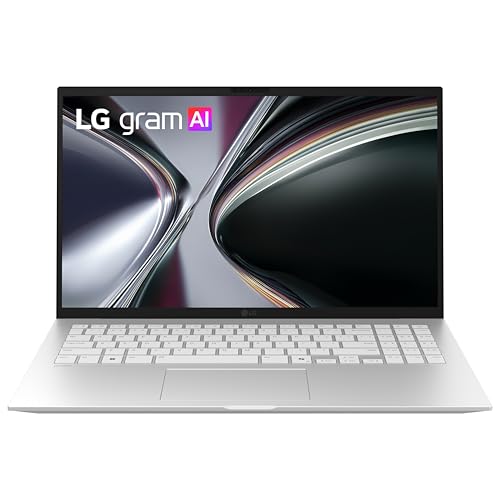
4. LG gram 15 (Best Battery Life)
Best Battery Life
Last update on 2026-09-13 / Affiliate links / Images from Amazon Product Advertising API
- ProcessorAMD Ryzen AI 7 350
- GPUAMD Radeon (integrated)
- RAM16GB (32GB configs available)
- Storage512GB SSD
- Display15.6-inch Full HD IPS touchscreen
- Battery22.5 hours rated
LG’s own product page rates the gram 15 at up to 22.5 hours of video playback — among the longest ratings on this list, and paired with a 2.8-pound chassis and MIL-STD-810H durability testing that most laptops rated this high on battery don’t also manage at this weight.
LG’s own 2026 pricing announcement confirms the gram line has moved upmarket over the past few years — this is priced as a premium ultrabook now, not the budget option older reviews used to call it. Between the battery rating and the weight, it’s a fit for people who work away from an outlet often.
Pros
- 22.5-hour manufacturer-rated battery, among the highest on this list
- 2.8 lbs with MIL-STD-810H durability testing
- Touchscreen at a weight most long-battery ultrabooks don’t match
Cons
- Premium pricing, not the budget pick it used to be
- Standard Full HD resolution for the size
5. Lenovo ThinkPad X1 Carbon Gen 13 Aura Edition (Best Premium)
Best Premium

Last update on 2026-09-13 / Affiliate links / Images from Amazon Product Advertising API
- ProcessorIntel Core Ultra 7 258V (8-core)
- GPUIntel Graphics (integrated)
- RAM32GB
- Storage2TB PCIe Gen 5 SSD
- Display14-inch 2.8K OLED
- Battery57Wh, ~18h rated
The webcam is the weak spot at this price: Notebookcheck’s review of this exact configuration (Core Ultra 7 258V, 32GB, OLED) rated it below par, pointing to its 1080p resolution when several lower-tier ThinkPads in Lenovo’s own lineup ship a 5MP camera — an odd place for an executive-tier laptop to cut cost. Lenovo lists Dolby Voice noise suppression on the microphone array; independent testing of how well it holds up on a call wasn’t part of the same review, so confirm it yourself if voice clarity matters more than the camera for your work.
Notebookcheck also measured roughly a 30% battery-life improvement over the previous generation on the same 57Wh cell. Lenovo’s own rating is around 18 hours; independent runtime testing on a real workload typically comes in well under a manufacturer’s video-playback figure, so treat 18 hours as a ceiling rather than a workday guarantee.
32GB of RAM as standard and 1.5mm of key travel — more than most laptops this thin manage — are the case for spending premium money here. The webcam just isn’t part of that case; pair it with an external camera if video presence matters a lot to your role.
Pros
- 1.5mm key travel, more than most laptops this thin
- Dolby Voice microphone array (independent noise-suppression testing not found)
- 32GB RAM standard, high-resolution OLED display
Cons
- 1080p webcam rated below par by Notebookcheck; lower-tier ThinkPads ship a 5MP camera
- Most expensive pick on this list
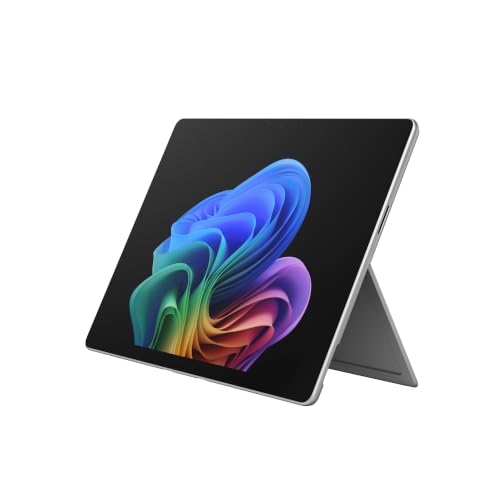
6. Microsoft Surface Pro 13-inch (Most Portable and 2-in-1)
Most Portable
Last update on 2026-09-13 / Affiliate links / Images from Amazon Product Advertising API
- ProcessorQualcomm Snapdragon X2 Elite (12-core)
- GPUAdreno (integrated)
- RAM16GB (32GB config available)
- Storage1TB SSD, user-replaceable
- Display13-inch OLED touchscreen, detachable
- Battery15.5 hours rated
At 1.97 lbs for the tablet alone, this is the lightest device on this list with the keyboard off — detach it entirely and it doubles as a dedicated video-call display, propped up separately from the typing setup if that’s useful for the workspace. DXOMARK ranks this generation’s camera second among the laptops it has tested, scoring 144 and placing it ahead of the Apple MacBook Pro 14-inch (M4) — the Surface Laptop from the same 2026 lineup takes the top spot with a 146.
This runs on ARM (Snapdragon Windows), so mainstream video-call apps — Zoom, Teams, Google Meet — run natively; a niche legacy work tool is the one thing worth checking for compatibility before committing. The keyboard and pen are sold separately, adding to the total cost.
Pros
- Lightest device on this list, tablet alone
- DXOMARK’s #2-ranked laptop camera, ahead of the MacBook Pro 14″ M4
- Detachable tablet form factor with OLED touchscreen
Cons
- Keyboard and pen sold separately, adding to the total cost
- Check niche work-software compatibility before buying
Recommended Accessories




Last update on 2026-09-13 / Affiliate links / Images from Amazon Product Advertising API
Which Working From Home Laptop Should You Buy?
| Best For | Pick |
|---|---|
| Cheapest | HP OmniBook 5 Flip |
| Best Value | Samsung Galaxy Book6 16-inch |
| Best Mac | Apple MacBook Air 13-inch M5 |
| Best Battery Life | LG gram 15 |
| Best Premium | Lenovo ThinkPad X1 Carbon Gen 13 |
| Most Portable | Microsoft Surface Pro 13-inch |
Working From Home Laptop FAQ
Do I need a dedicated graphics card for working from home?
No. None of the six picks above carry one, and none need it for calls, documents or a browser. The exception is a role that also does video editing, 3D work or similar GPU-intensive tasks on the side — that calls for a laptop with a discrete GPU, outside the scope of this list.
Is a laptop’s built-in webcam good enough, or do I need an external one?
It depends on the laptop, and the reviews above show why: Apple’s Center Stage and DXOMARK’s #2-ranked Surface Pro camera hold up well, while the X1 Carbon’s 1080p unit and the Galaxy Book6’s over-smoothing are the two weak points on this list. If on-camera time matters for the job, check a specific laptop’s webcam reputation before buying rather than assuming a built-in camera is fine by default, or budget for an external webcam as a backup.
How much battery life do I need for remote work?
A 12-hour rating from the manufacturer is a reasonable floor, but treat that figure as an upper bound rather than a guarantee — it comes from a low-brightness video-playback test, not a day of calls, background apps and screen brightness. Four of the six picks above are rated at 18 hours or more; the Surface Pro and the X1 Carbon sit under that.
How much RAM do I need for working from home?
16GB is enough for a video call, a shared document, and a handful of open browser tabs without slowdown. 8GB — the HP OmniBook 5 Flip’s base configuration — starts to feel cramped the moment all three are open together. None of the picks above take user-installed memory after purchase, so the RAM decision gets made at checkout, not later.
Does it matter if my work laptop runs Windows, macOS, or ChromeOS?
Mostly a matter of what an employer requires or what’s already familiar. All three handle mainstream video-call apps (Zoom, Teams, Google Meet) and standard office software without issue.
Final Thoughts on Working From Home Laptops
Whether a laptop looks and sounds professional on a video call, and whether its battery lasts a full workday, matters more for remote work than how powerful a processor it carries. A powerful chip with a weak battery solves a problem most remote workers don’t have, and misses the one they do.
Frequent travel between a home office and client sites shifts the priority toward portability more than anything covered here — laptops for traveling business weighs that trade-off directly.