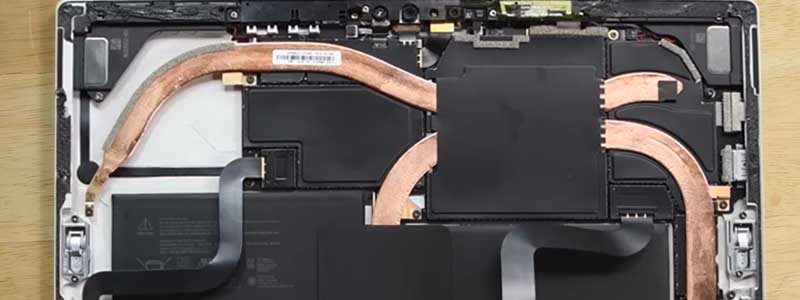
A fanless laptop is not a quiet one. It has no fan at all, and the difference is easy to check and easy to get wrong: Notebookcheck’s spec table for the Lenovo IdeaPad Slim 3 Chromebook carries the word lüfterlos, while the Intel-based Surface Pro models sold alongside the Snapdragon ones ship with a thermal module and fan — same product name, same screen size, different cooling.
Passive cooling has also narrowed to a few places: Apple silicon, a small number of ARM Windows tablets, and Chromebooks built on MediaTek chips. What follows is what passive cooling costs, then five current machines, each with the source that establishes how it is cooled.
Editor’s Pick


Last update on 2026-09-20 / Affiliate links / Images from Amazon Product Advertising API
No Apple silicon MacBook Air has ever shipped with a fan, and Notebookcheck measured the M5 settling at about 7W under sustained load — the point where the aluminum chassis stops being able to take more heat away.
- Apple M5 (10-core)
- 16GB RAM
- 13.6″ Liquid Retina
- Up to 18h battery
What’s Inside
Best Fanless Laptops in 2026 — Buyer’s Guide
What “fanless” actually means
A fanless laptop has no moving parts for cooling at any workload. Heat leaves the chip through heat pipes, a vapor chamber, or the chassis itself acting as one large heatsink. Nothing spins up, so there is no noise floor to speak of — and there is also a fixed limit on how much heat the machine can shed before it has to lower clock speeds to stay in a safe temperature range. That is throttling, and on a passively cooled laptop that is designed behavior, not a defect.
Why Fanless Windows Laptops Have Nearly Disappeared
UltrabookReview has maintained a running list of fanless laptops for over a decade, and its current update states that there is hardly any recent fanless Windows device available anymore, aside from some of the older units. Its low-power section names one 15.6-inch Asus with a Celeron N4500 as the model it can confirm is fully passive; the newer Intel N-series parts sold into budget Windows laptops generally arrive with a fan attached. The entries that guides still cite as premium Windows exceptions — a Huawei MateBook X and Lenovo’s ThinkPad X1 Fold — carry refresh dates from 2021 and 2022 on that list.
Three categories are left. Apple silicon covers the MacBook Air and the MacBook Neo. ARM Windows tablets account for a narrow slice, and the Surface Pro line shows where the line falls: the Snapdragon models are passively cooled, while the Intel versions sold under the same name carry a fan. Chromebooks on MediaTek Kompanio silicon make up the rest, at both ends of the price range.
The trade-off of going fanless
Fanless does not mean slow. The M5 in the MacBook Air outruns plenty of fan-cooled Windows laptops on short workloads. What it means is a lower sustained ceiling: anything that keeps the processor loaded for twenty minutes or more — a long video export, a large compile, a run of AAA gaming — arrives at the passive cooling limit and stays there. Notebookcheck’s figure for the M5 Air is roughly 7W once that point is reached. Browsing, writing, calls and light photo work finish long before it.
What’s next for fanless laptop cooling technology
Ventiva, a thermal components company, demonstrated a laptop test unit at Computex 2025 built around its ICE9 Ionic Cooling Engine, which moves ionized air with an electrohydrodynamic field and no moving parts. Ventiva’s own claim for the system is up to 100W of thermal design power. That is a company claim on a test vehicle, not an independent measurement, and no shipping consumer laptop uses it yet — which is why nothing on the list below is cooled this way.
How to verify a fanless laptop claim yourself
Look for the manufacturer using the word “fanless” or “passive cooling” on its own spec page rather than “efficient” or “whisper-quiet,” both of which describe fans that run slowly. Failing that, a review with a proper emissions section settles it: Notebookcheck publishes a noise measurement in dB(A) and lists cooling in the spec table, a machine without one has no idle-versus-load delta to report. A review that only says a machine “runs cool” has not established anything about a fan.
Fanless Laptops Comparison Table



Last update on 2026-09-20 / Affiliate links / Images from Amazon Product Advertising API
Best Fanless Laptop Reviews
1. Apple MacBook Air 13″/15″ (Best Overall)
Best Overall
Last update on 2026-09-20 / Affiliate links / Images from Amazon Product Advertising API
- ProcessorApple M5 (10-core)
- GPUM5 10-core GPU (integrated)
- RAM16GB
- Storage512GB SSD
- Display13.6″ Liquid Retina, 2560×1664
- BatteryUp to 18 hours (Apple rated)
Every Apple silicon MacBook Air since the M1 has been cooled by the chassis alone, and the M5 model continues that. Intel-era Airs did have fans, so the fanless run belongs to the Apple silicon generation, not to the name.
The limit of that design has been measured. Notebookcheck recorded the 13-inch M5 Air leveling off at around 7W under sustained load, where it holds roughly 50 fps in Elden Ring against a steady 60 on the MacBook Pro 14 running the same 10-core M5, and 54 fps to the Pro’s 76 in Cyberpunk 2077 at 1200p. Notebookcheck puts that gap down to two things together — the Air’s lower power limits and the absence of active cooling — so it is not the fan on its own.
Twenty minutes of continuous load is a long time in ordinary use. Email, a browser with a lot of tabs, office work and moderate photo or video editing finish their bursts and let the chassis cool between them, which is the workload this cooling design suits. The 13-inch weighs around 2.7 lbs, and Apple rates it at up to 18 hours.
Pros
- Fastest chip among the fanless picks in this guide
- No fan in any Apple silicon Air — a design fact, not a quiet fan curve
- Up to 18 hours on Apple’s own rating
Cons
- Measured throttling: Elden Ring settles near 50 fps where the fan-cooled Pro 14 holds a steady 60
- The most expensive pick here
- macOS only, which rules it out if your software is Windows-locked
2. Apple MacBook Neo (Best Budget)
Best Budget

Last update on 2026-09-20 / Affiliate links / Images from Amazon Product Advertising API
- ProcessorApple A18 Pro (6-core)
- GPUA18 Pro 5-core GPU (integrated)
- RAM8GB (not upgradeable)
- Storage256GB SSD
- Display13″ Liquid Retina, 2408×1506
- OSmacOS
Apple’s cheapest laptop runs the A18 Pro, the chip family from recent iPhones, and it has no fan either. Tom’s Hardware ran it under stress and logged 93°F at the keyboard and 82°F at the touchpad, with the chassis staying comfortable to touch — and separately notes the A18 Pro’s performance cores stepping down within seconds of sustained load, which puts this machine’s ceiling well below the Air’s.
Three omissions show up in daily handling, and both Tom’s Hardware and Lon Seidman’s review flag the third: the keyboard is not backlit, the trackpad clicks mechanically instead of using the Air’s haptic engine, and there is no green LED beside the camera — macOS shows an on-screen dot instead, which is a privacy indicator you have to go looking for.
8GB of memory is soldered, storage starts at 256GB, and the two USB-C ports are asymmetric — one at 10Gb/s with DisplayPort, one at USB 2 speed — with no Thunderbolt and no MagSafe. Tom’s Hardware measured 13 hours 28 minutes from the 36.5Wh battery. For a browser, mail, documents and streaming that is a full day of work; anything that wants memory belongs on the Air.
Pros
- Lowest price tier for a fanless Mac
- Passively cooled and comfortable to touch under stress — 93°F keyboard, measured by Tom’s Hardware
- 13h 28m of measured battery life
Cons
- 8GB RAM, soldered
- No backlit keyboard, no haptic trackpad, no physical camera indicator light
- Performance cores step down almost immediately once load is continuous
3. Microsoft Surface Pro 13″ (Best Windows 2-in-1)
Best Windows 2-in-1
Last update on 2026-09-20 / Affiliate links / Images from Amazon Product Advertising API
- ProcessorSnapdragon X2 Elite X2E-78-100 (12-core)
- GPUQualcomm Adreno (integrated)
- RAM16GB
- Storage1TB SSD, user-replaceable
- Display13″ OLED PixelSense touch, 120Hz
- BatteryUp to 15.5 hours (Microsoft rated)
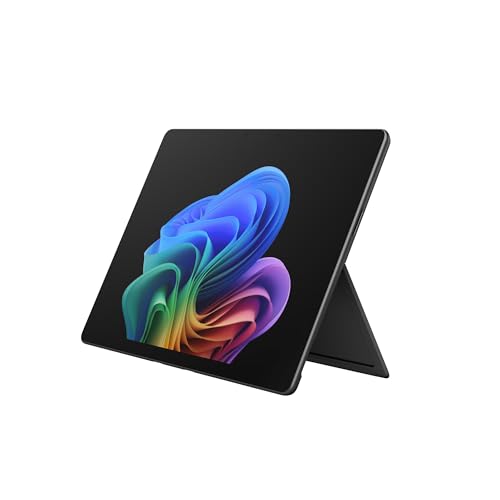
This is the only Windows machine on the list, and it is passively cooled. Microsoft’s own product video for the Snapdragon X2 Elite Surface Pro states the design is fanless. Third-party coverage is inconsistent on this point — at least one review describes a fan — so if silence under sustained load is the reason you are buying, confirm the cooling on the exact configuration before ordering.
What makes that notable is the sustained power budget it holds without a fan. Notebookcheck lists the chip at 30W short-burst and 18W sustained, and iGeekPhone logged an initial peak near 46.7W settling to about 16.8W — against roughly 7W for the M5 Air. Heat spreads across the aluminum chassis rather than pooling in hotspots, per that reviewer, though Notebookcheck still marks it down for high case temperatures under load and while gaming — which is where that heat goes when nothing is blowing it out.
It is also the only detachable here: a tablet, a propped-up screen on its kickstand, or a laptop once the Flex Keyboard is attached — and that keyboard is sold separately, as is the pen. The 120Hz OLED and 1TB of user-replaceable storage are unusual in a 13-inch tablet.
The ARM Windows question still applies. Most mainstream software now ships an ARM64 build, but older and niche x86 programs run through emulation, which costs performance. Check the applications you cannot work without before ordering.
Pros
- Passively cooled while holding more than double the sustained wattage of the M5 Air
- 120Hz OLED touchscreen with pen support
- 1TB SSD the owner can replace
Cons
- Notebookcheck marks the case down for how hot it gets under load and while gaming
- Keyboard and pen sold separately
- x86-only Windows software runs through emulation
4. Lenovo Chromebook Plus 14 (Best Premium Chromebook)
Best Premium Chromebook
Last update on 2026-09-20 / Affiliate links / Images from Amazon Product Advertising API
- ProcessorMediaTek Kompanio Ultra 910
- GPUArm Immortalis-G925 (integrated)
- RAM16GB
- Storage256GB UFS
- Display14″ OLED touch, 1920×1200
- BatteryUp to 17 hours (Lenovo rated)
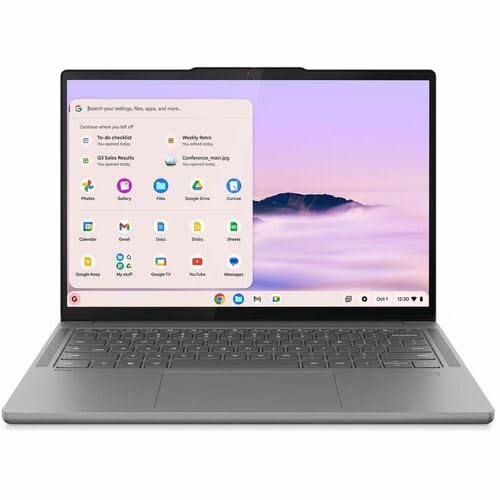
The fanless entry with a premium panel. Notebookcheck states that the Kompanio Ultra 910 does not require active cooling and that the Chromebook is silent in operation, and measured the OLED at 379.1 cd/m² average against Lenovo’s 400-nit figure, 100% sRGB coverage, and a Delta E 2000 of 1.65. Under heavy load it recorded 41°C across the top of the keyboard and 45°C underneath — warm on a lap, which is where the heat goes when nothing is blowing it out.
ChromeUnboxed, after six weeks of daily use, put the trackpad next to the Pixelbook Go’s — similar size, similar click mechanism — which is a comparison Chromebook trackpads rarely invite.
16GB of memory is well above what most Chromebooks ship, and the Kompanio Ultra’s NPU runs Chrome’s on-device AI features locally instead of round-tripping to a server. The 256GB of UFS storage is fast and fixed at that size.
ChromeOS is the deciding factor, not the hardware. This is a machine for web apps, Google’s services and Android software; desktop applications that only exist as Windows or macOS binaries have nowhere to run. For work that already lives in a browser, that constraint costs nothing.
Pros
- OLED measured at 100% sRGB and Delta E 1.65 — rare on a Chromebook
- Fanless and silent, confirmed by Notebookcheck
- Trackpad compared to the Pixelbook Go’s by ChromeUnboxed
- 16GB RAM, well above the category norm
Cons
- ChromeOS rules out desktop-only software
- 256GB storage is not expandable
- 45°C underneath during heavy load
5. Lenovo IdeaPad Slim 3 Chromebook (Best Ultra-Budget)
Best Ultra-Budget
Last update on 2026-09-20 / Affiliate links / Images from Amazon Product Advertising API
- ProcessorMediaTek Kompanio 520 (Octa-Core)
- RAM4GB
- Storage64GB eMMC (+256GB microSD included)
- Display14″ Full HD IPS, touch
- BatteryUp to 13.5 hours (Lenovo rated)
- Weight2.87 lbs
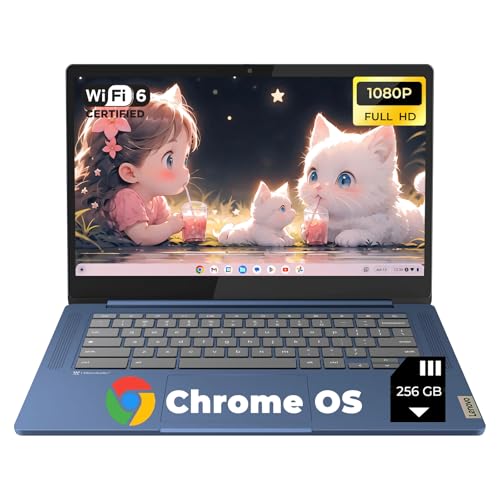
The cheapest way onto this list, and passively cooled on the record: Notebookcheck’s test of the 14M868 lists it as lüfterlos in the specification table.
PCWorld scored it at 73 in CrXPRT 2 and 29.6 in Speedometer, against 148 and 73.7 for an AMD-powered Asus Chromebook CM34 Flip — roughly half the throughput on both tests. PCWorld’s own battery run went past the 16-hour mark, ahead of Lenovo’s 13.5-hour rating, and it measured the 14-inch panel at about 300 nits.
Gaming is out. Android Central found no Steam support and some Android games performing poorly — weigh that if this is headed for a child’s hands.
4GB of memory and 64GB of eMMC set the boundary on everything else. A dozen tabs alongside an Android app is past what this configuration holds, and eMMC is slower than the UFS storage in the Chromebook Plus above. As a second machine, a student’s first laptop, or a silent device for browsing and documents, the specification matches the job.
Pros
- Lowest price tier on this list
- Listed as fanless in Notebookcheck’s spec table
- Past 16 hours in PCWorld’s battery test
Cons
- Roughly half the benchmark throughput of an AMD Chromebook in PCWorld’s testing
- Steam is unavailable, and Android game performance is uneven
- 4GB RAM and 64GB eMMC are tight even by Chromebook standards
Recommended Accessories
A passively cooled laptop has no intake or exhaust vent to block, so a snug sleeve is a safer fit here than on a machine that needs airflow. Every pick on this list charges over USB-C, which makes a compact GaN charger the other sensible companion.


Last update on 2026-09-20 / Affiliate links / Images from Amazon Product Advertising API
Which Fanless Laptop Should You Buy?
| Best For | Pick |
|---|---|
| Overall | Apple MacBook Air 13″/15″ |
| Budget (macOS) | Apple MacBook Neo |
| Windows 2-in-1 | Microsoft Surface Pro 13″ |
| Premium Chromebook | Lenovo Chromebook Plus 14 |
| Ultra-budget | Lenovo IdeaPad Slim 3 Chromebook |
Fanless Laptop FAQ
Does fanless mean a laptop is underpowered?
No, but it sets a sustained wattage the machine cannot exceed, and that number is the one to compare rather than the peak. Notebookcheck’s M5 Air settles around 7W, while the Surface Pro in this guide was logged at roughly 16.8W sustained after a 46.7W peak — both passively cooled, more than double the ceiling. Passive design sets the limit; it does not fix where that limit sits. Both feel identical for a few minutes of work. The difference only appears in the twentieth minute.
Are fanless laptops good for gaming?
Only for cloud streaming and older or lightweight titles. The M5 Air is the quickest passively cooled machine in this guide and it still gives up a sixth of its frame rate to the actively cooled Pro 14 on the same chip, in Notebookcheck’s Elden Ring run. At the other end, the IdeaPad Slim 3 Chromebook cannot run Steam at all.
How can I tell if a laptop is actually fanless, not just quiet?
A model name will not tell you, and the Surface Pro is the example: the Snapdragon versions are passively cooled while the Intel versions sold under the same name have a thermal module and fan. Check the manufacturer’s spec page for “fanless” or “passive cooling,” then confirm against a review that publishes a noise section with dB(A) figures — Notebookcheck’s spec tables state cooling type outright, in German as lüfterlos.
Why are there so few fanless Windows laptops now compared to a few years ago?
Because the chips that would fit a passive design keep being asked to do more. UltrabookReview’s fanless list has not been able to add a current mainstream Windows machine, and the premium exceptions on it date from 2021 and 2022. Where fanless Windows survives, it is on ARM: Snapdragon tablets at the lower power tiers, which is a narrower window than “any Snapdragon laptop.”
Final Thoughts on the Best Fanless Laptops
All five machines above have a source stating in plain terms that they have no fan — Notebookcheck for the M5 Air, the Chromebook Plus 14 and the IdeaPad Slim 3, Tom’s Hardware for the MacBook Neo, and Microsoft’s own product video for the Surface Pro. That is the state of the category in 2026: the fanless shortlist is short, it runs on Apple silicon, MediaTek Chromebooks and Snapdragon tablets, and the machines sold alongside it as “silent” are usually quiet rather than passive.
Questions about your use case, or a fanless laptop missing from this list? Drop a comment below.



Great post altogether; you have just won a new reader. Thank you.
Thank you, David — welcome aboard!
This is what I was looking for, by the way, I am a business student and edit some photos as well, is Acer switch right for me?
Hi, Moly The Acer Switch has an entry-level Nvidia GeForce MX150 graphics chip and could be ideal for mild photo editing. If you’re looking for some robust editing work, I won’t suggest a fanless laptop. By the way, thanks for the comment!
“Do all laptops have a fan? Usually, most laptops have fans, but some ultrabooks and low-end notebook are available without fan nowadays.” Most? Some? Manufacturers stopped putting fans in Celeron models back in 2014, by 2015 not a single Celeon laptop on the market had fans in them.
You’re right, and thanks for the correction — Celeron laptops moved to fanless designs earlier than ‘some’ suggests. We’ve tightened up that language since.
“Ever since the HP announces the world first fanless notebook, there is a different kind of rivalry going on between the computer manufacturers.” Fanless notebook computers were produced in 1994 and likely earlier, such as the IBM ThinkPad 755CX from 1994 with 75-MHz Pentium (original) CPU. Do you know if a fanless notebook computer with any type of Intel Core 2 CPU was produced? So far I have not found a reference to one but I have found references to fanless Core 2 stationary computers. Even the Core 2 Ultra-Low-Voltage (ULV) notebook computers I have used, such as the Dell Vostro V13, Asus UL30Vt, and Asus UL50Vt, have a fan. Core 2 still suffices for me and costs little to buy now.
Really interesting history, thanks for sharing — and to your question, we’re not aware of a fanless Core 2 notebook either; most Core 2-era ULV designs (including the ones you mentioned) still needed active cooling. If you ever track one down, we’d love to hear about it.
How can you say that this article was updated in 2021 when you’re recommending 4 year old laptops that were discontinued 3 years ago? What a joke. Have some respect for the time of the people actually looking for useful information instead of mining them for clicks. Shame.
Fair criticism, Chris — that was a real gap between the ‘updated’ badge and the actual picks at the time. This guide has since gone through a full rewrite with current-generation laptops; appreciate you calling it out.
I don’t think “pervasive” is the word you want. Helpful article, though!