Verisk’s system requirements page puts both Xactimate desktop and Xactimate Online on Windows 10 or 11, 64-bit. Online is the part that surprises people: it runs through Chrome, Firefox or Edge, but it installs a ClickOnce browser extension and the operating system requirement does not change, so it is not a way onto a Mac. The same page states the software is “not compatible with Surface Pro X or other ARM-based processors,” and that Verisk estimating products “are not supported on Mac OS.”
Two of the picks below run into those two lines, and neither fact appears on a spec sheet. Once the software question is settled, the rest of the job is photographs — reading them, comparing them, and deciding what a stain, a seam or a shingle edge shows — then writing it up somewhere between a truck cab and a hotel room. That puts the screen, the battery and the chassis ahead of processor tiers.
Editor’s Pick
Last update on 2026-09-10 / Affiliate links / Images from Amazon Product Advertising API
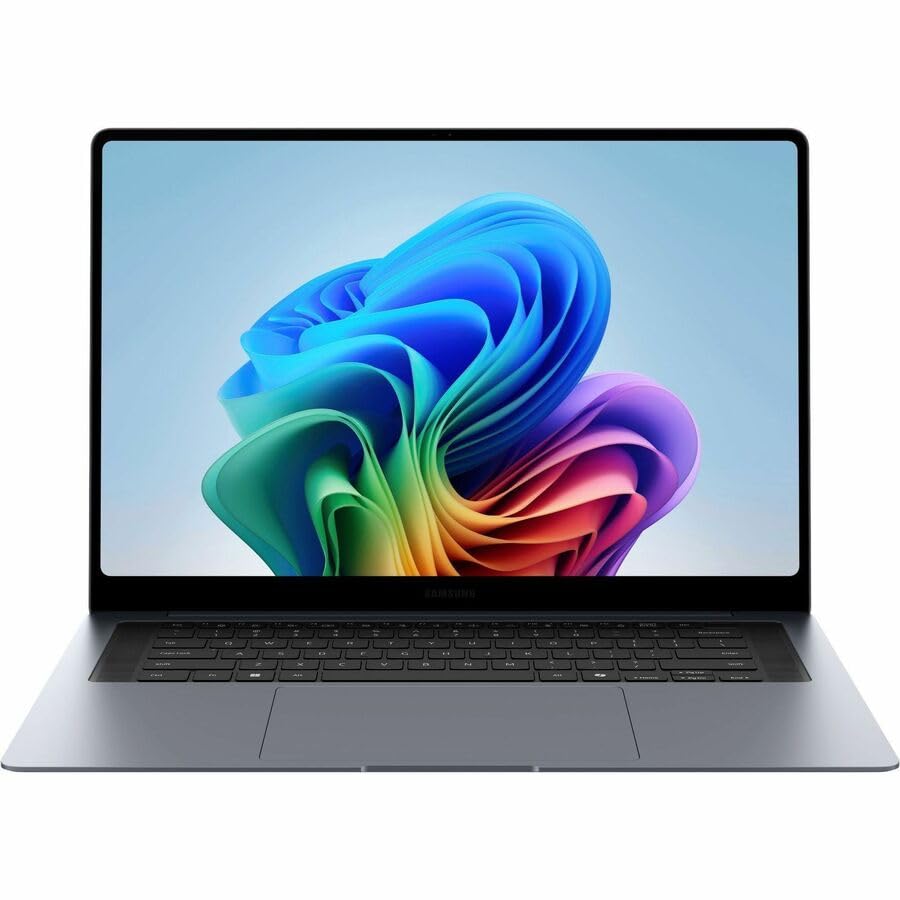
A 16-inch Dynamic AMOLED 2X panel rated to 1000 nits in HDR, on an x86 Windows machine that meets Xactimate’s requirements without a workaround.
- Intel Core Ultra 7 356H
- 16GB or 32GB RAM
- 16-inch Dynamic AMOLED 2X, 120Hz
- 78.07Wh battery
What’s Inside
- 1 – Insurance Adjuster Laptop Buyer's Guide
- 2 – Insurance Adjuster Laptop Comparison Table
- 3 – Best Laptops for Insurance Adjusters in 2026 — Reviews
- 3.1 – 1. Samsung Galaxy Book6 Pro (Best Overall)
- 3.2 – 2. Lenovo ThinkPad X1 Carbon Gen 13 Aura Edition (Best Premium and Durable)
- 3.3 – 3. HP OmniBook 5 Flip (Cheapest)
- 3.4 – 4. LG gram 15 (Best Battery Life)
- 3.5 – 5. Microsoft Surface Pro 13-inch (Best Detachable and Touch)
- 3.6 – 6. Apple MacBook Air 13-inch M5 (Best Mac)
- 4 – Recommended Accessories
- 5 – Which Insurance Adjuster Laptop Should You Buy?
- 6 – Insurance Adjuster Laptop FAQ
- 7 – Final Thoughts on Insurance Adjuster Laptops
Insurance Adjuster Laptop Buyer’s Guide
Xactimate and Claims Software Compatibility
Xactimate is the estimating platform most property and auto adjusters open every day, and its requirements narrow this category before any other specification does. Verisk lists Windows 10 or 11 64-bit for the desktop and the online edition alike, a quad-core x64 processor, 16GB of RAM as the minimum, OpenGL 4.1-compatible graphics with 4GB of VRAM, 30GB of free drive space, and a 1920×1080 monitor as the floor. The 16GB line is worth reading twice — it rules out the 8GB configurations that budget listings tend to lead with.
Two exclusions are stated outright rather than implied. Verisk lists the software as incompatible with Surface Pro X and other ARM-based processors, which takes in Snapdragon Windows machines, and macOS is excluded outright. A Windows virtual machine does not rescue the Mac case: Windows on Apple silicon is an ARM build, so it lands on the same line. Xactimate Mobile is a separate product, listed for iOS and iPadOS 18 and above and Android 13 and above — with Android support ending in Q2 2027 — so an iPhone or iPad covers field capture while the estimate itself still goes back to an x86 Windows machine.
Carriers and independent firms do not all run the same stack. Some staff adjusters work in browser-based carrier portals and never touch Xactimate; some independents live in it. Check the list your employer issues before the hardware decision, because it changes which of the six machines below are even eligible.
Display
Damage assessment is photo work, so the screen is the instrument. Panel technology names do not settle how good one is: OLED describes a contrast mechanism and IPS describes off-axis behavior, and neither says anything about how bright a given panel gets or how much of a color space it reproduces. The figures to compare are measured brightness, gamut coverage, resolution, and whether the finish is matte or glossy.
The spread across these six is wide enough to change decisions. At the bottom sits a panel HP rates at 62.5% sRGB; at the top, three screens that independent labs have measured at 98.8% sRGB or better, two of them past 400 nits. Distinguishing two brown stains on a ceiling, or water damage from an old repair, is the kind of judgment the lower figure makes harder — and it is not a judgment you get to redo once the file closes.
Glare is the field-specific variable. Anything glossy fights daylight through a broken window or an open garage door, which is a point in favor of the anti-glare IPS panel LG fits to the gram 15 even though it is the lowest-resolution screen here.
Durability for Field Work
MIL-STD-810H is a catalog of test methods, not a single pass or fail, and manufacturers pick which ones they run. That makes the published detail the thing to read. LG names seven methods for the gram 15 — including Method 500.6 low pressure (altitude), 501.7 high temperature, 502.7 low temperature and 514.8 vibration. Lenovo’s spec sheet records the X1 Carbon Gen 13 as MIL-STD-810H tested without itemizing the procedures. The other four picks make no such claim in their published specifications, so treat their build quality as unrated rather than assumed.
Battery Life and Portability
Manufacturer battery figures on this page are video-playback ratings, not measured runtime, and different brands do not run them on a common test — comparing 30 hours from one to 22 from another compares two marketing tests. The two measurements available give a sense of the gap: Business Standard recorded 14 to 15 hours of continuous use against Samsung’s 30-hour rating, and Tom’s Hardware measured 15 hours 28 minutes on the MacBook Air against Apple’s 18. A rating is a ceiling, so read the capacity in watt-hours alongside it.
Weight compounds across a day of site visits when a camera, a moisture meter and a folder of paperwork ride along. The six range from the Surface Pro’s 882g tablet section through the X1 Carbon at 986g and the gram at 2.84 lbs, up to the Galaxy Book6 Pro at 3.51 lbs — the price of its 16-inch screen.
Insurance Adjuster Laptop Comparison Table




Last update on 2026-09-09 / Affiliate links / Images from Amazon Product Advertising API
Best Laptops for Insurance Adjusters in 2026 — Reviews
Six machines, sorted by the part of the job each one is built around — from a 16-inch AMOLED panel for photo review to a detachable that carries a caveat about the software.
1. Samsung Galaxy Book6 Pro (Best Overall)
Best Overall
Last update on 2026-09-10 / Affiliate links / Images from Amazon Product Advertising API
- ProcessorIntel Core Ultra 7 356H
- GPUIntel Arc (integrated)
- RAM16GB or 32GB
- StorageUp to 1TB
- Display16-inch Dynamic AMOLED 2X touch, 120Hz, up to 1000 nits HDR
- Battery78.07Wh, rated up to 30h video playback
Sixteen inches of Dynamic AMOLED 2X is the largest photo-review surface here, and Samsung rates it to 1000 nits in HDR with a 120Hz dynamic refresh rate. Business Standard, reviewing the 14-inch model with the Core Ultra X7 358H, called the panel “easily one of the best you’ll find on a Windows ultrabook” — the same panel family, though no independent lab measurement of the 16-inch screen’s gamut or brightness has been published, so the 1000-nit figure remains Samsung’s own.
It is an x86 Windows machine, which is what Xactimate’s requirements ask for, and the 32GB configuration clears Verisk’s 16GB minimum with room for a browser full of carrier portals alongside it. Touch input suits marking up photos and moving through claim screens without a mouse in a stairwell.
Two things to weigh against that. Business Standard found the keys shallow, “usable” but without the tactile feedback expected at the price — a consideration if most of the day is report writing rather than photo review. And at 3.51 lbs it is the heaviest machine on this list, so the screen size comes out of the shoulder bag.
Pros
- 16-inch Dynamic AMOLED 2X, Samsung-rated to 1000 nits HDR
- x86 Windows with a 32GB option — past Xactimate’s 16GB minimum
- Touchscreen for annotating photos directly
Cons
- Shallow key travel, per Business Standard’s 14-inch review
- 3.51 lbs, the heaviest pick here
- No published independent measurement of the 16-inch panel
2. Lenovo ThinkPad X1 Carbon Gen 13 Aura Edition (Best Premium and Durable)
Best Premium and Durable

Last update on 2026-09-09 / Affiliate links / Images from Amazon Product Advertising API
- ProcessorIntel Core Ultra 7 258V (8-core)
- GPUIntel Arc 140V (integrated)
- RAM32GB LPDDR5X, soldered
- Storage2TB PCIe SSD
- Display14-inch 2.8K OLED
- Battery57Wh
Notebookcheck, testing the Core Ultra 7 258V configuration with 32GB, measured the 2.8K OLED at 410 cd/m², 100% sRGB and 99.5% DCI-P3 — the most thoroughly documented display on this list, worth the money if color judgments end up in a file someone else reviews later. The same review puts the machine at 982 grams, the lightest 14-inch X1 Carbon Lenovo has built, and lists a comfortable keyboard among its strengths, with 1.5mm of key travel.
Lenovo’s spec sheet records MIL-STD-810H testing and puts the battery at 57Wh, with up to 17.11 hours under MobileMark 25 depending on configuration. Under 1kg with 32GB of memory means the Xactimate minimum is met by a machine that disappears into a bag next to a camera.
Notebookcheck also flags real weaknesses: a 1080p webcam it calls inadequate for the price, PWM on the OLED panel, and an SSD that throttles under sustained load. Memory is soldered, so 32GB is a decision made at checkout rather than later.
Pros
- 410 cd/m² measured, with full sRGB and near-full DCI-P3 coverage
- 982g with MIL-STD-810H testing on Lenovo’s spec sheet
- Notebookcheck rates the keyboard among its strengths — 1.5mm travel
Cons
- OLED panel uses PWM; webcam is a weak 1080p
- Memory soldered — no upgrade after purchase
- Most expensive pick on this list
3. HP OmniBook 5 Flip (Cheapest)
Cheapest

Last update on 2026-09-09 / Affiliate links / Images from Amazon Product Advertising API
- ProcessorIntel Core 5 120U
- GPUIntel Graphics (integrated)
- RAM8GB DDR5 (16GB configuration available)
- Storage512GB SSD
- Display14-inch 1920×1200 IPS touch, convertible
The entry point on this list, and the one where Verisk’s requirements bite hardest. Verisk’s minimum is 16GB of RAM, so the 8GB configuration that appears in most listings is under specification for the software before anything else is considered — order the 16GB version or leave this pick alone. The 1920×1200 panel clears Verisk’s 1920×1080 resolution floor.
Where it falls short is the thing this job asks most of. HP’s own specification for the OmniBook 5 Flip 14 lists the panel at 300 nits and 62.5% sRGB, which is roughly two-thirds of the color space the X1 Carbon and Surface Pro cover. Photographs will display; fine distinctions between similar colors are where a panel like this stops being trustworthy, so it suits an adjuster who reviews photos on it and makes the close calls on a monitor back at the office.
The convertible hinge separates it from a plain clamshell at the same tier: folded flat, it takes stylus annotation on a claim photo while standing in a driveway. No independent laboratory has published a review of this configuration, so the display figure comes from HP and there is no third-party runtime measurement to set against the rating.
Pros
- Lowest entry price on this list
- Convertible touchscreen for on-site annotation
- 1920×1200 clears Xactimate’s resolution minimum
Cons
- HP lists 62.5% sRGB and 300 nits — weakest panel here for color judgment
- 8GB base configuration is below Xactimate’s 16GB minimum
- No independent testing published for this configuration
4. LG gram 15 (Best Battery Life)
Best Battery Life
Last update on 2026-09-09 / Affiliate links / Images from Amazon Product Advertising API
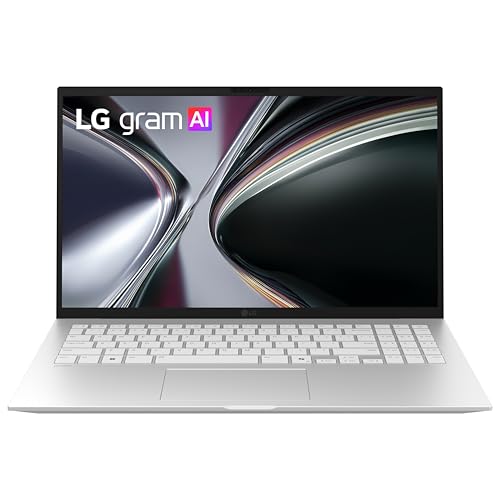
- ProcessorAMD Ryzen AI 7 350
- GPUAMD Radeon (integrated)
- RAM16GB
- Storage1TB SSD
- Display15.6-inch Full HD anti-glare IPS touch
- Battery72Wh, rated up to 22h video playback
LG’s figures for this machine are 72Wh, 22 hours of rated video playback, and 2.84 lbs for a 15.6-inch chassis. Samsung rates the Galaxy Book6 Pro higher at 30 hours, so the case for the gram is not the largest number on the page — it is runtime per pound, on a 15-inch screen that weighs less than most 14-inch machines. For a CAT deployment where charging happens in a truck, that ratio is the one that decides whether a charger has to come along to every address.
Durability is documented rather than implied. LG lists seven MIL-STD-810H methods by name, including low pressure at altitude, high and low temperature, and vibration — a set that reads like the inside of a vehicle in July. The anti-glare IPS finish is the other field-specific advantage: matte beats glossy when the light source is a hole in a roof.
The compromise is resolution. Full HD across 15.6 inches is the lowest pixel density here, which costs detail when zooming into a photograph of cracked drywall or hail dimples. No independent laboratory runtime measurement for this Ryzen AI 7 350 configuration has been published, so the 22-hour figure stands as LG’s rating and nothing more. The gram line also sits at premium pricing now rather than the value tier older guides put it in.
Pros
- 72Wh and 2.84 lbs — the best runtime-to-weight ratio here
- Seven MIL-STD-810H methods named by LG, not just a badge
- Anti-glare panel for outdoor and daylight work
Cons
- Full HD at 15.6 inches — lowest pixel density on this list
- 22-hour figure is LG’s rating; no third-party runtime published
- Premium pricing, not the budget option the line once was
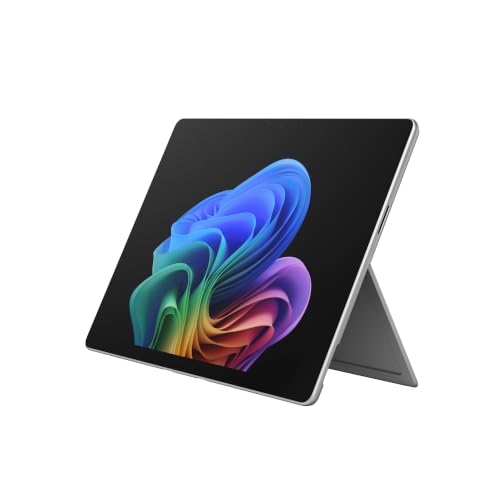
5. Microsoft Surface Pro 13-inch (Best Detachable and Touch)
Best Detachable and Touch
Last update on 2026-09-09 / Affiliate links / Images from Amazon Product Advertising API
- ProcessorQualcomm Snapdragon X2 Elite X2E-78-100 (ARM)
- GPUAdreno (integrated)
- RAM16GB (32GB configuration available)
- Storage1TB, replaceable M.2-2230 SSD
- Display13-inch OLED touch, detachable
- Weight882g tablet section
Read the compatibility section before this one. Verisk lists Xactimate as incompatible with ARM-based processors, and the Snapdragon X2 Elite is ARM — so for an adjuster whose carrier mandates Xactimate desktop or Online, this machine is off the list, and Xactimate Mobile is no substitute because it is published for iOS, iPadOS and Android rather than Windows on ARM. It belongs here for adjusters working in browser-based carrier portals, photo capture and documentation apps.
For that reader it is the one machine on the page built to be used standing up. The keyboard detaches, leaving an 882g tablet to carry through a property with a pen, and Notebookcheck measured the OLED panel at 98.8% sRGB, 98.8% Display P3 and around 600 nits in SDR — close to the X1 Carbon’s numbers in a device half its footprint, and bright enough to work with outdoors. The same review confirms the M.2-2230 SSD is still user-replaceable.
Notebookcheck notes that Microsoft has improved ARM app compatibility while still recommending buyers check their software before purchasing — advice that applies with force in this category, where the one application most adjusters depend on has an explicit exclusion. The keyboard cover and pen are ordered separately.
Pros
- Measured 98.8% sRGB and 98.8% Display P3, ~600 nits SDR
- 882g detachable tablet for walking a property with a pen
- User-replaceable M.2-2230 SSD
Cons
- Xactimate’s requirements exclude ARM-based processors
- Xactimate Mobile is iOS/iPadOS and Android only — not a fallback here
- Keyboard and pen sold separately
6. Apple MacBook Air 13-inch M5 (Best Mac)
Best Mac

Last update on 2026-09-09 / Affiliate links / Images from Amazon Product Advertising API
- ProcessorApple M5 (10-core CPU)
- GPUApple M5 (integrated)
- RAM16GB unified, soldered
- Storage512GB SSD
- Display13.6-inch Liquid Retina
- BatteryApple-rated 18h; 15h28m measured by Tom’s Hardware
The Xactimate answer for this machine is no, and it stays no after the usual workaround. Verisk does not support its estimating products on macOS, and running Windows in a virtual machine on Apple silicon means running Windows on ARM, which sits under the same exclusion. Adjusters whose claims work happens in browser-based carrier systems or cross-platform documentation tools are the ones this suits — a sizeable group, particularly outside property estimating, though not the majority.
The display is what makes the case. Tom’s Hardware measured 117.3% sRGB, 83.1% DCI-P3 and 458.8 nits, and recorded 15 hours 28 minutes on its web browsing and video streaming test against Apple’s 18-hour rating. The same review watched the fanless chip step down over a sustained Cinebench loop, from 3,415 to the low 2,300s — which matters for long exports and batch photo processing rather than for reading and annotating images.
At 2.7 lbs with no fan, it is a quiet machine to work on in a claimant’s living room. Memory is fixed at purchase.
Pros
- Measured 117.3% sRGB and 458.8 nits by Tom’s Hardware
- 15h28m measured runtime, silent fanless operation
- 2.7 lbs for all-day carrying
Cons
- Verisk does not support Xactimate on macOS, and a Windows VM on Apple silicon is ARM
- Sustained loads throttle on the fanless design
- 16GB unified memory, fixed at purchase
Recommended Accessories




Last update on 2026-09-10 / Affiliate links / Images from Amazon Product Advertising API
Which Insurance Adjuster Laptop Should You Buy?
| Best For | Pick |
|---|---|
| Best Overall | Samsung Galaxy Book6 Pro |
| Best Premium and Durable | Lenovo ThinkPad X1 Carbon Gen 13 |
| Cheapest | HP OmniBook 5 Flip |
| Best Battery Life | LG gram 15 |
| Best Detachable and Touch | Microsoft Surface Pro 13-inch |
| Best Mac | Apple MacBook Air 13-inch M5 |
Insurance Adjuster Laptop FAQ
Does Xactimate run on a Mac?
No. Verisk excludes macOS from its estimating products, and the virtual-machine route does not get around it — Windows on Apple silicon is the ARM build, and Verisk lists ARM processors as incompatible. The paths that do work are an x86 Windows machine of your own, an employer-issued one, or a remotely hosted Windows desktop. Xactimate Mobile runs on iPadOS and iOS 18 or later, so an iPad can do field capture while the estimate is finished elsewhere.
How important is display quality for insurance adjusters?
Enough that it is worth checking the numbers instead of the panel type. Three figures decide it: brightness in nits, sRGB or DCI-P3 coverage, and matte versus glossy finish. Xactimate itself asks for 1920×1080 as a minimum. The gap on this page runs from 62.5% sRGB at the entry tier to fully covered sRGB and near-complete DCI-P3 on the measured panels, which is the difference between seeing that two surfaces differ and being able to say how.
Do I need a dedicated graphics card as an insurance adjuster?
No, but the requirement is not zero. Verisk’s floor is OpenGL 4.1 and 4GB of video memory. Current integrated graphics clear the OpenGL level, and they draw that video memory from system RAM rather than holding their own — which is an argument for 16GB or more of system memory, not for a discrete GPU. Money that would buy one does more spent on RAM or on a better panel.
Is a touchscreen necessary for insurance adjuster work?
Not necessary, but it changes where you can work. Marking up a photo with a pen while standing in the damaged room is faster than doing it at a desk later, and a convertible or detachable makes that possible without a table. Note that Xactimate’s AR sketch features are on the mobile app, where Verisk lists LiDAR as optional hardware for the advanced ones — those live on an iPhone or iPad rather than on a Windows touchscreen.
How much battery life do I need for field inspections?
Buy on watt-hours rather than on the headline figure, since the headline comes from a video-playback loop and the two independent measurements on this page both landed several hours short of it. Roughly 60Wh and up covers a day of inspections with photo review and report writing between them; below that, plan on a charger in the vehicle. Cold weather is the other variable — a battery that survives a June day of inspections will not stretch as far in a January one.
Final Thoughts on Insurance Adjuster Laptops
The software stack narrows this list before any specification does: Xactimate’s Windows-only, x86-only requirements decide whether the Surface Pro and the MacBook Air are candidates at all, and no amount of screen quality changes that. Once a machine is eligible, the panel is the instrument the job runs on, and the numbers behind it — brightness, gamut coverage, matte or glossy — are published often enough to compare.
Field adjusters who travel between assignments for days at a stretch may also want our guide to laptops for traveling business, which goes deeper into portability and battery tradeoffs than fits here.