Most people shopping for a movie-watching laptop start with the panel: OLED or IPS, how many nits, is it 4K. That is the right instinct and the wrong starting point, because on Windows the streaming services decide what resolution you are allowed to receive before your screen ever gets a say.
This guide separates the two questions. First, what Netflix and Microsoft actually publish about who gets 4K and HDR on a PC. Then the things that genuinely change how a film looks and sounds on your lap: contrast in dark scenes, brightness in a lit room, matte versus glossy, speakers, and how long the battery lasts playing video rather than browsing.
Editor’s Pick
Last update on 2026-10-23 / Affiliate links / Images from Amazon Product Advertising API
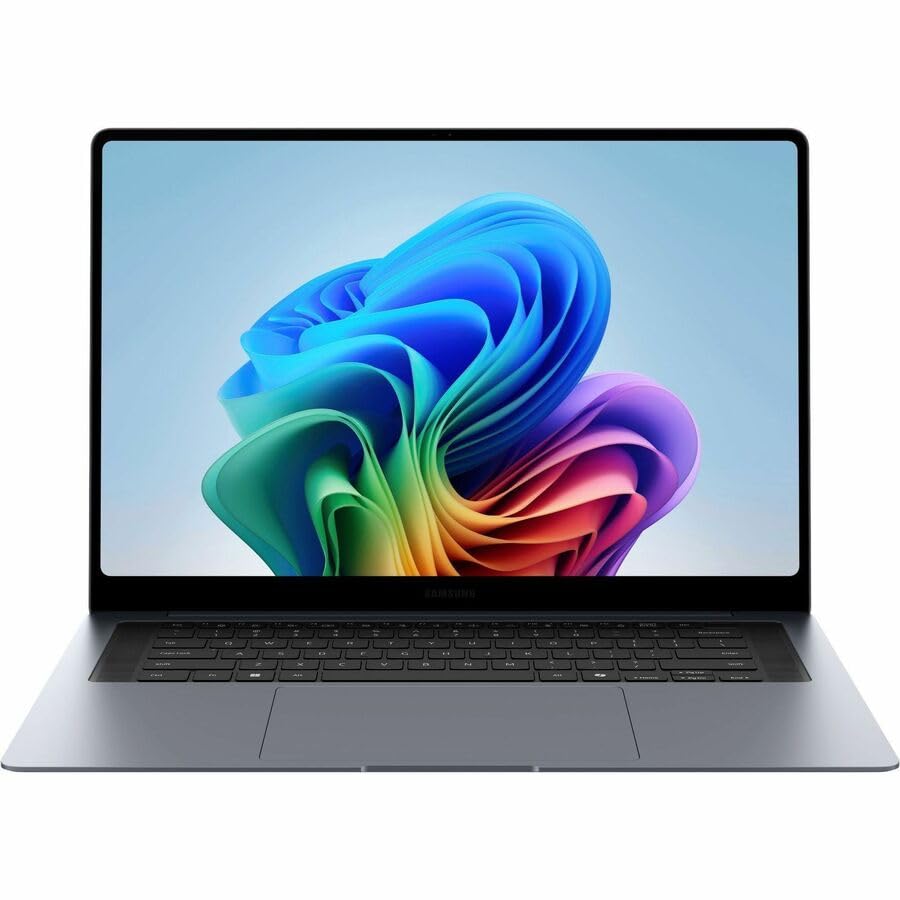
A 16-inch AMOLED with per-pixel black levels, a 1000-nit rating for HDR highlights and a 30-hour battery claim covers the three things a film actually asks of a laptop.
- 16-inch Dynamic AMOLED 2X touch, 2880×1800, adaptive 30-120Hz
- Intel Core Ultra 7 356H with Intel Arc integrated graphics
- 16-32GB RAM, up to 1TB SSD with an expansion slot
- 1000 nits rated, HDMI 2.1 and two Thunderbolt 4 ports
What’s Inside
- 1 – Streaming Movies Buyer's Guide
- 1.1 – The DRM gate: your panel does not decide your resolution
- 1.2 – PlayReady, HDCP and why hardware DRM exists
- 1.3 – Contrast beats resolution in a dark scene
- 1.4 – HDR badges and what they actually require
- 1.5 – Matte or glossy depends on your room
- 1.6 – Speakers, Dolby Atmos and what a laptop can deliver
- 1.7 – Screen size and the 16:10 letterbox tax
- 1.8 – Battery life measured on video, not on browsing
- 2 – Streaming Movies Comparison Table
- 3 – Best Streaming Movies Laptop Reviews
- 3.1 – 1. Samsung Galaxy Book6 Pro (Best Overall)
- 3.2 – 2. Apple MacBook Pro 16-inch M5 Pro (Best for HDR and Dolby Atmos)
- 3.3 – 3. MSI Raider 18 HX AI (Best True 4K Screen)
- 3.4 – 4. Lenovo Yoga 9i 2-in-1 Aura Edition (Best Speakers)
- 3.5 – 5. ASUS Vivobook 18 (Best Big Matte Screen)
- 3.6 – 6. LG gram Pro 17 (Best for Long Flights)
- 3.7 – 7. Lenovo Chromebook Plus 14 (Best Budget Pick)
- 4 – Recommended Accessories
- 5 – Which Streaming Movies Laptop Should You Buy?
- 6 – Streaming Movies Laptop FAQ
- 7 – Final Thoughts on Streaming Movies Laptops
Streaming Movies Buyer’s Guide
The DRM gate: your panel does not decide your resolution
Netflix publishes a hardware checklist for Ultra HD on Windows, and it is stricter than most buyers expect. Its Windows help page lists Windows 11 with the latest updates, an Intel 7th generation Core CPU or newer or an AMD Ryzen CPU, a compatible GPU, and a 4K 60Hz built-in screen or a 4K 60Hz external display on an HDCP 2.2 compatible connection, plus 15Mbps of bandwidth and a plan that includes Ultra HD.
Read the display line again. It says a 4K screen, not a high-resolution screen. The 2880×1800 and 2560×1600 panels that dominate premium Windows laptops in 2026 are not 4K, which means the machine you were about to buy for its beautiful OLED may never be offered a UHD stream at all.
The browser matters just as much. Netflix’s own table gives Chrome, Edge and the Netflix app for Windows up to Ultra HD, with HDR noted on Edge and the app, while Firefox and Opera are capped at Full HD (1080p). On Linux, Netflix caps every listed browser at 1080p.
Buying a 4K HDR laptop does not buy you 4K HDR streaming. Netflix requires a 4K 60Hz built-in screen for Ultra HD on Windows, so a 2.8K OLED is excluded by resolution alone no matter how good it looks. Change browser and you can lose quality again: the same page caps Firefox and Opera at 1080p. If UHD from Netflix is the goal, you need an actual 3840-wide panel and Edge, Chrome or the Windows app.
PlayReady, HDCP and why hardware DRM exists
The mechanism behind those rules is Microsoft PlayReady, the DRM Windows uses for protected video. Microsoft grades clients by security level: SL2000 covers hardened devices and applications where secrets are protected through software or hardware means, while SL3000 is for devices only, with secrets protected through hardware using a Trusted Execution Environment of the processor. Microsoft describes SL3000 clients as hardware-DRM clients for exactly that reason.
Why services care is spelled out on Microsoft’s own content protection page. It frames SL3000 as the answer for the industry as it moves beyond HD into full 1080p, UHD, 4K, and higher resolutions, as well as early window content, and indicates that software-based PlayReady implementations are approved for 720p and 1080p. The practical translation is that the top resolution tier is gated by hardware you either have or do not have.
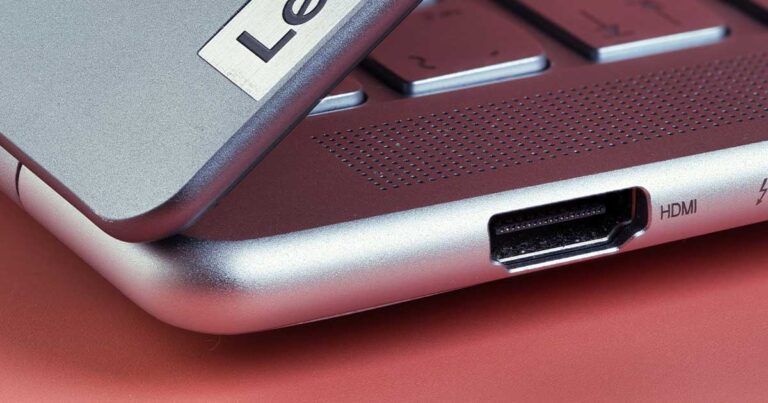
HDCP is the other half, and it bites when you send the picture somewhere else. Netflix states that for 4K or HDR, you should make sure devices and cables are plugged into an HDMI port that supports HDCP 2.2 or later, and adds that if anything in the chain falls short, playback simply drops to the best quality the chain can carry. That is the usual explanation for a laptop that plays 4K on its own screen and 1080p on the TV, and it is worth checking the HDMI generation before you buy if the TV is the real destination, something our rundown of laptops with a proper HDMI port goes into.
What we could not verify first-hand. Netflix and Microsoft publish the requirements quoted above. Amazon’s Prime Video and Disney+ help pages either block automated access or render their support articles client-side, so we could not read a current first-party statement of their per-browser resolution limits and did not want to repeat forum lore as fact. Treat both as likely to follow the same PlayReady and HDCP logic on Windows, and check their help pages yourself before buying for one specific service.
Contrast beats resolution in a dark scene
Once resolution is settled by the rules above, contrast is what separates a good movie panel from a mediocre one. An OLED switches individual pixels off, so a letterboxed film has genuinely black bars and a night exterior keeps its shadow detail instead of turning gray. A conventional IPS panel with a single backlight cannot do that, and the gap is far more visible in a dark room than any pixel-count difference.
Mini LED sits between the two by splitting the backlight into independently dimmed zones, which buys huge contrast at the cost of occasional haloing around bright objects on black. If you want the longer argument about where IPS still wins, including motion handling, color consistency and burn-in risk, we set the two technologies against each other in our IPS display laptop comparison.
HDR badges and what they actually require
DisplayHDR certification is a floor, not a promise, and the tiers are far apart. VESA’s published criteria set peak luminance at 400, 500, 600, 1000, and 1400 cd/m² for the numbered tiers, but the black level requirement is where the real difference lives.
DisplayHDR 400 allows a black 800 times brighter than True Black. VESA’s performance criteria permit up to 0.4 cd/m² at screen center in the corner-box test for DisplayHDR 400, tightening to 0.05 cd/m² at DisplayHDR 1000, while every DisplayHDR True Black tier requires 0.0005 cd/m². A DisplayHDR 400 sticker tells you almost nothing about how a night scene will look.
Sustained brightness matters too, and it is rarely the number on the box. Most OLED laptop panels quote a peak figure measured on a small window of the screen; a full-screen snow field will be dimmer. Our plain-English guide to display specifications unpacks how nits, gamut percentages and contrast ratios are measured so you can read a spec sheet skeptically.
Matte or glossy depends on your room
Glossy panels look richer in a dark room because nothing scatters the light, which is why almost every OLED laptop ships with glossy panels. In a lit living room or on a plane with the shade up, that same surface turns into a mirror, and you spend the film looking at yourself.
Anti-glare coatings trade a little contrast for a usable picture in daylight. If most of your viewing happens with the lights on, a matte 300-nit panel can be more watchable than a glossy 1000-nit one, and no amount of brightness can fully compensate for a reflection sitting on top of a dark scene.
Speakers, Dolby Atmos and what a laptop can deliver
Laptop audio is decided by cabinet volume and driver count, not by a logo. A four-speaker system with dedicated woofers has physics on its side over two down-firing drivers, and upward-firing tweeters near the hinge get dialogue to your ears rather than into the desk.
The format side is worth understanding before you pay for it. Netflix requires a plan that supports Ultra HD streaming, a Netflix-capable device that can play Dolby Atmos, and a Dolby Atmos-capable audio system, and its own page makes no mention of browsers or computers. Its separate spatial audio feature needs the Premium plan, with head tracking listed only for specific phone-and-earbud pairings. In short, do not assume built-in laptop speakers will get you object-based audio; a decent pair of headphones is the more reliable route.
Screen size and the 16:10 letterbox tax
Almost every current premium laptop is 16:10, and almost every film is wider than that. A 16:9 television show already loses a strip top and bottom on a 16:10 panel; a 2.39:1 scope film loses considerably more, so the picture you actually watch is smaller than the diagonal on the box suggests.
That is an argument for buying one size class larger than you would for office work, and a strong argument against 3:2 panels for film even though they are excellent for documents. An 18-inch 16:10 machine shows a scope film at roughly the height of a 16-inch panel’s full screen, which is the practical reason the big laptops on this list earn their bulk.
Battery life measured on video, not on browsing
Manufacturer battery hours usually come from a light mixed-use or local video loop, and reviewers mostly publish a web-browsing figure. Neither predicts a streaming session well: streaming adds continuous Wi-Fi and decoding work, and OLED power draw rises with image brightness, so a dark thriller and a bright animation drain the battery at different rates.
Where a reviewer has published a video playback result specifically, we have used that figure below and said so. Where only a rated number exists, we have called it a rating rather than a measurement.
Streaming Movies Comparison Table


Last update on 2026-10-23 / Affiliate links / Images from Amazon Product Advertising API
Best Streaming Movies Laptop Reviews
1. Samsung Galaxy Book6 Pro (Best Overall)
Best Overall
Last update on 2026-10-23 / Affiliate links / Images from Amazon Product Advertising API
- ProcessorIntel Core Ultra 7 356H (Panther Lake)
- GraphicsIntel Arc (integrated)
- Memory16-32GB
- Display16-inch Dynamic AMOLED 2X touch, 2880×1800, adaptive 30-120Hz, 1000 nits rated
- Battery30 hours (rated)
- Weight3.51 lbs
This is the machine that gets the most of the movie-watching checklist right at once: a large AMOLED with per-pixel blacks, enough panel area for a scope film, HDMI 2.1 for the hotel TV, and a battery rating that means you are not hunting for a socket halfway through.
Be realistic about the 1000-nit figure, which is a peak HDR rating rather than what you get across a full screen. Tom’s Guide measured this panel at 457 nits in SDR and 570 nits in HDR, along with 119.4% sRGB coverage and a Delta-E of 0.20. Those are strong real-world numbers for a laptop, and they are also a useful reminder of how far marketing peaks sit above sustained output.
The same review recorded 15 hours 17 minutes in a web-surfing test at 150 nits rather than a video loop, so treat it as a floor for streaming rather than a like-for-like figure. Its main irritation is Samsung’s preloaded software, which the reviewer called effectively bloatware if you are not in the Samsung phone ecosystem.
On the DRM question, this panel is 2880×1800, so Netflix Ultra HD is off the table by the rule quoted earlier. What you get instead is an excellent 1080p and HDR-tier picture, which is what almost every laptop viewer is actually watching.
Pros
- Per-pixel black levels make letterboxed and night-heavy films look properly cinematic
- 16-inch panel leaves enough height for scope films after the letterbox loss
- HDMI 2.1 and Thunderbolt 4 mean no dongle hunt when you want the film on a TV
- Storage expansion slot lets you keep a large offline library for flights
Cons
- 2880×1800 is below Netflix’s stated 4K screen requirement, so UHD streams are unavailable
- Glossy AMOLED surface reflects badly in a bright room
- Preinstalled Samsung apps are of little use outside Samsung’s own ecosystem
2. Apple MacBook Pro 16-inch M5 Pro (Best for HDR and Dolby Atmos)
Best for HDR and Dolby Atmos

Last update on 2026-10-23 / Affiliate links / Images from Amazon Product Advertising API
- ProcessorApple M5 Pro (14-core CPU)
- GraphicsApple M5 Pro GPU up to 20-core (integrated)
- Memory24GB unified
- Display16.2-inch Liquid Retina XDR, 3456×2234, 120Hz, Mini-LED
- Ports3x Thunderbolt 5, HDMI, SDXC, MagSafe 3
- Weight4.7 lbs
If HDR is the reason you are shopping, this is the panel that does it without asterisks. Apple’s own tech specs state 1000 nits of sustained full-screen brightness, 1600 nits of peak brightness for HDR content, and a 1,000,000:1 contrast ratio. “Sustained full-screen” is the figure that governs a bright daylight sequence rather than a single specular highlight.
The audio hardware is unusually serious for a laptop. Apple lists a six-speaker system with force-canceling woofers, playback support for Dolby Digital, Dolby Digital Plus and Dolby Atmos, and Spatial Audio when playing Dolby Atmos content on the built-in speakers. That is one of the few laptop setups where object-based audio is a documented feature rather than an assumption.
macOS also sidesteps the Windows browser maze in one respect: Netflix’s browser table gives Safari on macOS up to Ultra HD while capping Chrome at 1080p there, so the browser choice flips compared with a PC. The 3456×2234 panel is still short of 3840 pixels wide, so this is about HDR quality rather than a UHD pixel count.
Apple rates the M5 Pro configuration at up to 24 hours of video streaming, which is a manufacturer figure and one measured on Apple’s own terms. Our specification table for this machine lists a lower battery figure, so treat 24 hours as the best case rather than a planning number.
Pros
- Sustained 1000-nit full-screen brightness holds up in bright scenes, not just highlights
- Documented Dolby Atmos and Spatial Audio playback through the built-in speakers
- Safari on macOS is Netflix’s top-tier browser, avoiding the Windows browser trap
- Mini-LED contrast without OLED burn-in worry on static interface elements
Cons
- The most expensive way to solve a movie-watching problem on this list
- Glossy screen with no matte option, so bright rooms are still a fight
- 4.7 lbs makes it a coffee-table machine more than a lap machine
3. MSI Raider 18 HX AI (Best True 4K Screen)
Best True 4K Screen
Last update on 2026-10-23 / Affiliate links / Images from Amazon Product Advertising API
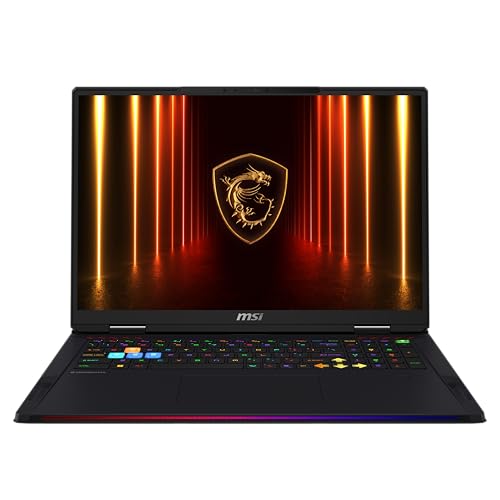
- ProcessorIntel Core Ultra 9 285HX (24-core, up to 5.5GHz)
- GraphicsNVIDIA GeForce RTX 5090 Laptop (24GB GDDR7)
- Memory64GB DDR5-6400
- Display18-inch UHD+ Mini LED, 3840×2400, 120Hz, non-glare, HDR1000 True Black
- AudioDynaudio 4-speaker system
- Storage2TB M.2 PCIe SSD
This is the only machine here whose built-in panel clears Netflix’s 3840-pixel bar, and it does so with a non-glare finish and an HDR1000 True Black rating, which is the VESA tier requiring the 0.0005 cd/m² black level discussed above. On paper it is the closest thing in this list to a small television.
PCWorld, reviewing an RTX 5080 configuration with the same chassis and 3840×2400 Mini-LED panel as the RTX 5090 model listed here, described the display as bright enough to make the Raider a decent choice for HDR, while noting that Mini-LED blooming can halo bright objects against black. It also flagged something no spec sheet mentions: HDR is not supported when the laptop is running on battery power.
The same review measured a little under four hours in a battery test that loops a 4K film, which is the video-playback figure rather than a browsing one. Between that and the HDR-on-mains behavior, this is a plugged-in movie machine, and it weighs and costs accordingly.
Audio is a Dynaudio four-speaker system. PCWorld found good volume with 2-watt woofers adding low end, but described the treble as grating and the sound muddy at maximum volume, so headphones remain the better option for a late-night film.
Pros
- Genuinely meets Netflix’s 4K screen condition, unlike every 2.8K OLED on the market
- Non-glare Mini LED is the rare combination of deep blacks and low reflectivity
- 18-inch panel keeps a scope film large after letterboxing
- 2TB of storage swallows an offline download library
Cons
- HDR reportedly stops working on battery, so the best picture needs a wall socket
- Roughly four hours of 4K video playback rules out long flights
- Blooming around bright objects on dark backgrounds is inherent to the technology
- Speakers get harsh at high volume
4. Lenovo Yoga 9i 2-in-1 Aura Edition (Best Speakers)
Best Speakers
Last update on 2026-10-23 / Affiliate links / Images from Amazon Product Advertising API
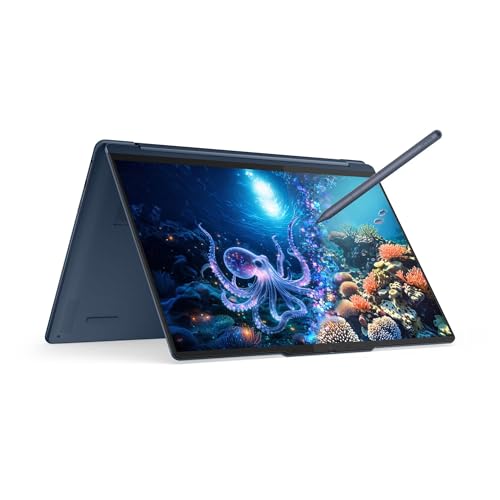
- ProcessorIntel Core Ultra 7 355 (8-core, Panther Lake)
- GraphicsIntel integrated
- Memory32GB LPDDR5X-7467
- Display14-inch 2.8K OLED touchscreen, 2880×1800, 120Hz, 1100 nits HDR peak
- Audio4 Dolby Atmos speakers
- Storage1TB M.2 NVMe SSD
The Yoga 9i’s rotating soundbar hinge is the reason it is here. Two woofers and two tweeters fire outward from the hinge no matter which way the screen is folded, so tent mode on a tray table gives you the same sound as clamshell mode on a desk.
LaptopMedia’s measurements on this Gen 11 model back up the panel claims and add the numbers the spec sheet leaves out: 1020 cd/m² peak HDR on an 8% window falling to 655 cd/m² on a full white screen, 503 cd/m² in SDR, and 100% coverage of both sRGB and DCI-P3. That full-screen HDR figure is the honest one to plan around.
On battery, it recorded 15 hours 39 minutes of offline video playback in battery saver at 180 nits in SDR mode. That is a video-playback result rather than a browsing one, which makes it directly relevant here, though streaming over Wi-Fi in HDR will come in lower.
The compromise is size. Fourteen inches is small for film once a scope aspect ratio takes its cut, so this is the pick for someone whose viewing happens on trains and hotel beds rather than as the main screen at home.
Pros
- Soundbar hinge keeps audio pointed at you in tent, tablet and laptop positions
- Measured 100% DCI-P3 means HDR grades arrive with the colors the colorist intended
- Over 15 hours of measured video playback covers any realistic flight
- Converts to a stand for a tray table without needing an accessory
Cons
- 14 inches is the smallest usable size for widescreen film on this list
- Glossy touchscreen picks up reflections and fingerprints in equal measure
- Full-screen HDR brightness is well below the headline 1100-nit peak
5. ASUS Vivobook 18 (Best Big Matte Screen)
Best Big Matte Screen

Last update on 2026-10-23 / Affiliate links / Images from Amazon Product Advertising API
- ProcessorAMD Ryzen 7 260 (8-core/16-thread)
- GraphicsAMD Radeon Graphics (integrated)
- Memory32GB DDR5-5600
- Display18.4-inch WUXGA IPS, 1920×1200, 144Hz, anti-glare, 300 nits
- Battery17 hours (rated)
- Weight5.73 lbs
Screen area is the cheapest upgrade in this whole category, and an 18.4-inch matte panel in a living room with the lights on beats a smaller glossy OLED more often than enthusiasts like to admit. Nothing here is exotic; it is simply a lot of usable picture for the money.
LaptopMedia measured 352 cd/m² at center, a 1300:1 contrast ratio, 97% sRGB, and a matte finish rated at 58.5 gloss units. Contrast at that level is ordinary, so dark scenes will look gray next to any OLED on this page, and that trade-off is the whole point of the pick.
The same review recorded 10 hours 35 minutes of video playback at 180 nits, which it called excellent for an 18-inch machine. It also noted the resolution works out to about 126 pixels per inch, so text is soft even though 1080p video upscales acceptably.
One thing to check against our database entry: our catalog name specifies the Intel M1807GA variant, while the confirmed Amazon listing is the AMD M1807HA. Same chassis and same display, different platform.
Pros
- Largest picture per dollar of anything here, with room to spare for scope films
- Matte finish stays watchable with room lights on or a window behind you
- Over ten hours of measured video playback despite the panel size
- 32GB and 1TB as standard rather than as an upgrade
Cons
- 1300:1 contrast means dark scenes look washed out compared with any OLED
- 1920×1200 across 18.4 inches is visibly soft up close
- Nearly 6 lbs and no meaningful portability
- Ports top out at 5Gbps, so external storage is slower than it should be
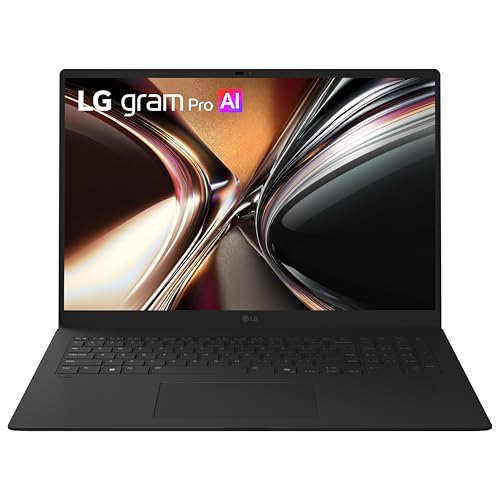
6. LG gram Pro 17 (Best for Long Flights)
Best for Long Flights
Last update on 2026-10-23 / Affiliate links / Images from Amazon Product Advertising API
- ProcessorIntel Core Ultra 7 355 (8-core)
- GraphicsIntel integrated graphics
- Memory32GB LPDDR5X
- Display17-inch WQXGA IPS touchscreen, 2560×1600, 99% DCI-P3, 350 nits, quad speaker Dolby audio
- Battery26.5 hours rated, 77Wh
- Weight3.02 lbs
A 17-inch screen that weighs three pounds is the specific trick the gram performs, and it is the one that matters at 35,000 feet. You get close to the picture area of the big machines on this list in a bag you can carry through an airport without a second thought.
We could not find an independent review of this exact 2026 Panther Lake configuration. Notebookcheck’s review of the 2025 Lunar Lake gram 17, a different processor generation in the same family and chassis concept, measured 411 cd/m² maximum brightness, a 1174:1 contrast ratio and 96.88% Display P3 coverage, with roughly 22 hours of realistic runtime. Take those as an indication of the family rather than a measurement of the machine listed here.
That review also declined to say anything positive about the speakers, listing them only in the specification table, which tells you where LG spent the weight budget. Quad speakers with Dolby audio processing sound reasonable at conversational volume and thin when the score swells.
The IPS panel is the honest limitation. Around 1174:1 contrast in the older model is fine for daytime television and unconvincing for a dark film, so this is a pick made on endurance and screen size rather than image quality.
Pros
- 17 inches of screen at 3.02 lbs, which nothing else here comes close to
- 26.5-hour rating and a 77Wh battery cover a transatlantic flight with margin
- Thunderbolt 4 and HDMI 2.1 for hotel-TV duty without adapters
- 99% DCI-P3 rating means HDR color grades are not being clipped
Cons
- IPS contrast makes night scenes noticeably gray next to the OLED picks
- 350 nits is modest for a glossy touchscreen used near a window
- No independent review of this 2026 configuration was available at publication
- Speakers are an afterthought in a chassis this thin
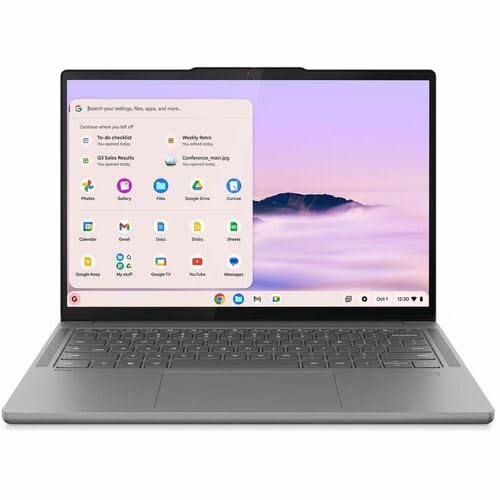
7. Lenovo Chromebook Plus 14 (Best Budget Pick)
Best Budget Pick
Last update on 2026-10-23 / Affiliate links / Images from Amazon Product Advertising API
- ProcessorMediaTek Kompanio Ultra 910
- GraphicsArm Immortalis-G925 (integrated)
- Memory16GB
- Display14-inch OLED touch, 1920×1200, 100% DCI-P3, 400 nits
- Battery15.75 hours (rated)
- Weight2.8 lbs
An OLED at this price is unusual, and OLED is the single specification that most affects how a film looks. Notebookcheck measured this panel at an average brightness of 379.1 cd/m² against a 400-nit claim, 100% sRGB, a Delta E of 1.65, and a contrast ratio of 26,986:1, with a 0.014 cd/m² black level.
It is also completely silent. The Kompanio Ultra 910 requires no active cooling, so there is no fan to spin up during a quiet dialogue scene, and the same review found that four speakers produced clear, rich playback. If a fanless machine appeals for other reasons as well, we have a full list of silent laptops.
On the DRM front, ChromeOS is in a better position than most people assume. Netflix’s browser table lists Chrome on a Chromebook at up to Ultra HD, so the platform is not the constraint here even though this particular 1920×1200 panel is. What you gain is that nothing about the browser or the operating system is quietly capping you.
Storage is the catch. At up to 256GB of UFS storage, an offline download library has to be curated rather than hoarded, so plan on an external drive if you fly often.
Pros
- Near-27,000:1 measured contrast at a price where IPS is the norm
- Fanless design means nothing whirrs during a quiet scene
- Four speakers described as clear and rich, which is rare in this bracket
- 2.8 lbs makes it the easiest machine here to watch in bed
Cons
- 256GB ceiling forces choices about offline downloads
- 1920×1200 caps sharpness regardless of what the service is willing to send
- ChromeOS app support is narrower than Windows or macOS if you also want desktop software
Recommended Accessories
A film session on a laptop usually fails for one of four reasons: the screen is at the wrong height, the battery ran out, there is nowhere to put the downloads, or the TV would not accept the signal. These cover all four. One caution about the hub: adding an adapter to an HDMI chain is exactly the kind of link Netflix warns can reduce your quality if it does not carry HDCP 2.2 end to end.



Last update on 2026-10-23 / Affiliate links / Images from Amazon Product Advertising API
Which Streaming Movies Laptop Should You Buy?
| Laptop | Best for | Key reason |
|---|---|---|
| Samsung Galaxy Book6 Pro | Most viewers | 16-inch AMOLED, measured 457 nits SDR, long battery rating |
| Apple MacBook Pro 16-inch M5 Pro | HDR films and built-in Atmos | 1000 nits sustained full-screen, six-speaker Atmos system |
| MSI Raider 18 HX AI | Anyone who wants genuine UHD | 3840×2400 non-glare Mini LED that meets Netflix’s screen rule |
| Lenovo Yoga 9i 2-in-1 Aura Edition | Sound quality and tent mode | Four-speaker soundbar hinge, 15h39m measured video playback |
| ASUS Vivobook 18 | Lit rooms and big pictures | 18.4-inch matte panel at the lowest cost per inch here |
| LG gram Pro 17 | Frequent flyers | 17-inch screen at 3.02 lbs with a 26.5-hour rating |
| Lenovo Chromebook Plus 14 | Spending as little as possible | Measured 26,986:1 OLED contrast in a silent, fanless body |
Streaming Movies Laptop FAQ
Why does my 4K laptop only stream in 1080p?
Usually the browser or a missing hardware requirement. Netflix’s Windows page lists Chrome, Edge and the Netflix app for Windows as capable of Ultra HD while capping Firefox and Opera at 1080p, and separately requires Windows 11, an Intel 7th generation Core CPU or newer or an AMD Ryzen CPU, a compatible GPU and a 4K 60Hz screen. Missing any one of those drops you a tier.
Does a 2.8K OLED laptop count as 4K for Netflix?
No. Netflix’s stated requirement is a 4K 60Hz built-in screen, and 2880×1800 is short of 3840 pixels wide. The panel may look superb and be genuinely better for contrast, but it does not satisfy that particular condition.
What are PlayReady SL2000 and SL3000?
They are Microsoft’s DRM security levels. Microsoft defines SL2000 as covering hardened devices and applications where secrets are protected through software or hardware means, and SL3000 as device-only, with secrets protected in hardware using a Trusted Execution Environment inside the processor. Microsoft frames SL3000 as the level introduced for UHD and 4K content, and notes software-based implementations are approved for 720p and 1080p.
Do I need HDCP 2.2 to watch on my TV?
For 4K or HDR, yes. Netflix instructs that devices and cables be plugged into an HDMI port supporting HDCP 2.2 or later, and says that if any device or cable falls short, playback drops to the best quality that chain supports. Cheap hubs and older HDMI switches are common failure points.
Is OLED or IPS better for watching films?
OLED, in most rooms, because per-pixel black levels transform dark scenes and letterbox bars. IPS keeps an advantage on burn-in risk and is often available with a matte finish, which can matter more than contrast if you watch with lights on or near a window.
What does a DisplayHDR 400 badge actually guarantee?
Very little for film. VESA’s criteria set peak luminance at 400 cd/m² for that tier but permit black levels up to 0.4 cd/m² in the corner-box test, against 0.0005 cd/m² for every DisplayHDR True Black tier. For dark-scene performance, True Black or a high numbered tier is the meaningful marker.
Will laptop speakers give me Dolby Atmos from Netflix?
Do not count on it. Netflix’s Dolby Atmos page requires a plan that supports Ultra HD streaming, a Netflix-capable device that can play Atmos and an Atmos-capable audio system, and makes no mention of browsers or computers. Its separate spatial audio feature requires the Premium plan, with head tracking listed only for specific phone and earbud combinations. Apple documents Atmos playback and Spatial Audio through the MacBook Pro’s built-in speakers, which is the clearest first-party statement of the kind we found.
How much battery life should I expect for a flight?
Look for a published video playback result rather than a mixed-use rating. Among the picks here, LaptopMedia recorded 15 hours 39 minutes of offline video on the Yoga 9i and 10 hours 35 minutes on the Vivobook 18, while PCWorld’s 4K film loop on the Raider 18 came in under four hours. Streaming over Wi-Fi in HDR draws more than an offline SDR loop in every case.
What about Prime Video and Disney+ requirements?
We were unable to retrieve current first-party statements of their per-browser resolution limits while writing this, because those help pages block automated access or load their content client-side. Rather than repeat secondhand claims, we would suggest checking each service’s own help pages for the browser you plan to use. The underlying PlayReady and HDCP mechanisms described above are platform-level and apply regardless of the service.
Final Thoughts on Streaming Movies Laptops
If the UHD badge is what you are buying, the Raider 18 HX AI is the only machine here whose built-in panel satisfies Netflix’s own stated screen condition, and you will be watching it plugged in. Everyone else is better served by contrast, screen area, and a matte finish where the room demands one.
Before you order anything, check which browser you actually use and what your plan includes. Both are free to fix, and both cost you more in picture quality than the panel upgrade you were considering.