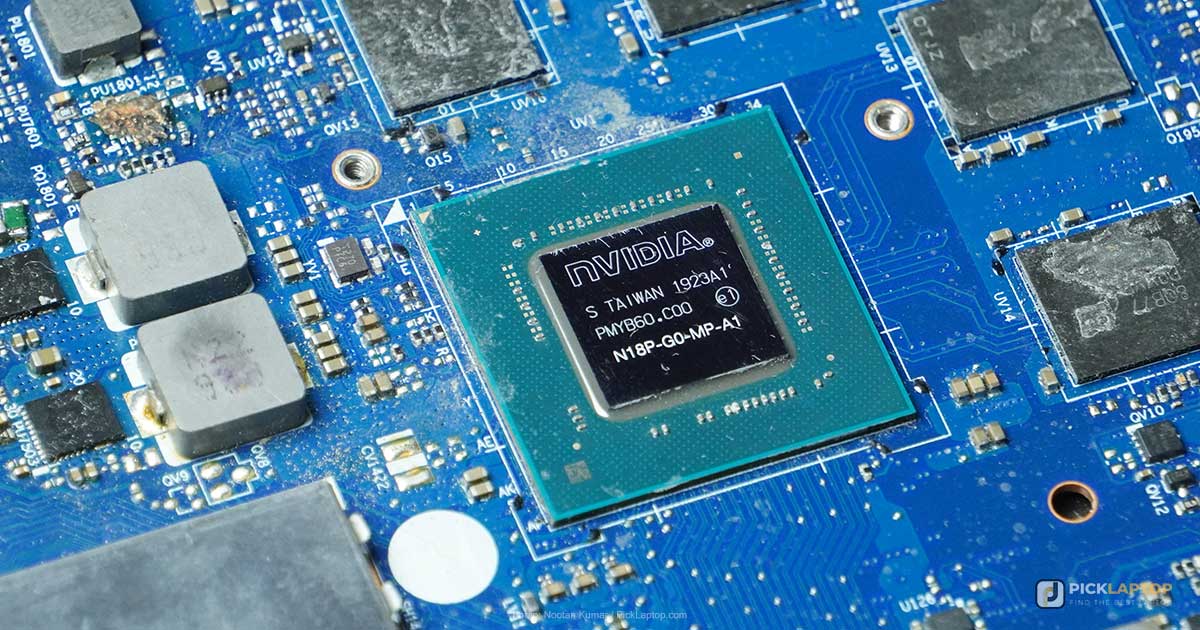
This is the single most common question we get, and it almost always arrives phrased in the negative. Do I need a dedicated GPU for accounting? For Lightroom? For Android Studio? For Power BI? Somebody has told the reader that serious work requires a graphics card, and they want permission to skip it.
For most of those workloads the honest answer is no, and the reason it keeps getting answered the other way is that nobody has an incentive to say so. Retailers earn more on the machine with the card in it; software makers list a GPU under recommended specifications because it costs them nothing to recommend one. This guide goes workload by workload through what the vendors themselves publish, and separates the cases where a discrete GPU genuinely changes the work from the cases where it is a tax on your battery.
What’s Inside
- 1 – What a Graphics Chip Actually Does in a Laptop
- 2 – Integrated Graphics in 2026, and the Memory They Borrow
- 3 – VRAM: The One Number You Cannot Change Later
- 4 – Workload by Workload: Who Actually Needs One
- 5 – "Supports GPU Acceleration" Is Not "Requires a GPU"
- 6 – What a Discrete GPU Costs You on the Days You Do Not Use It
- 7 – How to Check What Your Own Software Uses
- 8 – Dedicated Graphics Card FAQ
- 9 – Final Thoughts on Buying Graphics You Will Actually Use
What a Graphics Chip Actually Does in a Laptop
Every laptop has a GPU. The question is never whether you have one, only whether it sits inside the processor package or on its own chip with its own memory. Integrated graphics share the processor’s power budget and borrow system RAM. Discrete graphics are a separate chip with dedicated video memory soldered beside it.
What that chip is good at is doing the same small calculation across thousands of pixels or data points at once. Drawing a window, decoding a video stream, shading a 3D scene, and multiplying the matrices inside a neural network are all that shape of problem. Recalculating a spreadsheet, compiling code, running a database query and solving a chemical process model are not — they are branchy, sequential work that stays on the CPU no matter what card is installed.
That distinction explains nearly every answer below. Software that draws flat interfaces, tables and 2D plots is not held back by graphics hardware, because the drawing was never the slow part.
Integrated Graphics in 2026, and the Memory They Borrow
Integrated graphics stopped being a punchline several generations ago. Intel now ships Arc-branded graphics inside its mainstream laptop processors and claims up to 77% better gaming performance for the Core Ultra X9 388H over the previous generation’s Core Ultra 9 288V, alongside 50% more graphics cores on selected parts. Those are manufacturer figures rather than independent measurements, but the direction is not in dispute: work that needed a discrete card in 2019 runs on the processor today.
The structural difference is memory. An integrated GPU has none of its own and takes what it needs from system RAM. Intel describes that allocation as dynamic — the driver balances the needs of the operating system and running applications on the fly, it is not a fixed reservation you set, and the ceiling is capped by the operating system at half of installed system memory.
This is where graphics and memory decisions stop being separate. An integrated GPU reads from the same modules your applications use, so it is sensitive to memory bandwidth in a way a discrete card is not — which is why a laptop sold with one memory module can trail the identical machine with two, at the same total capacity. The dual-channel section of our explainer on how much laptop RAM you actually need covers that trade in detail.
The practical consequence: on a machine with integrated graphics, buying more system RAM is partly a graphics upgrade. Adobe treats it that way explicitly, offering 16GB of shared memory as an alternative to 8GB of dedicated GPU memory for Lightroom Classic export.
VRAM: The One Number You Cannot Change Later
Video memory holds the textures, buffers and model weights the GPU is currently working on. When it fills, the data has to be evicted and re-fetched, and that shows up as stutter rather than as an error message — which is why running out of VRAM feels like a broken machine rather than a full one.
VRAM is soldered to the graphics module and cannot be upgraded, on any laptop, at any price. System memory is sometimes replaceable and storage almost always is. The video memory figure on the listing is the one you keep for the life of the machine, so it is the number to get right at checkout.
Published VRAM figures vary far more than most buyers expect, and the recommended lines are frequently several times the minimums:
| Software | Published minimum | Published recommendation |
|---|---|---|
| Adobe Lightroom Classic | 2GB | 4GB for 4K displays; 8GB dedicated or 16GB shared for export |
| Blender | 2GB | 8GB |
| Second Life | 4GB | 8GB or more |
| SketchUp (Windows) | OpenGL 3.1 class | 8GB; 32GB for PBR, ambient occlusion and image-based lighting |
| Mastercam | 1GB | 4GB; 12GB or more with simulation |
| Browzwear | — | 8GB |
| CLO / Marvelous Designer | — | 12GB |
Two things fall out of that table. SketchUp’s 32GB line is higher than any laptop GPU currently sold, so it is a ceiling describing the heaviest professional scenes rather than a target to shop against. And 8GB — the configuration most mid-range gaming laptops ship with — clears the recommended line for Blender, Second Life and Browzwear while sitting under CLO’s and well under Mastercam’s simulation figure. A tier number on the box does not tell you which side of those lines you land on; the way VRAM is allocated across the RTX 50 range is worth checking against your own software before the GPU model is.
Workload by Workload: Who Actually Needs One
Photo editing and raw processing
Not required. Adobe’s Lightroom Classic GPU FAQ puts the image-processing minimum at 2GB of GPU memory and describes acceleration as speeding up display and adjustment in the Develop module and in Library’s Grid, Loupe and Filmstrip views, with the largest gains on high-resolution displays. For export it names 8GB of dedicated GPU memory or 16GB of shared memory — meaning a machine with generous system RAM and integrated graphics satisfies that line without a card at all.
The same page also warns against buying on benchmark scores: a very high score does not translate into great results in Lightroom Classic, because performance depends on multiple factors. Lightroom uses one graphics processor and does not accelerate the secondary window. Our Lightroom machine recommendations go into where the AI-powered masking tools change that calculus.
Video editing
Genuinely helped, with the caveat that the CPU still does most of the work. Puget Systems’ Premiere Pro hardware guidance says the choice of CPU usually makes a much larger impact on overall system performance than the GPU, while listing VRAM by resolution: 4GB for 1080p, 8GB for 4K, 12GB for 6K, 16GB or more beyond that, with multi-stream sequences pushing higher.
Playback is a separate matter from rendering. Modern integrated graphics include fixed-function video decode blocks that handle common codecs, so a timeline can scrub smoothly on a machine with no discrete card. Where the card earns its place is effects, color grading and export encode.
3D, CAD and rendering
This is the clearest yes on the list, but only past a threshold. 2D drafting, PCB layout, ladder logic and process flow diagrams are vector drawing that integrated graphics finish without noticing. Rotating a dense mesh, a simulation result or a textured architectural model is viewport rendering, and that is where integrated graphics turn into a slideshow.
Blender lists 2GB of VRAM as its minimum and 8GB as recommended, and its Cycles renderer will use a supported NVIDIA, AMD or Intel GPU when one is present. Buy for the heaviest scene you actually open, not the heaviest the software can theoretically load.
Data analysis, BI and finance
No. This is the category where the myth does the most damage, because the datasets are large and people assume large means graphical. Microsoft’s own optimization guidance for slow Power BI reports names restrictive filters, fewer visuals per page, drillthrough pages and tooltips, custom visual quality, and the semantic model’s storage mode. Hardware does not appear on the list at all.
Excel’s calculation engine is CPU-bound, and Stata, SAS and base R do not dispatch work to a discrete GPU. The exception is libraries that call CUDA directly, which is machine learning under another name rather than business intelligence.
Software development
No, for web, backend, mobile and general application work. Compilation is CPU and I/O; editors and terminals are flat interfaces. Android Studio is the case people ask about most, and the emulator’s own controls show why: Google’s -gpu flag defaults to auto, choosing between hardware and software rendering on its own, with software and swiftshader as full CPU fallbacks. Google recommends auto for most users and suggests switching to software rendering when host-GPU mode misbehaves.
Game development, shader work and local model training are the developer cases that do want a card.
Machine learning and local model training
Yes for training, no for learning the framework, and the vendor lock-in matters more than the tier. TensorFlow’s installation guide requires an NVIDIA GPU with CUDA compute capability 3.5, 5.0, 6.0, 7.0, 7.5, 8.0 or higher, and states that 2.10 was the last release supporting GPU on native Windows — from 2.11 onward, GPU acceleration on Windows means running inside WSL2. MathWorks is equally specific: MATLAB supports NVIDIA architectures with compute capability 5.0 to 12.x, so an AMD or Apple GPU will not run gpuArray at all regardless of its raw specification.
Both frameworks run perfectly well on CPU for small models, preprocessing and coursework. If training is occasional rather than constant, renting GPU time by the hour costs less than carrying a card you use twice a year — a comparison we lay out further in the TensorFlow laptop guide.
Gaming
Depends entirely on the game, and the honest split is between titles built around a modern GPU and everything else. Linden Lab recommends a modern NVIDIA GPU with 8GB or more of video memory for Second Life — a virtual world, not a shooter — while its stated minimum is 4GB with OpenGL 3.2. Competitive esports titles and older catalogs run on current integrated graphics; heavily ray-traced releases at 1440p do not.
“Supports GPU Acceleration” Is Not “Requires a GPU”
The phrase on the product page almost always means the software will use a GPU if it finds one and fall back to the CPU if it does not. Those are two different statements and marketing copy blurs them constantly.
Three follow-up questions separate them. Does the feature you care about accelerate, or a different feature? Lightroom accelerates the Develop module and the AI selection tools but not the secondary window. Does acceleration require a specific vendor? TensorFlow and MATLAB’s compute paths are NVIDIA-only, so an AMD card buys nothing there. And is the accelerated part actually your bottleneck? Speeding up drawing does not speed up a solver, and a package that GPU-accelerates its viewport may run its solve entirely on the CPU.
The fallback is often silent. When an operation is not covered by Apple’s Metal backend, TensorFlow drops to the CPU without raising an error — the run simply takes longer than expected with nothing in the output to say why. Assume “supported” means “will not crash” until you have confirmed otherwise for your specific operations.
What a Discrete GPU Costs You on the Days You Do Not Use It
Modern laptops do idle the card. NVIDIA’s Optimus documentation describes the discrete GPU being powered off for less demanding applications, with the integrated chip handling both rendering and display to conserve power. That is real, and it means a gaming laptop browsing the web is not burning GPU wattage continuously.
What switching does not remove is everything else the card brought with it. The chassis is thicker and heavier because it has to cool a component that can draw over 100 watts. The cooling system is larger and louder. The battery is being asked to feed a bigger machine. And laptops sold with discrete graphics tend to arrive with the rest of the specification tuned for gaming rather than work — a lower-quality webcam, a glossy panel, keyboard lighting you did not want in a client meeting.
There is also a configuration trap. Many gaming laptops offer a MUX switch or “discrete GPU only” mode that bypasses the integrated chip for lower latency. Leaving that mode on removes the power saving entirely, because the card now drives the display at all times, including while you write email.
How to Check What Your Own Software Uses
You do not have to take anyone’s word for it, including ours. If you already run the software, the machine will tell you.
- Open Task Manager on Windows with Ctrl+Shift+Esc, switch to the Performance tab and select each GPU in the left-hand list. A machine with hybrid graphics shows both, so you can see which one your application is actually loading.
- Run your heaviest real task — the export, the render, the rebuild, the busiest dashboard — and watch. Utilization near zero on both GPUs while a CPU core pins at 100% is your answer: the work is not graphics work.
- Add the GPU and GPU Engine columns on the Processes tab to attribute usage to a specific application rather than to the desktop compositor, which registers activity just from scrolling.
- On macOS, open Activity Monitor and choose Window then GPU History. There is no discrete-versus-integrated split to interpret on Apple silicon, since the GPU shares the unified memory pool.
- Check the application’s own preferences. Most creative and engineering software exposes a GPU or hardware-acceleration toggle; turning it off and repeating the task tells you exactly what the card was contributing.
Five minutes of that beats any recommendation written by someone who does not know what you run.
Dedicated Graphics Card FAQ
Do I need a dedicated GPU for office work, accounting or business travel?
No. Documents, spreadsheets, browsers and video calls run on integrated graphics on any current laptop. The card costs you weight in the bag, heat under the palm rest and runtime away from a socket, and that money does more as memory or a better screen. The one case worth a second look is driving three or more external displays, and even then check the integrated chip’s published display limit first — it usually covers it.
Is 8GB of VRAM enough in 2026?
For 1080p gaming, most 1440p gaming, 4K video editing and Blender’s recommended line, yes. It sits under CLO’s 12GB recommendation for garment simulation and well under Mastercam’s 12GB figure for toolpath simulation. Because video memory is soldered and cannot be added later, check your own software’s published figure against the configuration rather than assuming a higher GPU tier resolves it.
Can integrated graphics run Photoshop and Lightroom?
Yes. Adobe’s stated image-processing minimum for Lightroom Classic is 2GB of GPU memory, and for export it accepts 16GB of shared memory as an alternative to 8GB of dedicated video memory — which is a route integrated graphics take by borrowing system RAM. The question is how quickly the AI-based tools finish, not whether they run.
Does more VRAM make my laptop faster?
Only when you were running out of it. VRAM is capacity, not speed. Below the ceiling, extra video memory does nothing; above it, the GPU evicts and re-fetches data and you get stutter that no amount of compute performance fixes. Diagnose which side of the line you are on before paying for more.
Will a dedicated GPU speed up Excel or Power BI?
No. Excel’s calculation engine is CPU-bound, and Microsoft’s guidance for slow Power BI reports is entirely about report and model design — restrictive filters, fewer visuals per page, drillthrough pages, storage mode. Hardware is not among the fixes it names.
Do I need an NVIDIA GPU specifically, or will AMD do?
For graphics, any vendor works. For compute, it depends on the software: TensorFlow’s GPU support is CUDA-based and NVIDIA-only, and MATLAB supports NVIDIA architectures with compute capability 5.0 to 12.x for gpuArray and Deep Learning Toolbox. AMD and Intel cards draw the picture fine but will not run those compute paths.
Does a discrete GPU drain the battery even when I am not using it?
Much less than it used to. NVIDIA’s Optimus powers the discrete GPU off for undemanding applications and lets the integrated chip handle rendering and display. The costs that remain are structural — a heavier chassis, a larger cooling system, a bigger machine for the battery to feed. And if the laptop has a MUX switch left in discrete-only mode, the saving disappears entirely.
My software says it supports GPU acceleration. Doesn’t that mean I need one?
Usually not. It generally means the software will use a GPU if one is present and fall back to the CPU if not. Check three things: whether the accelerated feature is the one you use, whether acceleration is locked to a specific vendor, and whether the accelerated stage is your actual bottleneck. A package that accelerates its viewport may run its solver entirely on the CPU.
Should I buy a gaming laptop just to get the GPU?
Only if you have identified work that genuinely uses it. A gaming chassis brings the card along with weight, fan noise, a shorter runtime and a specification tuned for a different buyer. Where a machine ships with one anyway because it was the cheapest route to a large screen or a fast processor, treat the GPU as a side effect rather than the reason for the purchase.
Final Thoughts on Buying Graphics You Will Actually Use
Name the specific task you believe needs a graphics card, then find where its maker documents that requirement. If the vendor’s own page describes acceleration as optional, lists a video-memory figure integrated graphics can meet from shared memory, or answers slowness with software changes rather than hardware, you have your answer and the money is better spent elsewhere.
And when the requirement is real, the number to check is video memory rather than the tier on the box — because that is the one specification on a laptop that nobody can change after you buy it.