Microsoft sells the 13-inch Flex Keyboard as its own product, and retail listings for the Snapdragon X2 Elite Surface Pro are labeled “Device Only” — the advertised price buys a tablet. ASUS answers the same question the opposite way: on Best Buy’s product Q&A, ASUS states the ROG Flow Z13 box contains the device, the detachable keyboard, the power adapter and documentation.
Same category, opposite answers, and the difference decides what a machine costs before a single specification is compared. Detachables and convertibles solve one problem — wanting a tablet and a laptop without buying two devices — in two mechanically different ways. This guide covers both: true detachables, where the keyboard separates from the screen, and convertibles, where a 360-degree hinge folds the keyboard away instead of removing it. The picks are split accordingly, with what ships in each box stated per machine.
Editor’s Pick

Last update on 2026-11-06 / Affiliate links / Images from Amazon Product Advertising API
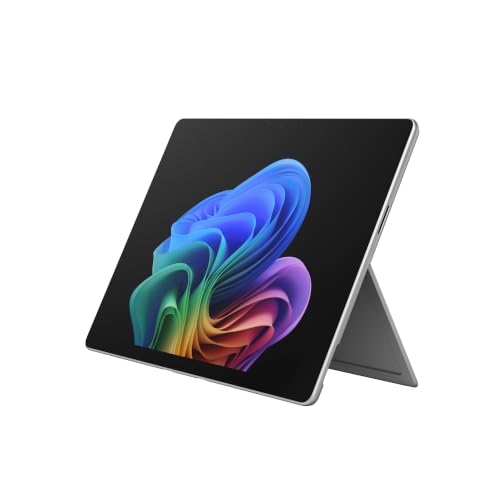
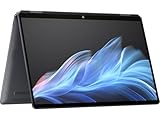
A 3:2 OLED tablet on its own, and a laptop once the Flex Keyboard is attached — which Microsoft sells separately, along with the pen. igeekphone’s PCMark 10 Applications test put runtime just past the 20-hour mark.
- Snapdragon X2 Elite (12-core)
- 13″ OLED, 120Hz, 3:2
- 16GB RAM, 1TB SSD
- Keyboard and pen sold separately
What’s Inside
- 1 – Detachable vs. Convertible — Buyer's Guide
- 2 – Detachable & Convertible Comparison Table
- 3 – Best Laptops with Detachable Keyboards — Reviews
- 4 – Best Convertible & 2-in-1 Laptops — Reviews
- 4.1 – 5. Lenovo Yoga 9i 2-in-1 Aura Edition (Best Overall Convertible)
- 4.2 – 6. HP OmniBook Ultra Flip 14 (OLED Display, Stylus Included)
- 4.3 – 7. Samsung Galaxy Book5 Pro 360 (Best Large-Screen Convertible)
- 4.4 – 8. Lenovo ThinkPad X1 2-in-1 Gen 10 (Best for Business)
- 4.5 – 9. Dell Inspiron 14 2-in-1 (7445) (Best Budget Convertible)
- 5 – Recommended Accessories
- 6 – Which Detachable or Convertible Laptop Should You Buy?
- 7 – Detachable & Convertible Laptop FAQ
- 8 – Final Thoughts on Detachable & Convertible Laptops
Detachable vs. Convertible — Buyer’s Guide
How Detachables and Convertibles Differ
A detachable is a tablet first: the screen contains the computing hardware, and the keyboard is a separate accessory that attaches magnetically or over a pogo-pin connector. Take the keyboard off and what remains is a tablet, because that is what it was designed to be. A convertible (also called a 2-in-1) is a laptop first: the keyboard is permanently attached on a 360-degree hinge that folds all the way around so the screen faces outward in tablet mode. You cannot remove the keyboard, and you cannot misplace it either.
Neither design wins outright. Detachables are lighter in the hand as tablets, since a keyboard’s weight and thickness stay behind on the desk. Convertibles are more stable on a lap, because the screen is carried on a continuous hinge rather than a magnetic joint.
One practical difference beyond day-to-day feel: a convertible’s keyboard is part of the machine and cannot be separated from it, while a detachable’s keyboard is an accessory that attaches over a contact strip. If it wears out or goes missing, a detachable takes a replacement keyboard; a convertible takes a repair.
Why the True Detachable Category Has Shrunk
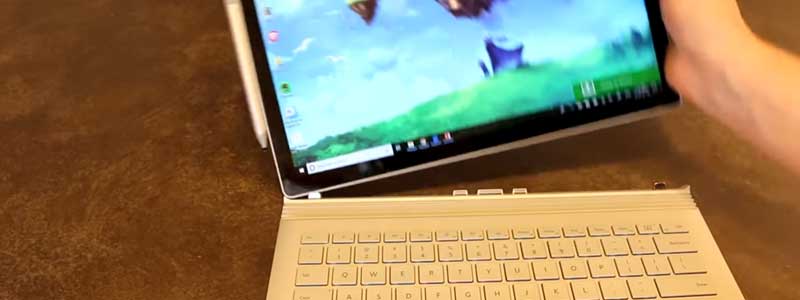
There are fewer true detachables on sale than there were five years ago, and the clearest evidence is Microsoft’s own line-up. In September 2021 Microsoft told Trusted Reviews that the Surface Laptop Studio “will assume the place previously occupied by Surface Book”, retiring that range. Tom’s Hardware later reported that the Laptop Studio 2 itself ended production, with resellers telling The Verge that manufacturing had ceased and no successor announced.
What remains is mostly Microsoft’s Surface Pro line, a set of Chromebook detachables aimed at students, gaming-tablet hybrids like the ASUS ROG Flow Z13, and a newer sub-category: dual-screen machines such as the redesigned ASUS Zenbook Duo, which replace the keyboard slab with a second full display. Anyone set on a detachable is choosing from a narrower field than the convertible options that follow.
The Accessories-Sold-Separately Trap
This varies by machine, and it varies by listing within a machine, so it is the first thing to check rather than the last. The Surface Pro sells its keyboard and pen as separate purchases. The ROG Flow Z13 and the Lenovo Chromebook Duet ship their keyboards in the box. The Zenbook Duo includes a detachable Bluetooth keyboard and, in the US, the ASUS Pen 3.0. Convertibles include the keyboard by definition, and three of the five here also include a stylus.
Check the box contents on the exact listing, not the model. Laptop Mag’s Chromebook Duet review unit arrived without the USI Pen 2 that the cheaper configuration includes — same model, different bundle. On a detachable, the keyboard and pen together can add a fifth to a quarter on top of the tablet’s own listed price.
Windows on ARM — What You Need to Know Before Buying
The Surface Pro 13″ runs a Qualcomm Snapdragon chip rather than an Intel or AMD one, which means x86 and x64 software runs through Microsoft’s Prism translation layer. The cost of that translation is measurable: on this machine igeekphone’s CPU-Z runs put translated code at roughly 77% of native multi-core and 72% of native single-core performance. That figure describes speed, not compatibility. Specialized professional applications, older hardware drivers and some games are the categories where an ARM build may not exist at all, so check the software and peripherals you depend on by name before ordering.
Performance and Battery Tradeoffs of 2-in-1 Designs
Most machines in both categories run integrated graphics, because a discrete GPU and the cooling it needs are hard to fit behind a tablet-thin screen or under a folding hinge. The ROG Flow Z13 is the deliberate exception, and it pays for that in runtime: PC Gamer’s wall-power readings put combined CPU/GPU draw at 68W under load, and unplugged play time landed around 90 minutes.
Dual-screen machines face a different arithmetic. Two panels draw more than one, which is why the Zenbook Duo carries a 99Wh battery — Notebookcheck’s figure — where a single-screen 14-inch convertible carries something closer to 70Wh. Engadget’s runtimes for it show the gap directly: better than eighteen and a half hours running one panel, down to just over fourteen with both lit — full figures are in the review below. For document work, browsing and note-taking on the other picks here, the design tax is invisible. For gaming, sustained creative work, or running two panels at once, plan around it.
Detachable & Convertible Comparison Table




Last update on 2026-11-06 / Affiliate links / Images from Amazon Product Advertising API
Best Laptops with Detachable Keyboards — Reviews
1. Microsoft Surface Pro 13″ (Best Overall Detachable)
Best Overall Detachable
Last update on 2026-11-06 / Affiliate links / Images from Amazon Product Advertising API
- ProcessorSnapdragon X2 Elite (12-core)
- GPUQualcomm Adreno (integrated)
- RAM16GB (soldered)
- Storage1TB SSD, user-replaceable
- Display13″ OLED, 3:2, 120Hz
- BatteryUp to 15.5 hours
Budget for two add-ons before ordering. Retail listings for this Snapdragon X2 Elite configuration are sold as “Device Only”, and igeekphone’s review calls the magnetic keyboard cover optional, describing it and the pen as accessories rather than parts of the machine. Add both to the tablet price before setting this against a convertible’s sticker.
What that price buys is a 3:2 PixelSense OLED panel — the taller ratio fits more of a document or a page of a PDF on screen than a 16:9 tablet does — and a kickstand igeekphone describes as built entirely from metal, holding position at virtually any angle and opening to 165 degrees. igeekphone also recorded 20 hours 17 minutes on PCMark 10’s Applications battery test from the 54.5Wh cell, against Microsoft’s own 15.5-hour rating; treat the first as a measured result under one workload and the second as a manufacturer figure.
Storage sits in a removable compartment under the kickstand, which igeekphone notes is rare among premium ultra-portables. A full drive on this machine is a back panel and a screwdriver rather than a trade-in.
The Snapdragon X2 Elite carries a Hexagon NPU rated at 80 TOPS, and igeekphone found the Adreno X2-85 graphics comparable to the integrated graphics in current Intel Core Ultra and AMD Ryzen mobile chips. The ARM caveat is the one to weigh: translated x86 software runs at about three-quarters of native speed on this hardware, and a few categories of software — niche professional tools, older drivers — may have no ARM build at all.
Pros
- 3:2 OLED PixelSense panel, more vertical space than a 16:9 tablet
- 20 hours 17 minutes on igeekphone’s PCMark 10 battery test
- SSD is removable under the kickstand
Cons
- Flex Keyboard and pen are separate purchases
- Translated x86 code runs at roughly 72–77% of native speed (igeekphone, CPU-Z)
2. ASUS ROG Flow Z13 (Best for Gaming and Power)
Best for Gaming and Power
Last update on 2026-11-06 / Affiliate links / Images from Amazon Product Advertising API
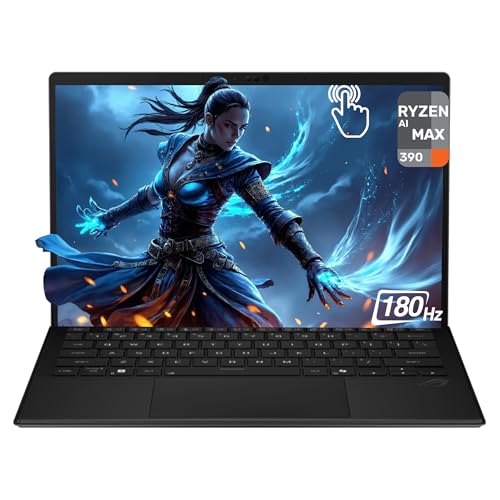
- ProcessorRyzen AI Max 390 (12-core)
- GPURadeon 8050S (integrated)
- RAM32GB LPDDR5X (unified)
- Storage1TB PCIe SSD
- Display13.4″ WQXGA, 180Hz
- NPUUp to 50 TOPS
The detachable keyboard is included here, the opposite of the Surface Pro’s arrangement, and that difference changes the total price when the two are compared side by side.
Nothing else on this list puts graphics of this class behind a tablet screen. PC Gamer tested the same Ryzen AI Max 390 and 32GB LPDDR5X-8000 configuration and describes the Radeon 8050S as 32 RDNA 3.5 compute units drawing 68W of combined CPU and GPU power while gaming.
That draw sets the limit on unplugged play: PC Gamer got 90 minutes of uninterrupted gaming, so a session longer than a film needs an outlet. Heat lands somewhere different than on a clamshell, since the components sit behind the screen rather than under the keys — PC Gamer found the keyboard surface slightly less hot to the touch as a result, and described the Turbo-mode fans as a high-speed whirr rather than loud.
The 13.4-inch 2560×1600 panel runs at 180Hz, and ASUS states 100% DCI-P3 coverage, Pantone validation, Dolby Vision support and 170 degrees of kickstand adjustment. Memory is 32GB soldered on board, so the configuration you order is the one you keep.
Pros
- Detachable keyboard included in the box
- 32 RDNA 3.5 compute units in a 13.4-inch tablet chassis
- 180Hz WQXGA panel, ASUS-rated 100% DCI-P3 with Dolby Vision
Cons
- About 90 minutes of gaming on battery (PC Gamer)
- 32GB LPDDR5X is soldered — no memory upgrade later
3. Lenovo Chromebook Duet 11 Gen 9 (Best Budget Detachable)
Best Budget Detachable
Last update on 2026-11-06 / Affiliate links / Images from Amazon Product Advertising API
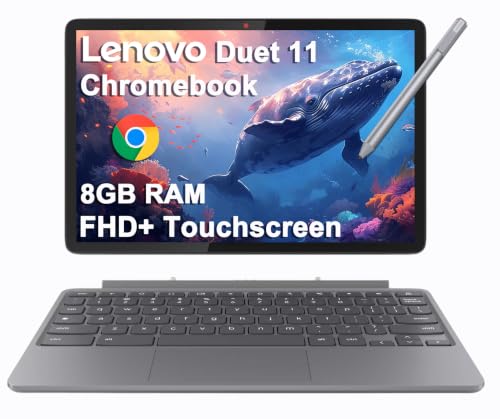
- ProcessorMediaTek Kompanio 838
- GPUIntegrated (ARM)
- RAMUp to 8GB
- Storage64GB/128GB eMMC
- Display10.95″ WUXGA IPS touch
- BatteryUp to 12 hours
The detachable keyboard folio is included rather than optional, which is what makes this the cheapest way into the category. The pen is the part that moves between bundles: the configuration linked here adds Lenovo’s USI Pen 2, while Laptop Mag’s review unit arrived without it. Read the listing rather than the model name.
Laptop Mag measured 402 nits of average peak brightness on the 10.95-inch panel, bright enough to work outdoors although the glossy finish picks up glare, and 9 hours 47 minutes on its web-surfing battery test — short of Lenovo’s 12-hour rating, and still a full school day.
Two limits shape what this can be asked to do. Laptop Mag found the folio keyboard shallow with mushy activation, though still usable enough to hit its reviewer’s normal 88 words per minute, and its 4GB configuration ran into memory constraints during testing — the 8GB version linked here has more room, but nothing in this chassis is built for heavy multitasking. ChromeOS runs web and Android applications rather than full desktop software. This is a second device or a student’s primary machine, not a workstation replacement.
Pros
- Keyboard folio included at the lowest price in this guide
- 402 nits measured by Laptop Mag — bright for the price class
- USI Pen 2 bundled with this configuration
Cons
- Shallow, mushy folio keyboard for long typing sessions (Laptop Mag)
- ChromeOS will not run full desktop software
4. ASUS Zenbook Duo (2026) (Best Dual-Screen Detachable)
Best Dual-Screen Detachable
Last update on 2026-11-06 / Affiliate links / Images from Amazon Product Advertising API
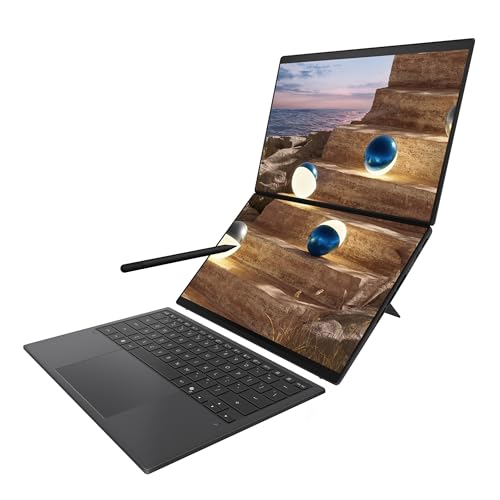
- ProcessorIntel Core Ultra 9 386H (Panther Lake)
- GPUIntel Arc B390 (integrated)
- RAM32GB LPDDR5X
- Storage1TB PCIe SSD
- DisplayDual 14″ OLED 3K, 144Hz
- KeyboardDetachable, Bluetooth, kickstand
Lift the keyboard off this one and a second 14-inch OLED panel is underneath it, not a bare deck. Both screens are 2880×1800 at 144Hz, and Notebookcheck measured around 500 cd/m² in SDR and about 1,000 cd/m² in HDR, with 100% sRGB coverage, on a Ceraluminum chassis weighing 1.7kg. Its redesigned hinge sits the two panels closer together than earlier generations managed.
One scoping note on the evidence: Notebookcheck and Engadget both reviewed the higher Core Ultra X9 388H version, while the configuration listed here is the Core Ultra 9 386H base model. The chassis, hinge, panels and keyboard are shared; the CPU findings are not directly transferable.
The reviews line up on whether the second screen is worth the extra weight and cost. Notebookcheck rates it 89% and “the best dual-screen convertible on the market”, Tech Guide scores it 90%, and Engadget measured 18 hours 33 minutes on one screen and 14 hours 23 minutes on both from the 99Wh battery — enough that dual-screen mode is not something you ration. Engadget also confirms the ASUS Pen 3.0 ships with US units; Notebookcheck’s top SKU included a travel case.
Against that: 1.7kg and 23.4mm make it heavier and thicker than a single-screen 14-inch convertible, the RAM is soldered, there is no SD card reader, and Notebookcheck recorded PWM flickering at 720Hz, which matters if you are sensitive to it. This is also a workflow you have to want — a single-panel convertible costs less and asks less of you.
Pros
- Second 14-inch OLED under the keyboard, 144Hz on both panels
- 14 hours 23 minutes measured with both screens running (Engadget)
- ASUS Pen 3.0 included with US units
Cons
- 1.7kg and 23.4mm — heavier and thicker than single-screen rivals
- Soldered RAM, no SD card reader, 720Hz PWM flicker (Notebookcheck)
Best Convertible & 2-in-1 Laptops — Reviews
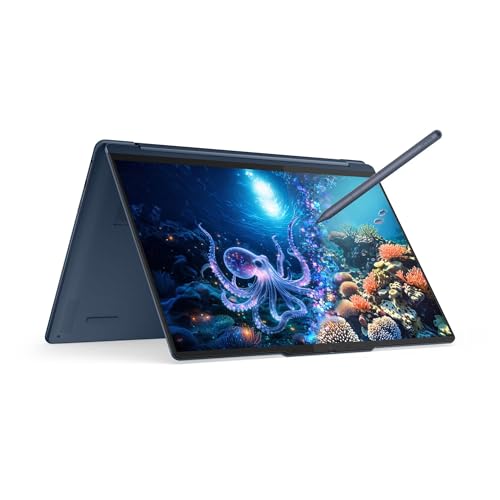
5. Lenovo Yoga 9i 2-in-1 Aura Edition (Best Overall Convertible)
Best Overall Convertible
Last update on 2026-11-06 / Affiliate links / Images from Amazon Product Advertising API
- ProcessorIntel Core Ultra 7 355 (Panther Lake)
- GPUIntel integrated
- RAM32GB LPDDR5X
- Storage1TB NVMe SSD
- Display14″ 2.8K OLED, 120Hz
- NPU45 TOPS
This is the Panther Lake generation of the machine Laptop Mag named its best 2-in-1 of CES 2025 — that award went to the previous Gen 10 Aura Edition, so the useful evidence is the testing done on this version.
LaptopMedia tested the Core Ultra 7 355 configuration and recorded 503 cd/m² in SDR, 1,020 cd/m² at an 8% HDR window, full sRGB and DCI-P3 coverage, and 15 hours 39 minutes of offline video at 180 nits, on a 1.29kg chassis. A bright OLED panel and a long runtime usually pull against each other, and this is the one pick on this list that holds both at once, rather than trading one for the other.
Audio is unusual for the size. Four speakers — two woofers and two tweeters, tuned with Dolby Atmos — sit in a rotating soundbar hinge, and LaptopMedia describes the result as fuller and more spacious than compact laptops normally manage, with limited deep bass.
Two things to know before ordering. LaptopMedia measured 134 GU of screen reflectance and classes the panel as very reflective, so a bright room or a window behind you is a problem this machine does not solve. The memory is soldered and the single M.2 slot is a short 2242, so neither is something to plan on changing later.
Pros
- 503 cd/m² SDR and full DCI-P3 coverage, measured by LaptopMedia
- 15 hours 39 minutes of offline video on the same test
- Four-speaker Dolby Atmos array in a rotating soundbar hinge
Cons
- Very reflective glossy panel at 134 GU (LaptopMedia)
- Soldered memory and a single short M.2 2242 slot
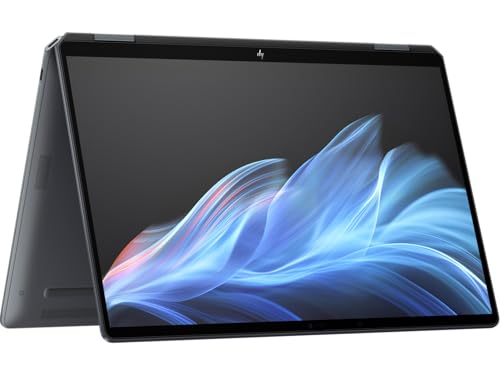
6. HP OmniBook Ultra Flip 14 (OLED Display, Stylus Included)
OLED + Stylus Included
Last update on 2026-11-06 / Affiliate links / Images from Amazon Product Advertising API
- ProcessorIntel Core Ultra 7 256V
- GPUIntel Arc Graphics (integrated)
- RAM16GB LPDDR5
- Storage1TB SSD
- Display14″ 2.8K OLED, 120Hz
- NPUUp to 47 TOPS
If you went looking for a Spectre x360 and could not find one, this is where it went: HP retired the Spectre name and the OmniBook Ultra Flip took its place as the premium 360-degree convertible.
An active stylus is in the retail box, which is the practical reason to look here rather than at the Yoga 9i if pen work is part of the job. Notebookcheck measured 363 nits in SDR and 585 nits in HDR on the 2880×1800 120Hz OLED panel, and weighed the machine at 1.336kg — light for a 14-inch convertible, and its review title says as much.
Ports are the thing to check against your desk: there is no USB-A connector at all, only USB-C, so an older mouse receiver or a USB stick needs an adapter. Notebookcheck’s unit ran the Core Ultra 7 258V and called raw processor performance uncompelling, suited to office work, browsing and occasional video editing rather than sustained load; the 256V listed here sits a step below that, so read the assessment as a ceiling rather than a floor.
Pros
- Active stylus included in the box
- 2880×1800 120Hz OLED, measured at 363 nits SDR and 585 nits HDR
- 1.336kg, light for a 360-degree convertible (Notebookcheck)
Cons
- No USB-A ports — USB-C only
- Lunar Lake CPU performance is modest under sustained load
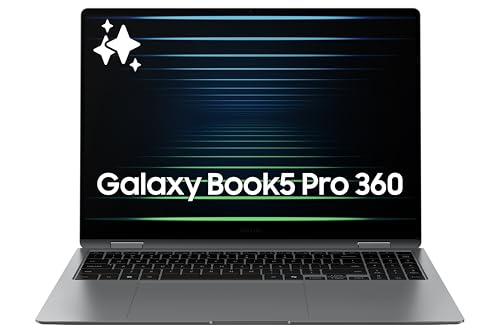
7. Samsung Galaxy Book5 Pro 360 (Best Large-Screen Convertible)
Best Large-Screen Convertible
Last update on 2026-11-06 / Affiliate links / Images from Amazon Product Advertising API
- ProcessorIntel Core Ultra 7 258V
- GPUIntel Arc 140V (integrated)
- RAM16GB LPDDR5X
- Storage512GB SSD
- Display16″ WQXGA+ AMOLED, 120Hz
- BatteryUp to 13 hours
At 16 inches this is the largest screen in the guide, and the reason to pick it over the 14-inch convertibles above: a 2880×1800 AMOLED at 120Hz with an anti-reflective coating that PCWorld found held up in outdoor sunlight. The S Pen is included, so stylus work costs nothing extra here.
Size has a price, and it is 3.73 pounds on PCWorld’s scale — enough that this is a machine you fold into tablet mode on a desk or a sofa rather than hold up for an hour. The hinge is up to the job at that weight: PCWorld found it “solid and works well without a lot of wobble, even when you adjust or open the laptop with one hand,” which matters more on a 16-inch panel than on a light 14-inch one.
PCWorld’s criticisms are about the parts your hands touch rather than the screen: shallow key travel that feels less premium than the chassis around it, and a trackpad placed off-center to the left. Its review unit also had 32GB and PCWorld notes Samsung sells a 16GB Core Ultra 7 256V version, so confirm which one a listing carries. There is no infrared camera for Windows Hello face sign-in and no physical webcam shutter.
Pros
- 16-inch 2880×1800 AMOLED, the largest display in this guide
- Anti-reflective coating that PCWorld found usable in sunlight
- S Pen included
Cons
- 3.73 pounds — heavier than the 14-inch convertibles here
- Shallow key travel and an off-center trackpad (PCWorld)
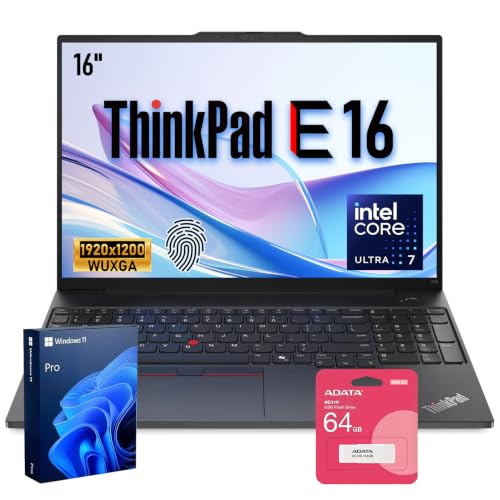
8. Lenovo ThinkPad X1 2-in-1 Gen 10 (Best for Business)
Best for Business
Last update on 2026-11-06 / Affiliate links / Images from Amazon Product Advertising API
- ProcessorIntel Core Ultra 7 258V
- GPUIntel Arc Graphics (integrated)
- RAMUp to 32GB
- StorageUp to 4TB PCIe SSD
- Display14″ FHD+ touch, 60Hz
- OSWindows 11 Pro
Lenovo’s business convertible carried the X1 Yoga name before this line took over, and the generation label is where listings go wrong. This Core Ultra 7 258V chip is Lunar Lake hardware, which makes it the Gen 10 machine; Notebookcheck reports the Gen 11 as the Panther Lake refresh. A listing pairing “Gen 11” with a 258V is mislabelled, not newer.
PCWorld reviewed the 258V version and ran it past 24 hours on its battery benchmark, called the keyboard high-quality with no mushy feel under the keys, and wrote that “the hinge feels great, as it has on previous convertible ThinkPads I’ve used” — the component this whole category depends on. The 1920×1200 IPS panel is 60Hz rather than OLED, and PCWorld reads that as a deliberate trade for portability and runtime, helped by an anti-reflective coating.
Two constraints came out of the same review: Lunar Lake’s multithreaded performance is weak for heavy compute work, and there is a single USB-C charging port rather than one on each side. Against that, Lenovo layers its ThinkShield management and firmware-security tooling on this line, which the consumer convertibles here do not carry, and storage configures up to 4TB.
Check the seller before buying. Some listings for this configuration come from third-party resellers rather than Lenovo or an authorized channel, and units opened to fit larger storage carry the reseller’s warranty on that part rather than Lenovo’s. Memory cannot be changed at all — Lunar Lake packages it with the processor. Confirm the seller and the warranty terms on the exact listing.
Pros
- Over 24 hours on PCWorld’s battery benchmark
- Anti-reflective 1920×1200 touch panel and a firm, non-mushy keyboard
- ThinkShield tooling and storage configurable to 4TB
Cons
- Weak multithreaded performance and one USB-C charging port (PCWorld)
- Some listings are third-party reseller units — check the seller
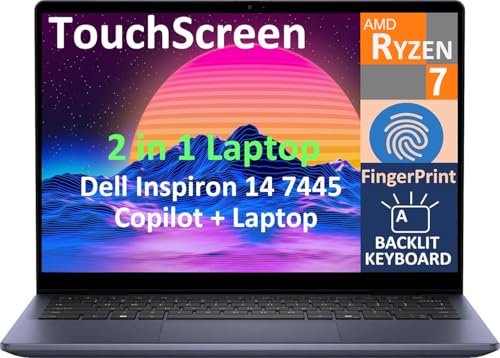
9. Dell Inspiron 14 2-in-1 (7445) (Best Budget Convertible)
Best Budget Convertible
Last update on 2026-11-06 / Affiliate links / Images from Amazon Product Advertising API
- ProcessorAMD Ryzen 7 8840HS
- GPUAMD Radeon Graphics (integrated)
- RAM16GB DDR5
- Storage512GB SSD
- Display14″ WUXGA touch
- OSWindows 11
The build is the part that does not read as budget. XDA reviewed the Ryzen 7 8840HS configuration and reports MIL-STD-810H certification across 17 tests on an aluminum chassis with 360-degree hinges, and describes the island-style keyboard as firm and springy with large keys. It is the only pick in this guide with published military-standard testing behind it.
XDA recorded an average of 213 nits against a 250-nit rating and 47% sRGB coverage on the display, and PCWorld called 250 nits barely bright enough for indoor use and unusable outdoors on a sunny day. Both also flag speakers that distort at volume. If the screen is where you spend eight hours, this is the pick to skip.
Battery is the honest surprise. XDA measured 9 hours 51 minutes against Dell’s 10 hours 4 minutes rating — a 13-minute gap, which is closer than most manufacturer figures survive. Dell’s own aggregated customer reviews include a minority reporting hardware faults — overheating, fan noise, drive and board failures. That is customer-reported data rather than lab testing, and it is a minority of it, but it is the only long-run reliability signal published for this machine.
For a student or anyone who wants a 360-degree hinge and a metal chassis without paying premium-convertible money, that trade is defensible. Just buy it knowing the panel is the compromise.
Pros
- Aluminum chassis with MIL-STD-810H testing across 17 items (XDA)
- 9 hours 51 minutes measured against a 10:04 rating
- Firm island-style keyboard with backlighting
Cons
- 213 nits average and 47% sRGB — dim and undersaturated (XDA)
- A minority of Dell’s own customer reviews report hardware faults
Recommended Accessories
Two accessories cover the gaps that recur across this category: a stylus for the machines that do not include one, and a USB-C hub for the designs that dropped USB-A.

Last update on 2026-11-06 / Affiliate links / Images from Amazon Product Advertising API
Which Detachable or Convertible Laptop Should You Buy?
| Best For | Pick |
|---|---|
| Overall detachable | Microsoft Surface Pro 13″ |
| Gaming and power (detachable) | ASUS ROG Flow Z13 |
| Budget detachable | Lenovo Chromebook Duet 11 Gen 9 |
| Dual-screen detachable | ASUS Zenbook Duo (2026) |
| Overall convertible | Lenovo Yoga 9i 2-in-1 Aura Edition |
| OLED with a stylus in the box | HP OmniBook Ultra Flip 14 |
| Largest screen | Samsung Galaxy Book5 Pro 360 |
| Business use | Lenovo ThinkPad X1 2-in-1 Gen 10 |
| Budget convertible | Dell Inspiron 14 2-in-1 |
Detachable & Convertible Laptop FAQ
What’s the difference between a detachable and a convertible laptop?
A detachable’s keyboard comes off; a convertible’s folds around on a 360-degree hinge. The buying consequence is what each one weighs in your hands: hold a detachable as a tablet and the keyboard’s mass is left on the desk, while a convertible in tablet mode still carries its keyboard against the back of the screen. Four picks here are detachables, five are convertibles.
Why are there so few true detachable laptops left?
Microsoft’s own line-up traces it. The Surface Book range was retired in September 2021 in favor of the Surface Laptop Studio, and the Laptop Studio 2 that followed has since ended production with no successor announced. That leaves the Surface Pro line, student Chromebook detachables, gaming hybrids and the newer dual-screen designs. The convertible half of this guide has more entries than the detachable half for that reason, not by editorial preference.
Do I need to buy the keyboard and pen separately?
It depends on the machine, and this is the answer to check first. Surface Pro: keyboard and pen both separate. ROG Flow Z13: keyboard in the box. Chromebook Duet: keyboard folio in the box, USI Pen 2 only on some bundles. Zenbook Duo: detachable keyboard in the box, plus the ASUS Pen 3.0 on US units. Among the convertibles, the HP OmniBook Ultra Flip and the Samsung Galaxy Book5 Pro 360 both include a stylus.
Can Windows-on-ARM laptops like the Surface Pro run all my apps?
Not all, and the ones that do run pay a speed penalty — the buyer’s guide above has igeekphone’s measured translation figures for this Surface Pro. What that figure doesn’t cover: software written natively for ARM, including most current browsers and Microsoft 365, runs at full speed through Prism with no penalty at all; the slowdown applies only to legacy x86 code that has no ARM build. Hardware drivers written for x86 are a separate failure mode from speed — a printer, a capture card or an audio interface is as likely to be the blocker as an application.
Are 2-in-1 laptops as durable as traditional laptops?
It varies by model, and published testing is thinner than marketing suggests. The Dell Inspiron 14 2-in-1 is the one pick here with a documented result — MIL-STD-810H across 17 tests, per XDA’s review. For the others, no independent durability testing has been published, so the hinge or connector is the part to read owner reports on if you expect to switch modes several times a day.
Is a dual-screen laptop like the Zenbook Duo useful, or a gimmick?
The battery case for it is made in the review above — Engadget’s runtime holds up whether one panel or both are lit, so the second screen isn’t something to ration. The specific workflow where the second screen pays off is a reference document, spreadsheet or chat window on the lower panel while you work on the upper one, the way a second monitor would at a desk. If you don’t already reach for a second screen there, the extra panel is mostly added weight rather than added capability — and it’s the reason this pick carries a heavier, thicker chassis than the single-screen convertibles here.
Is a convertible or detachable better for note-taking and drawing?
Detachables are easier to hold and write on, because nothing is folded behind the screen. The deciding factor is usually which pen you end up with: check whether one is in the box, whether it charges or takes a battery, and where it stores. The ThinkPad X1 2-in-1 keeps a pen garage in the chassis; the Surface Pro’s pen is a separate purchase; the Samsung and HP both bundle theirs.
Final Thoughts on Detachable & Convertible Laptops
Two questions settle this category faster than a specification comparison. Do you want a tablet that becomes a laptop, or a laptop that becomes a tablet? And what is actually in the box — because on a detachable, bundling in the keyboard and pen can push the real price up by roughly 20 to 25 percent over the advertised figure, while the Flow Z13 and the Chromebook Duet already include theirs.
Answer those two and the list shortens quickly. The Surface Pro is still the reference detachable; the Zenbook Duo’s second screen is the most interesting thing to happen here in years; and the convertibles reviewed below outnumber the detachables, with more display options and, in several cases, better value for the same outlay.